Python APScheduler Persistent Jobs and SQL Job Stores
python apscheduler persistent jobs and sql job stores: Configure APScheduler SQL job stores so jobs survive restarts. Understand serialization, locking, and how to cho...
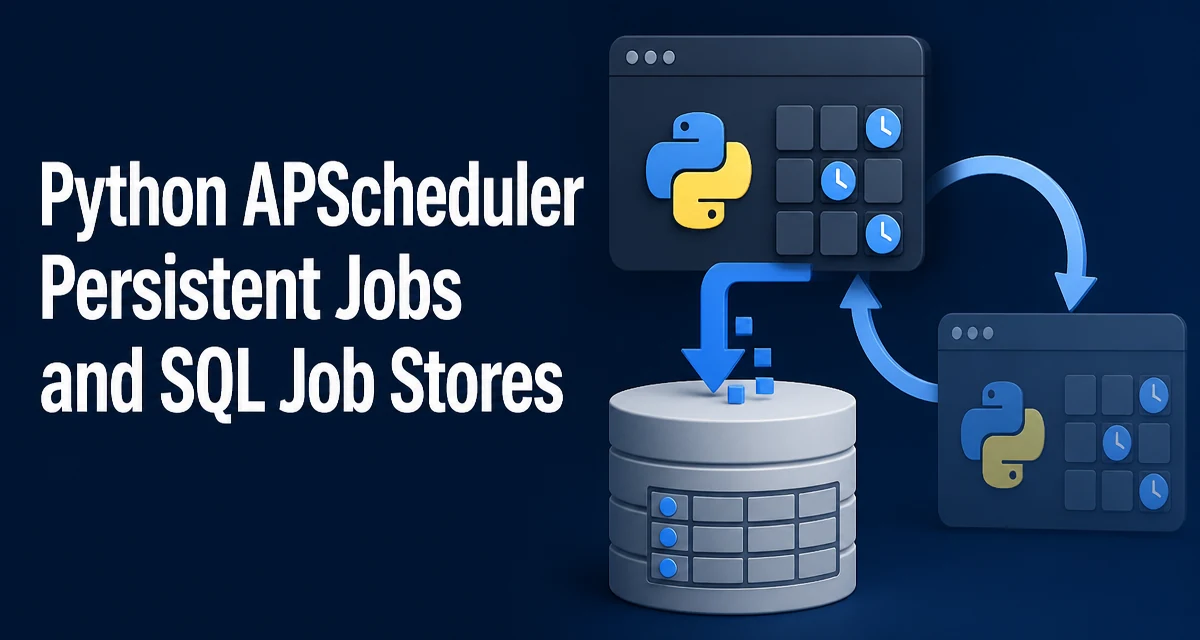
By default, APScheduler keeps jobs in memory. A BackgroundScheduler started without a job store holds its schedule in a MemoryJobStore, which means every job added at runtime lives and dies with the process. If the application restarts, crashes, or is redeployed, the schedule is gone. For long-running services, that behavior is usually unacceptable.
Using python apscheduler persistent jobs and sql job stores means replacing that in-memory storage with a database-backed store so job definitions survive the process lifetime.
How SQLAlchemyJobStore Persists Jobs
The SQLAlchemyJobStore is the SQL-based job store shipped with APScheduler. It uses SQLAlchemy to connect to a database and stores each job as a row in a table named apscheduler_jobs by default. The table holds the job ID, the next scheduled run time, and the serialized job state.
The job state is serialized with pickle by default. That means the callable, its arguments, and the trigger configuration are all packed into the job_state column. When the scheduler starts, it reads those rows, deserializes them, and reconstructs the jobs in memory.
This design has an important consequence: the function the job calls must be importable by module path. If the function is defined in a script that runs directly, or if it is a lambda or a locally defined closure, pickle cannot reliably restore it. The job must reference a top-level function in an importable module.
Configuring a SQL Job Store
The simplest way to use a SQL job store is to create one and pass it to the scheduler:
from apscheduler.schedulers.background import BackgroundScheduler
from apscheduler.jobstores.sqlalchemy import SQLAlchemyJobStore

jobstore = SQLAlchemyJobStore(url='sqlite:///jobs.sqlite')
scheduler = BackgroundScheduler(jobstores={'default': jobstore})

scheduler.start()
Once the scheduler starts, it creates the apscheduler_jobs table if it does not exist. Any job added after that point is written to the database.
The same store works with PostgreSQL and MySQL by changing the SQLAlchemy URL:
# PostgreSQL
SQLAlchemyJobStore(url='postgresql+psycopg2://user:password@localhost/appdb')

# MySQL
SQLAlchemyJobStore(url='mysql+pymysql://user:password@localhost/appdb')
The url is a standard SQLAlchemy database URL. The database driver package must be installed separately; SQLAlchemy itself does not include drivers.
Adding and Updating Persistent Jobs
Jobs added through the scheduler are persisted automatically. To avoid duplicate rows when the same job is registered more than once, use replace_existing=True:
scheduler.add_job(
    send_daily_report,
    trigger='cron',
    hour=9,
    minute=0,
    id='daily_report',
    replace_existing=True,
)
The id is required when replace_existing is used. Without an ID, APScheduler generates a random one on every call, and replace_existing has nothing to match.
When a job with the same ID already exists in the store, APScheduler replaces it. This is the pattern to use when an application starts and needs to ensure its jobs are present without creating duplicates on every deployment.
What Happens When the Scheduler Restarts
When the scheduler starts, it loads all jobs from the configured job stores. Each job's next_run_time is read from the database, and the scheduler recalculates the schedule from that point.
A job that was missed while the scheduler was down is handled according to the misfire grace time and the coalesce setting. By default, misfire_grace_time is 1 second in APScheduler 3.x. If the scheduler restarts after that window has passed, the missed execution is not run unless the trigger allows it to be recalculated.
This is a common source of confusion: persistence keeps the job definition, but it does not guarantee that missed runs are executed after downtime. If a job must run exactly once per interval even after a restart, the trigger and misfire settings need to be tuned, and the application logic must be idempotent.
Running Multiple Schedulers Against One Store
A SQL job store can be shared by more than one scheduler process. APScheduler uses a database-level lock to prevent the same job from being executed by multiple schedulers at once. The lock behavior depends on the database backend; for example, PostgreSQL uses row-level locking through SELECT ... FOR UPDATE.
This makes it possible to run multiple application instances behind a load balancer, all pointing at the same database. Only one instance executes a given job at its scheduled time. The tradeoff is that the database becomes a coordination point, and the job store's locking behavior must be understood for the specific backend in use.
For SQLite, concurrent access is more limited. SQLite serializes writes, and the lock is held for the duration of the write transaction. Under heavy job load, this can become a bottleneck. SQLite is a reasonable choice for a single-instance application, but a client-server database is more appropriate when multiple schedulers share the store.
Choosing Between SQLite, PostgreSQL, and MySQL
| Database | Best fit | Concurrency | Operational note |
|---|---|---|---|
| SQLite | Single instance, local file | Limited | No server to run; file must be backed up |
| PostgreSQL | Multiple instances, production | Strong row-level locking | Requires a running server and driver |
| MySQL | Multiple instances, production | Depends on storage engine | Requires a running server and driver |
The choice is driven by how the scheduler is deployed. A single process with a local file is well served by SQLite. Anything that runs multiple workers or needs to survive a database server failure should use a client-server database.
Operational Concerns in Production
The apscheduler_jobs table grows as jobs are added. Jobs that are removed with scheduler.remove_job(id) are deleted from the table, but jobs that are replaced or updated leave the table at roughly the same size. There is no automatic cleanup of historical rows because the table stores only current job definitions; it is not a job log.
If the application adds jobs dynamically with generated IDs, the table can accumulate rows that are never removed. Review the set of job IDs the application creates and remove jobs that are no longer needed.
The serialized job state is stored as a binary blob. If the Python version or the module path of the job function changes, old rows may fail to deserialize. After a code change that moves a job function to a different module, the stored job must be replaced with a new one, or the old row will raise an error when the scheduler tries to load it.
Backing up the database that holds the job store is the same as backing up any other database. The job store does not need special handling beyond normal database backup procedures, but the backup must be consistent if the scheduler is running, because a job can be written at any moment.