C# Array Slicing with Range
c# array slicing with range: Learn how to slice arrays in C# using the range operator, with practical examples and performance implications.
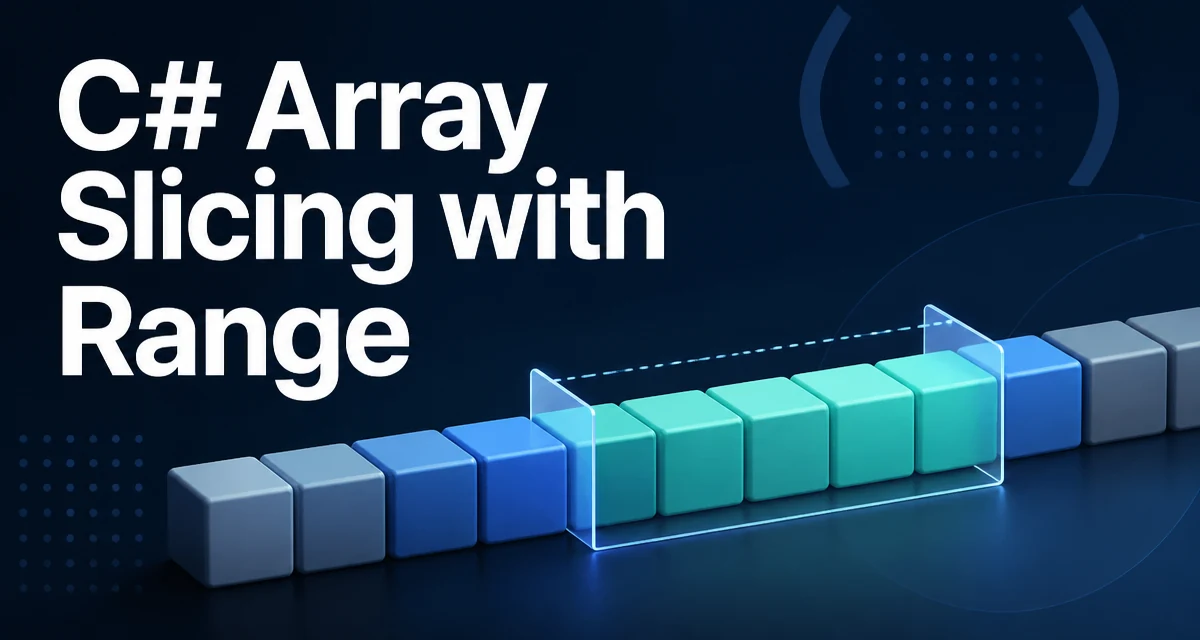
C# array slicing with range syntax lets you extract a contiguous portion of an array without copying the whole array upfront. The range operator .. and the index-from-end operator ^ were introduced in C# 8.0, and they give you a concise way to describe array segments. Consider an array of process IDs:
int[] ids = { 10, 20, 30, 40, 50 };
If you want the second, third, and fourth elements (indexes 1, 2, and 3), you can write ids[1..4]. The range specifies a start index and an exclusive end index. The result is a new array that contains { 20, 30, 40 }. The original array is not modified. This is the core idea behind range slicing: a compact, readable way to describe a subarray.
How the Range Operator Works
A range in C# is a Range struct that has a Start and an End, both of type Index. The Index type represents either an offset from the start or an offset from the end, using the ^ operator. When you write array[1..4], the compiler creates a Range with start index 1 and end index 4, then calls a slicing method on the array. For arrays and strings, this method creates a new array or string. For Span<T>, it returns a Span that points into the existing memory, so no copy is made.
Here is a simple example:
using System;

int[] data = { 5, 10, 15, 20, 25, 30 };
int[] middle = data[2..5]; // elements at indexes 2, 3, 4 => { 15, 20, 25 }
The end index is exclusive. So data[2..5] includes indexes 2, 3, and 4, but not 5. If you want the slice to go to the end of the array, you can omit the end index: data[2..]. If you want to start from the beginning, omit the start index: data[..4]. A full range data[..] represents the entire array, though it still creates a new copy for arrays.
You can also use the index-from-end syntax to define ranges relative to the end of the array. For example, data[1..^1] excludes the first and last elements. The ^1 refers to the last element, but because the end is exclusive, ^1 excludes the last element. So data[1..^1] drops the first and last elements.
Creating Slices with the Index Type
The Index type can be used directly to index into arrays. For instance, data[^1] gives the last element. This is equivalent to data[data.Length - 1]. You can combine Index and Range values dynamically. For example:
Index start = 2;
Index end = ^1;
int[] slice = data[start..end];
This is useful when you need to compute start and end positions at runtime. The Range struct has two constructors that accept Index values, but the compiler handles the conversion from integers automatically when you write the .. syntax. You can also store a Range in a variable and reuse it:
Range firstHalf = ..^(data.Length / 2);
int[] first = data[firstHalf];
This approach avoids repeating the range logic in multiple places. However, remember that each application of a range to an array creates a new array, so reusing a Range does not reduce copying if you apply it to a new array every time.
Using Span for Zero-Copy Slicing
When performance matters, you often want to avoid allocating a new array for each slice. The Span<T> type provides a zero-copy view over an array. Slicing a Span simply adjusts the start and length of the underlying memory region. This is especially valuable in high-throughput code paths, such as processing binary protocols or parsing large log files.
Here is an example of using Span<T> with the range operator:
using System;

byte[] buffer = { 0x01, 0x02, 0x03, 0x04, 0x05, 0x06 };
Span<byte> span = buffer;
Span<byte> header = span[..2];   // first two bytes
Span<byte> payload = span[2..];  // remaining bytes
Both header and payload point into the same buffer memory. No new byte arrays are allocated. Modifying payload[0] also modifies buffer[2], because they share the same backing storage. This behavior is intentional and should be kept in mind if you need an independent copy.
If you need a copy from a span, you can call ToArray() on it, but that allocates a new array. The Memory<T> type behaves similarly to Span<T> but can be stored in fields and used across async boundaries.
Common Pitfalls and Edge Cases
One common mistake is assuming that a range with an end index is inclusive. In C# ranges, the end index is always exclusive. So array[1..3] returns two elements, not three. Another pitfall is using a negative start or end index directly; the ^ operator is required to count from the end. For example, array[-1..] does not compile.
When you use open-ended ranges, be aware of how the bounds are resolved. array[..] means 0..^0, which is the whole array. array[^0] is invalid because ^0 points one past the last element, and indexing a single element at ^0 throws an IndexOutOfRangeException. However, array[..^0] is allowed because ^0 as an exclusive end means the length. This subtle difference often trips up new users.
If you attempt to create a range that goes beyond the array boundaries, the compiler does not catch it at compile time; you get a runtime exception. For example, array[10..20] on an array of length 5 throws ArgumentOutOfRangeException. The same applies to index values in the range.
Performance Considerations
Array slicing with .. on arrays and strings always creates a new array or string. This means there is an allocation cost and a copy cost proportional to the length of the slice. For short slices in low-frequency code, this cost is negligible. But in loops that process large datasets, repeated slicing can lead to many allocations and increased garbage collection pressure.
In contrast, Span<T> slicing does not allocate, because it just creates a new Span over the same memory. This is the recommended approach when you need to pass a subarray to a method without copying. For example:
int[] data = { 1, 2, 3, 4, 5 };
ProcessSpan(data.AsSpan(1, 3)); // no copy
Using Span also avoids the overhead of an array object allocation. However, spans are ref structs and cannot be used inside async methods or as fields in a class. In those cases, consider Memory<T>.
Range vs Array.Copy vs LINQ
Array.Copy is an older method that gives you fine control over source and destination indexes. It requires a destination array to be preallocated. LINQ's Skip and Take also create new collections, but they operate on IEnumerable<T> and are slower for arrays because they use iterators. For most modern C# code, the range operator is the most readable and concise choice.
The following table compares the three common approaches:
| Approach | Syntax | Copy behavior | Allocation | Best use case |
|---|---|---|---|---|
| Range operator | array[1..3] | Creates a new array | New array + copy | Quick, readable slicing in application code |
Array.Copy | Array.Copy(source, 1, dest, 0, 2) | Copies into a preallocated array | No allocation if dest exists | When you need to control the destination buffer |
| LINQ | array.Skip(1).Take(2).ToArray() | Creates an IEnumerable and then an array | Multiple allocations | When working with non-array enumerables |
In a hot path, neither the range operator nor LINQ avoids allocation. Use Span when zero-copy is a hard requirement.
Where Range Slicing Fits in Modern C#
The range operator is part of a broader set of features that improve handling of collections. It works on arrays, strings, Span<T>, and Memory<T>. It does not work on List<T> directly, because lists do not have an indexer that accepts a range. For lists, you can use GetRange(int start, int count) or convert to an array and slice. However, you can use ranges with List<T> starting in .NET Core 3.0? Actually, the range support was added to List<T> in .NET Core 3.0, and it returns a List<T> with the specified elements. For example, list[1..3] returns a new List<T>. So you can use the same syntax with lists.
The range operator also works with custom types if they implement an indexer that takes a Range. This allows you to create your own collection types that support slicing in a natural way. When designing such types, keep the semantics consistent with arrays: the end index is exclusive, and the operation should return a new collection rather than a view, unless you explicitly design it to return a view.
Slicing Strings with Ranges
Strings also support the range operator. myString[2..5] returns a substring that contains the characters from index 2 to 4. This is a convenient alternative to Substring, and it is often more readable when you need to extract a suffix or a middle portion. For example:
string full = "C# range slicing";
string core = full[3..8]; // "range"
Note that this creates a new string object, just like Substring does. However, unlike Substring, the range syntax can combine start and end positions in an intuitive way, especially when using ^ to count from the end. This is particularly useful when parsing file names or URLs.
Production and Maintainability Considerations
Using ranges consistently across your codebase can improve readability. When another developer sees data[1..^1], they immediately know that you are excluding the first and last elements. This is more expressive than data.Skip(1).Take(data.Length - 2).
For maintainability, avoid embedding magic numbers in the range. Instead, use named constants or computed indices. For example:
const int HeaderLength = 8;
byte[] packet = ReadPacket();
var header = packet[..HeaderLength];
var body = packet[HeaderLength..];
This makes the intent clear and makes future changes easier. Also, be consistent: if you use ranges for arrays, prefer them over mixed approaches where some slices use Skip/Take and others use Array.Copy.
One more operational point: since ranges on arrays allocate, using them in a loop that processes many slices can cause memory pressure. If you notice high garbage collection in profiling, consider switching to Span<T> to avoid allocations. However, avoid premature optimization; start with the clearest code and optimize only when measurements show it matters.