Using C# Async Enumerable for Streaming Data
c# async enumerable: Learn how to create and consume async enumerables in C# using IAsyncEnumerable<T> and await foreach, including cancellation and resource management.
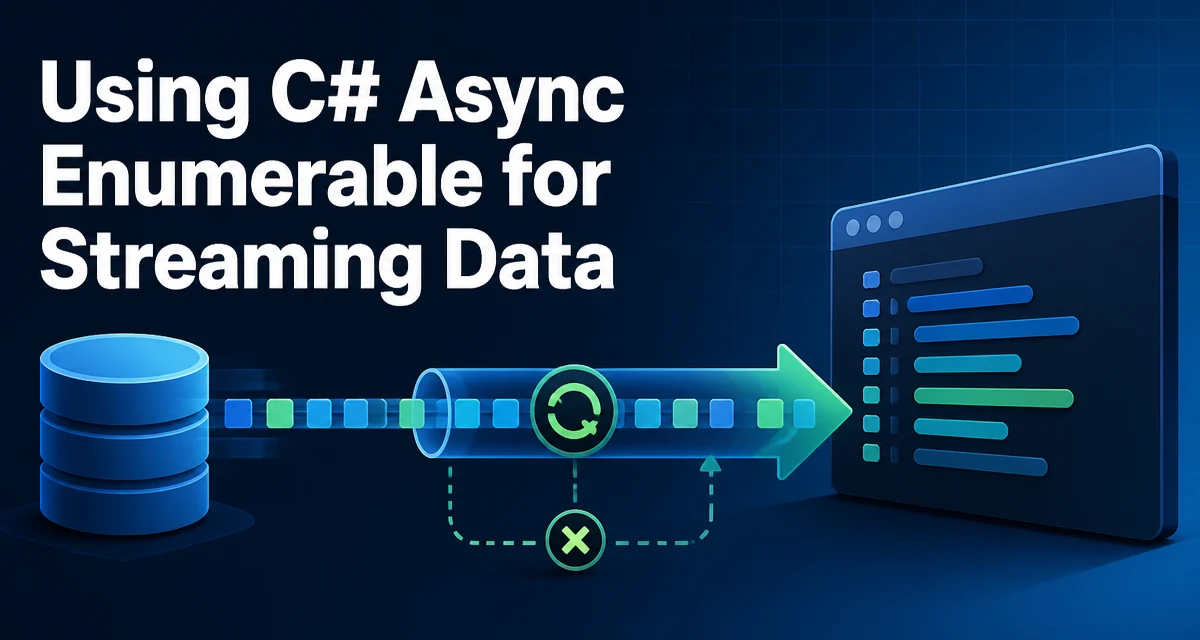
When you need to process a sequence of data that is produced asynchronously, the c# async enumerable pattern gives you a way to stream items without blocking a thread or loading the entire set into memory. This is especially useful for reading from a database cursor, paging through API results, or parsing a large file line by line. The core type is IAsyncEnumerable<T>, which is the asynchronous counterpart of IEnumerable<T>. Instead of pulling items with a synchronous foreach, you use await foreach to consume each element as it becomes available.
What Is IAsyncEnumerable<T>?
IAsyncEnumerable<T> is an interface that represents a sequence of values that can be produced asynchronously. It exposes a GetAsyncEnumerator method that returns an IAsyncEnumerator<T>, which in turn provides MoveNextAsync() and Current. The key difference from IEnumerable<T> is that MoveNextAsync() returns a ValueTask<bool>, allowing the producer to await an operation (like a network call or disk read) before yielding the next item.
The interface itself is straightforward:
public interface IAsyncEnumerable<out T>
{
    IAsyncEnumerator<T> GetAsyncEnumerator(CancellationToken cancellationToken = default);
}

public interface IAsyncEnumerator<out T> : IAsyncDisposable
{
    T Current { get; }
    ValueTask<bool> MoveNextAsync();
}
In practice, you rarely implement these interfaces manually. Instead, you write an async iterator method using the yield return keyword combined with async. The compiler generates the state machine for you, just as it does for synchronous iterators.
Creating an Async Iterator
An async iterator is a method that returns IAsyncEnumerable<T> and uses yield return inside an async method. The method must be declared with the async modifier and can contain await expressions. Here is a minimal example that yields numbers with a delay:
async IAsyncEnumerable<int> GenerateNumbersAsync()
{
    for (int i = 0; i < 5; i++)
    {
        await Task.Delay(100); // Simulate asynchronous work
        yield return i;
    }
}
The compiler transforms this into a state machine that implements IAsyncEnumerable<int>. Each call to MoveNextAsync() resumes execution after the previous yield return, and the await inside the loop is honored without blocking a thread.
You can also accept a CancellationToken parameter and pass it to the underlying asynchronous operations. The token is typically forwarded to the GetAsyncEnumerator method, but you can also use it inside the iterator body to stop early.
async IAsyncEnumerable<string> ReadLinesAsync(string path, [EnumeratorCancellation] CancellationToken cancellationToken = default)
{
    using var reader = File.OpenText(path);
    while (await reader.ReadLineAsync(cancellationToken) is string line)
    {
        yield return line;
    }
}
The [EnumeratorCancellation] attribute is important when the consumer passes a token to await foreach. Without it, the token is not automatically forwarded to the iterator method. The attribute tells the compiler to use the token supplied by the caller of GetAsyncEnumerator.
Consuming with await foreach
To consume an async enumerable, you use the await foreach statement. This is the asynchronous equivalent of foreach and requires the System.Threading.Tasks.Extensions namespace (in .NET Standard 2.1) or is built into .NET Core 3.0+.
await foreach (var number in GenerateNumbersAsync())
{
    Console.WriteLine(number);
}
Each iteration awaits the next item. If the producer is slow, the consumer waits without blocking a thread. You can also pass a cancellation token to the await foreach loop:
using var cts = new CancellationTokenSource(TimeSpan.FromSeconds(5));
await foreach (var line in ReadLinesAsync("data.txt", cts.Token))
{
    Process(line);
}
If the token is cancelled, the iterator's MoveNextAsync will throw OperationCanceledException. You can catch that exception to handle graceful shutdown.
Cancellation and Error Handling
Cancellation in async enumerables works differently from synchronous iterators. The consumer can request cancellation by passing a token to GetAsyncEnumerator (via await foreach). The iterator should observe the token and stop producing items. The recommended way is to pass the token to the underlying async calls, as shown in the ReadLinesAsync example. If the token is cancelled, the async operation throws OperationCanceledException, which propagates to the consumer.
Error handling follows the same pattern as synchronous iterators. If an exception occurs inside the iterator, it is thrown at the point where the consumer awaits the next item. For example:
async IAsyncEnumerable<int> GetWithErrors()
{
    yield return 1;
    throw new InvalidOperationException("Something went wrong");
    yield return 2; // This line is never reached
}
When the consumer does await foreach, the exception is thrown after receiving the first item. You can wrap the loop in a try-catch to handle it.
try
{
    await foreach (var item in GetWithErrors())
    {
        Console.WriteLine(item);
    }
}
catch (InvalidOperationException ex)
{
    Console.WriteLine($"Caught: {ex.Message}");
}
One subtlety: if the iterator uses finally blocks, they run when the enumeration is disposed. The IAsyncEnumerator<T> inherits from IAsyncDisposable, so the compiler generates a DisposeAsync call at the end of the await foreach loop. This ensures resources like file handles are released even if an exception occurs.
Performance and Resource Considerations
Async enumerables are not a free performance win. They introduce overhead compared to a simple synchronous loop because each MoveNextAsync may involve a state machine transition and an allocation of the async state machine. However, the benefit is that you avoid blocking threads and can process data incrementally, which is often more important than raw throughput.
When using IAsyncEnumerable<T>, be mindful of the following:
- Allocation per item: Each
yield returnmay allocate a new state machine instance if the iterator is not cached. In high-throughput scenarios, this can increase garbage collection pressure. If performance is critical, consider batching items into arrays or lists rather than yielding one at a time. - Thread usage: The iterator runs on the thread that calls
MoveNextAsync. If you useConfigureAwait(false)inside the iterator, the continuation may run on a thread pool thread. This is fine for CPU-bound work but can complicate UI applications where you need to return to the synchronization context. - Streaming vs. buffering: Async enumerables are ideal for streaming. If you materialize the entire sequence into a
List<T>usingToListAsync()(from System.Linq.Async), you lose the memory advantage. Use streaming when the data set is large or unbounded. - Cancellation overhead: Checking a
CancellationTokenon every iteration adds a small cost. If you have a tight loop that yields millions of items, the token check may be noticeable. You can avoid checking the token explicitly if the underlying operations already handle cancellation.
A common pattern is to yield chunks instead of individual items to reduce the number of iterations and allocations. For example, reading a file and yielding batches of lines:
async IAsyncEnumerable<string[]> ReadChunksAsync(string path, int chunkSize)
{
    using var reader = File.OpenText(path);
    var buffer = new string[chunkSize];
    int count = 0;
    string? line;
    while ((line = await reader.ReadLineAsync()) != null)
    {
        buffer[count++] = line;
        if (count == chunkSize)
        {
            yield return buffer;
            buffer = new string[chunkSize];
            count = 0;
        }
    }
    if (count > 0)
    {
        yield return buffer[..count];
    }
}
This reduces the number of yield return calls and can improve throughput when processing large files.
When to Use Async Enumerable vs. Other Approaches
Choosing between IAsyncEnumerable<T> and other asynchronous patterns depends on the shape of your data and how you consume it.
| Approach | Best for | Tradeoffs |
|---|---|---|
Task<List<T>> | When you need all results before processing | Blocks until complete; uses memory for all |
Task<IEnumerable<T>> | When the producer is synchronous but the consumer needs async | Not truly streaming; materializes eagerly |
IAsyncEnumerable<T> | When items arrive over time or are large | Requires await foreach; adds overhead |
| Channels | When you need a producer/consumer queue | More complex; supports multiple consumers |
Use IAsyncEnumerable<T> when you want to stream data from an asynchronous source and process each item as it arrives. It is also the natural fit for methods that would otherwise return IEnumerable<T> but need to perform async I/O during iteration.
Avoid it when the data is small and already in memory, because the overhead of the async state machine is unnecessary. Similarly, if you need to run multiple operations in parallel on the same sequence, consider materializing it first or using a channel with multiple consumers.
Compatibility and Version Requirements
IAsyncEnumerable<T> was introduced in C# 8.0 and .NET Standard 2.1. It is available in .NET Core 3.0 and later, and .NET 5+ includes it in the base class library. For older frameworks like .NET Framework, you can use the Microsoft.Bcl.AsyncInterfaces NuGet package to get the interfaces and the await foreach support.
The await foreach statement requires C# 8.0 or later. If you are using an older compiler, you can still use IAsyncEnumerable<T> manually by calling GetAsyncEnumerator and MoveNextAsync, but the syntax is less convenient.
When targeting .NET Standard 2.0, you cannot use IAsyncEnumerable<T> without the compatibility package. The [EnumeratorCancellation] attribute is defined in System.Runtime.CompilerServices and is available in the same package.
One important compatibility detail: IAsyncEnumerable<T> is covariant (out T), which means you can assign an IAsyncEnumerable<Derived> to IAsyncEnumerable<Base>. This is useful when you have a factory that returns a base type but the actual implementation yields derived types.
Advanced Usage: Combining Async Enumerables
You can compose async enumerables using LINQ-style methods from the System.Linq.Async package (or the built-in System.Linq.AsyncEnumerable in .NET 6+). For example, you can filter, project, or concatenate streams. However, be aware that these methods are not part of the standard LINQ; they require the System.Linq.Async NuGet package or the .NET 6+ runtime.
var filtered = GenerateNumbersAsync().Where(x => x % 2 == 0);
await foreach (var even in filtered)
{
    Console.WriteLine(even);
}
You can also implement custom operators that take and return IAsyncEnumerable<T>. This is useful for building reusable pipelines, such as a retry wrapper or a rate limiter. For example, a simple retry operator that re-executes a producer on failure:
async IAsyncEnumerable<T> WithRetry<T>(Func<IAsyncEnumerable<T>> source, int retries)
{
    for (int attempt = 0; ; attempt++)
    {
        try
        {
            await foreach (var item in source())
            {
                yield return item;
            }
            yield break;
        }
        catch (Exception) when (attempt < retries)
        {
            // Wait before retrying
            await Task.Delay(TimeSpan.FromMilliseconds(100 * (attempt + 1)));
        }
    }
}
This pattern shows how async enumerables can encapsulate complex streaming logic in a reusable way. The consumer only sees a simple sequence of items, while the retry behavior is hidden inside the iterator.
When designing APIs that return IAsyncEnumerable<T>, consider whether you need to support cancellation and how errors should propagate. Document whether the enumeration is single-pass or can be iterated multiple times. Most async iterators are single-pass, meaning each GetAsyncEnumerator call creates a fresh state machine. If you need to replay the sequence, you must either buffer it or re-execute the producer.
Finally, remember that IAsyncEnumerable<T> is not a replacement for Task<T> when you need a single result. Use it only for sequences. The pattern shines in scenarios where data is produced incrementally and you want to avoid blocking threads while waiting for the next item. By understanding the syntax, cancellation, and resource implications, you can use c# async enumerable effectively in your applications.