C# Boxing vs Unboxing: How They Affect Performance
c# boxing vs unboxing: Understand the mechanics, runtime costs, and pitfalls of boxing and unboxing in C#, with practical examples and optimization strategies.
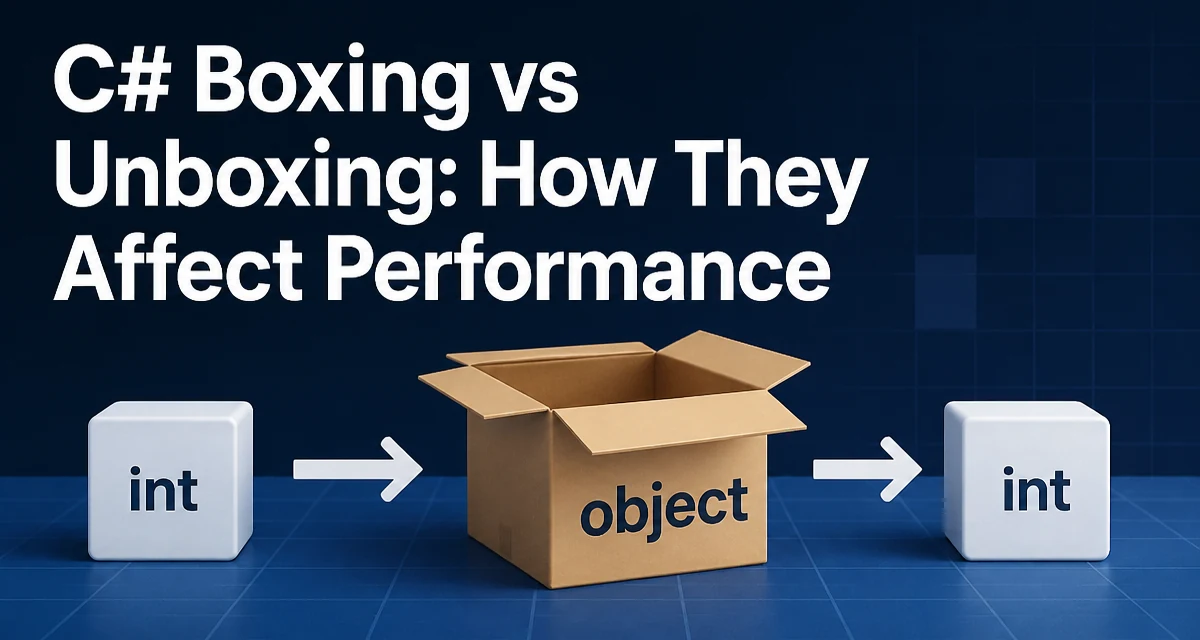
c# boxing vs unboxing requires a clear understanding of the core syntax, runtime behavior, and practical implementation patterns demonstrated in the examples below.
In C#, boxing and unboxing are fundamental operations that convert between value types (like int, bool, struct) and reference types (like object). While they are occasionally necessary, they introduce hidden allocations and CPU overhead that can degrade performance in hot paths. This article explores the mechanics, costs, and practical ways to minimize their impact.
The key difference between boxing and unboxing is direction: boxing wraps a value type into a reference type (usually object or an interface), while unboxing extracts the original value from that box. Boxing always creates a new object on the heap; unboxing copies the value back to a value-type variable. Both operations are implicit in many C# constructs, so developers often use them without noticing.
The Mechanics of Boxing and Unboxing
When you box a value type, the runtime allocates a new object on the managed heap and copies the value into it. The resulting reference points to that object. Unboxing does the reverse: it checks the type of the boxed object and copies the value back to a value-type variable.
int number = 42;
object boxed = number;   // Boxing happens here
int unboxed = (int)boxed; // Unboxing happens here
Allocation is the primary cost. The new object lives until garbage collection reclaims it, adding pressure to the GC. Unboxing is cheaper than boxing because it’s just a copy + type check, but it still requires a runtime type check that can fail if the cast is invalid.
When Does Boxing Occur Automatically?
Boxing is not limited to explicit casts to object. It also occurs whenever you pass a value type to a parameter typed as object, ValueType, or an interface. For example:
static void PrintObject(object value)
{
    Console.WriteLine(value);
}

PrintObject(100); // Boxing
String interpolation also boxes when you concatenate a value type with a string, unless the type implements IFormattable and the compiler emits a call to ToString.
int count = 5;
string s = $"Count: {count}"; // Boxing if using object overload
Collections that store object (like ArrayList from System.Collections) box every value type you add. The generic List<T> avoids this for value types because it stores them without conversion.
Unboxing and InvalidCastException
Unboxing only succeeds if the boxed value is exactly the right type. A common mistake is to cast to a base type that isn’t matching:
object boxed = 42;
long value = (long)boxed; // InvalidCastException
You must cast back to the exact value type that was boxed (or to nullable that type if it was nullable). This strictness comes from the runtime’s type check during unboxing. To avoid exceptions, always verify the type with is or as before casting, or use pattern matching.
Performance Implications of Boxing
Boxing allocates on the heap and creates garbage that must be collected. In tight loops, this can become measurable. Consider how many times a simple loop can implicitly box:
for (int i = 0; i < 1000; i++)
{
    string s = "Value: " + i; // Allocates a new string AND boxes i
}
Each iteration boxes i, allocating a separate object. Over thousands of iterations, that’s thousands of extra allocations. Unboxing also has a small cost, but the real problem is boxing allocations.
The severity depends on how frequently the code runs. In application startup or configuration code, a few boxes don’t matter. In a high-frequency request path or real-time rendering loop, they can add noticeable GC pressure.
Practical Ways to Avoid Boxing
The simplest fix is to use generics instead of non-generic collections. List<int> stores values directly, while ArrayList boxes each element. Similarly, Dictionary<TKey, TValue> with value-type keys and values avoids boxing compared to Hashtable.
List<int> numbers = new List<int>();
numbers.Add(42); // No boxing
For string interpolation, prefer IFormattable overloads or explicit ToString() calls. The compiler can sometimes inline the call but not always. Using string.Concat with string arguments forces ToString on each value, but the result is still a string, not an object box.
Overloads that take object should be avoided when you control both sides. For example, Console.WriteLine(int) uses WriteLine(object), so it boxes. Using Console.WriteLine(value.ToString()) avoids boxing but creates a temporary string—still sometimes cheaper than boxing depending on context.
Real-World Example: JSON Serialization
JSON serializers often accept object for values, which can cause boxing when serializing value types. Some serializers optimize by using generics or Type converters, but the default reflection-based path may still box. If you are writing your own serializer for a performance-critical scenario, accept the value type as a generic parameter:
static string SerializeValue<T>(T value) where T : struct
{
    // Use T directly, no boxing
    return value.ToString();
}
This avoids the conversion to object entirely.
Compatibility and Maintainability
Boxing is not inherently wrong; it’s a language feature that enables polymorphism and loose coupling. The problem is when it appears unintentionally inside loops or repeated operations. In code review, look for hidden boxes: passing value types to object parameters, using non-generic collections, or concatenating strings with +.
One maintainability concern is that boxing can hide type errors. An ArrayList can hold any type, so you might insert a string where an int is expected, and the error appears much later at unboxing. Generic counterparts catch this at compile time.
When Boxing Is Unavoidable
Sometimes you must box because you are calling an API that only accepts object—for example, a legacy method or a reflection-based function. In such cases, do the boxing once and reuse the boxed reference if possible, rather than re-boxing the same value repeatedly:
int status = 200;
object statusBox = status; // One box

// Use statusBox in multiple calls
Handle(statusBox);
Handle(statusBox);
If you cannot avoid boxing, at least limit its scope.
Differences Between .NET Framework and .NET Core
The general rules hold on all modern .NET runtimes, but garbage collection tuning and allocation patterns differ slightly. On .NET (Core) with Server GC, allocation patterns can have different throughput characteristics than on .NET Framework with Workstation GC. The core cost of boxing—allocating a new object—remains the same. No matter the runtime, boxing adds memory and latency relative to no allocation.
Using ReadOnlySpan<T> and ref struct to Avoid Boxing
.NET Core 2.1+ and .NET 5+ provide Span<T> and ref struct types that cannot be boxed. If you have performance-sensitive code handling value types, consider using Span<byte> or Memory<T> where applicable. These types are ref struct and are not boxable, which forces you to keep them on the stack. That design intentionally prevents the allocation cost you are trying to avoid.
Span<int> buffer = stackalloc int[10];
// No boxing possible here
This is an advanced technique, but when you need maximum performance with value types, it’s worth knowing.
Measuring Boxing Impact in Your Code
You can’t assume a performance problem without measurement. Use a profiler to identify allocations and CPU hotspots. The built-in .NET profilers or tools like BenchmarkDotNet can show you exactly where boxing occurs. To observe allocations, run your code with GC allocation tracking enabled. This gives concrete evidence rather than guesses.
If you see a large number of small objects being allocated in a loop, check for boxing. One useful technique is to inspect the JIT code—when you see a call to box IL instruction, that’s a boxing site.
Example: Optimizing a Request Handler
Consider a request handler that builds a response from integers:
public string BuildResponse(int userId, int status)
{
    return $"User {userId} status {status}";
}
This likely boxes userId and status because the interpolation format string uses object. To avoid boxing, use ToString() explicitly:
public string BuildResponse(int userId, int status)
{
    return "User " + userId.ToString() + " status " + status.ToString();
}
However, this still allocates at least two tiny strings. In a low-throughput scenario it’s fine; in a high-throughput loop you might consider string.Create to format into an existing buffer without boxing or temporary strings. The right tradeoff depends on the context.
Avoiding Boxing with Generic Restrictions
You can prevent boxing by adding where T : struct or where T : notnull to generic methods that accept value types. This informs the compiler that type parameters are not object references, but it doesn’t automatically eliminate boxing unless you use T without converting to object.
static bool AreEqual<T>(T a, T b) where T : IEquatable<T>
{
    return a.Equals(b); // Calls IEquatable<T>.Equals, no boxing
}
Without the constraint, a.Equals(b) boxes because the compiler can only call object.Equals.
The Hidden Cost in LINQ Queries
LINQ queries that project value types into anonymous types or that use OfType<T>() can trigger boxing. For instance, .Cast<int>() on a non-generic collection boxes and then unboxes each element. When working with large sequences, this can severely hurt performance. Using List<int> directly avoids the conversion because the source is already IEnumerable<int>.
Conclusion (Integrated into Final Section)
Boxing is not a performance bug per se, but it becomes one when it appears in repetitive code paths. Understanding the distinction between boxing and unboxing—and knowing when the compiler insert these operations—allows you to write efficient, predictable C# code. The key is to keep value types on the stack or in generic containers, and reserve boxing for cases where you truly need reference semantics. By doing so, you avoid unnecessary allocations and runtime checks, leading to cleaner and faster applications.