C# Expression Trees: Building Dynamic Queries
c# expression tree: Learn how to construct, compile, and use C# expression trees for dynamic queries, LINQ providers, and runtime code generation.
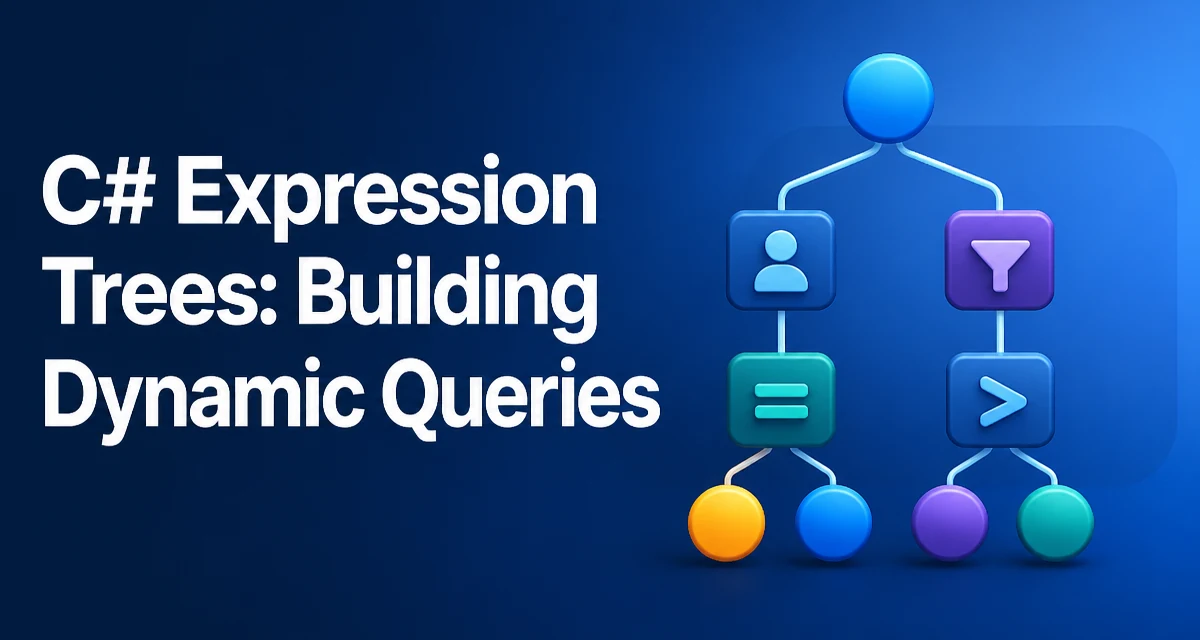
A C# expression tree represents code as data. Instead of compiling a lambda into a delegate directly, you can construct an expression tree that describes the same logic, then decide later whether to compile it into executable code or pass it to a query provider that translates it into another language such as SQL. This distinction matters when the shape of a query or condition is not known until runtime.
Why Expression Trees Exist
Standard LINQ operators like Where and Select accept delegates. When you write people.Where(p => p.Age > 18), the compiler converts the lambda into a Func<Person, bool> delegate. The delegate is a black box: you can invoke it, but you cannot inspect what it does. For in-memory collections, that is sufficient.
For remote data sources, such as a database accessed through Entity Framework, the provider cannot execute a delegate directly. It must translate your query into SQL. To do that, it needs the structure of the expression, not just an executable method. Expression trees give the provider that structure. When you use IQueryable<T>, the LINQ operators build an expression tree that the provider later analyzes and translates.
The same need arises when you want to build a query dynamically. Suppose your application lets users filter a list by selecting fields and operators from a UI. The combination is unknown until runtime, so you cannot write a compile-time lambda. You can construct an expression tree that represents the filter and then apply it to an IQueryable or compile it into a delegate for in-memory use.
Expression Tree Structure and Core Types
An expression tree is a hierarchical object graph. The root is typically a LambdaExpression or a strongly typed Expression<TDelegate>. Every node derives from the abstract Expression class. Common node types include ParameterExpression for method parameters, ConstantExpression for literal values, BinaryExpression for operations like == and &&, and MethodCallExpression for method calls.
Consider the lambda (Person p) => p.Age > 18. Its tree has a ParameterExpression for p, a MemberExpression to access p.Age, a ConstantExpression for 18, and a BinaryExpression for the greater-than comparison. The root is an Expression<Func<Person, bool>> that wraps these nodes.
You rarely need to traverse this structure manually unless you are writing a visitor or a custom LINQ provider. Most of the time you either construct trees with factory methods or let the compiler generate them from a lambda.
Building an Expression Tree Manually
The System.Linq.Expressions namespace provides factory methods to construct nodes. To build a predicate that checks whether a person is an adult, you start with a parameter and then compose the comparison.
using System.Linq.Expressions;

ParameterExpression personParam = Expression.Parameter(typeof(Person), "p");
MemberExpression ageProperty = Expression.Property(personParam, nameof(Person.Age));
ConstantExpression adultAge = Expression.Constant(18);
BinaryExpression greaterThan = Expression.GreaterThan(ageProperty, adultAge);

Expression<Func<Person, bool>> isAdult =
    Expression.Lambda<Func<Person, bool>>(greaterThan, personParam);
The Expression.Lambda<TDelegate> method creates the strongly typed lambda expression. The first argument is the body, and the second is the parameter list. The resulting expression is equivalent to the compile-time lambda p => p.Age > 18.
You can build more complex trees by nesting binary expressions. For example, to combine two conditions with &&, use Expression.AndAlso.
MemberExpression nameProperty = Expression.Property(personParam, nameof(Person.Name));
ConstantExpression searchName = Expression.Constant("Alice");
BinaryExpression nameEquals = Expression.Equal(nameProperty, searchName);

BinaryExpression combined = Expression.AndAlso(greaterThan, nameEquals);
Expression<Func<Person, bool>> filter =
    Expression.Lambda<Func<Person, bool>>(combined, personParam);
Manual construction is verbose, but it gives you full control. This is the foundation for building dynamic filters where the property name, operator, and value come from user input.
Compiling and Invoking an Expression
Once you have an Expression<TDelegate>, you can turn it into an executable delegate with the Compile method. The delegate behaves like a lambda you wrote directly.
Func<Person, bool> isAdultFunc = isAdult.Compile();
Person person = new Person { Name = "Bob", Age = 20 };
bool result = isAdultFunc(person); // true
Compilation is not free. It generates IL at runtime, which takes CPU time and memory. If you compile the same expression repeatedly, you pay that cost every time. For a one-off query, it is acceptable. For a filter that runs in a loop or on every request, you should cache the compiled delegate.
A common pattern is to store the compiled delegate in a static readonly field or a dictionary keyed by the expression string or a hash of the tree. For example, if your dynamic filter builder produces a limited set of combinations, you can cache the resulting Func<T, bool>.
private static readonly Dictionary<string, Delegate> Cache = new();

public static Func<T, bool> GetFilter<T>(string key, Expression<Func<T, bool>> expr)
{
    if (!Cache.TryGetValue(key, out Delegate? del))
    {
        del = expr.Compile();
        Cache[key] = del;
    }
    return (Func<T, bool>)del;
}
This avoids repeated compilation when the same filter shape is used frequently.
Expression Trees in IQueryable Providers
When you use IQueryable<T>, the LINQ operators do not execute your logic. They append nodes to an expression tree. The provider, such as Entity Framework's QueryProvider, examines that tree and translates it into SQL.
This is why you can build an expression tree manually and pass it to Queryable.Where.
IQueryable<Person> query = dbContext.People;
IQueryable<Person> filtered = query.Where(isAdult);
The Where method expects an Expression<Func<Person, bool>>. Because isAdult is exactly that type, it works. The provider receives the tree and converts it into a SQL WHERE clause.
If you tried to pass a compiled delegate instead, the provider would not be able to translate it. It would have to fetch all rows and filter in memory, defeating the purpose of server-side querying. Therefore, when working with IQueryable, always keep the expression tree intact and let the provider handle translation.
Performance and Caching Considerations
Expression trees introduce two distinct performance concerns: construction and compilation. Constructing a tree with factory methods is relatively cheap, but it allocates many small objects. If you build the same tree repeatedly, you waste memory and CPU. Compilation is far more expensive because it involves JIT compilation of generated IL.
For dynamic query scenarios, the practical approach is to cache both the expression tree and the compiled delegate when the same logical query appears repeatedly. The cache key should be based on the structure of the tree, not the runtime values, unless you are also caching per value.
A more subtle performance issue occurs when you use expression trees to access properties reflectively. Accessing a property via Expression.Property and then compiling it into a delegate is faster than using PropertyInfo.GetValue because the delegate is a direct method call. However, the compilation cost can negate that benefit for one-off operations. If you need to access the same property many times, compile once and reuse.
Expression trees also affect memory. A large tree can hold references to many objects, and if you retain it for the lifetime of an application, it may prevent garbage collection of objects it references. Be mindful when caching expression trees that capture other objects in closures.
Common Pitfalls and Debugging
One frequent mistake is reusing a ParameterExpression incorrectly. Each ParameterExpression instance represents a unique parameter. If you use the same instance in two different lambdas, the second lambda will refer to the first lambda's parameter, which can cause confusing behavior or exceptions. Always create a new parameter for each lambda.
Another pitfall is capturing local variables in expression trees. When you build an expression tree that references a local variable, the compiler may generate a closure. If you later modify that variable, the expression tree reflects the current value at execution time, not the value at construction time. This is the same behavior as with delegates, but it can be surprising when you cache an expression and expect it to be immutable.
Debugging expression trees is easier than debugging raw IL. You can call ToString() on any expression to get a readable representation. For example, isAdult.ToString() returns p => (p.Age > 18). This is invaluable when you need to verify that your dynamic construction produced the intended logic.
If you need to modify an expression tree, you can implement an ExpressionVisitor and override the visit methods for specific node types. This is how LINQ providers rewrite expressions, and it is also useful for tasks like replacing a parameter or injecting additional conditions. The visitor pattern lets you traverse the tree and return a modified copy.
Expression trees are a low-level feature. They are not the right tool for every dynamic behavior. For simple cases, a dictionary of delegates or a switch statement may be easier to maintain. Use expression trees when you need to inspect, translate, or transform code as data, or when you must integrate with IQueryable providers that require the tree structure.