C# First vs FirstOrDefault: Key Differences
c# first vs firstordefault: Learn when First() throws on an empty sequence and when FirstOrDefault() returns a default value in C# LINQ queries.
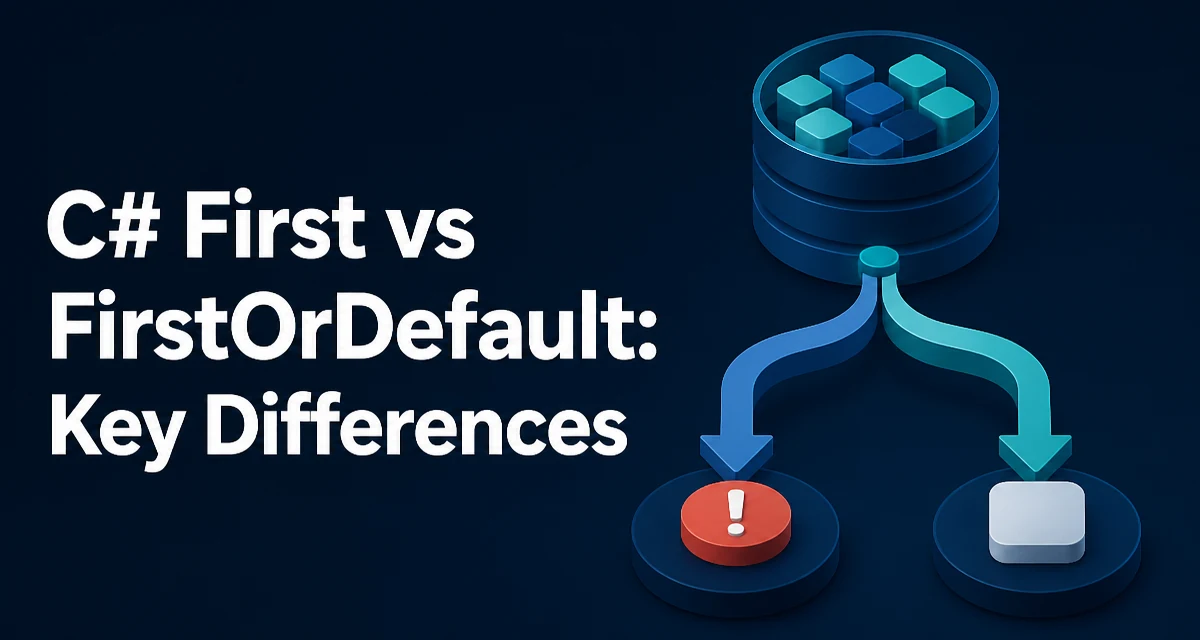
The practical difference between First() and FirstOrDefault() in C# comes down to one behavior: what happens when the source sequence is empty. The c# first vs firstordefault decision hinges on whether an empty result is an error or a valid state.
First() throws an InvalidOperationException when no element satisfies the condition or when the sequence contains no elements at all. FirstOrDefault() returns the default value for the element type instead of throwing.
var numbers = new List<int>();
int first = numbers.First();          // Throws InvalidOperationException
int firstOrDefault = numbers.FirstOrDefault(); // Returns 0
For a List<int>, the default value is 0. For a reference type like string or a custom class, the default is null. This single difference drives most of the decision-making around which method to use.
How First() Behaves on an Empty Sequence
First() is the stricter of the two methods. It assumes the sequence contains at least one matching element, and it enforces that assumption by throwing when the assumption fails.
var orders = GetOrders();
var firstOrder = orders.First(o => o.Status == "Shipped");
If GetOrders() returns an empty list, or if no order has a Shipped status, this line throws InvalidOperationException. The exception message states that the sequence contains no matching element.
This behavior is useful when an empty result represents a programming error rather than a valid state. If the absence of a shipped order should never happen, First() surfaces that condition immediately instead of letting a null value propagate through the rest of the code.
How FirstOrDefault() Handles an Empty Sequence
FirstOrDefault() returns the default value for the element type when the sequence is empty or when no element matches the predicate.
var orders = GetOrders();
var firstOrder = orders.FirstOrDefault(o => o.Status == "Shipped");
If no shipped order exists, firstOrder is null for a reference type. For a value type such as int or DateTime, it is 0 or default(DateTime) respectively.
The method name reflects its behavior: it returns the first element, or the default value if there is no first element. It does not distinguish between "the sequence contained a default value" and "the sequence was empty." That ambiguity is the main tradeoff.
Default Values for Reference and Value Types
The default value depends entirely on the element type.
| Element type | Default value returned by FirstOrDefault() |
|---|---|
| Reference type (string, class) | null |
| Nullable value type (int?) | null |
| Non-nullable value type (int, DateTime) | 0, default(DateTime) |
| Enum | 0 (first enum member) |
For nullable value types, FirstOrDefault() returns null, which makes it easier to distinguish an empty result from a valid 0 value. For non-nullable value types, the default is the zero value of that type, which can be a legitimate data value.
var ids = new List<int> { 0, 5, 10 };
int first = ids.FirstOrDefault(); // Returns 0, but the list is not empty
Here FirstOrDefault() returns 0 because 0 is the first element. The caller cannot tell from the return value alone whether the list was empty or whether 0 was genuinely the first item. If that distinction matters, First() or an explicit emptiness check is the safer choice.
Choosing Between First() and FirstOrDefault()
The decision should be based on whether an empty result is a valid outcome or an error condition.
Use First() when the sequence must contain at least one matching element. The exception acts as a guard that fails fast when the data does not meet the expectation. This is appropriate for lookups that are guaranteed to exist, such as fetching the current user's primary account or the single active configuration record.
Use FirstOrDefault() when an empty result is a normal possibility that the code should handle gracefully. A typical pattern is to check for null after the call and branch accordingly.
var user = users.FirstOrDefault(u => u.Email == email);
if (user is null)
{
    return NotFound();
}
This pattern keeps the code readable and avoids exception handling as a control-flow mechanism. Throwing and catching exceptions for expected empty results adds noise and makes the intent harder to follow.
Performance Characteristics of Both Methods
Both First() and FirstOrDefault() have the same algorithmic behavior. They iterate the sequence from the beginning and stop at the first matching element. In the worst case, when no element matches, both methods scan the entire sequence.
The difference is not in iteration cost but in the terminal behavior. First() throws after the scan completes, while FirstOrDefault() returns the default value. Neither method materializes the entire sequence into memory; both work with lazy enumeration when the source is an IEnumerable<T>.
For large sequences where a match is expected near the start, both methods are equally efficient. The choice between them should not be driven by performance concerns in typical scenarios. The exception path in First() does carry the cost of constructing an exception object, but that only happens when the sequence is empty, which is the error case you would want to avoid anyway.
Common Mistakes with FirstOrDefault()
The most frequent mistake is treating the default value as proof that the sequence was empty. As shown earlier, a non-nullable value type can legitimately contain its default value as the first element.
Another mistake is using FirstOrDefault() and then calling a method on the result without a null check.
var user = users.FirstOrDefault(u => u.Id == id);
Console.WriteLine(user.Name); // NullReferenceException when user is null
The null check is not optional when the result can be null. The exception from First() is replaced by a NullReferenceException later in the code, which is often harder to trace back to the original query.
A related issue is using FirstOrDefault() with a predicate that filters out all elements, then assuming the result is valid. The default value silently masks the fact that the filter matched nothing. If the filter logic is complex, consider using Any() first or restructuring the query so the empty case is explicit.
When to Prefer Single() or SingleOrDefault()
First() and FirstOrDefault() return the first matching element, but they do not verify that only one match exists. If the data should contain exactly one match, Single() and SingleOrDefault() enforce that constraint.
Single() throws when the sequence contains no match or more than one match. SingleOrDefault() returns the default value when there is no match but still throws when there are multiple matches.
Use Single() when a unique result is a business requirement, such as looking up a record by primary key. Use First() when the first match is acceptable even if duplicates exist, such as fetching the most recent log entry from an ordered list.
The extra validation in Single() costs an additional iteration because the method must confirm that no second match exists. On large sequences, this is a real difference. If uniqueness is already guaranteed by the data model, First() avoids that extra scan.
Handling the Empty Case Explicitly
When the distinction between "no result" and "default value" matters, an explicit emptiness check can remove the ambiguity.
var matches = orders.Where(o => o.Status == "Shipped").ToList();
if (matches.Count == 0)
{
    // Handle the empty case explicitly
}
else
{
    var first = matches[0];
}
Materializing the filtered results with ToList() gives you both the count and the first element in one pass. This is useful when the empty case requires different handling than the default value would suggest.
Alternatively, use Any() before First() when the source is large and you want to avoid materializing it.
if (orders.Any(o => o.Status == "Shipped"))
{
    var first = orders.First(o => o.Status == "Shipped");
}
This performs two scans when a match exists. For most in-memory collections the cost is negligible, but for database-backed queries it can result in two round trips. In those cases, FirstOrDefault() with a null check is usually the more practical approach.