C# Generic Queue: FIFO Operations and Performance
c# generic queue: Learn how to use C# generic Queue<T> for FIFO processing, including Enqueue, Dequeue, Peek, performance behavior, and thread-safety considerations.
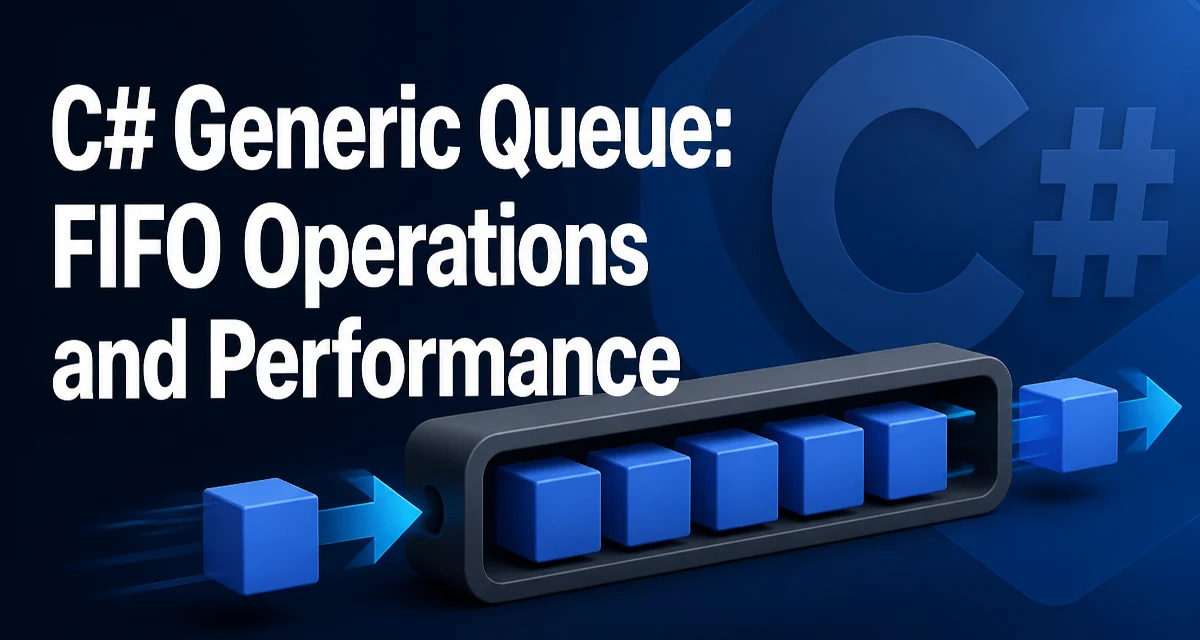
When you need to process items in the exact order they arrive, the C# generic Queue<T> provides a straightforward FIFO (first-in, first-out) collection. Unlike List<T>, which is optimized for random access, Queue<T> exposes operations designed for sequential processing. This article covers the core methods, runtime characteristics, and the decision points you'll face when choosing between Queue<T> and alternatives like ConcurrentQueue<T>.
What Queue<T> Provides
Queue<T> is a generic collection that stores elements in the order they were added. The primary operations are Enqueue, which adds an item to the tail, and Dequeue, which removes and returns the item from the head. Peek returns the head item without removing it. Because the class is generic, you get compile-time type safety without casting.
The internal implementation uses an array that grows as needed. This means the collection is not a linked list; it's a circular buffer. Understanding this helps explain why Enqueue and Dequeue are O(1) operations on average, and why capacity management matters for memory usage.
Enqueue and Dequeue in Practice
A typical use case is processing jobs in order. Consider a background worker that receives tasks and executes them sequentially:
Queue<Job> jobQueue = new Queue<Job>();

// Producer
jobQueue.Enqueue(new Job("SendEmail"));
jobQueue.Enqueue(new Job("GenerateReport"));

// Consumer
while (jobQueue.Count > 0)
{
    Job current = jobQueue.Dequeue();
    current.Execute();
}
The while loop checks Count before calling Dequeue. If you call Dequeue on an empty queue, it throws InvalidOperationException. This is a common pitfall, so always guard with Count or use TryDequeue if you're using .NET Core 2.0+ or .NET Standard 2.1+.
Peek and Other Useful Members
Peek lets you inspect the next item without removing it. This is handy when you need to decide whether to process now or wait. For example, you might check the priority of the next job before processing it:
if (jobQueue.Count > 0 && jobQueue.Peek().Priority == High)
{
    var urgent = jobQueue.Dequeue();
    urgent.Execute();
}
Other members include Clear to remove all items, Contains to check for a specific element, and ToArray to copy the queue to an array. Note that Contains performs a linear search, so it's O(n). If you need frequent membership checks, a HashSet<T> is more appropriate.
Performance Characteristics
Enqueue and Dequeue are amortized O(1) operations. The internal array doubles in size when it runs out of space, similar to List<T>. This means occasional Enqueue calls trigger a resize, which is O(n). For most workloads, the amortized cost is still O(1).
Memory usage is contiguous, which improves cache locality compared to a linked list. However, the queue keeps references to all items even after they are dequeued. The array slots are not cleared, so if you store large objects, they remain referenced until the array is resized or the queue is garbage collected. If you're dealing with very large queues, consider setting an initial capacity to avoid multiple resizes:
var queue = new Queue<Job>(initialCapacity: 10000);
This allocates the backing array upfront, reducing reallocation overhead when you know the approximate size.
Thread Safety and ConcurrentQueue
Queue<T> is not thread-safe. If multiple threads call Enqueue or Dequeue concurrently, you need external synchronization. A simple lock works for low contention:
private readonly object _lock = new object();
private readonly Queue<Job> _queue = new Queue<Job>();

public void Add(Job job)
{
    lock (_lock)
    {
        _queue.Enqueue(job);
    }
}

public bool TryTake(out Job job)
{
    lock (_lock)
    {
        if (_queue.Count > 0)
        {
            job = _queue.Dequeue();
            return true;
        }
        job = null;
        return false;
    }
}
For higher contention or lock-free scenarios, use ConcurrentQueue<T> from System.Collections.Concurrent. It provides TryDequeue and TryPeek methods that are thread-safe and avoid blocking. The tradeoff is slightly higher overhead for single-threaded access due to internal synchronization.
Choosing Between Queue<T> and ConcurrentQueue<T>
The decision depends on your concurrency model. If you have a single producer and a single consumer, a lock-free ConcurrentQueue<T> is often the right choice because it avoids lock contention. If you have multiple producers or consumers, ConcurrentQueue<T> still works well, but you must handle the atomicity of multi-step operations yourself.
Queue<T> is simpler and faster in single-threaded scenarios because it has no synchronization overhead. If your queue is only accessed from one thread, or you already have a lock that protects it, stick with Queue<T>. For a producer-consumer pattern where the queue is the only shared resource, ConcurrentQueue<T> reduces the amount of custom locking code you need to write.
Common Pitfalls and How to Avoid Them
One frequent mistake is enumerating a queue while modifying it. Like other .NET collections, Queue<T> throws InvalidOperationException if you call Enqueue or Dequeue during a foreach loop. To safely process items, use a while loop with Dequeue, or copy the queue to an array first.
Another issue is relying on Count for emptiness in a multithreaded context. Even with ConcurrentQueue<T>, Count is not a reliable indicator because another thread can modify the queue between the check and the operation. Always use TryDequeue instead of checking Count followed by Dequeue.
Finally, remember that Queue<T> preserves insertion order, but it does not support indexing. If you need to access elements by position, consider using a List<T> or an array. The choice should be driven by whether you need random access or only sequential processing.
For most FIFO workloads, Queue<T> is the right starting point. Its performance is predictable, the API is minimal, and it integrates naturally with LINQ and other .NET features. When concurrency becomes a requirement, evaluate whether the added complexity of ConcurrentQueue<T> is justified by the expected contention level.