C# Index Operator: Using ^ and ^.. Syntax
c# index operator: Learn how the C# index operator (^) and range operator (..) work, with practical examples for arrays, lists, and custom types.
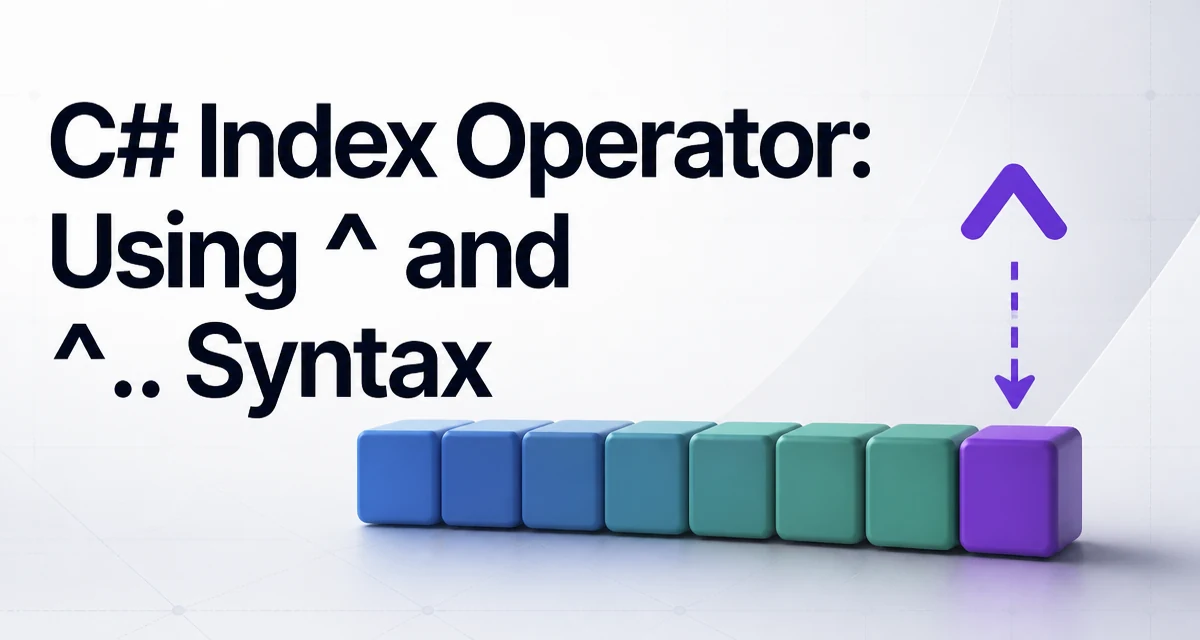
The C# index operator ^ lets you access elements from the end of a collection without calculating an explicit index. Introduced in C# 8.0 alongside the range operator .., it removes a common source of off-by-one errors and makes intent clearer in code that deals with the tail of arrays, lists, and other indexable types.
How the Index Operator Works
The ^ operator is combined with an integer to form an Index value. For an array of length n, ^1 refers to the last element, ^2 to the second-to-last, and ^n to the first. The arithmetic is straightforward: ^i is equivalent to length - i.
int[] numbers = { 10, 20, 30, 40, 50 };

int last = numbers[^1];      // 50
int secondLast = numbers[^2]; // 40
Because this maps to length - i, ^0 would refer to the element just past the end, which is invalid for accessing a single element. Attempting numbers[^0] throws an IndexOutOfRangeException. This mirrors the behavior of numbers[numbers.Length], but the relationship is not always obvious to new users.
Using Index with Arrays and Lists
The ^ operator works with any type that has an indexer and a Length or Count property recognized by the compiler's pattern for Index support. For arrays, string, List<T>, and Span<T>, this is built in.
List<string> names = new List<string> { "Alice", "Bob", "Carol" };
string last = names[^1]; // "Carol"
Be aware that ^ is resolved at runtime based on the collection's current length. If the collection changes between the time you write the index and the time you evaluate it, the result changes accordingly. This is not a compile-time constant.
The Relationship Between Index and Range
The index operator often appears alongside the range operator .., which creates a Range value. While ^ picks a single element, .. selects a slice.
int[] numbers = { 0, 1, 2, 3, 4 };

int[] middle = numbers[1..^1]; // { 1, 2, 3 }
int[] allButFirst = numbers[1..]; // { 1, 2, 3, 4 }
Here, 1..^1 means: start at index 1 and go up to, but not including, the last element. The end index is exclusive, just like the end in Array.Copy or List.GetRange. This symmetry makes ranges easier to reason about once you internalize the exclusive end.
Using Index and Range with Custom Types
If you define your own collection-like type, you can support index and range syntax by implementing the appropriate patterns. The compiler recognizes an indexer that accepts an Index parameter and a Slice method for ranges.
public class RingBuffer<T>
{
    private readonly T[] _items;
    private readonly int _head;

    public RingBuffer(T[] items, int head)
    {
        _items = items;
        _head = head;
    }

    public T this[Index index]
    {
        get
        {
            int offset = index.IsFromEnd
                ? _items.Length - index.Value
                : index.Value;
            return _items[(_head + offset) % _items.Length];
        }
    }

    public RingBuffer<T> Slice(int start, int length)
    {
        // Return a new ring buffer representing the slice range.
        // Implementation details depend on your circular buffer semantics.
        var sliced = new T[length];
        for (int i = 0; i < length; i++)
        {
            sliced[i] = this[start + i];
        }
        return new RingBuffer<T>(sliced, 0);
    }
}
For a range like buffer[1..^1], the compiler calls Slice with the resolved start and length. The exact parameters passed depend on whether the range endpoints are from the start or from the end. You should test edge cases where the range is empty or the collection length is zero.
Avoiding Common Pitfalls with the Index Operator
The most frequent mistakes with ^ stem from assuming it is a compile-time constant or forgetting the exclusive end of ranges.
Consider this pattern that attempts to access the last element after the collection length changes:
int[] data = GetData();
var cachedLast = data[^1]; // Captures the value, not the index.
data = AppendMoreData(data); // data now has more elements.
// cachedLast still holds the original last value, which is fine.
But if you store an Index and use it later:
Index lastIndex = ^1;
int[] data1 = { 1, 2, 3 };
int[] data2 = { 1, 2, 3, 4, 5 };

int last1 = data1[lastIndex]; // 3
int last2 = data2[lastIndex]; // 5
The same Index object resolves to a different element because it is relative to the collection's length at access time. This is powerful but can lead to surprising results if you treat an Index as an absolute position.
Performance and Maintainability Considerations
Using ^ from the end is not a faster way to access elements; it performs the same bounds checks and memory access as a normal index. However, it can reduce the chance of off-by-one errors when iterating from the tail or when implementing algorithms that work with the last few elements.
When writing performance-sensitive loops, keep in mind that calculating length - i manually is not cheaper than using ^. The compiler generates equivalent code. There is no overhead penalty, so you can use the operator freely in hot paths without worrying about extra cost.
In terms of maintainability, ^ improves readability in contexts like pagination or stack operations where the common case is "give me the last n items." It also eliminates a class of bugs where the developer writes length - 1 but forgets to subtract when the index is inside a zero-based loop.
Compatibility Boundaries of the Index Operator
The ^ and .. operators are a C# 8.0 language feature. They require a runtime that supports the Index and Range types, which were added in .NET Core 3.0. If you target the .NET Framework 4.8 or earlier, you need to use a NuGet package that provides these types, and even then the language syntax may not be fully supported depending on your compiler version.
Even on modern runtimes, not every collection type supports these operators. A type must have an indexer that accepts an Index, or implement a Length/Count property and a Slice method, to work with range syntax. For example, Dictionary<TKey, TValue> does not support ^ because it does not have a meaningful linear index.
If you are writing a library that targets older frameworks, you might avoid relying on ^ in public APIs to preserve compatibility. In that case, you can still use ^ internally if you add the required package, but evaluate whether the extra dependency is worth the syntactic convenience.
Extending Index Support to Custom Classes
If you want users of your custom collection to use ^1, you need to provide an indexer that accepts an Index. The compiler will automatically translate ^1 into an Index instance with IsFromEnd = true.
public class CircularBuffer<T>
{
    private readonly T[] _buffer;
    private int _start;
    private int _count;

    public T this[Index index]
    {
        get
        {
            int offset = index.IsFromEnd ? _count - index.Value : index.Value;
            if (offset < 0 || offset >= _count)
                throw new ArgumentOutOfRangeException(nameof(index));
            return _buffer[(_start + offset) % _buffer.Length];
        }
    }
}
When you implement support for Index, you must handle both IsFromEnd cases and validate the resulting offset against the actual logical length, not the underlying buffer length. Otherwise, you risk exposing elements that are logically outside the collection.
A Common Real-World Example: Parsing the Last Line
A typical use case is reading the last line from a multiline string. Before C# 8, you would write something like:
string[] lines = text.Split('\n');
string lastLine = lines[lines.Length - 1];
With the index operator, this becomes clearer:
string lastLine = text.Split('\n')[^1];
This works because string supports ^ through its built-in indexer that accepts an Index. The expression is evaluated left-to-right, so the Split result is an array, and [^1] picks its last element.
When the string might be empty, lines[^1] throws. A safer version checks the length first. The concise syntax does not remove the need for validation; it only improves readability.
Final Thoughts on Using the Index Operator
The C# index operator is a deliberate language feature designed to make from-the-end access explicit and less error-prone. It is not a performance hack, nor is it a replacement for all indexing needs. Use it when you want to indicate intent clearly: "the last item", "the second from the end", or "a slice ending at the last element". Understanding that ^ is resolved at runtime against the current collection length is key to avoiding subtle bugs. For custom types, implementing Index support is straightforward and follows the same pattern as any indexer, but you must pay attention to logical length and bounds validation.