C# LINQ Skip: Usage, Behavior, and Edge Cases
c# linq skip: Learn how the LINQ Skip method works in C#, including deferred execution, pagination with Take, and edge cases like skipping past the end of a sequence.
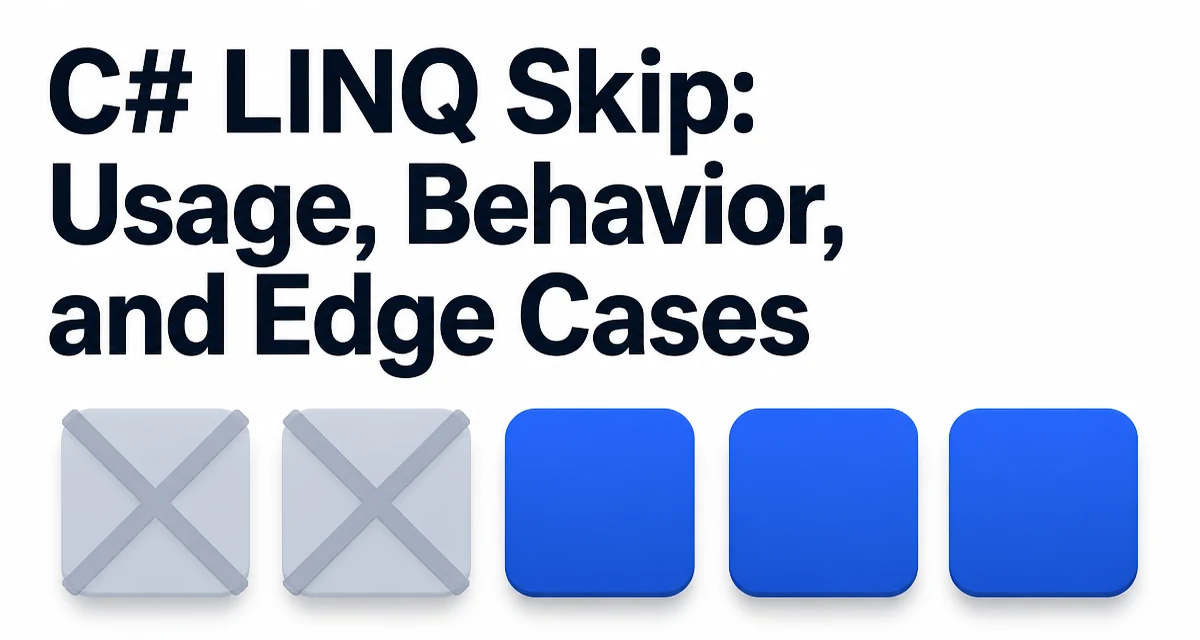
When you need to skip a fixed number of elements from the start of a sequence, the c# linq skip operation is what you reach for. The Skip method returns all elements of a sequence except the first count elements, and it is the direct counterpart to Take. Together the two form the basis of most in-memory pagination code. The syntax is minimal:
int[] numbers = { 10, 20, 30, 40, 50 };
int[] skipped = numbers.Skip(2).ToArray();
// skipped: { 30, 40, 50 }
Skip is an extension method defined on IEnumerable<T> and is also available on IQueryable<T> through the System.Linq namespace. The method does not modify the source sequence; it returns a new enumerable that, when iterated, starts from the element at index count.
How Skip Behaves When the Count Exceeds the Sequence Length
When count is greater than or equal to the number of elements in the sequence, Skip returns an empty sequence. It does not throw an exception. This makes it safe to use without checking the collection size first:
int[] numbers = { 1, 2, 3 };
var result = numbers.Skip(10); // empty sequence
Console.WriteLine(result.Any()); // False
This behavior matters in pagination because the last page of a result set is often smaller than the page size. Calling Skip(pageIndex * pageSize) with a page index beyond the last valid page yields an empty result instead of raising an error.
A related edge case is Skip(0). Passing zero returns the entire sequence unchanged. There is no special handling required, but it is worth knowing that Skip(0) does not create a copy of the source data; it returns a deferred enumerable that iterates the original sequence when enumerated.
Deferred Execution and When the Skip Actually Happens
Skip uses deferred execution. The method itself does no work when called. It returns an iterator that performs the skip logic only when the result is enumerated, for example by foreach, ToArray(), ToList(), or Count().
IEnumerable<int> query = numbers.Skip(2); // no work yet
// ... later
foreach (int n in query) // enumeration starts here
{
    Console.WriteLine(n);
}
The practical consequence is that if the source sequence changes between the call to Skip and the enumeration, the result reflects the current state of the source, not the state at the time Skip was called. For a List<T> or array this rarely matters, but for a sequence backed by a file stream, a network response, or a database cursor, the timing of enumeration can affect what data is returned.
Skip on IQueryable and Database Translation
When Skip is called on an IQueryable<T>, such as the result of DbContext.Set<T>() or a LINQ-to-Entities query, the method is translated into the underlying query provider's language. For Entity Framework Core against a SQL database, Skip becomes part of the OFFSET clause in the generated SQL:
var page = dbContext.Orders
    .OrderBy(o => o.CreatedAt)
    .Skip(pageIndex * pageSize)
    .Take(pageSize)
    .ToList();
The generated SQL roughly corresponds to:
SELECT * FROM Orders
ORDER BY CreatedAt
OFFSET @p0 ROWS FETCH NEXT @p1 ROWS ONLY;
Two points matter here. First, Skip on IQueryable requires a deterministic ordering. Without an OrderBy, the database may return rows in an unspecified order, and the skipped offset is not meaningful. Second, large offset values force the database to scan and discard many rows before returning the requested page. For deep pagination, a keyset (seek) approach using a WHERE clause on the last seen key is often more efficient than a large Skip.
Combining Skip and Take for Pagination
The standard pagination pattern uses Skip to discard the already-seen pages and Take to limit the current page:
public List<T> GetPage<T>(IQueryable<T> source, int pageIndex, int pageSize)
{
    return source
        .Skip(pageIndex * pageSize)
        .Take(pageSize)
        .ToList();
}
pageIndex is zero-based. The first page is Skip(0).Take(pageSize). The total number of pages can be derived from Count() on the source, but note that calling Count() on an IQueryable issues a separate database query. For in-memory collections, Skip and Take are equally straightforward, but the source must be enumerated once to count and once to page unless the count is already known.
Performance Characteristics of Skip on IEnumerable
For an in-memory IEnumerable<T>, Skip is an O(n) operation where n is the number of skipped elements. The iterator advances through the first count elements without yielding them, then starts yielding from position count. This is cheap for small offsets but becomes noticeable when skipping a large portion of a large collection repeatedly.
There is no way to jump to an index in a generic IEnumerable<T> because the interface only supports forward iteration. If you need random access by index, an IList<T> or array allows direct indexing, and you can write a manual loop that starts at the desired index:
public static IEnumerable<T> SkipList<T>(IList<T> source, int count)
{
    for (int i = count; i < source.Count; i++)
    {
        yield return source[i];
    }
}
This avoids iterating the first count elements. For most applications the difference is negligible, but in a hot loop over a large list it can matter.
SkipLast and Other Related Methods
The System.Linq namespace also provides SkipLast, which skips the last count elements of a sequence. It is the counterpart to TakeLast:
int[] numbers = { 1, 2, 3, 4, 5 };
var result = numbers.SkipLast(2); // { 1, 2, 3 }
SkipLast buffers the sequence internally because it must know which elements are the last count before it can yield anything. Unlike Skip, it cannot start yielding immediately, and it adds memory overhead proportional to the skip count. Use it only when you genuinely need to drop trailing elements.
The three positional methods differ in what they discard:
| Method | What it discards | Evaluation |
|---|---|---|
Skip(count) | First count elements | Positional, deferred |
SkipWhile(predicate) | Elements until the predicate fails | Value-based, deferred |
SkipLast(count) | Last count elements | Requires buffering |
Choosing Between Skip and Indexed Filtering
When you need to skip elements based on their position, Skip is the clearest expression. An alternative is Where with an index, which is supported by the LINQ Where overload that passes the index to the predicate:
var result = numbers.Where((value, index) => index >= 2);
This produces the same output as numbers.Skip(2) for a finite sequence, but it evaluates the predicate for every element and is less readable. Skip communicates intent directly and short-circuits the enumeration of the skipped elements. Use Skip unless you also need to filter by value at the same time, in which case a single Where with an index can avoid two passes over the data.
The main constraint to remember is that Skip is positional. It discards the first count elements regardless of their values. If the requirement is to skip elements until a condition is met, SkipWhile is the appropriate method, not Skip.