C# Overflow Handling with checked and unchecked
c# overflow handling: Understand C# overflow handling with checked and unchecked contexts, OverflowException, and project-wide overflow checking.
c# overflow handling requires a clear understanding of the core syntax, runtime behavior, and practical implementation patterns demonstrated in the examples below.
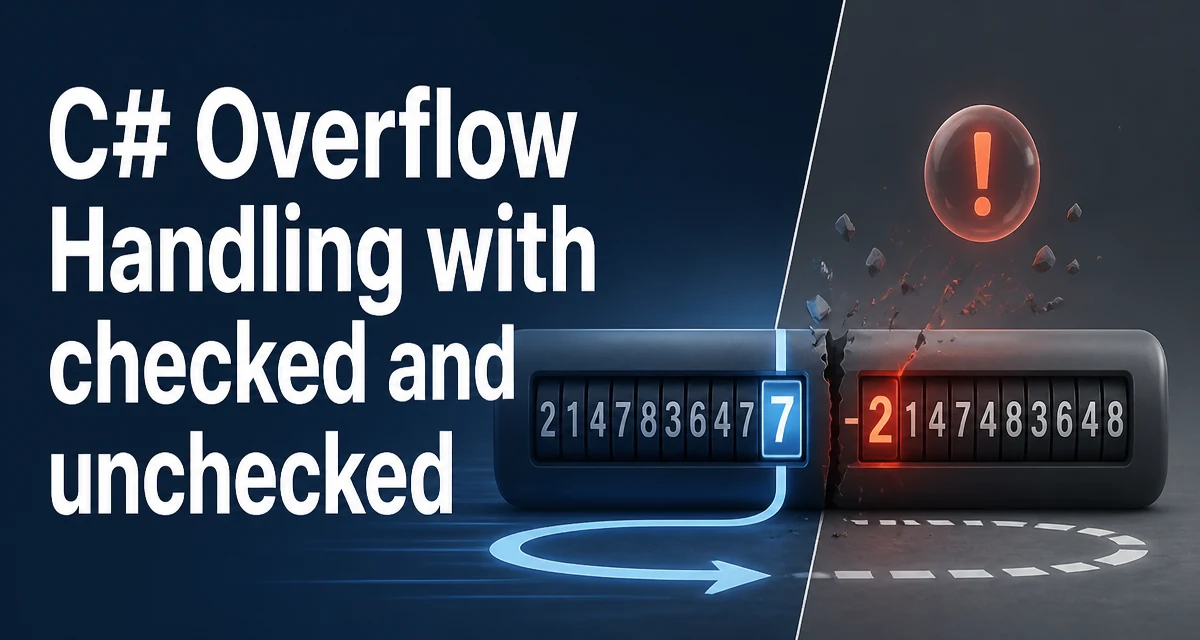
In C#, overflow handling is unchecked by default: when an integer operation produces a result that does not fit in the destination type, the value wraps around silently instead of raising an error. This behavior is useful in some low-level contexts, but it can corrupt application state when the value represents a count, a total, or an identifier. The checked and unchecked keywords give you explicit control over where overflow is detected.
What Happens When Integer Arithmetic Overflows
For the built-in integral types (int, long, short, byte, and their unsigned variants), arithmetic is performed on the underlying binary representation. When the result exceeds the type's range, the extra bits are discarded and the value wraps according to two's-complement rules.
int max = int.MaxValue;
int result = max + 1;
Console.WriteLine(result); // -2147483648
The same wrapping applies to multiplication and to the increment and decrement operators. Division by zero is different: integer division by zero always throws DivideByZeroException, regardless of the checked context.
The silent wrap is the default because the runtime does not insert overflow checks unless you ask for them. That keeps arithmetic fast, but it means an overflowed value can flow through several methods before anyone notices the data is wrong.
Enforcing Overflow Checks with checked
The checked keyword instructs the runtime to throw OverflowException when an integral operation overflows. It can be applied to a single expression or to a block of statements.
int max = int.MaxValue;
try
{
    int result = checked(max + 1);
}
catch (OverflowException)
{
    Console.WriteLine("The addition overflowed.");
}
The block form is useful when several operations must all be validated:
checked
{
    int a = 2_000_000_000;
    int b = 2_000_000_000;
    int sum = a + b; // throws OverflowException
}
Use the block form when you are computing a total from multiple fields and any single overflow would invalidate the result. The block keeps the intent visible without repeating checked on every line.
Suppressing Checks with unchecked
The unchecked keyword explicitly disables overflow checking for a region. It matters when the project has enabled overflow checking globally and a specific section needs to rely on wrapping.
int hash = unchecked(a * 31 + b);
Hash-code computation is a common case. The exact value of the hash is not meaningful; only the distribution of the low bits matters, and wrapping is acceptable. The same applies to checksums and to bit-manipulation code that deliberately works with the raw binary representation.
In a project that does not enable global checking, unchecked is redundant but documents the intent. A reader sees that the author considered overflow and decided that wrapping is acceptable here.
Project-Wide Overflow Checking
Adding checked to every method is tedious and easy to miss. The project file can enable overflow checking for the entire assembly:
<PropertyGroup>
  <CheckForOverflowUnderflow>true</CheckForOverflowUnderflow>
</PropertyGroup>
With this setting, all integral arithmetic in the project is checked by default, and individual expressions or blocks can opt out with unchecked. This is the most reliable way to ensure that no arithmetic silently wraps in a codebase where overflow would indicate a bug.
Adopting this setting can surface exceptions in code that previously relied on wrapping, so it is best introduced alongside boundary-value tests. The compiler will not tell you which operations overflow; it simply changes the runtime behavior, and the exceptions appear when those paths execute.
Catching OverflowException
Catching OverflowException is appropriate when overflow is part of normal control flow, such as validating user input or processing untrusted data. In those cases, the exception is expected and the handler converts it into a validation result.
public bool TryAddWithOverflowCheck(int left, int right, out int result)
{
    try
    {
        result = checked(left + right);
        return true;
    }
    catch (OverflowException)
    {
        result = 0;
        return false;
    }
}
When overflow indicates a programming error rather than invalid input, letting the exception propagate is usually the better choice. An uncaught OverflowException makes the failure visible during development, whereas a silent wrap would hide it and produce incorrect data in production.
Performance Cost of Checked Arithmetic
Checked arithmetic has a small runtime cost. The JIT compiler inserts a comparison after each checked operation to detect overflow and branches to an exception path when it occurs. For most applications the cost is negligible, but in tight loops that perform millions of operations it can be measurable.
long total = 0;
for (int i = 0; i < values.Length; i++)
{
    total = checked(total + values[i]);
}
If the loop is a hot path and the values are known to stay within range, you can accumulate with unchecked and validate the final result once. That preserves the safety guarantee without paying for a check on every iteration.
The decimal type behaves differently: it always throws on overflow regardless of the checked context, because it stores a sign, scale, and 96-bit mantissa and performs its own overflow detection. Floating-point types such as float and double never throw on overflow; they produce Infinity.
Choosing Between checked and unchecked
The decision depends on what the value represents and what failure mode is acceptable.
| Context | Behavior on overflow | Best fit |
|---|---|---|
| Default (unchecked) | Wraps silently | Hash codes, checksums, bit manipulation |
| checked | Throws OverflowException | Counts, totals, IDs, user input validation |
| Project-wide checked | Throws unless opted out | Codebases where wrap indicates a bug |
Use checked when an overflowed value would corrupt business logic. Use unchecked when only the low bits of the result matter. Enable <CheckForOverflowUnderflow> when you want the compiler to enforce the checked default across the whole project, and reserve unchecked for the few places that intentionally rely on wrapping.