C# Parse vs TryParse vs Convert
c# parse vs tryparse vs convert: Understand the differences between Parse, TryParse, and Convert in C# for converting strings to numbers, including error handling and...
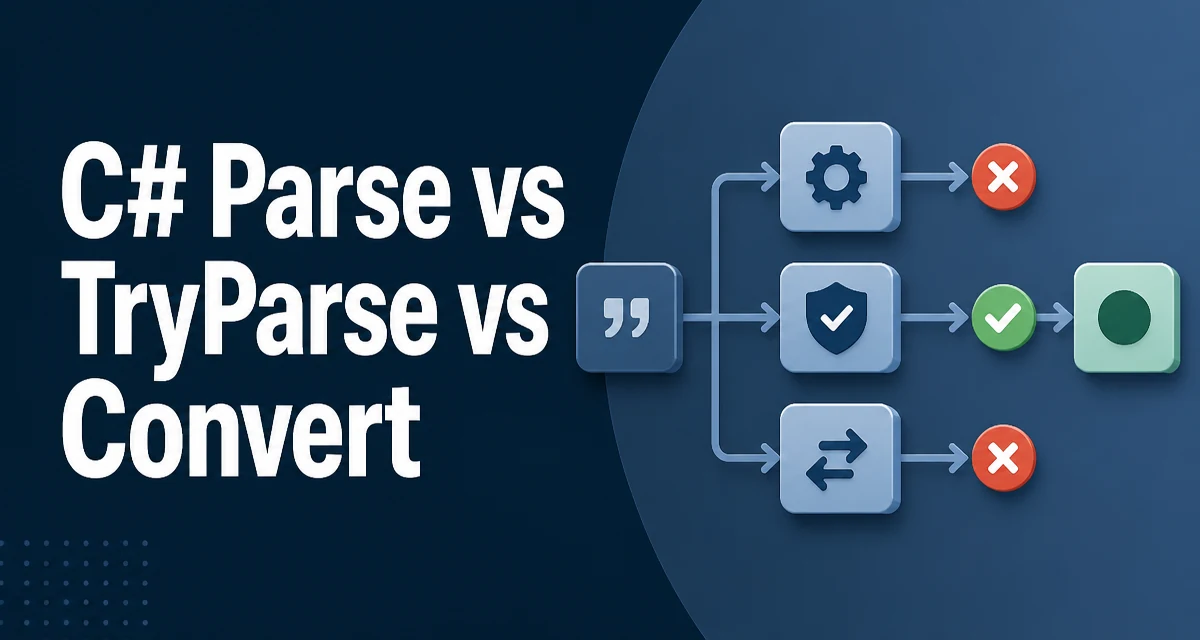
When you need to convert a string to a number in C#, three common APIs are int.Parse, int.TryParse, and Convert.ToInt32. The choice affects how errors are handled, whether exceptions are thrown, and how the code reads in production. This article compares c# parse vs tryparse vs convert with concrete examples and explains the conditions under which each approach is appropriate.
The Core Difference: Exceptions vs. Boolean Results
The most important distinction is how each method reports failure. Parse throws an exception when the input is not a valid number. TryParse returns a boolean and sets an output parameter. Convert is more flexible in accepted input types, but it also throws exceptions on invalid input.
Consider this minimal example:
string input = "42";
int value;

// Parse: throws FormatException if input is invalid
value = int.Parse(input);

// TryParse: returns false and sets value to 0 if invalid
bool success = int.TryParse(input, out value);

// Convert: throws FormatException if input is not a valid number
value = Convert.ToInt32(input);
int.Parse and Convert.ToInt32 behave similarly for a valid numeric string. The real difference appears when the input is null, empty, or non-numeric.
How Parse Handles Invalid Input
int.Parse expects a string that represents a whole number. If the string is null, it throws ArgumentNullException. If the string is empty or contains non-numeric characters, it throws FormatException. If the number is too large for the target type, it throws OverflowException.
string nullString = null;
try
{
    int result = int.Parse(nullString);
}
catch (ArgumentNullException)
{
    // Handle null input
}

try
{
    int result = int.Parse("12.5");
}
catch (FormatException)
{
    // Handle non-numeric input
}
Because exceptions are relatively expensive and disrupt control flow, using Parse on user input without a surrounding try-catch is risky. It is suitable when you are certain the input is valid, such as parsing a value that was previously validated or generated internally.
TryParse: Safe Parsing Without Exceptions
int.TryParse avoids throwing exceptions for invalid input. It returns true and assigns the parsed value to the output parameter when conversion succeeds. When it fails, it returns false and assigns the default value of the target type (usually 0 for integers).
string input = "abc";
if (int.TryParse(input, out int result))
{
    Console.WriteLine($"Parsed: {result}");
}
else
{
    Console.WriteLine("Input is not a valid integer");
}
The out variable can be declared inline, as shown above. This pattern is idiomatic in C# and avoids exception overhead in normal flow. It is the recommended choice when parsing user input, configuration values, or data from external sources where invalid entries are possible.
One subtle behavior: TryParse does not throw on null. It returns false for null input. That makes it convenient for validating optional fields.
Convert.ToInt32: More Than String Parsing
Convert.ToInt32 is part of the Convert class, which provides conversions between many base types. Unlike int.Parse, Convert.ToInt32 accepts not only strings but also objects of other types, such as double, decimal, bool, or char. It uses the IConvertible interface to perform the conversion.
double d = 42.7;
int fromDouble = Convert.ToInt32(d); // rounds to 43

string s = "100";
int fromString = Convert.ToInt32(s);

bool b = true;
int fromBool = Convert.ToInt32(b); // 1
When given a string, Convert.ToInt32 internally calls int.Parse with the current culture's number format. It throws the same exceptions (FormatException, OverflowException) for invalid strings. However, it handles null differently: Convert.ToInt32(null) returns 0 instead of throwing ArgumentNullException.
This difference matters when you have a nullable value that should default to zero. Using Convert.ToInt32 avoids a null check in some scenarios.
Comparing Behavior with a Table
The following table summarizes the key differences for a string input:
| Behavior | int.Parse | int.TryParse | Convert.ToInt32 |
|---|---|---|---|
| Returns value | Yes | Yes (via out) | Yes |
| Returns success indicator | No | Yes | No |
| Throws on invalid string | Yes | No | Yes |
| Throws on null | Yes (ArgumentNull) | No (returns false) | No (returns 0) |
| Accepts non-string types | No | No | Yes |
| Typical use | Known-valid input | User input | Mixed-type conversion |
All three methods respect the current culture's number format, including decimal separators and negative signs. If you need invariant parsing, use int.Parse or int.TryParse with a CultureInfo parameter.
Performance and Allocation Considerations
Performance is rarely the deciding factor unless parsing occurs in a hot loop. Still, the underlying mechanics differ. Parse and Convert can throw exceptions, and exception handling is expensive because it involves stack unwinding and object allocation. TryParse avoids that cost by returning a boolean.
In a tight loop that processes thousands of input strings, using TryParse prevents exception overhead when some inputs are invalid. If all inputs are valid, Parse and TryParse have similar performance because TryParse still performs the same parsing logic internally.
Convert.ToInt32 adds a small indirection when converting from a string because it goes through the IConvertible path, but the difference is negligible for typical application code. For maximum throughput on numeric string parsing, TryParse with the NumberStyles.Integer and an invariant culture is the most predictable option.
Choosing the Right API for Your Scenario
The decision should be based on the source of the input and the desired error handling strategy.
Use int.Parse when you are confident the input is valid and you want an exception to surface if that assumption is wrong. This is common when parsing values that were serialized by your own code, such as reading an integer from a JSON payload that was validated earlier.
Use int.TryParse when the input comes from an external boundary: user input, query parameters, configuration files, or third-party APIs. The boolean result makes it easy to branch on success without try-catch blocks. It also makes the code more readable because the happy path and error path are explicit.
Use Convert.ToInt32 when you need to convert from a non-string type, or when you want null to map to 0. For example, if a database field can be DBNull and you want to treat it as zero, Convert.ToInt32 handles that without a separate check.
Common Pitfalls and Edge Cases
A frequent mistake is assuming Convert.ToInt32 and int.Parse behave identically for all inputs. They differ on null handling, as noted. Another pitfall is ignoring the culture. For instance, "1,234" is parsed as 1234 in cultures that use a comma as a thousands separator, but as 1 in cultures that use a comma as a decimal separator. Always specify CultureInfo.InvariantCulture when parsing data that should be culture-independent.
string number = "1,234";
int result = int.Parse(number, CultureInfo.InvariantCulture); // throws FormatException
Another edge case is overflow. All three methods throw OverflowException when the numeric value exceeds the range of int. TryParse returns false in that case. If you need to handle very large numbers, consider long.TryParse or System.Numerics.BigInteger.
TryParse with Custom Number Styles
TryParse has overloads that accept NumberStyles and IFormatProvider. This allows you to parse strings with currency symbols, thousands separators, or leading/trailing whitespace without writing extra cleanup code.
string currency = "$1,234.56";
NumberStyles style = NumberStyles.Currency;
CultureInfo culture = CultureInfo.GetCultureInfo("en-US");
if (decimal.TryParse(currency, style, culture, out decimal amount))
{
    Console.WriteLine(amount); // 1234.56
}
This overload is useful for parsing user-entered numbers that include formatting. It also gives you control over which characters are allowed, reducing the risk of unexpected input slipping through.
When Convert Is the Right Abstraction
Convert is not just for strings. It provides a uniform interface for converting between many base types. In generic code that handles object values, Convert.ToInt32 is convenient because it accepts object and internally handles the conversion based on the runtime type.
object boxed = 42L; // a long
int converted = Convert.ToInt32(boxed); // works
This is useful when you receive values from reflection, dynamic dispatch, or legacy APIs that return object. int.Parse would require an explicit cast or ToString() first. However, using Convert hides the actual type and can throw InvalidCastException if the source type does not implement IConvertible to int. For strongly typed code, direct parsing is clearer.
Production Considerations for Maintainability
In a production codebase, the choice between these methods affects readability and error handling. TryParse tends to produce more linear code because it avoids exception flow. For example, a method that validates a user-supplied age might look like this:
public bool TryGetAge(string input, out int age)
{
    if (int.TryParse(input, out age) && age >= 0 && age <= 120)
    {
        return true;
    }
    age = 0;
    return false;
}
This pattern is easier to test and reason about than a version that catches FormatException and OverflowException separately. When you do need to catch exceptions, be specific. Catching Exception around a parse call hides programming errors and makes debugging harder.
Another maintainability aspect is consistency. If a codebase standardizes on TryParse for all external input, new developers can predict the control flow. Mixing Parse and Convert without a clear rule leads to inconsistent error handling.
Final Technical Consideration: Nullable and Default Values
A subtle but useful difference is how each method treats null. int.Parse(null) throws, int.TryParse(null) returns false, and Convert.ToInt32(null) returns 0. This can be leveraged when you have a nullable source that should default to zero in a conversion pipeline.
string? maybeNumber = GetValueFromConfig();
int result = maybeNumber is null ? 0 : Convert.ToInt32(maybeNumber);
But Convert.ToInt32 already handles null, so you can write int result = Convert.ToInt32(maybeNumber); and get 0 for null. This is concise, but it also silently hides a missing configuration value. Depending on the context, you may prefer TryParse to explicitly log or handle the missing value.
The decision ultimately comes down to how much you trust the input and how you want failures to be observed. Parse and Convert make failures loud with exceptions; TryParse makes them quiet with a boolean. Choose the approach that matches the failure model of your application.