C# Property vs Field: When to Use Each
c# property vs field: Understand the differences between C# properties and fields, including encapsulation, validation, computed values, and when to choose each for cl...
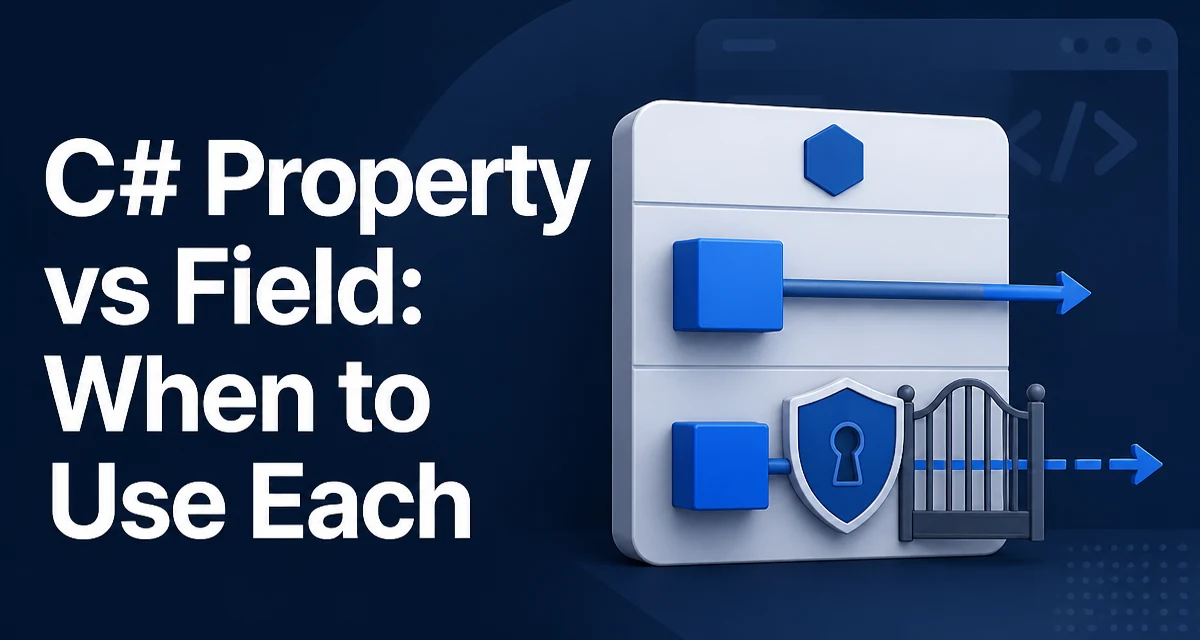
When you declare a public field in a C# class, you expose the underlying storage directly. Any code that can access the object can read and modify that value without restriction. A property, on the other hand, wraps access through getter and setter methods, giving you control over how the value is read and assigned. The choice between c# property vs field affects not only syntax but also how your type behaves in production.
Fields Are Direct Storage
A field is a variable declared directly in a class or struct. It holds the actual data for the type. Here is a minimal example:
public class Customer
{
    public string Name;
}
The Name field is public, so any code that has a Customer instance can read and write it directly. This is the simplest way to store data, but it offers no control over what happens during access. There is no way to validate the value, log reads, or compute a derived result. The field is just a memory location.
Fields are often used for private or internal state. When a field is private, it is only accessible from within the same class, which is a good starting point for encapsulation. However, if you later decide to expose that state publicly, you need to decide between a public field and a property.
Properties Add a Layer of Control
A property is a member that provides a flexible mechanism to read, write, or compute the value of a private field. It uses accessors, get and set, to define what happens when the value is accessed. Here is the same Name data exposed as a property:
public class Customer
{
    private string _name;

    public string Name
    {
        get { return _name; }
        set { _name = value; }
    }
}
The property wraps the private field _name. The get accessor returns the current value, and the set accessor assigns a new value. This pattern gives you a place to add logic. For example, you can validate the input before storing it:
public string Name
{
    get { return _name; }
    set
    {
        if (string.IsNullOrWhiteSpace(value))
            throw new ArgumentException("Name cannot be empty.", nameof(value));
        _name = value;
    }
}
Now every assignment to Name is checked. If the value is null or whitespace, an exception is thrown. This is a simple form of invariant enforcement that fields cannot provide.
Auto-Implemented Properties
Writing a property with a backing field is verbose, so C# provides auto-implemented properties. These generate a hidden backing field for you while still exposing the property API:
public class Customer
{
    public string Name { get; set; }
}
The compiler creates a private backing field and implements the get and set accessors. The property behaves like a simple field for most purposes, but it remains a property. This distinction matters for source and binary compatibility. If you later need to add validation or change the getter to compute a value, you can replace the auto-property with a full property without breaking callers.
Auto-properties can also be read-only or write-only. A read-only auto-property has only a get accessor:
public int Id { get; }
You can assign to Id only in the constructor or in an initializer. After that, it is immutable. This is useful for values that should not change after creation.
Encapsulation and Validation
Encapsulation is the primary reason to prefer properties over public fields. By hiding the backing field and exposing a property, you control how external code interacts with the data. This control enables validation, change notification, lazy loading, and other behaviors.
Consider a class that needs to notify a UI when a value changes. A property can raise an event in the setter:
public class ViewModel
{
    private string _status;

    public string Status
    {
        get => _status;
        set
        {
            if (_status != value)
            {
                _status = value;
                OnPropertyChanged(nameof(Status));
            }
        }
    }
}
A field cannot do this without additional code elsewhere. The property centralizes the logic, making the class easier to maintain.
Validation is another common use. If you have a field that must always be a positive integer, you can enforce that in the property setter. This prevents invalid state from ever entering the object.
Computed Properties and Read-Only Access
Properties are not required to have a backing field. They can compute a value on the fly. For example:
public class Rectangle
{
    public double Width { get; set; }
    public double Height { get; set; }

    public double Area => Width * Height;
}
The Area property is read-only and computed from Width and Height. There is no backing field. This is a clean way to expose derived data without storing redundant state.
Read-only properties are also useful for exposing a value that is set once. You can combine a private setter with a public getter:
public class Order
{
    public DateTime CreatedAt { get; private set; }

    public Order()
    {
        CreatedAt = DateTime.UtcNow;
    }
}
Only the class itself can set CreatedAt, but any caller can read it. This is a common pattern for immutable or semi-immutable data.
Performance and Runtime Behavior
A common concern is whether properties are slower than fields because they are method calls. In practice, the JIT compiler often inlines simple property accessors, so the generated machine code is identical to direct field access. There is no measurable performance difference for straightforward getters and setters. The overhead only appears if you add significant logic inside the accessor, such as database calls or complex computations. In that case, the property is doing real work, and the cost is inherent to that work, not to the property mechanism itself.
Another runtime consideration is binary compatibility. Changing a public field to a property is a breaking change for code compiled against the original type. The field is accessed directly, while a property requires a method call. Even with the same name, the compiled IL is different. If you ship a library, changing a field to a property can break consumers. Therefore, it is safer to start with a property from the beginning, even if you do not need validation yet.
Choosing Between Field and Property
Use a field when the data is strictly internal and never needs to be exposed publicly. For example, a private backing field for a property is a field. Use a property when the value is part of the public API of the class. Even if you do not need validation now, a property gives you the flexibility to add it later without breaking callers.
There are also cases where a field is acceptable in a public API. If you are defining a constant or a static read-only value, a field is appropriate. For instance:
public static readonly int MaxRetries = 3;
This is a public constant that does not need encapsulation. However, if the value might change in the future, a property is better because you can change the implementation without affecting callers.
When you are designing a data transfer object (DTO) that is used only for serialization, auto-properties are the standard choice. They are concise and work with most serializers. Fields are less common in DTOs because serializers typically expect properties.
Common Pitfalls and Edge Cases
One pitfall is using a field in an interface. Interfaces cannot declare fields, but they can declare properties. If you need to define a contract that includes data, you must use a property.
Another edge case is thread safety. A simple property accessor is not atomic. If multiple threads read and write the same value, you need synchronization. This is true for fields as well. The property does not add any automatic thread safety.
Expression-bodied properties are a concise way to write read-only computed properties, but they are not suitable for setters. The => syntax only works for expression-bodied getters or simple lambdas. For a setter, you still need the full block syntax.
Finally, remember that ref and out parameters cannot be used with properties. If you need to pass a value by reference, you must use a field. This is a rare but real limitation. For example, Interlocked.Increment(ref someField) requires a field, not a property.
Understanding the tradeoffs between fields and properties helps you write code that is both correct and maintainable. Start with properties for any public or protected data, and reserve fields for private implementation details. This simple rule prevents many maintenance issues later.