C# Queue vs Stack: Choosing the Right Collection
c# queue vs stack: Learn the differences between Queue<T> and Stack<T> in C#, when to use each, and how their FIFO/LIFO behavior affects your code.
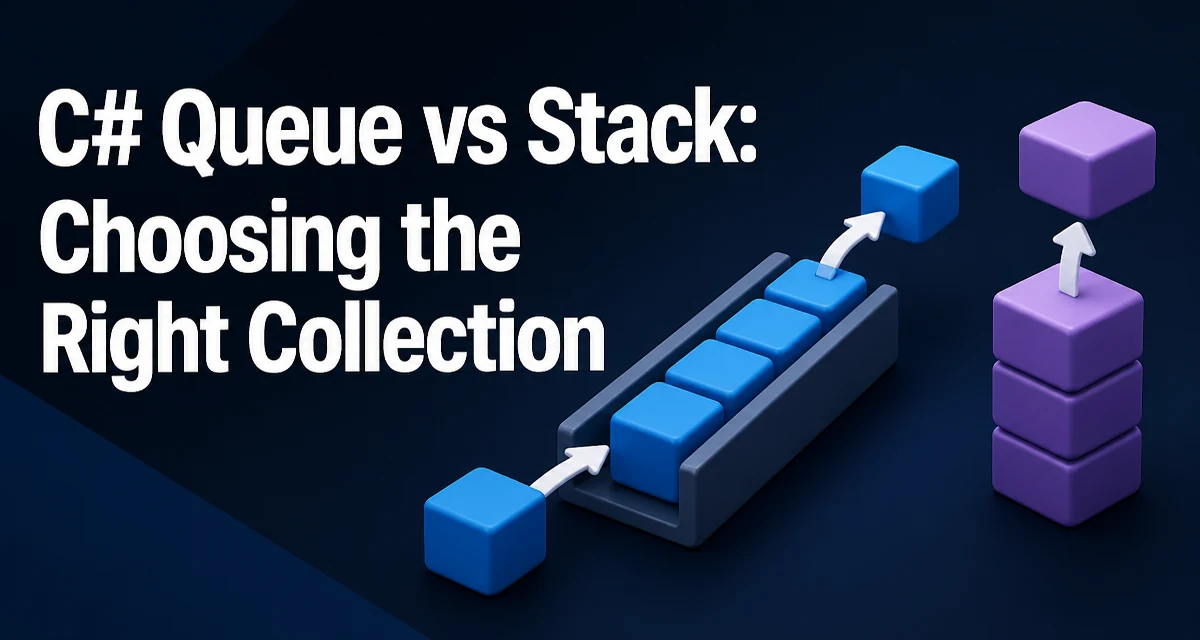
When you need to process items in a specific order, C# provides two fundamental collections: Queue<T> and Stack<T>. The c# queue vs stack decision comes down to whether you need first-in-first-out (FIFO) or last-in-first-out (LIFO) behavior. This article explains the practical differences, typical use cases, and performance characteristics of each.
Understanding FIFO and LIFO
A queue models a line: the first element added is the first one removed. A stack models a pile: the last element added is the first one removed. These ordering rules determine which collection is appropriate for a given algorithm.
In C#, both Queue<T> and Stack<T> are generic collections that store objects of a single type. They are part of System.Collections.Generic and provide constant-time O(1) operations for adding and removing elements at the appropriate end. The underlying implementation uses an array that grows as needed, but the logical behavior is strictly FIFO for queues and LIFO for stacks.
Queue<T> in C#: Syntax and Basic Usage
A Queue<T> exposes Enqueue to add an item to the tail and Dequeue to remove and return the item at the head. Peek returns the head item without removing it. Here is a minimal example:
using System;
using System.Collections.Generic;

var queue = new Queue<string>();
queue.Enqueue("first");
queue.Enqueue("second");
queue.Enqueue("third");

string head = queue.Peek(); // "first"
string processed = queue.Dequeue(); // "first"
Console.WriteLine(queue.Count); // 2
After the Dequeue, the queue contains "second" and "third" in that order. Enqueue and Dequeue are both O(1) operations. The Count property reflects the current number of elements. Attempting to call Dequeue or Peek on an empty queue throws InvalidOperationException, so you should check Count or use TryDequeue (available in .NET Core 2.0+ and .NET 5+) to avoid exceptions.
Stack<T> in C#: Syntax and Basic Usage
A Stack<T> uses Push to add an item to the top and Pop to remove and return the top item. Peek returns the top item without removing it. Here is the same example using a stack:
using System;
using System.Collections.Generic;

var stack = new Stack<string>();
stack.Push("first");
stack.Push("second");
stack.Push("third");

string top = stack.Peek(); // "third"
string popped = stack.Pop(); // "third"
Console.WriteLine(stack.Count); // 2
After the Pop, the stack contains "first" and "second", with "second" on top. Like Queue<T>, Push and Pop are O(1), and Pop on an empty stack throws InvalidOperationException. TryPop is available in the same framework versions as TryDequeue.
When to Use Queue vs Stack
The choice between a queue and a stack is driven by the order in which items must be processed. Use a Queue<T> when you want to preserve the order of arrival. Typical scenarios include:
- Task scheduling: Process jobs in the order they were submitted.
- Breadth-first search (BFS): Traverse a tree or graph level by level.
- Buffering: Handle requests or messages in the order they arrive.
Use a Stack<T> when the most recent item must be processed first. Common scenarios include:
- Undo/redo functionality: The last action is undone first.
- Depth-first search (DFS): Traverse a tree or graph by exploring one branch fully before backtracking.
- Expression evaluation: Evaluate postfix expressions or parse nested structures.
If you need to remove an item from the middle of the collection, neither Queue<T> nor Stack<T> is appropriate. Consider a List<T> or a LinkedList<T> instead. The decision is not about performance in most cases—both collections offer O(1) add/remove at their ends—but about the required ordering semantics.
Performance and Memory Considerations
Both Queue<T> and Stack<T> use a dynamically resized internal array. When the array is full, a new array of double the size is allocated and existing elements are copied. This resizing is O(n), but it happens infrequently, so the amortized cost of Enqueue or Push remains O(1). For most applications, this is acceptable.
Memory usage differs slightly. A Queue<T> stores elements in a circular buffer to avoid shifting elements when the head is dequeued. This means that after many Dequeue operations, the array may contain unused slots at the front. The TrimExcess method can be called to reduce capacity if the queue will remain small for a long period. A Stack<T> does not have this issue because elements are always added and removed from the same end, so the internal array remains contiguous.
For very large collections, consider the memory overhead of the internal array. If you know the approximate maximum size in advance, you can use the constructor that accepts an initial capacity to avoid repeated resizing:
var queue = new Queue<int>(1000);
var stack = new Stack<int>(1000);
This reduces allocation overhead but does not change the logical behavior.
Common Mistakes and Edge Cases
A frequent mistake is forgetting that Dequeue and Pop remove the element. If you only need to inspect the next item without removing it, use Peek. Another common error is calling Dequeue or Pop on an empty collection. Always check Count or use the Try variants to handle empty collections gracefully.
Consider this example that uses TryDequeue to safely process a queue:
while (queue.TryDequeue(out string item))
{
    Console.WriteLine(item);
}
This loop terminates when the queue is empty, avoiding an exception. The same pattern works with TryPop for stacks.
Another edge case involves enumerating a queue or stack. Both collections implement IEnumerable<T>, but the enumeration order is different: a queue enumerates from head to tail, while a stack enumerates from top to bottom. If you need to preserve the original order while iterating, use ToArray on the collection first. Note that ToArray creates a copy, so subsequent modifications to the original collection do not affect the array.
Finally, be aware that Queue<T> and Stack<T> are not thread-safe. If multiple threads access the same collection concurrently, you must synchronize access or use a concurrent collection such as ConcurrentQueue<T> or ConcurrentStack<T>. These concurrent variants are available in System.Collections.Concurrent and provide thread-safe operations, but they have higher overhead due to locking. For single-threaded scenarios, the non-concurrent versions are more efficient.
Choosing Between Queue and Stack in Practice
When you face a c# queue vs stack decision, ask one question: must the first item added be processed first, or the last item added? If the answer is first, use Queue<T>. If last, use Stack<T>. This rule covers the vast majority of use cases. For example, a request pipeline that processes incoming HTTP requests in order is a queue. An expression evaluator that must handle nested parentheses is a stack.
In some situations, the choice is not obvious because both appear to work. Consider a backtracking algorithm that explores a state space. If you use a stack, you get depth-first behavior; if you use a queue, you get breadth-first behavior. The correct choice depends on which traversal order you need. There is no universal "better" collection—only the one that matches the required ordering.
If you need to access elements by index, neither collection is suitable. Queue<T> and Stack<T> only expose the front or top element. For indexed access, use List<T> or an array. If you need to remove an arbitrary element, consider a HashSet<T> or a custom data structure. The simplicity of Queue<T> and Stack<T> is their strength: they enforce a strict ordering policy, which makes code easier to reason about and less prone to accidental misuse.