C# Select vs SelectMany: Key Differences
c# select vs selectmany: Understand the difference between LINQ Select and SelectMany in C#, with code examples and guidance on when to use each for projecting and fla...
c# select vs selectmany requires a clear understanding of the core syntax, runtime behavior, and practical implementation patterns demonstrated in the examples below.
The Core Difference Between Select and SelectMany
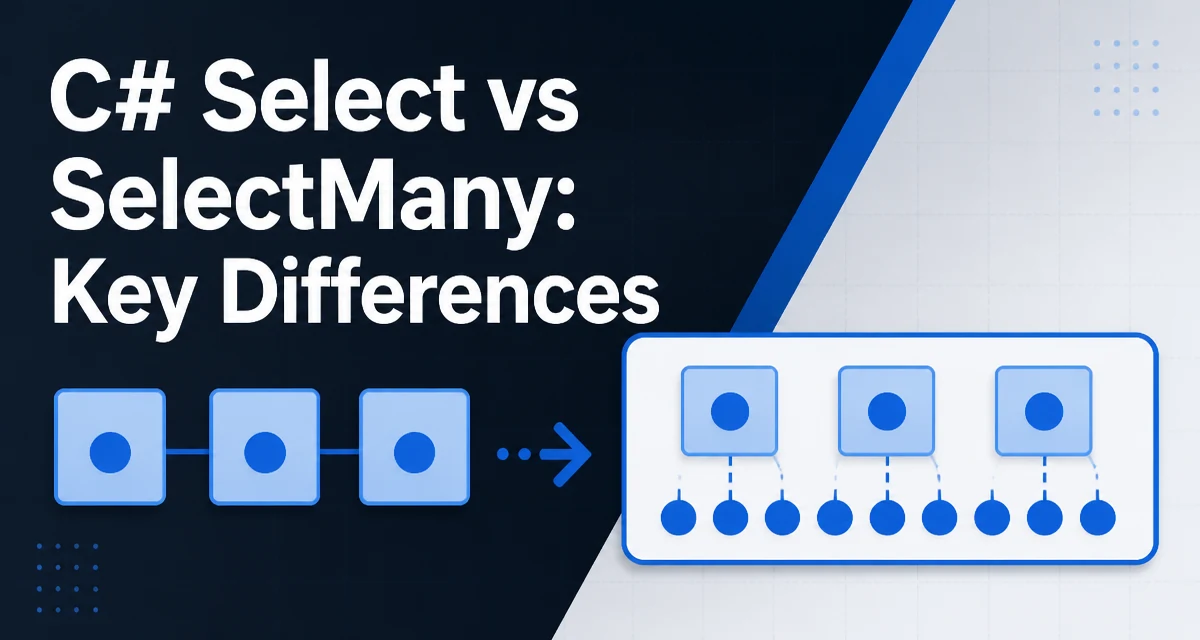
When you call Select on a collection, each source element produces exactly one output element. The result is a new sequence with the same number of items as the source. SelectMany is different: each source element can produce zero, one, or multiple output elements, and these outputs are flattened into a single sequence. This distinction is fundamental whenever you need to project nested collections or combine multiple levels of data.
Consider a simple list of orders, each with a list of line items. Select would give you a sequence of lists, while SelectMany would give you a sequence of individual line items. The choice between them often comes down to the shape of the data you need: preserve the grouping or flatten it.
Using Select for One-to-One Projections
Select is the workhorse for transforming each element in a collection. The projection delegate receives each element and returns a new value, possibly of a different type. This is a one-to-one mapping.
var numbers = new[] { 1, 2, 3, 4 };
var squared = numbers.Select(n => n * n);
// result: 1, 4, 9, 16
The delegate n => n * n is executed once for each element, and the output sequence has exactly the same number of elements as the source. You can also use Select to extract a property from a collection of objects, such as getting a list of customer names from a list of customers.
Select is your choice when you need a one-to-one transformation and you want to keep the structure of the data. It is also common to combine Select with other LINQ methods like Where to filter and then project.
Using SelectMany to Flatten Nested Collections
SelectMany is used when each source element produces a collection, and you want to concatenate all those collections into a single sequence. This is often called flattening.
var departments = new[]
{
    new Department { Name = "Engineering", Employees = new[] { "Alice", "Bob" } },
    new Department { Name = "Marketing", Employees = new[] { "Carol" } }
};

var allEmployees = departments.SelectMany(d => d.Employees);
// result: "Alice", "Bob", "Carol"
Here, for each department, the Employees collection is returned, and SelectMany flattens those collections into one. The result is a flat sequence of employee names. If you had used Select instead, you would get a sequence of string arrays, which is usually not what you want.
SelectMany is also useful when you need to combine elements from multiple collections, such as a cross join. The selector can return any IEnumerable<T>—arrays, lists, or even other LINQ queries.
When to Use Select vs SelectMany
The decision goes beyond just syntax. Think about the shape of the output you need.
- Use
Selectwhen each source element maps to exactly one output element. This is common for projecting object properties, transforming values, or creating a derived collection of the same length. - Use
SelectManywhen each source element contains a collection and you want to flatten those collections into one level. This is typical for retrieving all child items from a parent collection.
A common mistake is to use Select when you actually need to flatten, and then end up with a nested IEnumerable<IEnumerable<T>>. If you find yourself writing nested foreach loops to iterate over a result from Select, then SelectMany might have been a better fit.
Practical Example: Filtering and Projecting with SelectMany
You can combine SelectMany with other LINQ operators to build more complex queries. Suppose you have a list of customers, each with an Orders property, and you want to find all orders that exceed $100.
var customers = GetCustomers();

var largeOrders = customers
    .SelectMany(c => c.Orders)
    .Where(o => o.Total > 100);
This flattens all orders from all customers into one sequence, then filters that sequence. The result is a flat list of large orders, without any grouping by customer. This is a clear improvement over using Select which would give you a sequence of order collections, requiring another iteration.
Performance and Memory Considerations
Select and SelectMany are both lazy in LINQ to Objects, meaning they defer execution until the sequence is enumerated. This is important for performance because you avoid building intermediate collections if you chain operations like Where or Take before materializing.
SelectMany might involve additional overhead because it has to iterate over each inner collection and combine the results, but the difference is usually negligible unless you are working with very large datasets. The bigger concern is what you do with the result. If you call ToList() on a SelectMany result that flattens millions of elements, you will allocate a large list. In such cases, consider streaming the results with foreach to avoid holding the entire result in memory.
For database-backed LINQ providers like Entity Framework, both Select and SelectMany are translated to SQL that the database executes. SelectMany typically maps to a CROSS JOIN or JOIN depending on the query shape. The performance then depends on the database indexes and query plan, not on the C# side. You should examine the generated SQL when working with large tables to ensure the translation is efficient.
Using Query Syntax with SelectMany
In LINQ query syntax, SelectMany is used implicitly when you have a from clause followed by another from clause. This is often a more readable way to express a flattening operation.
var allEmployees = from d in departments
                   from e in d.Employees
                   select e;
The query above is equivalent to the SelectMany example shown earlier. The second from clause tells the compiler to flatten the Employees sequence for each department. Query syntax can make the intention clearer, especially when you combine multiple from clauses to create a Cartesian product.
Common Pitfalls and Edge Cases
One pitfall is assuming that SelectMany always returns a flat sequence of the same type as the inner elements. The return type is IEnumerable<TResult>, where TResult is the type of the elements in the returned collection. If you need a different projection, you can use the overload of SelectMany that takes a result selector.
var departmentEmployees = departments.SelectMany(
    d => d.Employees,
    (d, emp) => new { Department = d.Name, Employee = emp });
This overload lets you combine each parent element with each child element to produce a new type. It is useful for flattening while retaining context, such as including the department name with each employee.
Another edge case is when an inner collection is null. If the selector returns null, SelectMany will throw a NullReferenceException when it tries to enumerate it. You can guard against this by using a null-conditional operator or returning an empty collection.
var safeFlatten = departments.SelectMany(d => d.Employees ?? Enumerable.Empty<string>());
This ensures that null inner collections are treated as empty, avoiding a runtime exception. This pattern is especially relevant when dealing with data from external sources that may not have consistent structure.
Final Code Example: Building a Search Index
Suppose you have a collection of blog posts, each with a list of tags. You want to create a flat list of all unique tags across all posts. This is a natural fit for SelectMany combined with Distinct.
var posts = new[]
{
    new BlogPost { Title = "C# Basics", Tags = new[] { "C#", "LINQ" } },
    new BlogPost { Title = "Advanced LINQ", Tags = new[] { "LINQ", "Performance" } }
};

var allTags = posts
    .SelectMany(p => p.Tags)
    .Distinct();

foreach (var tag in allTags)
{
    Console.WriteLine(tag);
}
This code flattens the Tags arrays into a single sequence, then removes duplicates. The result is a concise way to aggregate data that resides in nested collections. This pattern appears frequently in real applications, from building word clouds to populating filter dropdowns. Understanding c# select vs selectmany gives you the confidence to choose the right tool for such data-shaping tasks.