Slicing Spans in C#
c# span slice: Learn how to use Span<T>.Slice to create memory views without allocations, with practical examples and performance considerations.
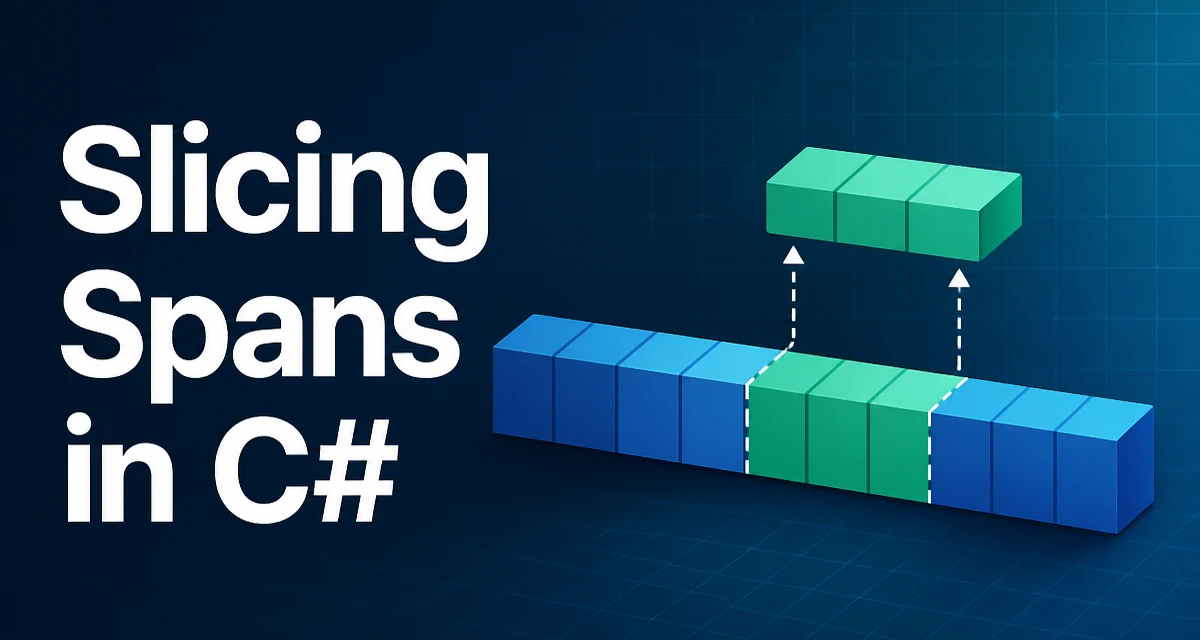
When you call c# span slice, you are asking how to create a view into a contiguous region of memory without copying that memory. In C#, Span<T> and ReadOnlySpan<T> provide exactly this behavior through their Slice method. Understanding how Slice works—and when to use it—can help you write code that avoids unnecessary allocations in hot paths, such as parsers, network protocols, or binary file readers.
The Core Slice Method
Both Span<T> and ReadOnlySpan<T> expose an instance method named Slice. The method has two overloads:
public Span<T> Slice(int start);
public Span<T> Slice(int start, int length);
The first overload returns a span that starts at index start and extends to the end of the original span. The second returns a span that starts at start and has the specified length. The operation is O(1); it does not copy elements. It only adjusts the reference and length tracked by the span value.
Because a span is a ref struct that lives on the stack, Slice does not allocate memory on the managed heap. This is the key to its performance benefit in allocation-sensitive code.
Slicing Without Copying
Consider a common scenario: you have a byte array that holds a fixed header followed by a payload. Instead of copying the payload into a new array, you can slice the original buffer to create a window over it.
byte[] buffer = GetNetworkPacket(); // assume this returns some bytes
Span<byte> packet = buffer;
Span<byte> header = packet.Slice(0, 8);   // first 8 bytes
Span<byte> payload = packet.Slice(8);     // everything after the header
Here, header and payload are views over the same underlying buffer. No new array is allocated. If you change an element through payload, the change is visible in buffer as well, because they share the same backing memory. This behavior is different from ArraySegment<T>, which also references a segment of an array, but spans offer a more general and safer abstraction, especially when combined with stack memory or native memory.
Practical Example: Parsing a Binary Format
Suppose you are parsing a binary format where each record starts with a 4-byte length field followed by that many data bytes. Without slicing, you might copy each record into a new array. With Span<T>, you can walk through the buffer without allocations.
static void ParseRecords(ReadOnlySpan<byte> data)
{
    int offset = 0;
    while (offset < data.Length)
    {
        int recordLength = BinaryPrimitives.ReadInt32LittleEndian(data.Slice(offset, 4));
        offset += 4;
        ReadOnlySpan<byte> record = data.Slice(offset, recordLength);
        offset += recordLength;
        ProcessRecord(record);
    }
}

static void ProcessRecord(ReadOnlySpan<byte> record)
{
    // Interpret the record's bytes without copying them.
}
In this example, BinaryPrimitives.ReadInt32LittleEndian reads an integer from the span without copying, and record is a view of the original data. The whole loop uses zero heap allocations, which is useful when parsing many records in a tight loop.
ReadOnlySpan<T> vs Span<T>
When you only need to read from a slice, use ReadOnlySpan<T> as the parameter type. It prevents accidental modification and communicates intent clearly. ReadOnlySpan<T>.Slice returns a ReadOnlySpan<T>. If you need to modify the content, use Span<T> and its Slice method.
Choosing the right type also affects performance indirectly. ReadOnlySpan<T> can be created from string via AsSpan(), allowing you to slice strings without allocations.
string input = "123,456,789";
ReadOnlySpan<char> span = input.AsSpan();

int firstComma = span.IndexOf(',');
ReadOnlySpan<char> firstNumber = span.Slice(0, firstComma);
ReadOnlySpan<char> rest = span.Slice(firstComma + 1);
This pattern is common in CSV parsers and configuration file parsers where you need to extract substrings without allocating new strings. Slice on a ReadOnlySpan<char> returns a new ReadOnlySpan<char> that references the original string's characters.
Common Mistakes and Edge Cases
One common mistake is passing a start index that is greater than the span length, or a length that exceeds the available space. Both cases throw an ArgumentOutOfRangeException. The exception is thrown even in release builds because spans are designed to be safety-checked by default. You can use MemoryMarshal.TryGetArray or manually assert bounds, but the simplest protection is to validate your indices before calling Slice.
Another subtlety is that Slice returns a new span instance with its own start and length. This means you cannot chain Slice calls and expect the original span to be mutated. Each call creates a new view, so you need to assign the result to a variable.
Span<int> numbers = stackalloc int[5] { 1, 2, 3, 4, 5 };
Span<int> slice = numbers.Slice(1, 3); // slice is [2, 3, 4]
slice[0] = 20; // numbers[1] is now 20
The stackalloc usage above is another area where spans shine: they can reference memory on the stack. Slicing stack memory is just as efficient as slicing an array.
Performance Considerations
slicing a span is O(1) and does not allocate, but the performance benefit is only realized if you avoid converting the span back to an array or to a string, because those operations allocate and copy. For example, returning slice.ToArray() at the end of a method defeats the purpose of slicing. Instead, keep the operation within the span realm for as long as possible.
When you need to pass a sliced span to a method, you have to accept ReadOnlySpan<T> or Span<T> as a parameter. This can propagate through your codebase, but that is often acceptable for internal methods that process large data.
public static void WriteToStream(Stream stream, ReadOnlySpan<byte> data)
{
    stream.Write(data);
}
Here, stream.Write is a Span<byte> overload introduced in .NET Standard 2.1, so you can pass the slice directly without copying to a byte[].
Compatibility Constraints
Span<T> is available in .NET Core 2.1, .NET Standard 2.1 (with a package for earlier versions), and .NET 5 and later. It is not available in .NET Framework without the System.Memory package, and even then, many APIs do not accept spans. When targeting .NET Framework, you may need to convert spans to arrays, which introduces allocations.
Slicing a string's underlying characters is possible with ReadOnlySpan<char> through AsSpan(), but you must be careful not to capture the span in a lambda or async method, because ref structs cannot be used across await boundaries. For that, you would need to copy the relevant data into a heap object first.
Modifying Data Through Slices
Because a slice shares memory with the original, any modification through the slice is visible in the original. This can be useful for in-place transformation, but it can also cause subtle bugs if you assume you are working on a copy.
static void UppercaseFirst(ReadOnlySpan<char> text)
{
    // ReadOnlySpan cannot modify, so this is not possible.
}

static void UppercaseFirst(Span<char> text)
{
    if (text.Length > 0)
    {
        char c = text[0];
        text[0] = char.ToUpperInvariant(c);
    }
}
Using Span<char> allows you to mutate the original string's memory only if that string was created from a char[] or if you use unsafe pinning. In practice, you should avoid mutating string through a span because strings are immutable by design. Use char[] or native memory when you need modification.
When to Use Slice vs Memory<T>
Memory<T> is a heap-allocatable type that can be stored in fields, used in async methods, and passed to APIs that cannot accept spans. Memory<T>.Slice works similarly, but it returns another Memory<T>. You can then call .Span on a Memory<T> to obtain a span.
Use Memory<T> when you need to store a slice beyond the current method and use Span<T> when the slice is used only within a synchronous, stack-bound context. Generally, prefer spans for fast, allocation-free processing, and fall back to Memory<T> when asynchrony or storage requires it.
Memory<char> memory = new char[8];
Memory<char> slice = memory.Slice(1, 3);
Span<char> spanSlice = slice.Span;
This shows how a Memory<T> slice can be converted to a span when needed. The conversion is O(1) and does not allocate.
Slicing with MemoryExtensions
If you need to slice string or arrays, you can use the MemoryExtensions static class, which provides extension methods like AsSpan, AsMemory, and Slice for arrays. However, Slice on an array returns a Span<T>, not a sub-array. To get a sub-array with a copy, you can use new ArraySegment<T>(array, index, count).ToArray(), but that allocates. Prefer the span-based approach to avoid copying.
int[] numbers = { 10, 20, 30, 40 };
Span<int> subset = numbers.AsSpan(1, 2); // {20, 30}
This code uses the AsSpan(int start, int length) overload, which internally calls the same slicing logic.
Ref Struct Constraints and Async
Since Span<T> is a ref struct, you cannot use it in async methods, iterators, or lambdas that capture it. This means you often have to separate synchronous processing from async I/O. For asynchronous parsing, use Memory<T> instead. The rule is simple: if you need to await while holding the data, use Memory<T>. Otherwise, Span<T> is fine.
Key Takeaway on Slicing
Slice is the primary way to create a window over existing memory in C#. It is a zero-copy operation that works on arrays, strings, and stack-allocated memory. The main tradeoff is that spans cannot be stored in fields or used across await, so their usefulness is limited to synchronous code paths. Nevertheless, for high-performance data processing, c# span slice is an indispensable technique.