C# Span Usage: Process Memory Slices Without Allocations
c# span usage: Learn how to use Span<T> in C# to slice arrays and strings, avoid allocations, and process memory efficiently in high-performance code.
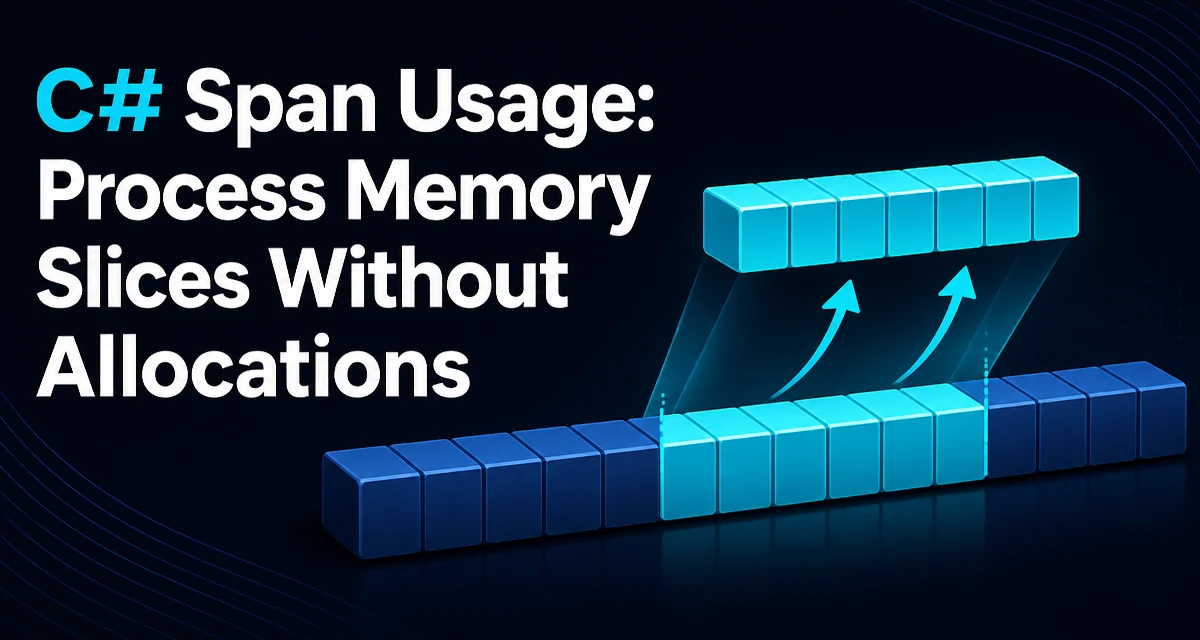
c# span usage requires a clear understanding of the core syntax, runtime behavior, and practical implementation patterns demonstrated in the examples below.
The Problem: Allocations When Processing Subsets
When you parse a CSV line or extract a substring from a large string, the common approach is string.Substring, which allocates a new string on the heap. In a tight loop processing thousands of records, those allocations add pressure to the garbage collector and increase latency. The same issue appears when you need to work with a slice of a byte array without copying the data.
Span<T> in C# provides a type-safe, allocation-free way to refer to a contiguous region of memory. It can point to an array, a string (as ReadOnlySpan<char>), or unmanaged memory, and it supports slicing without copying. This article covers practical c# span usage patterns that help you write faster, more memory-efficient code.
Creating a Span from Arrays, Strings, and Memory
A Span<T> can be created directly from an array or a string. For arrays, the entire array becomes a span; for strings, you get a ReadOnlySpan<char> because strings are immutable.
int[] numbers = { 10, 20, 30, 40, 50 };
Span<int> allNumbers = numbers; // implicit conversion
Span<int> middle = allNumbers.Slice(1, 3); // 20, 30, 40

string text = "hello world";
ReadOnlySpan<char> chars = text; // implicit conversion
ReadOnlySpan<char> world = chars.Slice(6, 5); // "world"
The Slice method returns a new span that references the same underlying memory, so no data is copied. This is the core of zero-allocation slicing.
When you need a heap-safe representation, use Memory<T>. Unlike Span<T>, Memory<T> is a regular struct and can be stored in fields, used in async methods, and passed across await boundaries. You can create a Memory<T> from an array and then get a Span<T> from it when needed.
byte[] buffer = new byte[1024];
Memory<byte> memory = buffer.AsMemory();
Span<byte> span = memory.Span;
Slicing and Iterating Without Allocations
The most common c# span usage is slicing and iterating over a portion of a collection. Consider parsing a comma-separated line:
string csvLine = "123,456,789";
ReadOnlySpan<char> line = csvLine;
int start = 0;
for (int i = 0; i <= line.Length; i++)
{
    if (i == line.Length || line[i] == ',')
    {
        ReadOnlySpan<char> field = line.Slice(start, i - start);
        // process field without allocating a new string
        Console.WriteLine(field.ToString()); // ToString allocates, but you can avoid it
        start = i + 1;
    }
}
The Slice call returns a view of the original string. You can pass the ReadOnlySpan<char> to methods that accept spans, such as int.Parse overloads that take spans, avoiding string allocation entirely.
Iterating over a span is straightforward because it has a public GetEnumerator method, so you can use a foreach loop.
foreach (int value in allNumbers)
{
    Console.WriteLine(value);
}
The compiler generates a specialized enumerator that avoids boxing and allocations.
Using stackalloc with Span for Temporary Buffers
When you need a small temporary buffer inside a method, stackalloc allocates memory on the stack rather than the heap. Combined with Span<T>, you get a safe, allocation-free buffer.
Span<byte> tempBuffer = stackalloc byte[256];
// fill tempBuffer with data
This is useful for operations like encoding or formatting where you need a scratch buffer. The buffer is automatically discarded when the method returns, and there is no GC pressure.
However, stackalloc is limited to stack size, so it is only suitable for small buffers. For larger temporary storage, consider ArrayPool<T>.
Span Constraints: Ref Struct and Stack-Only Rules
Span<T> is a ref struct, which means it can only live on the stack. This restriction prevents it from being stored on the heap, which would allow the underlying memory to be moved by the GC while the span is still in use. The compiler enforces several rules:
- A
Span<T>cannot be a field of a class or a non-ref struct. - It cannot be boxed, so you cannot cast it to
objector use it in adynamiccontext. - It cannot be used as a generic type argument.
- It cannot be captured in a lambda or used in an
asyncmethod because the state machine would store it on the heap. - It cannot be used in an iterator method (yield return).
These constraints are intentional. They guarantee that a span always points to valid memory and that the GC can move objects without invalidating the span. If you need a heap-safe reference to a contiguous memory region, use Memory<T>.
| Feature | Span<T> | Memory<T> |
|---|---|---|
| Storage | Stack only | Heap allowed |
| Async support | No | Yes |
| Field in class | No | Yes |
| Slicing | Yes | Yes |
| Performance | Fastest | Slightly slower |
Performance Considerations and When to Use Span
Span<T> eliminates allocations and copies, which reduces GC pressure and improves cache locality. The performance benefit is most noticeable in code that processes large amounts of data in loops, such as parsers, serializers, and network protocol handlers.
That said, Span<T> is not a free lunch. The ref struct restrictions make it harder to compose with existing APIs. If you only slice a string once, the allocation cost of Substring may be negligible. The real win comes when you repeatedly slice and process data in a hot path.
For example, replacing string.Substring with ReadOnlySpan<char> in a loop that parses thousands of lines can cut allocations dramatically. But if your method is called rarely, the added complexity may not be worth it.
Also, Span<T> is not available in all .NET versions. It was introduced in .NET Core 2.1 and .NET Standard 2.1. If you target .NET Framework, you need the System.Memory NuGet package, and even then, some runtime features like stackalloc into a span may not work on older runtimes.
Common Pitfalls and Compatibility Notes
One common mistake is trying to store a Span<T> in a class field. The compiler rejects it with an error. Another is using a span in an async method. If you need to process a buffer asynchronously, you must copy the data or use Memory<T>.
When working with strings, remember that a ReadOnlySpan<char> is not a string. If you need to pass it to a method that expects a string, you must call ToString(), which allocates. Prefer APIs that accept spans, such as int.Parse(ReadOnlySpan<char>) or string.Concat(ReadOnlySpan<char>).
Finally, be careful with stackalloc in loops. If you allocate a large buffer on the stack, you can cause a stack overflow. Use ArrayPool<T> for larger buffers.
A practical pattern is to use a Span<T> for the fast path and fall back to an array when you need to store the data beyond the method scope.
public static int ParseFirstNumber(ReadOnlySpan<char> line)
{
    int length = 0;
    while (length < line.Length && char.IsDigit(line[length]))
    {
        length++;
    }
    return int.Parse(line.Slice(0, length));
}
This method processes a prefix of a line without allocating a single string. The int.Parse overload that accepts a span is available in .NET Core 2.1 and later.