C# Stack Push and Pop: Practical Usage
c# stack push pop: Learn how to use Stack<T> in C# for LIFO operations. Understand Push, Pop, Peek, and performance considerations with practical examples.
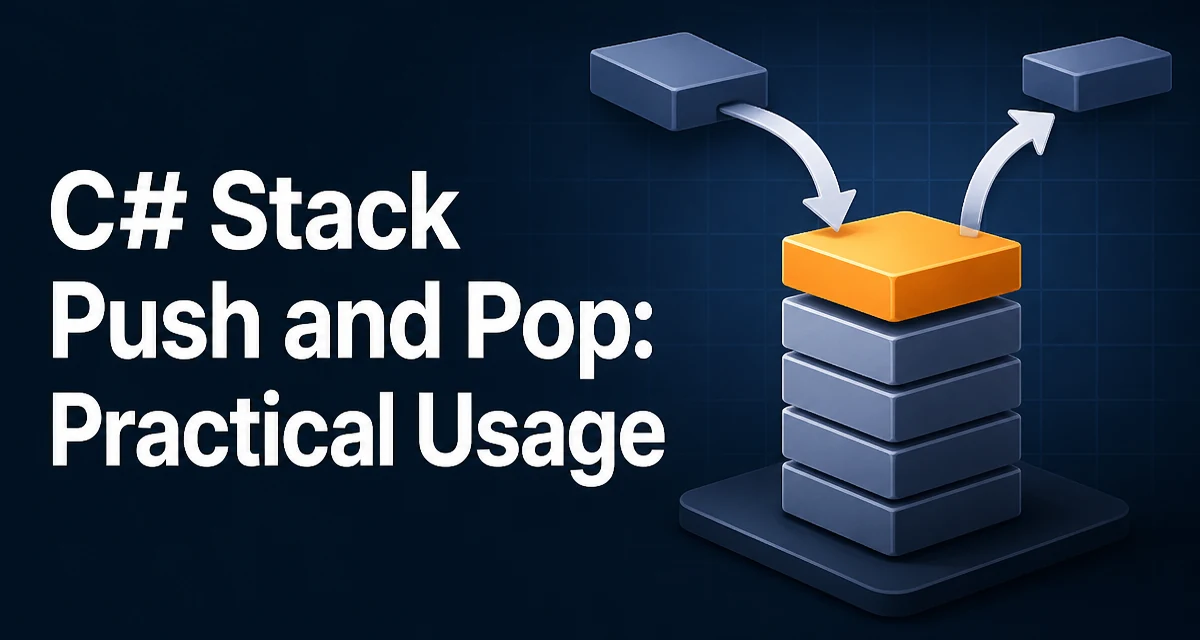
The Stack<T> class in C# provides a LIFO (Last-In-First-Out) collection, and the c# stack push pop pattern is central to many algorithms, from undo systems to expression evaluation. When you push an item onto a stack, it becomes the top; when you pop, you remove the most recently added item. Understanding exactly how these operations behave—and their edge cases—is essential for writing correct, maintainable code.
What Stack<T> Is and When to Use It
Stack<T> is a generic collection in System.Collections.Generic that stores elements in LIFO order. The two primary operations are Push (add an item) and Pop (remove and return the most recently added item). A stack is the right choice when your algorithm naturally requires reverse-order processing, such as parsing nested structures, backtracking, or implementing an undo history.
Unlike List<T>, where you can access any element by index, a stack deliberately restricts access to the top element. This constraint makes the intent of your code explicit and prevents accidental modification of elements that should not be directly reachable.
Pushing Elements onto the Stack
The Push method adds an element to the top of the stack. It accepts a single argument of type T and returns void. Here is a minimal example:
var stack = new Stack<string>();
stack.Push("first");
stack.Push("second");
stack.Push("third");
After these operations, the stack contains ["first", "second", "third"] with "third" at the top. The order of insertion is preserved, but only the top is accessible without removing items. Push always succeeds; there is no capacity limit because Stack<T> grows dynamically as needed. This behavior is similar to List<T> and does not require you to preallocate a size.
Popping Elements and Checking for Empty
The Pop method removes and returns the top element. If the stack is empty, it throws an InvalidOperationException. This is a common source of runtime errors, so you should always check Count before calling Pop unless you are certain the stack is non-empty.
if (stack.Count > 0)
{
    string top = stack.Pop();
    Console.WriteLine(top); // outputs "third"
}
After this call, the stack contains ["first", "second"]. Popping again would return "second", then "first", and finally the stack would be empty. Attempting to pop from an empty stack throws an exception, which is often caught too late. In most production code, you should avoid relying on exception handling for control flow; instead, use TryPop when the stack might be empty.
Peeking at the Top Without Removing
Sometimes you need to inspect the top element without removing it. The Peek method returns the top element but leaves the stack unchanged. Like Pop, it throws InvalidOperationException if the stack is empty.
if (stack.Count > 0)
{
    string top = stack.Peek();
    Console.WriteLine(top); // outputs "second" if only two remain
}
Peek is useful for lookahead operations, such as checking whether a delimiter matches before popping it. It avoids the cost of removing and re-adding an element, which is trivial for reference types but could matter for value types that require copying.
Handling Underflow and Using TryPop
To avoid exceptions when the stack might be empty, use TryPop. This method returns a bool indicating success and outputs the popped value via an out parameter. It is available in .NET Core 2.0+, .NET 5+, and .NET Standard 2.1. In older frameworks, you must check Count manually.
if (stack.TryPop(out string? result))
{
    Console.WriteLine(result);
}
else
{
    Console.WriteLine("Stack was empty");
}
TryPop is atomic in the sense that it either pops an element or does nothing; there is no race condition when used from a single thread. For multi-threaded scenarios, Stack<T> is not thread-safe, so you would need external synchronization or a concurrent collection.
Performance and Memory Behavior of Stack<T>
Stack<T> is implemented as an array that grows dynamically. Push has amortized O(1) complexity; most pushes are O(1) because the array has spare capacity, but occasionally the internal array must be resized, which is O(n). Pop and Peek are always O(1).
The memory behavior is worth understanding: when the stack grows, the internal array is replaced with a larger one, and the old array becomes eligible for garbage collection. If you know the maximum number of elements in advance, you can pass an initial capacity to the constructor to reduce reallocations:
var stack = new Stack<int>(1000);
This does not limit the stack; it only preallocates the backing array. For value types, Stack<T> stores the values directly in the array, avoiding boxing. For reference types, it stores references. This is more efficient than a non-generic Stack (which boxes value types), so prefer the generic version.
Common Mistakes and How to Avoid Them
The most frequent error is calling Pop or Peek on an empty stack. Always guard with Count or use TryPop. Another mistake is confusing Push with Add from other collections; Stack<T> does not have an Add method, so using Add will not compile.
A subtler issue arises when you iterate over a stack. The default enumeration order is from top to bottom, which is the reverse of insertion order. This is intentional but can surprise developers expecting FIFO order. If you need to process elements in insertion order, you must either copy the stack to a list and reverse it, or use a Queue<T> instead.
Finally, be careful when using Stack<T> in recursive algorithms. Each recursive call may push a new frame, and the stack can grow large. In such cases, consider an explicit stack with Push and Pop to avoid call-stack overflow, but also monitor memory usage because the explicit stack resides on the heap.
Understanding the c# stack push pop pattern is not just about memorizing method names. It is about knowing when LIFO semantics are appropriate, how to handle empty states safely, and what performance characteristics to expect. With these details, you can use Stack<T> confidently in your own code.