C# String vs StringBuilder: When to Use Each
c# string vs stringbuilder: Understand the difference between C# string and StringBuilder, when to use each, and how immutability affects performance and memory usage.
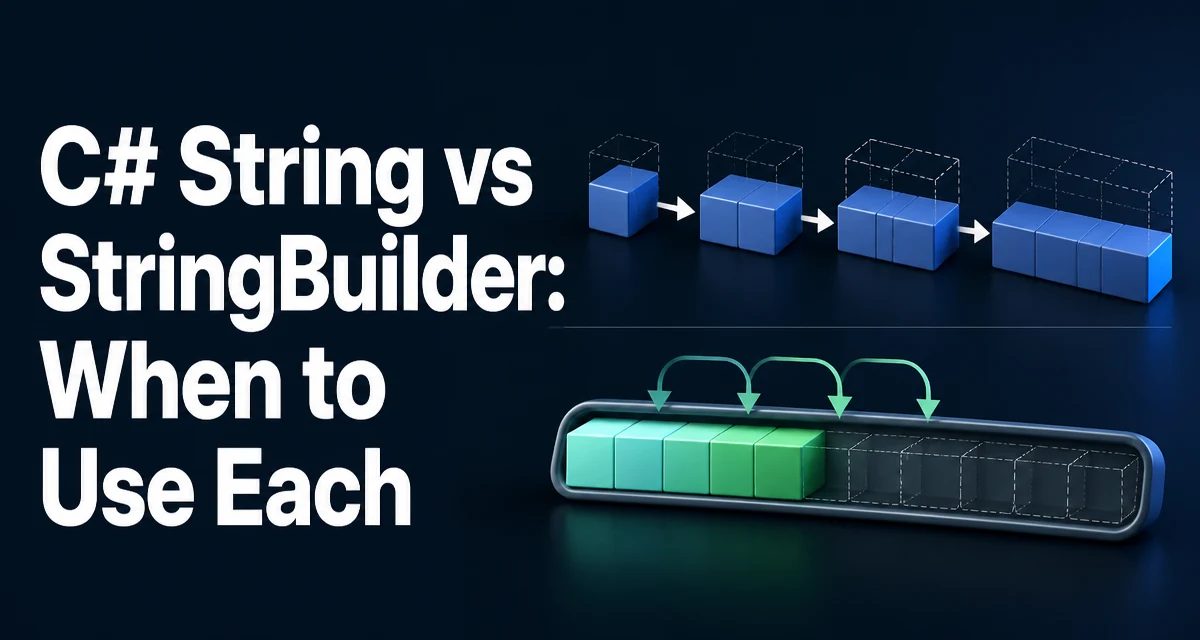
When you compare c# string vs stringbuilder, the most important distinction is immutability. A string in C# is an immutable reference type, meaning every operation that appears to modify a string actually creates a new string instance. StringBuilder, on the other hand, is a mutable buffer designed for efficient string manipulation.
The Core Difference: Immutability vs Mutability
A string instance cannot be changed after it is created. Any method that seems to alter a string—such as Replace, Substring, or the + operator—returns a new string. The original remains untouched. This design gives strings predictable behavior, safe sharing, and thread safety, but it comes at a cost when you need to build or modify text repeatedly.
StringBuilder is a mutable sequence of characters. It maintains an internal buffer that can be expanded as needed. Operations like Append, Insert, and Remove modify the existing buffer without creating a new object for each change. This makes StringBuilder the better choice when you are performing many modifications or concatenations in a loop.
How String Concatenation Works Under the Hood
Consider the following code:
string result = "Hello";
result += " ";
result += "World";
Each += creates a new string. The first concatenation allocates a new string containing "Hello ", and the second allocates another containing "Hello World". The intermediate strings become garbage and must be collected later. For a small number of operations, this is negligible. But in a loop that runs thousands of times, the allocation overhead becomes significant.
string result = "";
for (int i = 0; i < 1000; i++)
{
    result += i.ToString() + " ";
}
This loop creates 1000 intermediate strings, each one larger than the previous. The total memory allocated is far greater than the final string's size, and the garbage collector has extra work to reclaim the discarded instances.
StringBuilder avoids this by writing directly into a resizable buffer:
StringBuilder sb = new StringBuilder();
for (int i = 0; i < 1000; i++)
{
    sb.Append(i.ToString());
    sb.Append(' ');
}
string result = sb.ToString();
Only one final string is allocated when ToString() is called. The buffer grows as needed, but the intermediate allocations are eliminated.
When StringBuilder Is the Right Choice
Use StringBuilder when you are building a string through many operations, especially inside loops or when the number of operations is not known in advance. Typical scenarios include:
- Constructing a large CSV or log file line by line.
- Building a SQL query dynamically with many conditions.
- Generating XML or JSON payloads in a loop.
- Formatting a report with repeated appends.
In these cases, the performance difference is measurable because the number of allocations drops from O(n) to O(1) for the buffer growth.
When a Plain String Is Better
For a small, fixed number of concatenations, plain string concatenation is simpler and more readable. The compiler may even optimize simple concatenations into a single string.Concat call. For example:
string fullName = firstName + " " + lastName;
This compiles to a single string.Concat call, which allocates one new string. There is no benefit to using StringBuilder here. The extra code and complexity would only hurt maintainability.
Similarly, when you are working with string literals or a few known pieces, the + operator is clear and direct. StringBuilder shines only when the number of operations is large or dynamic.
Performance and Memory Considerations
The underlying mechanism explains the performance difference. Each string concatenation allocates a new string and copies the existing content plus the new part. This involves two memory copies: one for the existing characters and one for the new ones. StringBuilder keeps a single buffer and appends new characters at the end, which typically requires only a copy of the new data, and the buffer grows geometrically to amortize the cost of resizing.
The exact performance depends on the number of operations, the size of the strings, and the runtime's memory management. There is no universal threshold where StringBuilder becomes faster, but a general rule is: if you are concatenating more than a handful of strings in a loop, StringBuilder is the safer choice.
Memory usage also differs. Strings are immutable, so they can be shared safely. StringBuilder instances are not thread-safe, and each instance holds a buffer that is not shared. This means StringBuilder uses more memory per instance, but it avoids the temporary garbage created by repeated concatenation.
Common Mistakes and Pitfalls
One common mistake is using StringBuilder for a single concatenation or a very small loop. This adds unnecessary complexity without any performance benefit. Another is forgetting to call ToString() when you need the final string, or calling it too early and then continuing to modify the builder, which forces an extra allocation.
Capacity is another subtle issue. StringBuilder grows its internal buffer automatically, but if you know the approximate final size, you can pass it to the constructor to avoid reallocations:
StringBuilder sb = new StringBuilder(1024);
This reserves space upfront and reduces the number of buffer resizes. It is a simple optimization that can matter in high-throughput paths.
Finally, be careful with StringBuilder in multi-threaded scenarios. Because it is mutable, concurrent access can corrupt the internal state. If you need thread safety, either synchronize access or use a lock, or consider using immutable strings and building them with a thread-safe approach.
Thread Safety and Concurrency Notes
Strings are inherently thread-safe because they are immutable. Multiple threads can read the same string without synchronization. StringBuilder is not thread-safe. Its internal buffer can be modified by multiple threads simultaneously, leading to inconsistent data or exceptions. If you must share a StringBuilder across threads, you need external locking, which adds overhead. In many cases, it is better to have each thread build its own string and then combine them, or use a thread-safe collection to gather parts.
Decision Criteria by Scenario
The choice between string and StringBuilder depends on the number of operations and the context. The table below summarizes the typical guidance:
| Scenario | Recommended Type | Reason |
|---|---|---|
| Fixed number of concatenations (fewer than 5) | string | Simpler, compiler optimizes to a single concat |
| Loop with unknown or large number of appends | StringBuilder | Avoids repeated allocations and copies |
| Building a large string from many parts | StringBuilder | Reduces memory churn and improves throughput |
| String is used as a key in a dictionary or lock | string | Immutability guarantees stable hash codes and safe sharing |
| Frequent modification of a string in place | StringBuilder | Mutable buffer avoids creating new instances |
For most application code, the decision is straightforward. Start with plain string concatenation for clarity. If profiling shows that concatenation is a bottleneck, or if you are writing a loop that appends many items, switch to StringBuilder. The performance gain comes from reducing allocations, not from any magic in the type itself.
Practical Example: Building a CSV Line
Consider building a CSV row from a list of values. A naive implementation using string concatenation:
string BuildCsvRow(List<string> values)
{
    string row = "";
    for (int i = 0; i < values.Count; i++)
    {
        if (i > 0) row += ",";
        row += EscapeCsv(values[i]);
    }
    return row;
}
Each += allocates a new string. For a row with 20 columns, this creates dozens of intermediate strings. A StringBuilder version is more efficient:
string BuildCsvRow(List<string> values)
{
    StringBuilder sb = new StringBuilder();
    for (int i = 0; i < values.Count; i++)
    {
        if (i > 0) sb.Append(',');
        sb.Append(EscapeCsv(values[i]));
    }
    return sb.ToString();
}
The StringBuilder version writes directly into a buffer and produces one final string. It is also easier to read because the intent is explicit.
When you are dealing with a single concatenation, the + operator is fine. When you are building a string dynamically in a loop, StringBuilder is the tool that matches the runtime behavior. Understanding the immutability of strings and the mutability of StringBuilder lets you choose the approach that balances readability and performance for your specific scenario.