C# Switch Default: When No Case Matches
c# switch default: Understand the C# switch default case: syntax, behavior when no case matches, and practical patterns for robust branching.
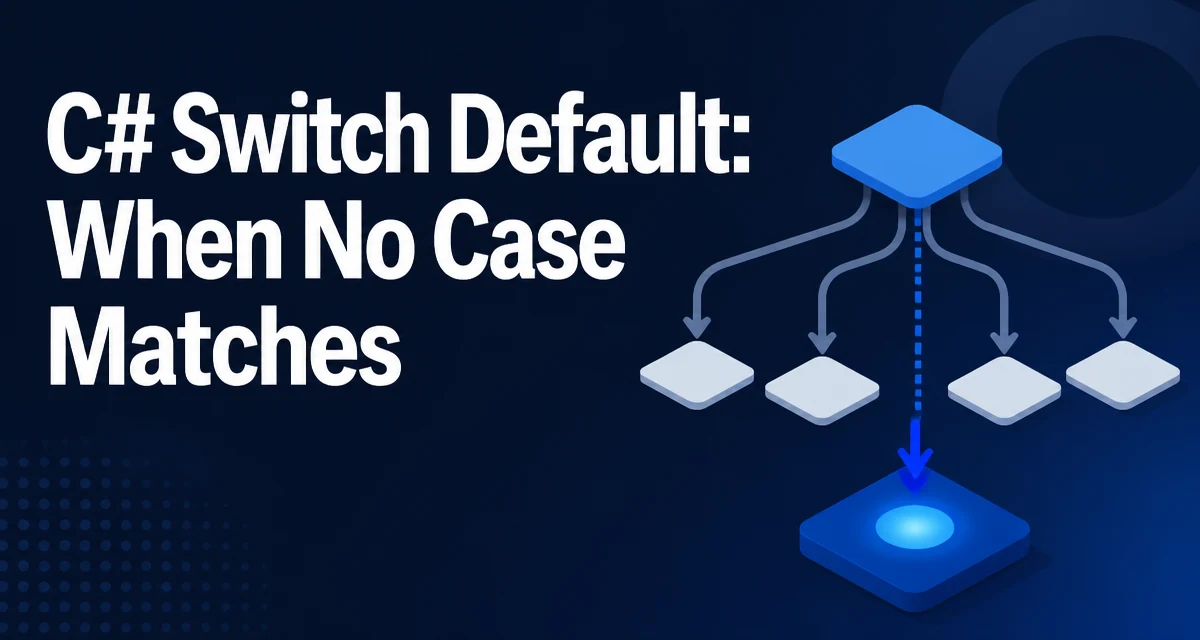
In C#, the switch statement's default case is the fallback that runs when no other case matches. Understanding c# switch default behavior is essential for writing predictable branching logic, especially as pattern matching and switch expressions expand what a switch can express.
The Role of the Default Case in a C# Switch
The default case is not just a syntactic requirement. It defines what happens when an input value falls outside all explicitly handled cases. Consider a method that maps a numeric code to a status string:
public static string GetStatus(int code)
{
    switch (code)
    {
        case 200:
            return "OK";
        case 404:
            return "Not Found";
        case 500:
            return "Server Error";
        default:
            return "Unknown";
    }
}
Without the default case, a code value like 301 would cause the method to return nothing, producing a compiler warning and potentially a null reference at the call site. The default case guarantees a defined response for any input, which is critical for APIs that must always return a valid value.
Syntax and Placement of the Default Case
In a classic switch statement, default is written as a label followed by a colon. It can appear anywhere among the case labels, though by convention it is placed last. The C# compiler does not require a specific position, but placing it at the end improves readability and matches developer expectations.
switch (input)
{
    case 1:
        // handle 1
        break;
    default:
        // handle everything else
        break;
}
Every case and default section must end with a break, return, throw, or another jump statement. This prevents fall-through, which is allowed only when a case is empty. The default section is no exception.
What Happens When No Case Matches
When a switch executes, the compiler evaluates the input expression and compares it against each case label in order. If no case matches, control transfers to the default section. If there is no default section, control simply continues after the switch block, and no code runs. This behavior is consistent across all C# versions.
For value types like int or enum, the compiler may optimize the comparison into a jump table. For reference types or complex patterns, it generates a sequence of conditional checks. In all cases, the default is the final fallback; it is not evaluated as a condition but is the destination when all other comparisons fail.
Default in Switch Expressions (C# 8+)
Switch expressions, introduced in C# 8, use _ as the discard pattern instead of default. The syntax is more concise and returns a value directly:
public static string GetStatus(int code) => code switch
{
    200 => "OK",
    404 => "Not Found",
    500 => "Server Error",
    _ => "Unknown"
};
The _ arm is the equivalent of default. It is mandatory if the compiler cannot prove that all possible inputs are covered. For example, when switching on an int, there is no way to enumerate every possible value, so omitting _ results in a compiler warning CS8509: "The switch expression does not handle all possible values." The warning becomes an error in some analyzers or when TreatWarningsAsErrors is enabled.
In pattern matching, _ also serves as a wildcard that matches any value. This makes it the natural fallback in a switch expression, but it must be the last arm because it is exhaustive.
Common Pitfalls and Misconceptions
One common mistake is assuming default is required in a switch statement. It is not, but omitting it can lead to uninitialized variables or unexpected control flow. For instance, if a method uses a switch to assign a variable and no default exists, the compiler may report "Use of unassigned local variable" if it cannot prove the variable is set on all paths.
Another misconception is that default must be the last section. While placement is flexible, placing it first can confuse readers because the fallback logic appears before the specific cases. The C# compiler does not care, but maintainability suffers.
A subtle issue arises with pattern matching in switch statements. A case null: pattern matches only null, while default matches everything else, including null. If you have both, order matters:
switch (obj)
{
    case null:
        // handle null
        break;
    default:
        // handle non-null
        break;
}
If default appears before case null, the default will catch null as well, making the case null unreachable. The compiler may not warn about this, so it is a runtime logic error.
Performance and Code Generation Considerations
For integer and enum types, the C# compiler can generate a jump table, which is a constant-time dispatch. The default case is the table's fallback entry. For other types, the compiler emits a series of comparisons, and the default is the branch taken when all comparisons fail. In both cases, the cost of the default is negligible; it is simply the else path.
Switch expressions compile to similar code, but they are expressions, so they must produce a value. The _ arm provides that value, and the generated code uses it as the default result. There is no performance penalty for using _ versus default in a statement; the difference is purely syntactic.
One operational concern is that a large switch with many cases can increase code size and branch prediction pressure. If the input distribution is skewed, a default that handles the most common value might be slower than a dedicated case. However, the compiler's optimization decisions are not directly controllable, so measuring actual performance is the only reliable way to know if a switch is a bottleneck.
Using Default for Maintainable Branching
The default case is a natural place to centralize error handling or logging for unexpected inputs. Instead of scattering fallback logic across multiple call sites, you can route all unhandled values through one path:
public static void ProcessInput(string input)
{
    switch (input)
    {
        case "start":
            Start();
            break;
        case "stop":
            Stop();
            break;
        default:
            LogUnknownInput(input);
            break;
    }
}
This pattern keeps the switch self-contained and makes the set of supported inputs explicit. When a new input is added, the default continues to catch anything not yet handled, reducing the risk of silent failures.
In switch expressions, the _ arm serves the same purpose. It forces you to think about the fallback value, which is especially important when returning a result or configuring a dependency. For example:
var retryPolicy = mode switch
{
    "fast" => RetryPolicy.Fast,
    "safe" => RetryPolicy.Safe,
    _ => RetryPolicy.Default
};
The _ arm makes the default policy explicit, so a developer reading the code immediately knows what happens for an unknown mode.
When using default or _, keep the fallback behavior minimal. A default that performs complex logic can hide bugs and make the control flow harder to trace. Prefer logging, throwing a meaningful exception, or returning a neutral value. This keeps the fallback predictable and the switch easy to reason about.
Finally, remember that default in a switch statement and _ in a switch expression are not interchangeable in all contexts. The statement form allows multiple statements and side effects, while the expression form requires a single value. Choose the form that matches the surrounding code's intent, and use the fallback consistently to avoid surprising behavior.