C# Type Conversion: Implicit, Explicit, and Safe Casting
c# type conversion: Understand C# type conversion: implicit vs explicit casts, Convert and Parse methods, TryParse for safe conversion, and the as operator with practi...
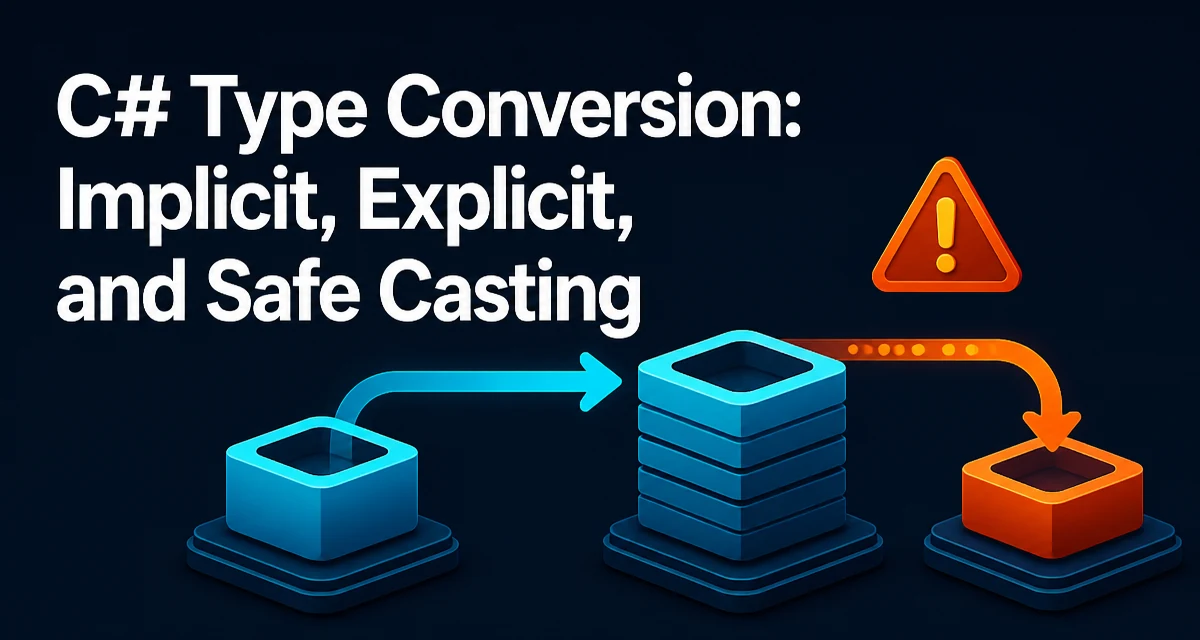
When you assign an int to a long, the compiler performs the conversion silently. When you assign a long to an int, you get a compile error. That asymmetry is the core of C# type conversion. Knowing which conversions are allowed implicitly, which require an explicit cast, and which need a dedicated method prevents runtime exceptions and keeps your code predictable.
Implicit Conversions and Their Limits
The C# compiler permits implicit conversions when no data loss is possible. Numeric types that have a larger range or higher precision can accept smaller types without explicit syntax. For example:
int number = 42;
long bigNumber = number; // implicit, no data loss
This works because every possible int value fits into a long. The same applies to float to double, and int to decimal in many cases. Implicit conversions also exist for derived types to base types. A Dog object can be assigned to an Animal variable without a cast because a derived class is always an instance of its base class.
The compiler rejects implicit conversions that could lose data. You cannot assign a long to an int implicitly, nor a double to a float. These require an explicit cast, which signals that you accept the risk of truncation or precision loss.
Explicit Casts and When They Throw
An explicit cast uses the target type in parentheses before the expression. It tells the compiler that you are aware of the conversion and accept the consequences. For example:
double pi = 3.14159;
int truncated = (int)pi; // result: 3
The fractional part is truncated, not rounded. This is often the intended behavior, but it can surprise developers who expect rounding.
Explicit casts between numeric types can throw an OverflowException if the source value is outside the target type's range and the cast is performed in a checked context. By default, numeric casts are unchecked and silently wrap around, which can produce incorrect values. For example:
long big = 3000000000;
int small = (int)big; // unchecked, wraps to a negative value
To force overflow checking, use a checked block or the checked keyword:
checked
{
    int small = (int)big; // throws OverflowException
}
Explicit casts also apply to reference types. Casting an object to a string works if the object is actually a string; otherwise it throws InvalidCastException. This is where the as operator becomes useful.
Using Convert and Parse for String Conversion
Converting a string to a numeric type is a common task. The Convert class and the Parse methods on numeric types both handle this, but they behave differently.
Convert.ToInt32(string) accepts a string and returns an int. It throws FormatException if the string is not a valid number, and OverflowException if the value is out of range. It also handles null by returning zero, which is a subtle behavior that can mask errors.
string input = "123";
int result = Convert.ToInt32(input);
The Parse methods on numeric types are more explicit. int.Parse(string) throws ArgumentNullException for null, FormatException for invalid format, and OverflowException for out-of-range values. They do not silently convert null to zero.
int result = int.Parse("123");
For most scenarios, Parse is clearer because it does not hide null input. Use Convert when you need to convert from other base types, such as Convert.ToBoolean or Convert.ToDateTime, where the source is not always a string.
TryParse for Safe Conversion
TryParse methods avoid exceptions by returning a boolean and using an out parameter for the result. They are the safest way to convert strings when the input may be invalid or null.
if (int.TryParse(input, out int value))
{
    // use value
}
else
{
    // handle invalid input
}
TryParse does not throw for invalid format, null, or out-of-range values. It simply returns false. This makes it the preferred choice for user input, configuration values, or any data that originates outside your control.
The out variable can be declared inline since C# 7.0, as shown above. If parsing fails, the out variable is set to the default value of the type (zero for numeric types).
The as Operator and Reference Type Casting
For reference types, the as operator performs a safe cast. It returns null if the object is not of the target type, instead of throwing InvalidCastException. This is useful when you expect a specific type but cannot guarantee it.
object obj = GetSomeObject();
string text = obj as string;
if (text != null)
{
    // obj was a string
}
```n
Unlike an explicit cast, `as` works only with reference types and nullable value types. It cannot be used with non-nullable value types like `int` or `double`.

For value types, use the `is` pattern with a type pattern to combine a type check and a conversion in one step:

```csharp
if (obj is int number)
{
    // number is an int
}
This is more concise than checking obj is int and then casting separately. It also avoids the risk of a race condition in multithreaded scenarios where the object's type could change between the check and the cast.
Performance and Allocation Considerations
Type conversion methods differ in runtime cost. Implicit numeric conversions are typically free because they are just value reinterpretations or simple instructions. Explicit numeric casts are also cheap. The cost increases when boxing or unboxing occurs.
Boxing converts a value type to object or an interface, which allocates on the heap. Unboxing converts it back. Both operations have overhead and can hurt performance in hot paths. Avoid boxing by using generics or by converting directly between value types when possible.
Convert and Parse methods involve string parsing, which is more expensive than numeric casts. TryParse has similar cost to Parse but avoids exception overhead. Exceptions are expensive because they capture stack traces and unwind the stack. Using TryParse for expected invalid input avoids that cost.
The as operator is generally faster than an explicit cast followed by a null check because it performs a single type check. The is pattern with a type pattern is also efficient and avoids double evaluation.
Choosing the Right Conversion Approach
The correct conversion method depends on the source type, the target type, and whether the conversion can fail.
For numeric widening (e.g., int to long), use implicit conversion. For narrowing (e.g., long to int), use an explicit cast only when you are certain the value fits, and consider a checked context to catch overflow.
For string to numeric conversion, use TryParse when the input is untrusted or may be invalid. Use Parse when you know the input is valid and you want an exception on failure. Avoid Convert for string parsing unless you need its null-to-zero behavior, which is rarely desirable.
For reference type casts, use as when you expect null on failure and need to check for it. Use the is pattern when you want to both test and convert in one step. Use an explicit cast only when you are certain the object is of the target type and you want an exception if it is not.
A common mistake is using Convert.ToInt32 on user input and catching FormatException. This is less readable and slower than TryParse. Another mistake is casting a long to an int without checking the range, which can produce silent data corruption. Always choose the approach that makes the failure mode explicit and visible.