C# While vs Do While: When to Use Each
c# while vs do while: Understand the key difference between while and do-while loops in C#, including condition timing, syntax, and practical selection criteria.
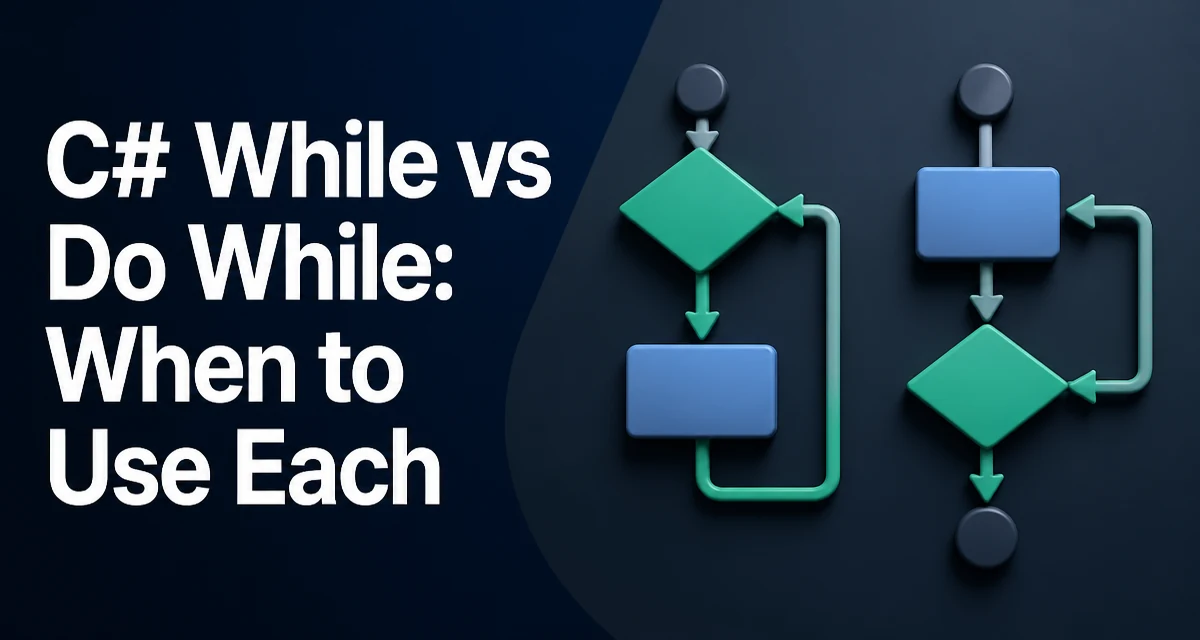
The difference between c# while vs do while comes down to the timing of the condition check. A while loop evaluates its condition before each iteration, including the first one. If the condition is false at the start, the loop body never executes. A do while loop evaluates its condition after the body runs, so the body is guaranteed to execute at least once. This single behavioral difference drives most decisions between the two.
The Core Difference: When the Condition Is Evaluated
In a while loop, the condition is evaluated at the top of each iteration. The loop continues only if the condition is true. In a do while loop, the condition is evaluated at the bottom, after the body has executed. The loop repeats if the condition is true. This means that a do while loop always executes its body at least once, regardless of the initial condition.
Consider a scenario where you need to prompt a user for input until they provide a valid value. The first prompt must always happen, so a do while loop is a natural fit. If you used a while loop, you would have to duplicate the prompt code before the loop or initialize a sentinel value to force the first iteration.
Syntax and Minimal Examples
The syntax for both loops is straightforward.
// while loop
int i = 0;
while (i < 3)
{
    Console.WriteLine(i);
    i++;
}
// do while loop
int j = 0;
do
{
    Console.WriteLine(j);
    j++;
} while (j < 3);
Both loops print 0, 1, and 2. The difference appears when the initial condition is false.
int count = 0;
while (count < 0)
{
    Console.WriteLine("This never runs");
}
int count = 0;
do
{
    Console.WriteLine("This runs once");
} while (count < 0);
In the first example, the body is skipped entirely. In the second, the body executes once because the condition is checked only after the body.
Choosing Between While and Do-While
The choice is not about performance; it is about expressing the intended flow of control. Use a while loop when the loop may legitimately need to run zero times. For example, iterating over a collection that could be empty. Use a do while loop when the body must execute at least once, such as reading user input, sending a request that should be attempted at least once, or processing a menu that must display at least once.
A common pattern is input validation:
string input;
do
{
    Console.Write("Enter a number: ");
    input = Console.ReadLine();
} while (!int.TryParse(input, out _));
This guarantees the user is prompted at least once. A while version would require an initial assignment or a separate prompt before the loop.
Common Mistakes and Edge Cases
One frequent mistake is trying to reference a variable declared inside the do body in the condition. The condition is outside the body's scope, so this does not compile.
do
{
    int value = 10;
} while (value > 0); // Compiler error: value is not in scope
Another edge case is forgetting the semicolon after the while condition in a do while loop. The syntax requires it, unlike a while loop.
do
{
    // body
} while (condition); // semicolon is required
Infinite loops are possible in both forms if the condition never becomes false. The risk is the same, but the guarantee of at least one iteration in do while can sometimes mask a logic error where the condition is accidentally always true.
Runtime Behavior and Performance Considerations
From a runtime perspective, both loops compile to similar IL. The only difference is the position of the condition check. The performance overhead of evaluating a condition once more or less is negligible in almost all cases. The real cost is the work inside the body. If the body is expensive, the number of iterations matters, but that is determined by the condition and the loop logic, not by the choice of while versus do while.
The only performance-related consideration is that a do while loop always executes the body at least once. If that body performs a costly operation that should be skipped when the condition is false, a while loop is more appropriate. For example, if you have a condition that can be false initially and the body does a database call, you do not want to make that call unnecessarily.
Maintainability: Communicating Intent Through Loop Choice
Choosing the right loop makes the code easier to read. When another developer sees a do while loop, they immediately know the body is intended to run at least once. That is valuable information. Similarly, a while loop signals that zero iterations are possible. Using the wrong loop can mislead readers and lead to subtle bugs.
For example, if you use a while loop for input validation, you might need to duplicate the prompt or use a sentinel value. That duplication makes the code harder to maintain. If the prompt logic changes, you have to update it in two places. A do while loop keeps the logic in one place.
Practical Example: Retry Logic with Do-While
A common production use case for do while is retry logic. You want to attempt an operation at least once, and then retry if a transient failure occurs.
int attempts = 0;
bool success = false;
do
{
    attempts++;
    try
    {
        // Attempt the operation
        success = TryOperation();
    }
    catch (Exception ex)
    {
        // Log the exception
        Console.WriteLine($"Attempt {attempts} failed: {ex.Message}");
    }
} while (!success && attempts < 3);
This loop guarantees that TryOperation() is called immediately. It also keeps the retry counter and the success check in a single place. A while version would require initializing attempts and success before the loop, which is less clear.
Compatibility and Language Version Notes
Both while and do while loops have been part of C# since version 1.0. There are no version-specific differences in their behavior. The same semantics apply in all modern C# versions, including C# 12 and later. The only thing to watch for is the style of the code and the surrounding language features, such as pattern matching or nullable types, but the loops themselves are unchanged.
When working with older codebases, you may see do while used less frequently than while. That is often a matter of style rather than a technical reason. Both are equally supported and idiomatic.