Python Django Foreign Key, One-to-One, and Many-to-Many
python django foreign key one to one and many to many: Learn how to model one-to-one and many-to-many relationships in Django using ForeignKey, OneToOneField, and Many...
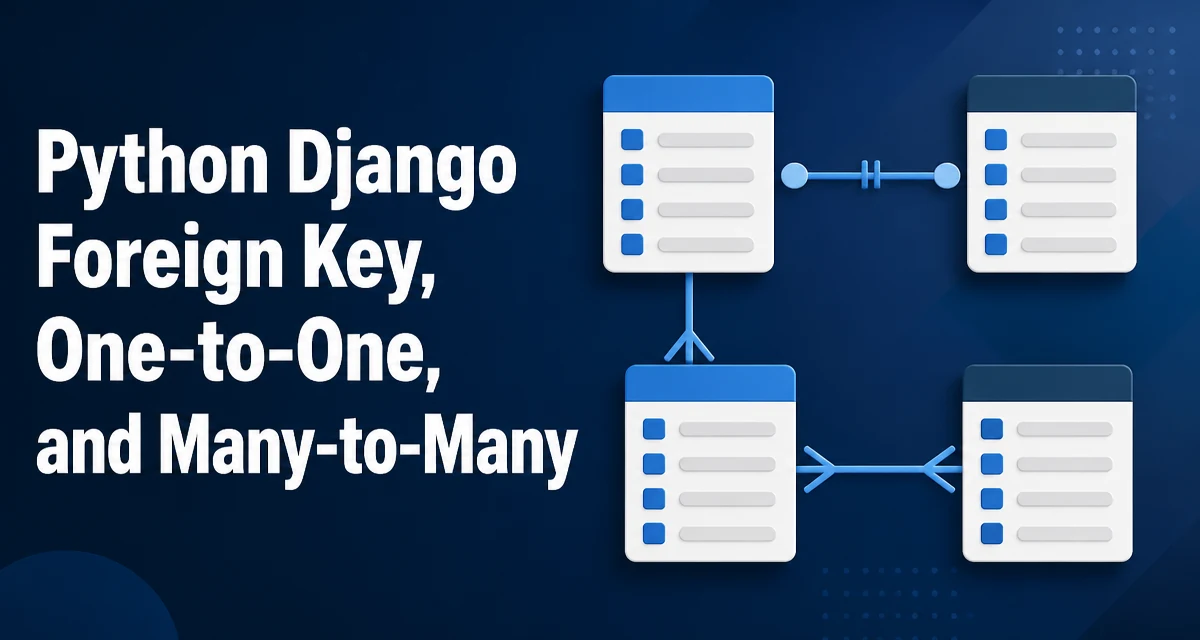
python django foreign key one to one and many to many requires a clear understanding of the core syntax, runtime behavior, and practical implementation patterns demonstrated in the examples below.
When you model data in Django, the ForeignKey, OneToOneField, and ManyToManyField fields define how records relate to each other. These three field types cover the most common relational patterns in a Django application. Understanding how each one behaves at the database level and in the ORM is essential for designing clean, maintainable models.
ForeignKey: Modeling Many-to-One Relationships
A ForeignKey creates a many-to-one relationship. In a typical blog, each Post belongs to a single Author, while an author can write many posts. The field is placed on the model that holds the foreign key, which is the "many" side of the relationship.
from django.db import models

class Author(models.Model):
    name = models.CharField(max_length=100)

class Post(models.Model):
    title = models.CharField(max_length=200)
    author = models.ForeignKey(Author, on_delete=models.CASCADE, related_name='posts')
The on_delete parameter controls what happens when the referenced object is deleted. CASCADE deletes the related objects as well, which is common for dependent data. Other options like PROTECT or SET_NULL are useful when you need to preserve the child records or keep them without a parent.
The related_name defines the reverse accessor. Without it, Django uses post_set by default. With related_name='posts', you can access author.posts.all() to get all posts written by that author. Choosing a clear related_name improves readability and avoids collisions when multiple foreign keys point to the same model.
OneToOneField: Extending a Model with a Single Related Record
A OneToOneField is conceptually a ForeignKey with unique=True, but the reverse access returns a single object instead of a queryset. It is typically used to extend a model with additional information that is not always present. A common example is a User and a Profile.
from django.contrib.auth.models import User

class Profile(models.Model):
    user = models.OneToOneField(User, on_delete=models.CASCADE)
    bio = models.TextField(blank=True)
Accessing the profile from a user is straightforward: user.profile. If the profile does not exist, Django raises a RelatedObjectDoesNotExist exception. The reverse access from profile to user is profile.user. Because the relationship is one-to-one, you do not need a related_name unless you want to override the default; the default is the lowercase model name.
One-to-one relationships are useful when you want to split a large model into logical parts, or when you need to attach optional data that is only relevant to a subset of records. They also enforce a strict cardinality at the database level with a unique constraint on the foreign key column.
ManyToManyField: Modeling Many-to-Many Relationships
A ManyToManyField expresses a relationship where both sides can have multiple related records. For example, a Student can enroll in many Courses, and a Course can have many students. Django creates an intermediary join table automatically.
class Student(models.Model):
    name = models.CharField(max_length=100)

class Course(models.Model):
    title = models.CharField(max_length=200)
    students = models.ManyToManyField(Student, related_name='courses')
You can add relationships using course.students.add(student) or student.courses.add(course). The reverse accessor student.courses.all() returns all courses for that student. If the relationship itself needs extra data, such as the enrollment date or grade, you can use a through model:
class Enrollment(models.Model):
    student = models.ForeignKey(Student, on_delete=models.CASCADE)
    course = models.ForeignKey(Course, on_delete=models.CASCADE)
    date_enrolled = models.DateField(auto_now_add=True)
    grade = models.CharField(max_length=2, blank=True)

class Course(models.Model):
    # ...
    students = models.ManyToManyField(Student, through='Enrollment')
When using a through model, you must create Enrollment objects explicitly instead of using add(), because the extra fields need to be populated. This gives you full control over the relationship data.
Choosing Between OneToOneField and ForeignKey with unique=True
Since OneToOneField is essentially a ForeignKey with unique=True, the main difference is the reverse access behavior. With a ForeignKey(unique=True), the reverse side returns a queryset (even though it will contain at most one object), while OneToOneField returns a single object directly. This affects how you write code and how you handle missing objects.
Use OneToOneField when you are extending an existing model and want a direct, single-object accessor. Use ForeignKey(unique=True) when you want to keep the reverse relationship as a queryset, perhaps because you might later change the uniqueness constraint, or when you need to use the related manager's methods like filter() on the reverse side. In practice, OneToOneField is the clearer choice for the "profile" pattern because it signals intent and simplifies access.
Querying and Accessing Related Objects
Django's ORM provides several ways to access related objects. Forward access is straightforward: post.author returns the author. Reverse access uses the related_name or the default manager. For performance, you should avoid the N+1 query problem by using select_related for forward foreign keys and prefetch_related for reverse foreign keys and many-to-many relationships.
# Forward FK: select_related
post = Post.objects.select_related('author').get(pk=1)
print(post.author.name)

# Many-to-many: prefetch_related
student = Student.objects.prefetch_related('courses').get(pk=1)
for course in student.courses.all():
    print(course.title)
select_related performs a SQL JOIN and retrieves the related object in the same query. prefetch_related runs a separate query for the related objects and caches them, which is better for many-to-many and reverse foreign keys where a JOIN would produce duplicate rows. Use select_related when you know you will access the forward foreign key, and prefetch_related when you need to iterate over a reverse relation or a many-to-many set.
Migrations and Database Schema Implications
When you run makemigrations, Django generates migrations that create the appropriate database schema. A ForeignKey creates a column with a foreign key constraint and an index on that column. A OneToOneField adds a unique constraint on the foreign key column, enforcing the one-to-one cardinality. A ManyToManyField creates an intermediary table with two foreign key columns, each indexed, and a unique constraint on the pair of columns by default.
Understanding these schema details helps you reason about performance and integrity. For large tables, the automatic indexes on foreign keys are usually sufficient, but you can add extra db_index or Meta.indexes for complex queries. When using a through model, you are responsible for defining indexes and constraints on the extra fields if needed.
Common Pitfalls and Production Considerations
One common pitfall is related_name collisions. If two foreign keys in the same model point to the same target model, you must provide distinct related_name values. For example, a Comment model with both author and editor foreign keys to User requires related_name='authored_comments' and related_name='edited_comments' to avoid clashes.
Another issue is circular imports when models reference each other. Use string references for the target model, like 'app.Model', to avoid import-time errors. For self-referential many-to-many relationships, set symmetrical=False if the relationship is not symmetric, such as a "follow" relationship between users.
In production, be mindful of bulk operations. Calling add(), remove(), or set() on a many-to-many relationship triggers individual queries. For large datasets, consider using bulk_create on the through model or writing raw SQL when performance is critical. Also, remember that select_related and prefetch_related only work within a single query set; if you pass related objects across threads or cache them, you may lose the eager loading.
Finally, be cautious with on_delete behavior. CASCADE is convenient but can delete large amounts of data unintentionally. PROTECT raises a ProtectedError if deletion would break references, which is safer for important records. SET_NULL requires the foreign key to be nullable. Choose the option that matches your data integrity requirements.