FastAPI WebSocket vs Streaming Responses
python fastapi websocket and streaming responses: Learn when to use FastAPI WebSockets versus streaming responses, how each works under the hood, and how to implement...
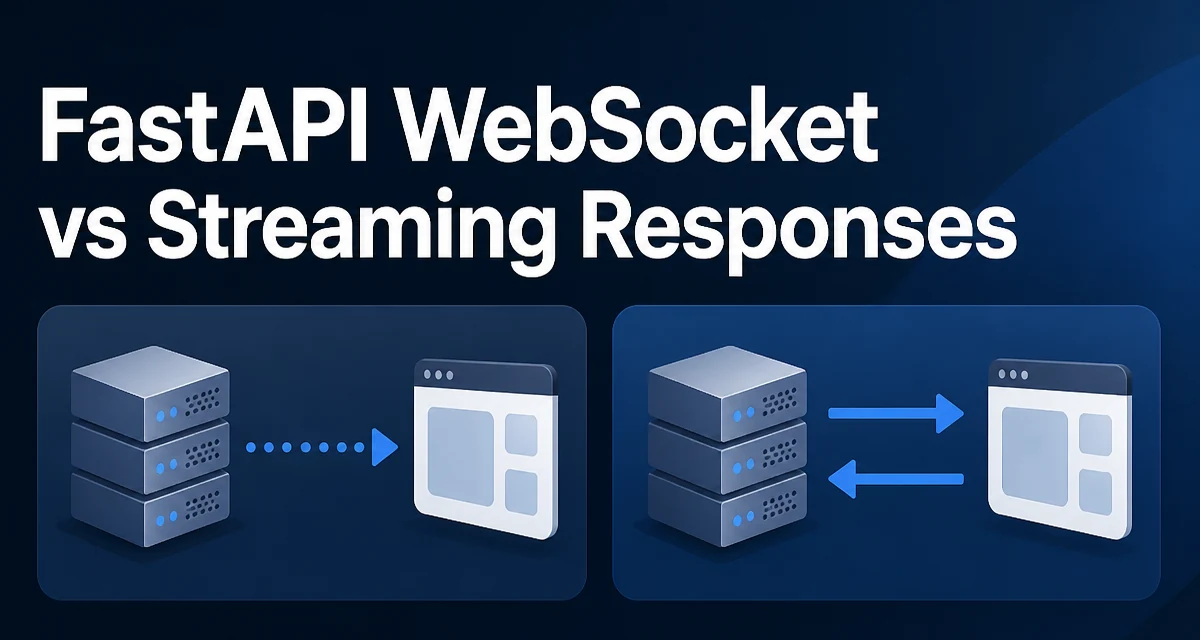
FastAPI gives you two different mechanisms for moving data from the server to the client incrementally: WebSocket connections and streaming responses. Both are often grouped under "real-time" or "streaming" discussions, but they operate at different layers, have different lifecycle semantics, and are suited to different problems. Understanding the distinction between python fastapi websocket and streaming responses matters because choosing the wrong one leads to awkward code, unnecessary connection overhead, or clients that don't behave the way you expect.
The Core Difference: HTTP Response vs. Persistent Connection
A streaming response is still an HTTP response. The server sends headers, then writes the body incrementally instead of buffering the entire payload before sending it. The client receives a single HTTP response whose body arrives in chunks. The connection is typically closed when the response completes.
A WebSocket, by contrast, is a separate protocol that starts with an HTTP upgrade handshake and then switches to bidirectional message exchange over the same TCP connection. Both the client and the server can send messages at any time, and the connection remains open until either side closes it.
This distinction drives almost every design decision. If the client only needs to receive a large or slowly generated payload from a single request, a streaming response is the simpler and more appropriate tool. If the client needs to send messages to the server after the initial request, or if the server needs to push messages at arbitrary times over a long-lived connection, a WebSocket is the right fit.
Implementing a Streaming Response in FastAPI
FastAPI exposes streaming through fastapi.responses.StreamingResponse. You pass it an iterable, typically a generator, and FastAPI writes the yielded chunks to the HTTP response body as they are produced.
from fastapi import FastAPI
from fastapi.responses import StreamingResponse

app = FastAPI()

def generate_rows():
    for i in range(1000):
        yield f"row {i}\n"

@app.get("/data")
async def stream_data():
    return StreamingResponse(generate_rows(), media_type="text/plain")
The generator runs on the server, and each yield sends a chunk to the client. The client sees the response body arrive progressively rather than all at once. This is useful for large file downloads, CSV generation, or any endpoint where the full payload would consume too much memory if built in advance.
You can also use an async generator, which lets you await between yields:
import asyncio
from fastapi.responses import StreamingResponse

async def async_generate():
    for i in range(10):
        await asyncio.sleep(0.1)
        yield f"chunk {i}\n"

@app.get("/slow-data")
async def slow_stream():
    return StreamingResponse(async_generate(), media_type="text/plain")
The async generator is useful when each chunk requires an awaitable operation, such as fetching a page from a database or calling an external service. FastAPI will iterate the async generator within the event loop, so the server can handle other requests while the stream is being produced.
One important detail: StreamingResponse does not set a Content-Length header because the total size is unknown until the generator finishes. This affects how clients and intermediaries buffer the response. Some HTTP clients will not display progress or will buffer the entire body before handing it to the application code. If you know the total size in advance, you can set the Content-Length header manually, but that usually defeats the purpose of streaming unless the content is a static file being read in chunks.
Implementing a WebSocket Endpoint in FastAPI
FastAPI provides a WebSocket class that you use as a parameter in a route handler. The endpoint receives a WebSocket instance and you call accept() to complete the handshake, then exchange messages with send_text(), send_json(), receive_text(), and related methods.
from fastapi import FastAPI, WebSocket

app = FastAPI()

@app.websocket("/ws")
async def websocket_endpoint(websocket: WebSocket):
    await websocket.accept()
    while True:
        message = await websocket.receive_text()
        await websocket.send_text(f"echo: {message}")
The while True loop keeps the connection alive. Each receive_text() call waits for the next message from the client, and each send_text() call pushes a message back. The connection stays open until either side closes it or the endpoint returns.
Unlike a streaming response, a WebSocket is bidirectional. The client can send a message at any time, and the server can send a message without the client having requested it. This makes WebSockets the natural choice for chat applications, live notifications, collaborative editing, or any feature where the server needs to initiate communication.
WebSocket messages are also framed. Each message is a discrete unit with a defined length, rather than an open-ended byte stream. The client receives each message as a complete unit, which avoids the need to parse a continuous stream for message boundaries.
Message Framing and Connection Lifecycle
The framing difference is worth examining closely because it affects how you design your protocol.
With a streaming response, the client reads a byte stream. If you want to send discrete events or records, you must define a delimiter (newline, JSON lines, length prefix) and parse it on the client. With a WebSocket, each message is already a discrete unit, so the client's onmessage handler receives one complete message per event.
The connection lifecycle also differs. A streaming response ends when the generator is exhausted or the client disconnects. A WebSocket connection persists until either side closes it, and the server must explicitly handle the close. FastAPI raises a WebSocketDisconnect exception when the client disconnects, which you should catch to clean up resources:
from fastapi import WebSocket, WebSocketDisconnect

@app.websocket("/ws")
async def websocket_endpoint(websocket: WebSocket):
    await websocket.accept()
    try:
        while True:
            message = await websocket.receive_text()
            await websocket.send_text(f"echo: {message}")
    except WebSocketDisconnect:
        # client left; release any resources held for this connection
        pass
If you hold per-connection state, such as a database session or a subscription to a pub/sub channel, the except WebSocketDisconnect block is where you release it. For a streaming response, the generator's finally block or context manager serves the same purpose.
Choosing Between WebSocket and Streaming Response
The choice depends on the interaction pattern, not on which feature is "newer" or "more advanced."
Use a streaming response when:
- The client makes a single HTTP request and expects a single response whose body arrives incrementally.
- The payload is large or generated slowly, and you want to avoid buffering the entire body in memory.
- The communication is one-way: server to client.
- Standard HTTP caching, retry, or authentication middleware needs to apply.
Use a WebSocket when:
- The client needs to send messages to the server after the initial connection.
- The server needs to push messages at arbitrary times without a client request.
- The connection must persist across many message exchanges.
- The client needs to receive discrete messages rather than a continuous byte stream.
| Criterion | Streaming Response | WebSocket |
|---|---|---|
| Direction | One-way (server to client) | Bidirectional |
| Connection | Single HTTP request/response | Persistent after upgrade |
| Message framing | Continuous byte stream | Discrete messages |
| Client disconnect detection | Generator finally | WebSocketDisconnect exception |
| HTTP middleware/caching | Applies | Does not apply after upgrade |
| Best fit | Large downloads, CSV/JSONL generation, SSE-like feeds | Chat, live updates, collaborative features |
Server-Sent Events (SSE) deserves a mention here. SSE is implemented as a streaming response with a specific text/event-stream media type and a defined message format. It gives you one-way server push over plain HTTP, which is often a simpler alternative to WebSockets when the client never needs to send data back. FastAPI can serve SSE with a StreamingResponse that yields properly formatted event blocks.
Handling Disconnects and Partial Reads
Both mechanisms have failure modes around client disconnects, and the behavior differs.
With a streaming response, if the client disconnects mid-stream, the generator may continue running until the next yield fails or until the server notices the closed connection. In an async generator, the asyncio.CancelledError may be raised at the next await point. You should structure the generator so that cleanup happens in a finally block:
async def stream_with_cleanup():
    try:
        async for row in fetch_rows():
            yield row
    finally:
        await release_resources()
With a WebSocket, the WebSocketDisconnect exception is raised when the client closes the connection. The endpoint should catch it and perform cleanup. If the endpoint does not catch it, FastAPI logs the exception and the connection is closed anyway, but any resources held by the endpoint may leak.
Another difference: with a streaming response, the server cannot detect a disconnect until it tries to write. With a WebSocket, the protocol includes close frames, so the disconnect is detected more promptly. This matters when the server holds expensive resources per connection.
Production Considerations for Both Approaches
Both mechanisms interact with proxies, load balancers, and timeouts in ways that plain HTTP requests do not.
Streaming responses are vulnerable to proxy buffering. Many reverse proxies buffer the entire response body before forwarding it, which destroys the streaming benefit from the client's perspective. You may need to disable proxy buffering for the relevant routes, or configure the proxy to pass through chunks as they arrive. This is a deployment concern, not a code concern.
WebSocket connections are long-lived, which affects how load balancers distribute traffic. A load balancer that routes each HTTP request independently may not route subsequent WebSocket messages to the same server instance. Sticky sessions or a dedicated WebSocket gateway are common solutions. Also, proxies and load balancers must have timeouts configured to allow idle WebSocket connections to remain open.
Both approaches also affect server concurrency. A long-lived WebSocket connection occupies a task on the server for its entire lifetime. If you have thousands of concurrent WebSocket connections, each holding a task, the event loop must handle all of them. The same applies to streaming responses that take a long time to complete. You should design the per-connection work to be mostly I/O-bound and avoid blocking operations inside the generator or the WebSocket loop.
A Practical Example: Combining Both in One Application
A single FastAPI application can expose both a streaming endpoint and a WebSocket endpoint. A common pattern is to use a streaming response for one-way data export and a WebSocket for interactive communication.
from fastapi import FastAPI, WebSocket, WebSocketDisconnect
from fastapi.responses import StreamingResponse

app = FastAPI()

def export_csv():
    for row in range(100):
        yield f"{row},value\n"

@app.get("/export")
async def export():
    return StreamingResponse(export_csv(), media_type="text/csv")

@app.websocket("/live")
async def live(websocket: WebSocket):
    await websocket.accept()
    try:
        while True:
            command = await websocket.receive_text()
            if command == "ping":
                await websocket.send_text("pong")
            else:
                await websocket.send_text(f"unknown command: {command}")
    except WebSocketDisconnect:
        pass
The /export route streams a CSV file to any HTTP client, including curl or a browser download. The /live route maintains a persistent bidirectional connection for interactive commands. The two endpoints share the application but serve completely different interaction patterns.
This combination is common in applications that need both bulk data delivery and live interaction. The streaming endpoint handles exports and reports; the WebSocket endpoint handles dashboards, notifications, or collaborative features. Keeping them separate avoids forcing one mechanism to do the other's job.