Java Argument vs Parameter: The Difference Explained
java argument vs parameter: Understand the difference between arguments and parameters in Java, how they appear in method definitions and calls, and why the distinctio...
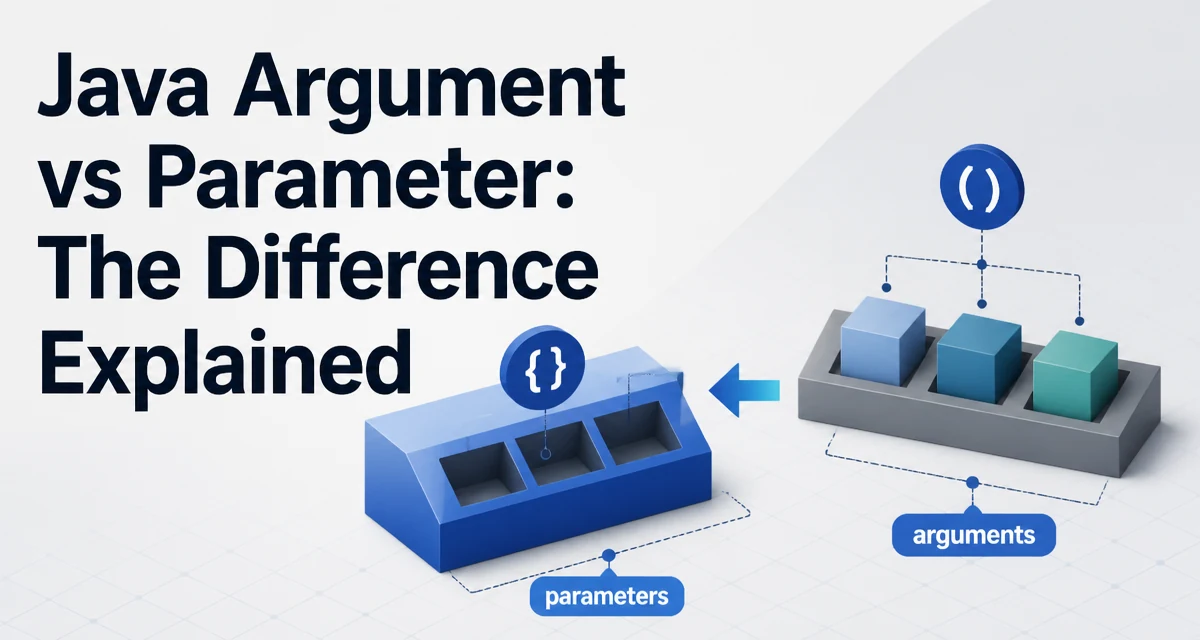
In Java, the terms "argument" and "parameter" are often used interchangeably, but they refer to two distinct parts of a method's contract. The distinction matters when you read method signatures, debug call stacks, or reason about how values are passed. This article clarifies the difference between a Java argument vs parameter, explains how each appears in code, and shows why confusing them leads to subtle bugs.
Defining the Terms
A parameter is a variable declared in a method's signature. It defines what type of value the method expects to receive. A parameter exists inside the method body and acts as a local variable.
An argument is the actual value you pass to the method when you call it. Arguments are the concrete data that gets bound to the parameters at runtime.
Consider this method declaration:
public static int add(int a, int b) {
    return a + b;
}
Here, a and b are parameters. They are placeholders that describe the shape of the input.
When you call the method:
int result = add(5, 3);
The values 5 and 3 are arguments. They are the actual integers that the method receives.
How Parameters Appear in Method Signatures
Parameters are part of the method signature. The signature includes the method name, the parameter list, and the return type. The parameter list specifies the number, type, and order of values the method requires.
public void setCoordinates(double x, double y))
In this signature, x and y are parameters of type double. The parameter names are only meaningful inside the method body. Callers do not need to know them; they only need to know the types and order.
Java allows zero or more parameters. A method with no parameters is valid:
public void printStatus() {
    System.out.println("Ready");
}
When you declare a parameter, you must specify its type. Java is statically typed, so the compiler checks that arguments passed at the call site match the parameter types.
How Arguments Are Passed at the Call Site
Arguments appear in the method call. They are expressions that evaluate to values. When you call a method, you provide arguments that correspond to the parameters in order.
setCoordinates(45.5, -122.6);
The values 45.5 and -122.6 are arguments. They are assigned to the parameters x and y respectively when the method executes.
Arguments can be literals, variables, or more complex expressions:
int width = 10;
int height = 20;
int area = calculateArea(width, * height); // arguments are width and height
In this example, width and height are variables used as arguments. Their current values are copied into the method's parameters.
The Role of Call-by-Value
Java is strictly call-by-value. When you pass an argument, its value is copied into the parameter. For primitive types, the copy is the the actual value. For reference types, the copy is the reference (the memory address), not the object itself.
This distinction is crucial for understanding what happens inside the method.
public static void modify(int number) {
    number = 99;
}

public static void main(String[] args) {
    int original = 10;
    modify(original);
    System.out.println(original); // prints 10
}
Here, the argument original is passed by value. The parameter number receives a copy of 10. Changing number does not affect original.
For objects:
public static void changeName(Person person) {
    person.setName("Alice");
}

Person p = new Person("Bob");
changeName(p);
System.out.println(p.getName()); // prints Alice
The argument p is a reference. The parameter person receives a copy of that reference. Both point to the same Person object, so modifying the object through the parameter affects the original object. However, reassigning the parameter to a new object does not affect the caller's reference:
public static void replacePerson(Person person) {
    person = new Person("Charlie");
}

Person p = new Person("Bob");
replacePerson(p);
System.out.println(p.getName()); // still prints Bob
The parameter person is a local variable; reassigning it only changes the local reference, not the caller's reference.
Common Confusions and Mistakes
One frequent mistake is using the terms interchangeably when reading stack traces or documentation. For example, a stack trace might show the method signature with parameter names, but the actual values at the call site are arguments. Understanding which is which helps when debugging.
Another mistake is assuming that changing a parameter inside a method will change the original variable for primitive types. Because Java is call-by-value, this never happens. For objects, the reference is copied, so the object's state can be modified, but the reference itself cannot be reassigned from the caller's perspective.
A third mistake is confusing the number of parameters with the number of arguments in overloaded methods. Overloading allows multiple methods with the same name but different parameter lists. The compiler selects the correct method based on the number and types of arguments provided.
public void print(int value) { ... }
public void print(String text) { ... }

print(42);       // calls the int version
print("hello");  // calls the String version
Here, the arguments 42 and "hello" determine which overload is invoked. The parameter lists differ, so the compiler can distinguish them.
Why the Distinction Matters in Practice
Knowing the difference between arguments and parameters helps you write clearer code and communicate more precisely with other developers. When you document a method, you describe its parameters, not its arguments. When you call a method, you supply arguments.
This distinction also affects maintainability. If you change a parameter's type, every call site that passes an argument of the old type may break. If you change a parameter's name, callers are unaffected because arguments are positional.
Consider a method that takes a List<String> as a parameter. If you pass an argument that is a LinkedList<String>, it works because LinkedList implements List. The parameter type defines the contract; the argument type must be compatible.
In API design, the parameter list is part of the method's public contract. The arguments you pass at call time must conform to that contract. A well-designed method makes its parameters clear and its argument requirements obvious.
Practical Example: Passing Objects and Primitives
To solidify the concept, look at a complete example that demonstrates both primitives and objects.
public class Calculator {
    public static int add(int a, int b) {
        return a + b;
    }

    public static void updateCounter(Counter counter) {
        counter.increment();
    }
}

class Counter {
    private int count = 0;

    public void increment() {
        count++;
    }

    public int getCount() {
        return count;
    }
}
In the add method, a and b are parameters. When you call Calculator.add(5, 3), 5 and 3 are arguments. The method returns 8.
In the updateCounter method, the parameter is Counter counter. When you call:
Counter c = new Counter();
Calculator.updateCounter(c);
The argument c is a reference to a Counter object. The method receives a copy of that reference and calls increment() on it. The original c now has a count of 1.
If you tried to reassign the parameter inside the method:
public static void resetCounter(Counter counter) {
    counter = new Counter();
}
Calling resetCounter(c) would not change c; it would only discard the local reference. The original c remains unchanged.
Variable Arity and Overloading
Java supports varargs, which allow a method to accept a variable number of arguments. The varargs parameter is treated as an array inside the method.
public static int sum(int... numbers) {
    int total = 0;
    for (int n : numbers) {
        total += n;
    }
    return total;
}
Here, numbers is a parameter of type int[]. When you call sum(1, 2, 3), the arguments 1, 2, and 3 are packed into an array and assigned to the parameter. This blurs the line between arguments and parameters because the method signature has one parameter but multiple arguments.
Varargs must be the last parameter in the signature. Otherwise, the compiler cannot determine where the variable-length arguments end.
Overloading interacts with varargs in a specific way. The compiler prefers a fixed-arity method over a varargs method when both are applicable. For example:
public static void print(String s) { ... }
public static void print(String... s) { ... }

print("hello"); // calls the fixed-arity version
This behavior matters when you are designing overloaded methods; the presence of a varargs parameter can change which method is selected for a given set of arguments.
Final Technical Consideration: Parameter Names and Documentation
Parameter names are not part of the method's public API in compiled Java bytecode, but they appear in source code and in Javadoc. Tools that generate documentation use parameter names to explain what each argument should represent. Choosing descriptive parameter names improves code readability and helps callers understand what arguments to pass.
When you use an IDE, the parameter names are often shown at the call site as hints. For example, if a method is defined as void setSize(int width, int height), the IDE may show width and height when you call setSize(...). This makes the connection between arguments and parameters explicit.
In Java, you can also use the @param Javadoc tag to document each parameter. This documentation is aimed at developers who will call the method, so it should describe what argument values are expected, not just the parameter name.
Understanding the argument-parameter distinction is not just a vocabulary exercise. It affects how you read method signatures, how you debug, and how you design APIs. When you see a method call, the values you pass are arguments. When you look at the method definition, the placeholders are parameters. Keeping these two concepts separate will make your Java code more precise and your communication with other developers clearer.