Java Array Loop: Index, Enhanced, and Stream Approaches
java array loop: Explore the main ways to loop over arrays in Java: index-based for, enhanced for, and streams, with practical guidance on when each fits.
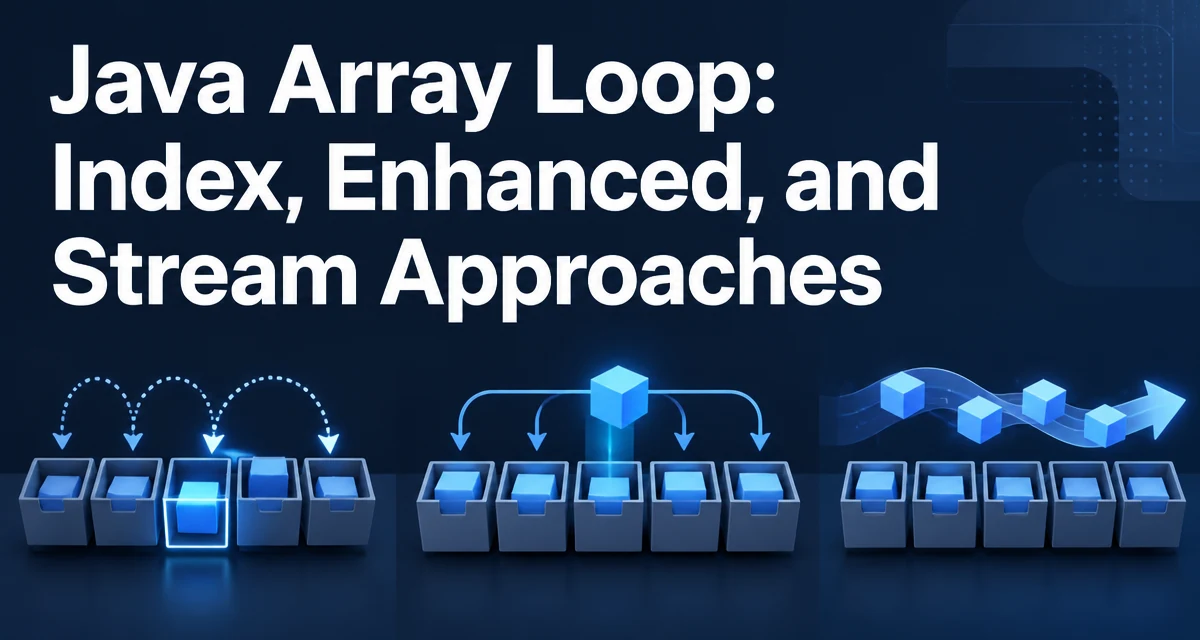
java array loop requires a clear understanding of the core syntax, runtime behavior, and practical implementation patterns demonstrated in the examples below.
When you need to iterate over a Java array, the choice of loop affects readability, mutability, and performance. The most common approaches are the index-based for loop, the enhanced for loop, and the stream-based iteration. Each has its own behavior and constraints, and the right choice depends on whether you need the index, whether you want to modify elements, and how you plan to process the results.
The Classic Index-Based for Loop
The index-based for loop is the most direct way to traverse an array. It gives you explicit control over the index variable, which is necessary when you need to know the position of each element or when you must update elements in place.
int[] numbers = {10, 20, 30, 40};
for (int i = 0; i < numbers.length; i++) {
    numbers[i] = numbers[i] * 2;
}
This loop uses the array's length field as the upper bound. Because the condition is re-evaluated on each iteration, you can safely change the array size only if you also adjust the loop bound, but for a fixed array this pattern is predictable and efficient. The index variable also lets you access neighboring elements, such as comparing numbers[i] with numbers[i - 1].
One common mistake is using <= instead of < in the condition. That causes an ArrayIndexOutOfBoundsException when i reaches length. Always remember that valid indices run from 0 to length - 1.
The Enhanced for Loop (for-each)
The enhanced for loop, introduced in Java 5, removes the index variable and iterates directly over each element. It is the most readable option when you only need to read values and do not need the index.
int[] numbers = {10, 20, 30, 40};
for (int number : numbers) {
    System.out.println(number);
}
This loop works on arrays and any object that implements Iterable. Under the hood, the compiler converts it to an index-based loop for arrays, so there is no performance penalty compared to a hand-written for loop. The enhanced for loop cannot modify the array elements because the loop variable is a copy of the element, not a reference to the array slot. If you assign a new value to number, the original array remains unchanged.
For arrays of objects, the loop variable holds the same reference, so you can mutate the object's internal state, but you cannot replace the reference in the array. This distinction is important when working with arrays of mutable objects.
Using Arrays.stream() and Streams
Java 8 introduced the Stream API, and Arrays.stream() provides a way to treat an array as a stream of elements. This is useful when you want to chain operations like filtering, mapping, or collecting results without writing a loop body.
int[] numbers = {10, 20, 30, 40};
int sum = Arrays.stream(numbers)
                .filter(n -> n > 15)
                .sum();
The stream approach is more declarative and often more concise for complex transformations. However, it introduces overhead from stream machinery and lambda allocation, so it is not the best choice for extremely tight loops where raw performance matters. For most application-level code, the difference is negligible, but you should be aware that streams are not a drop-in replacement for simple iteration when you need early termination or index-based access.
Arrays.stream() works for primitive arrays (int[], double[], etc.) and object arrays. For primitive arrays, the stream is a IntStream, DoubleStream, or similar, which provides specialized methods like sum(), average(), and boxed(). For object arrays, you get a Stream<T>.
Performance Considerations for Array Iteration
Performance differences among the three approaches are small for typical array sizes. The index-based for loop and the enhanced for loop compile to nearly identical bytecode for arrays, so the JIT compiler can apply the same optimizations. The stream approach, on the other hand, involves additional abstraction layers and may create short-lived objects, which can increase GC pressure in high-frequency loops.
If you are iterating over a very large array in a performance-critical path, the index-based loop gives you the most direct control. You can also use techniques like loop unrolling manually, though the JIT often does this automatically. The enhanced for loop is just as fast in most cases, so readability should be your primary concern unless profiling shows a bottleneck.
One important detail is that the array length is read once at the start of the loop. For the loops, the condition i < numbers.length is evaluated each iteration, but the JIT can hoist the length load if it knows the array reference does not change. This is safe because the array length is immutable. You should avoid modifying the array reference inside the loop, as that would force the JIT to reload the length.
Modifying Arrays While Iterating
Changing an array during iteration can lead to subtle bugs. If you modify the array's contents while reading it, you may see inconsistent data. For example, if you insert or remove elements, you would need to shift indices, which the enhanced for loop cannot handle because it does not expose the index.
The index-based for loop is the only one that allows you to safely replace elements because you have the index. If you need to remove elements, you typically have to create a new array or use a collection like ArrayList. For arrays, removal is not a natural operation because the size is fixed. If you must filter elements, consider collecting the result into a new array or list.
When using streams, you cannot modify the source array. Streams are designed for functional transformations, so you should collect results separately. Attempting to modify the underlying array from within a stream operation can cause ConcurrentModificationException or undefined behavior, depending on the source.
Choosing the Right Loop for Your Use Case
The decision among the three approaches comes down to what you need to do with each element. Use the index-based for loop when you need the index, when you must update the array in place, or when you need to access neighboring elements. Use the enhanced for loop when you only read values and do not need the index. Use streams when you want to chain operations like filtering, mapping, and reducing without writing explicit loop logic.
For example, if you are summing all values, the enhanced for loop is simpler than an index loop and just as fast. If you are doubling each element, the index loop is required because you need to assign back to the array. If you are collecting only even numbers into a list, a stream with filter and collect is more expressive than a manual loop.
There is no universal best choice. The correct answer depends on the operation you are performing and the level of abstraction you want in your code. In a codebase that already uses streams heavily, using Arrays.stream() for array processing keeps the style consistent. In a tight loop where performance is critical, the index-based loop gives you the most predictable behavior.
Common Pitfalls with Array Loops
One frequent mistake is using an enhanced for loop to modify array elements. Since the loop variable is a copy, assignments to it have no effect on the array. Another pitfall is off-by-one errors in index loops, especially when using <= or starting from 1 instead of 0. When iterating backwards, remember that the condition should be i >= 0 and the decrement should be i--.
For object arrays, be careful with null values. An enhanced for loop will throw a NullPointerException if you try to dereference a null element. You can guard with a null check inside the loop, but that adds branching. The stream API offers filter(Objects::nonNull) to handle this more cleanly.
Finally, when using streams, remember that they are single-use. You cannot iterate a stream twice. If you need to process the array multiple times, either create a new stream each time or use a loop. This is a common source of confusion for developers new to the Stream API.
Understanding these nuances helps you write loops that are correct, readable, and maintainable. The right iteration pattern is the one that matches the operation you need to perform, not the one that looks the most modern.