Remove Duplicates from ArrayList in Java
java arraylist remove duplicates: Learn how to remove duplicates from an ArrayList in Java using LinkedHashSet, HashSet, and Stream.distinct(), with performance tradeo...
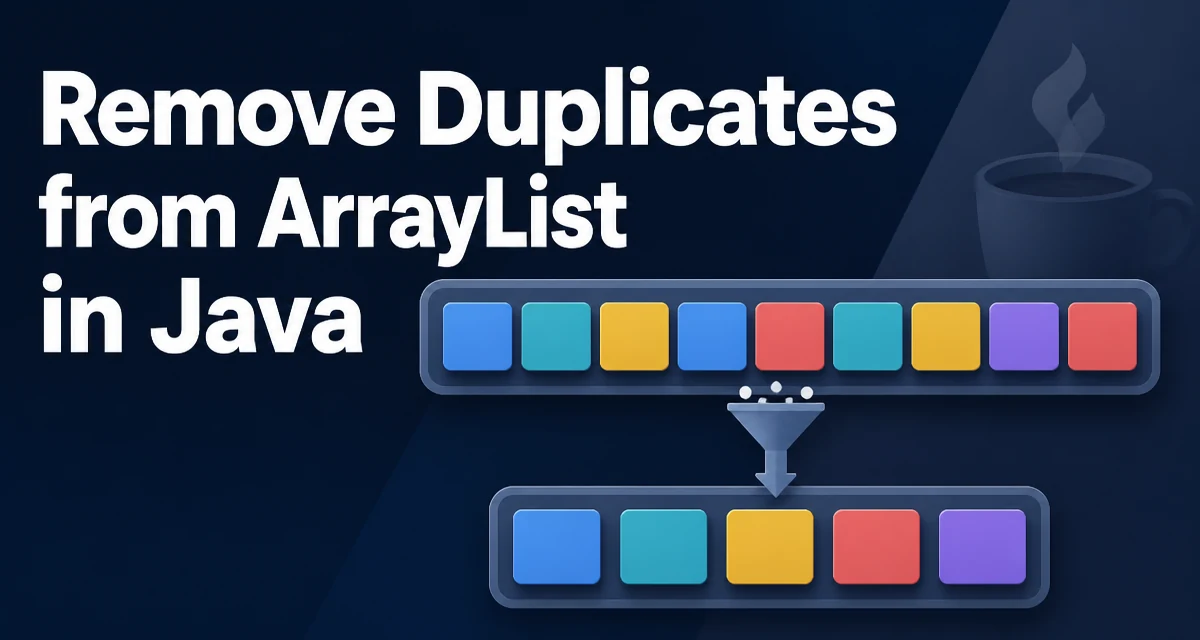
java arraylist remove duplicates requires a clear understanding of the core syntax, runtime behavior, and practical implementation patterns demonstrated in the examples below.
Removing duplicates from an ArrayList in Java is a common operation, but the right approach depends on whether insertion order matters, whether you control the original data, and how large the list is. An ArrayList permits duplicate elements by design: every add() call appends the value to the internal backing array without checking whether an equivalent element already exists. When you need a collection of unique values, you have to remove those duplicates explicitly.
The Core Problem: Duplicates in an ArrayList
An ArrayList stores elements in insertion order and allows the same value to appear multiple times. This is intentional — lists are ordered sequences, not mathematical sets. Duplicates become a problem when you use a list as a source for downstream processing that expects uniqueness, such as populating a dropdown, building a lookup table, or persisting records to a database with a unique constraint.
The naive approach — iterating and checking contains() — works for tiny lists but degrades quickly as the list grows. Each contains() call scans the entire result list linearly, making the overall operation O(n²). For a list of a few thousand elements, that means millions of comparisons.
Removing Duplicates with LinkedHashSet
The most common approach for removing duplicates while preserving the original order is to copy the list into a LinkedHashSet and then back into a new ArrayList:
List<String> original = Arrays.asList("apple", "banana", "apple", "cherry", "banana");
Set<String> set = new LinkedHashSet<>(original);
List<String> deduplicated = new ArrayList<>(set);
// Result: [apple, banana, cherry]
LinkedHashSet maintains insertion order while enforcing uniqueness through the equals() and hashCode() contract. The constructor that accepts a Collection iterates over the input once, adding each element to the internal hash table. Duplicates are silently discarded because Set.add() returns false for an element that already exists.
This approach is O(n) in time and requires O(n) additional memory for the set and the new list. The original list is not modified.
Using HashSet When Order Doesn't Matter
If the relative order of elements is irrelevant, HashSet is slightly more efficient than LinkedHashSet because it does not maintain a doubly linked list of entries:
List<Integer> numbers = new ArrayList<>(List.of(3, 1, 4, 1, 5, 9, 2, 6, 5));
Set<Integer> unique = new HashSet<>(numbers);
List<Integer> result = new ArrayList<>(unique);
The resulting list has no guaranteed order. For a small list this rarely matters, but if downstream code relies on a specific sequence — for example, rendering items in the order they were entered — HashSet will produce unpredictable results.
Java 8 Streams and the distinct() Method
Java 8 introduced Stream.distinct(), which removes duplicates while preserving encounter order:
List<String> result = original.stream()
    .distinct()
    .collect(Collectors.toList());
distinct() uses a hash-based structure internally to track seen elements, so the time complexity is O(n). The stream approach is more verbose than the direct LinkedHashSet constructor, but it composes well with other stream operations such as filter() or map():
List<String> result = original.stream()
    .filter(s -> !s.isEmpty())
    .distinct()
    .collect(Collectors.toList());
For Java 16 and later, toList() can replace collect(Collectors.toList()):
List<String> result = original.stream().distinct().toList();
Note that toList() returns an unmodifiable list, whereas Collectors.toList() returns a mutable ArrayList.
Performance and Memory Tradeoffs
All three approaches above — LinkedHashSet, HashSet, and Stream.distinct() — run in O(n) time because hash-based membership checks are amortized O(1). The manual alternative, iterating and calling contains() on the result list, runs in O(n²):
// Avoid for large lists
List<String> result = new ArrayList<>();
for (String s : original) {
    if (!result.contains(s)) {
        result.add(s);
    }
}
Each contains() call scans the result list linearly. For a list of 10,000 elements with many duplicates, this means tens of millions of comparisons. The hash-based approaches avoid this by using the element's hashCode() to locate a bucket directly.
The memory cost of deduplication is the new set plus the new list. If the original list is no longer needed, you can reassign the reference and let the old list become eligible for garbage collection.
Handling Custom Objects and Null Values
Deduplication relies on equals() and hashCode(). For custom types, the default Object implementation uses identity, so two distinct objects with identical field values are treated as different:
class Product {
    String sku;
    String name;
    // No equals/hashCode override
}

List<Product> products = ...;
// Two Product instances with the same sku are NOT deduplicated
If you want value-based deduplication, override equals() and hashCode() in the class, or use a TreeSet with a Comparator:
Set<Product> unique = new TreeSet<>(Comparator.comparing(p -> p.sku));
unique.addAll(products);
TreeSet uses the comparator for both ordering and equality, so two products with the same SKU are considered duplicates. This approach runs in O(n log n) time due to the tree-based structure.
Null values are handled consistently: HashSet and LinkedHashSet allow a single null element, and Stream.distinct() treats null as a valid value. A TreeSet with a comparator that does not handle null will throw NullPointerException when it encounters one.
When to Use a Set Instead of Deduplicating Later
Deduplication after the fact is often a symptom of a design issue. If a collection must never contain duplicates, consider using a Set as the primary data structure:
Set<String> uniqueNames = new LinkedHashSet<>();
uniqueNames.add("alice");
uniqueNames.add("bob");
uniqueNames.add("alice"); // silently ignored
This avoids the allocation cost of creating a new collection during deduplication and prevents duplicates from ever entering the data. The tradeoff is that Set does not support indexed access, so if you need get(index) or positional operations, you must either keep a List or convert to one when needed.
A reasonable rule: if you only ever read the collection by iterating, use a Set. If you need random access by index, keep a List and deduplicate at the point where uniqueness becomes a requirement.