Using Arrays.copyOf in Java: Syntax, Behavior, and Tradeoffs
java arrays copyof: Learn how Arrays.copyOf works in Java, including syntax, length changes, type behavior, performance tradeoffs, and when to choose it over clone or...
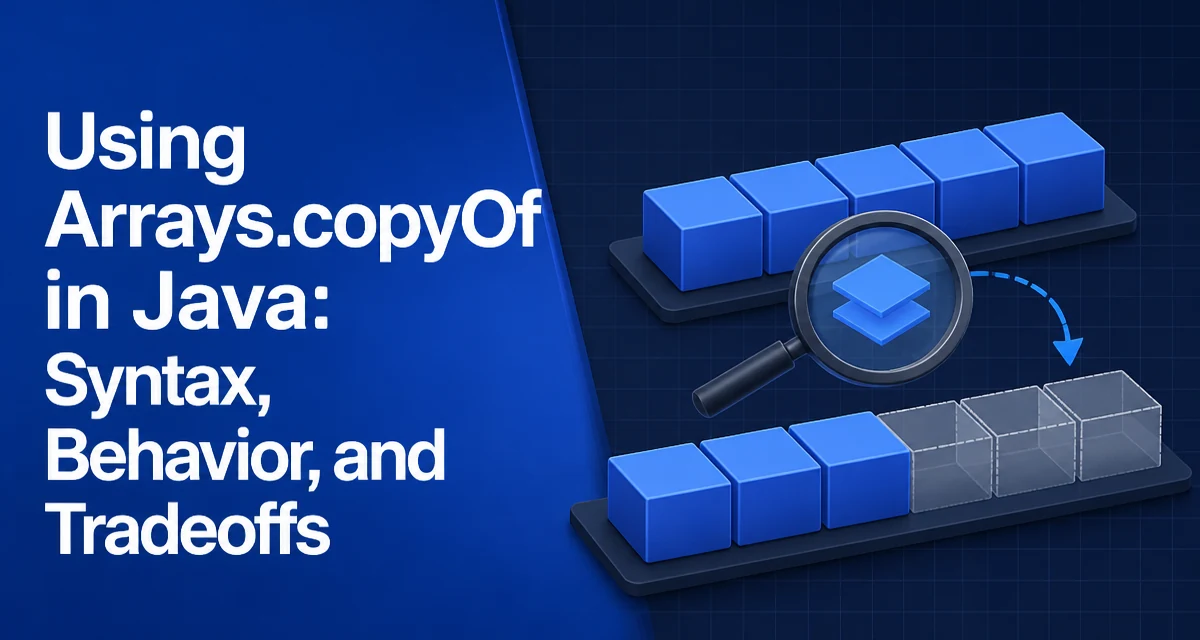
When you need to copy an array in Java, Arrays.copyOf is often the first method that comes to mind. It handles both copying and resizing in one call, but its behavior has subtleties that matter in production code. This article covers how java arrays copyof behaves, where it fits compared to alternatives, and the edge cases that can surprise you.
What Arrays.copyOf Does
The method Arrays.copyOf creates a new array with a specified length and copies elements from the original array into it. It has overloads for every primitive type and for object arrays:
int[] original = {1, 2, , 4, 5};
int[] copy = Arrays.copyOf(original, 5);
For object arrays, the it returns an array of the same runtime type as the original. For example, if you pass an Integer[], you get back an Integer[], not an Object[]. This is because the method uses reflection to determine the component type of the original array and creates the new array with that same type.
The signature for object arrays is generic: static <T> T[] copyOf(T[] original, int newLength). The generic type T is inferred from the argument, but the actual array type at runtime is based on the the original's component type. This matters when you assign the result to a variable of a supertype.
Changing the Length: Truncation and Padding
The newLength parameter controls the size of the returned array. If newLength is less than the the original length, the new array contains only the first newLength elements. If it is greater, the extra positions are filled with default values: null for object arrays, 0 for numeric primitives, false for boolean, and '\u0000' for char.
String[] names = {"Alice", "Bob", "Carol"};
String[] shorter = Arrays.copyOf(names, 2);     // {"Alice", "Bob"}
String[] longer = Arrays.copyOf(names, 5);      // {"Alice", "Bob", "Carol", null, null}
This padding behavior is useful when you need to ensure a minimum array size without manually filling the remainder. However, it also means that the resulting array may contain null values, which can lead to NullPointerException if you iterate without checking.
Copying Object Arrays and Type Safety
Because copyOf preserves the runtime type of the original array, it is safe to use with subclasses. Consider an array of Integer assigned to a Number[] reference:
Integer[] numbers = {1, 2, 3};
Number[] copy = Arrays.copyOf(numbers, 3);
Even though copy is declared as Number[], the actual array type is Integer[]. If you later try to store a Double into copy, you will get an ArrayStoreException at runtime. This is consistent with how Java arrays handle covariance, but it is a common source of confusion.
When working with generic methods, the same rule applies. A method like public static <T> T[] copyOf(T[] original, int newLength) cannot create a new array of type T[] directly because of type erasure. Instead, it relies on the runtime class of the original array. This is why passing an array of a concrete type works correctly, but passing a generic collection's toArray result may not behave as expected if the collection's component type is not exactly what you think.
Comparing copyOf, clone, and System.arraycopy
Java offers several ways to copy arrays, and the choice depends on what you need.
| Method | New array? | Length control | Copies into existing array? | Partial copy? |
|---|---|---|---|---|
Arrays.copyOf | Yes | Yes (truncate/pad) | No | No (copies from index 0) |
Object.clone() | Yes | No (same length) | No | No |
System.arraycopy | No | No (copies into destination) | Yes | Yes (source and destination ranges) |
clone() is the simplest way to get an exact copy of the same length. It is also shallow, meaning object references are copied, not the objects themselves. System.arraycopy is the low-level primitive that copyOf uses internally. It gives you the most control: you can specify source and destination positions and the number of elements to copy, and you can copy into an existing array.
In practice, use Arrays.copyOf when you want a new array of a specific length, especially when that length differs from the original. Use clone() when you need a same-length copy and do not need to resize. Use System.arraycopy when you need to copy a range or merge into an existing array.
Performance and Memory Considerations
Arrays.copyOf is implemented by calling System.arraycopy after allocating a new array. The allocation itself is the main cost. For small arrays, this overhead is negligible. For large arrays, the copy operation is a native memory copy, which is fast, but the new allocation doubles the memory footprint temporarily.
If you are copying an array repeatedly in a loop, consider whether you can reuse a destination array with System.arraycopy instead. That avoids repeated allocation. However, copyOf is usually the clearer choice when the array size changes dynamically, because it handles resizing and padding for you.
There is no performance benefit to using clone() over copyOf when the length is the same; both allocate a new array and copy the contents. The real difference is that copyOf can also grow or shrink the array, which clone cannot.
Common Mistakes and Edge Cases
Two exceptions are worth remembering. Passing a null original array throws NullPointerException. Passing a negative newLength throws NegativeArraySizeException. Both are unchecked, so they can appear at runtime without any compiler warning.
Another subtle issue is that copyOf does not perform a deep copy. For object arrays, it copies references, not the objects themselves. If you need a deep copy, you must copy each element manually or use serialization.
Finally, be aware that copyOf is not a good fit when you need to copy only a portion of the middle of an array. System.arraycopy is the correct tool for that. copyOf always starts from index 0, so copying a subrange requires an additional offset calculation and a separate call.
Choosing the Right Copying Approach
Selecting the right method depends on the exact requirement. If you need a new array with a different length, Arrays.copyOf is the direct solution. If you need to copy into an existing array or copy a specific range, use System.arraycopy. If you simply want a shallow copy of the same length and do not care about the distinction, clone() is concise but offers no advantage over copyOf.
For code that is part of a hot path, avoid creating new arrays in a loop when possible. Pre-allocate a destination array and use System.arraycopy to fill it. This reduces garbage collection pressure and improves predictability. For most application code, the clarity of copyOf outweighs the minor allocation cost.
Understanding how copyOf behaves with padding, type preservation, and exceptions helps you avoid subtle bugs. The method is a reliable workhorse for array manipulation, but it is not a universal replacement for the lower-level System.arraycopy.