Java BigDecimal compareTo: Usage and Scale Gotchas
java bigdecimal compareto: Understand how BigDecimal.compareTo works, why it ignores scale, and how it differs from equals when sorting or using collections.
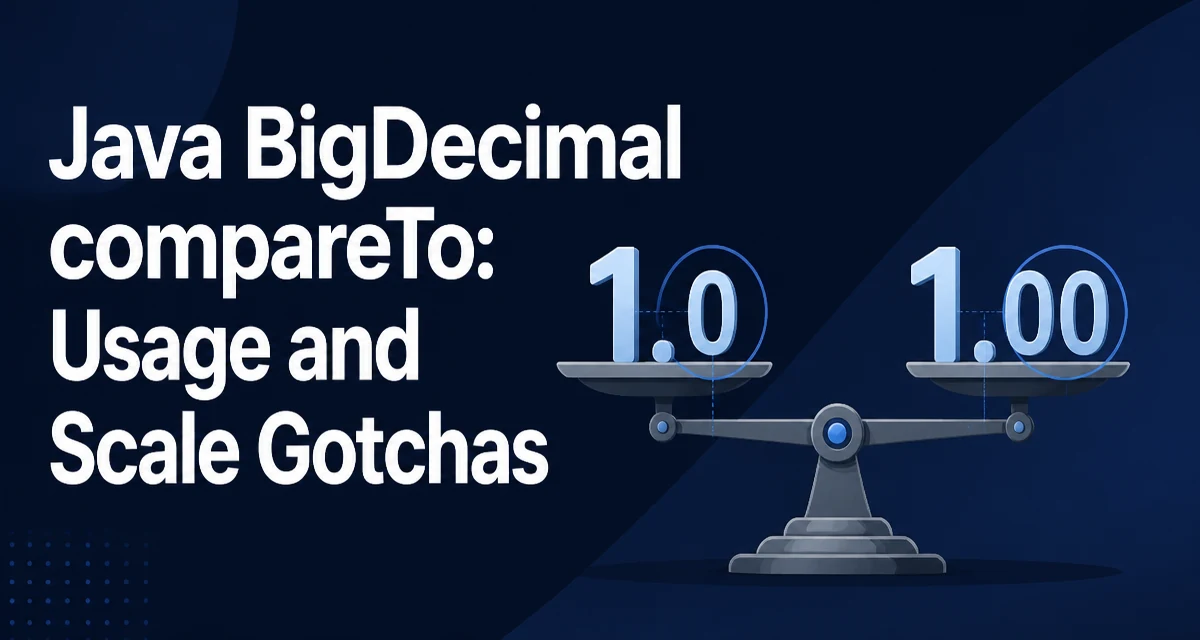
java bigdecimal compareto requires a clear understanding of the core syntax, runtime behavior, and practical implementation patterns demonstrated in the examples below.
Java's BigDecimal.compareTo is the standard way to compare two decimal values numerically. It returns a negative integer, zero, or a positive integer depending on whether the current value is less than, equal to, or greater than the argument.
BigDecimal price = new BigDecimal("19.99");
BigDecimal otherPrice = new BigDecimal("20.00");
int result = price.compareTo(otherPrice); // negative
The critical detail is that compareTo compares the numeric value, not the representation. A BigDecimal with scale 2 and value 19.99 compares equal to a BigDecimal with scale 3 and value 19.990. This behavior is intentional: compareTo answers "which number is larger?" rather than "are these two objects identical?" Most code that compares monetary amounts or measured quantities wants the numeric answer, which is why compareTo is the method you reach for in those cases.
Basic Usage: Comparing Two BigDecimal Values
The method signature is public int compareTo(BigDecimal val). The receiver is the value being compared, and the argument is the value it is compared against.
BigDecimal a = new BigDecimal("0.1");
BigDecimal b = new BigDecimal("0.2");
BigDecimal c = new BigDecimal("0.1");

System.out.println(a.compareTo(b)); // -1
System.out.println(b.compareTo(a)); // 1
System.out.println(a.compareTo(c)); // 0
The result follows the same convention as Comparable: a negative value means the receiver is smaller, a positive value means the receiver is larger, and zero means the two values are numerically equal. You should not rely on the exact magnitude of the returned integer. The contract only guarantees the sign, so code that checks result == -1 is fragile; checking result < 0 is correct.
Passing null to compareTo throws a NullPointerException. There is no overload that accepts a default value, so guard the argument explicitly when the input may be null.
compareTo vs equals: The Scale Trap
This is where most BigDecimal bugs come from. equals and compareTo follow different rules.
BigDecimal x = new BigDecimal("2.0");
BigDecimal y = new BigDecimal("2.00");

System.out.println(x.equals(y));       // false
System.out.println(x.compareTo(y));    // 0
equals considers the scale part of the object's identity, so 2.0 and 2.00 are not equal. compareTo ignores scale and treats them as the same numeric value. The two methods are consistent in the sense that compareTo returning zero does not imply equals returning true, and vice versa.
This matters in collections. A HashMap uses equals and hashCode, so 2.0 and 2.00 occupy different keys. A TreeMap or TreeSet uses natural ordering, which delegates to compareTo, so 2.0 and 2.00 collapse into the same entry. If you store BigDecimal values in a TreeSet and later look them up with a differently scaled value, the lookup succeeds even though equals would return false.
Sorting BigDecimal Values with compareTo
Because BigDecimal implements Comparable, sorting a list of decimal values is straightforward.
List<BigDecimal> amounts = new ArrayList<>();
amounts.add(new BigDecimal("10.5"));
amounts.add(new BigDecimal("2.75"));
amounts.add(new BigDecimal("10.50"));
amounts.add(new BigDecimal("-1.25"));

Collections.sort(amounts);
After sorting, the list contains -1.25, 2.75, 10.5, 10.50. The two values that are numerically equal stay adjacent, and their relative order is unspecified because compareTo returns zero for them. If you need a stable ordering that also distinguishes scale, you must provide a custom Comparator that checks scale before falling back to compareTo.
Comparator<BigDecimal> byScaleThenValue = Comparator
    .comparingInt(BigDecimal::scale)
    .thenComparing(BigDecimal::compareTo);
This comparator is useful when the scale carries meaning, such as when the number of decimal places represents a currency precision that must be preserved in output.
How compareTo Handles Zero, Signs, and Edge Cases
compareTo handles the sign correctly, so negative values sort before zero and positive values. It also treats negative zero as numerically equal to zero.
BigDecimal negZero = new BigDecimal("-0.0");
BigDecimal posZero = new BigDecimal("0.00");

System.out.println(negZero.compareTo(posZero)); // 0
System.out.println(negZero.equals(posZero));    // false
The comparison returns zero because both values are numerically zero, regardless of sign. The equals call returns false because the scales differ. If the scales matched, equals would also return true, since the sign of zero does not affect the unscaled value. Code that checks value.compareTo(BigDecimal.ZERO) == 0 to detect zero works correctly for negative zero, which is usually what you want.
When the two values have different scales, compareTo internally aligns them to a common scale before comparing the unscaled values. This means the comparison is exact and does not suffer from floating-point rounding. There is no precision loss in the comparison itself, regardless of how many digits the values carry.
Performance and Allocation Behavior
compareTo avoids allocation when both values share the same scale; the comparison then reduces to a single integer comparison of the unscaled values. When the scales differ, the implementation internally scales one operand to align them, which can create a temporary BigDecimal. In practice this allocation is small, but if you compare a large collection of values that all carry the same scale, the comparison stays allocation-free.
The more expensive operation is usually constructing the BigDecimal instances in the first place, since parsing a string or converting a double allocates objects. Reusing existing instances and avoiding repeated construction from strings inside a loop will have a larger effect than micro-optimizing the comparison itself.
One practical consequence: if you compare values that were created from double literals, the comparison reflects the exact decimal value of the binary representation. new BigDecimal(0.1) is not the same as new BigDecimal("0.1"). The first is the exact value of the double 0.1, which is slightly larger than the decimal 0.1. Prefer the string constructor when the decimal value is what you intend to compare.
Common Mistakes When Using compareTo
The most frequent mistake is using equals where compareTo is required, or the reverse. Validation logic that checks whether a price is exactly zero should use compareTo, because a value like 0.00 is numerically zero even though equals(BigDecimal.ZERO) is false. Conversely, code that treats 2.0 and 2.00 as distinct, such as a report that preserves the original scale, must not rely on compareTo alone.
Another mistake is assuming compareTo returns exactly -1, 0, or 1. The contract allows any negative or positive integer, and some implementations return values other than the three canonical ones. Code that switches on the exact result is brittle.
Finally, remember that compareTo is not symmetric with equals in collections that mix both behaviors. A HashSet of BigDecimal values treats 2.0 and 2.00 as distinct elements, while a TreeSet treats them as one. If you move between collection types, the membership semantics change even though the numeric values are identical. Choose the collection type based on whether scale is part of the identity you care about.