Java BigDecimal equals vs compareTo
java bigdecimal equals vs compareto: Understand the key difference between BigDecimal equals and compareTo, including scale sensitivity, hash behavior, and when to use...
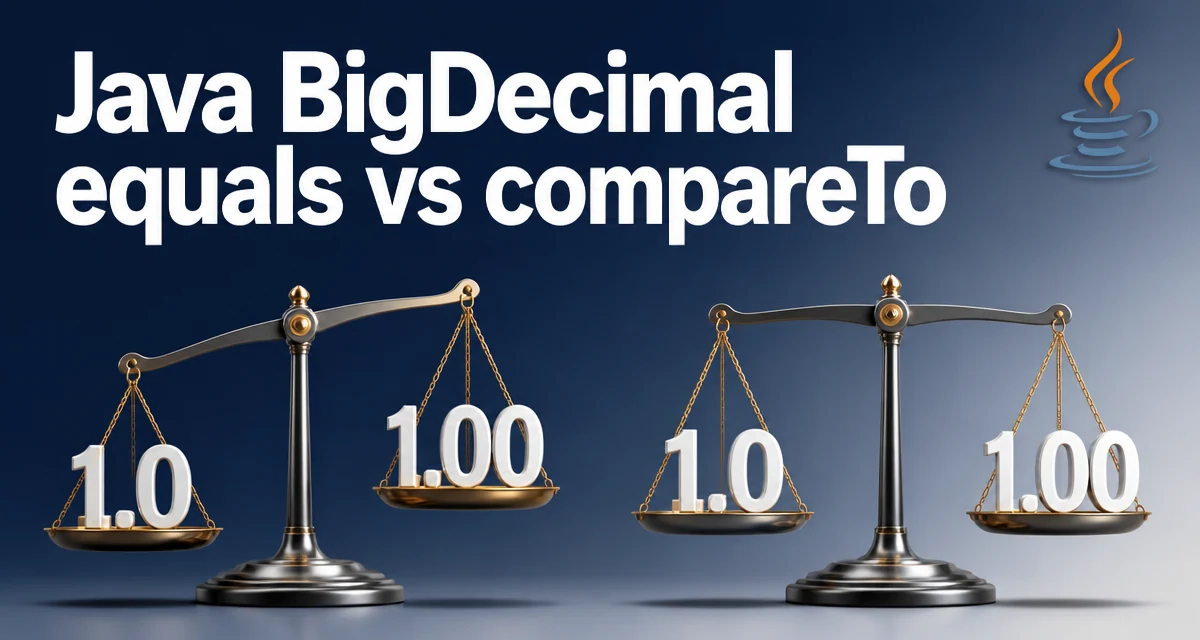
When working with java bigdecimal equals vs compareto, the choice between these two methods determines whether scale matters in your comparisons. The equals method treats 1.0 and 1.00 as different values, while compareTo treats them as numerically equal. This distinction is not a minor detail; it affects hash-based collections, sorting, and the correctness of business logic that depends on exact decimal representation.
The Core Difference: Scale vs Numeric Value
The fundamental difference is that BigDecimal.equals checks both the unscaled value and the scale, whereas compareTo compares only the numeric value. Consider this minimal example:
BigDecimal a = new BigDecimal("1.0");
BigDecimal b = new BigDecimal("1.00");

System.out.println(a.equals(b));      // false
System.out.println(a.compareTo(b));   // 0
The equals method returns false because a has scale 1 and b has scale 2. The compareTo method returns 0 because both represent the same numeric value. This behavior is intentional: equals follows the contract for object equality, which must be consistent with hashCode, while compareTo is designed for ordering.
How BigDecimal.equals Behaves
The equals method in BigDecimal is stricter than most developers expect. It compares the unscaledValue (a BigInteger) and the scale (an int). Two BigDecimal objects are equal only if both components match. This means that new BigDecimal("2.0") and new BigDecimal("2.00") are not equal, even though they represent the same mathematical value.
This behavior is consistent with the hashCode contract. If two objects are equal, they must have the same hash code. Since equals considers scale, hashCode also incorporates scale. Consequently, using BigDecimal as a key in a HashMap or as an element in a HashSet will treat 1.0 and 1.00 as distinct entries.
How BigDecimal.compareTo Behaves
The compareTo method ignores scale and compares the numeric value. It returns a negative integer, zero, or a positive integer if the first value is less than, equal to, or greater than the second. This method is consistent with the Comparable interface and is used for sorting and range checks.
BigDecimal x = new BigDecimal("10.5");
BigDecimal y = new BigDecimal("10.50");
BigDecimal z = new BigDecimal("10.4");

System.out.println(x.compareTo(y)); // 0
System.out.println(x.compareTo(z)); // 1
The comparison is based on the numeric value, so trailing zeros do not affect the result. This makes compareTo the appropriate choice for ordering, finding minimum or maximum values, and checking whether a value falls within a range.
Practical Implications for Hash-Based Collections
Because equals is scale-sensitive, using BigDecimal in hash-based collections can lead to surprising behavior. Consider a HashSet that is supposed to store unique monetary amounts:
Set<BigDecimal> amounts = new HashSet<>();
amounts.add(new BigDecimal("1.0"));
amounts.add(new BigDecimal("1.00"));
System.out.println(amounts.size()); // 2
Even though the values are numerically identical, the set contains two entries. This happens because equals and hashCode treat the scale as part of the object's identity. If your application receives BigDecimal values from different sources with inconsistent scales, you may end up with duplicate entries in collections or unexpected key lookups.
To avoid this, you can normalize the scale before storing, for example by calling stripTrailingZeros() or by using a custom comparator. However, the cleanest solution depends on whether scale is semantically meaningful in your domain.
Using compareTo for Ordering and Range Checks
The compareTo method is the right tool when you need to order BigDecimal values or test numeric relationships. For sorting a list of BigDecimal values, you can rely on the natural ordering:
List<BigDecimal> prices = Arrays.asList(
    new BigDecimal("9.99"),
    new BigDecimal("10.00"),
    new BigDecimal("9.999")
);
Collections.sort(prices);
// Result: [9.99, 9.999, 10.00] because 9.999 > 9.99 numerically
For range checks, compareTo is clearer than equals because it expresses the concept of numeric magnitude:
BigDecimal amount = new BigDecimal("100.50");
if (amount.compareTo(BigDecimal.ZERO) > 0) {
    // amount is positive
}
if (amount.compareTo(new BigDecimal("100")) >= 0) {
    // amount is at least 100
}
Using equals for such checks would be misleading because it would also require the scale to match. For example, new BigDecimal("100").equals(new BigDecimal("100.0")) is false, which is rarely what you want in a numeric comparison.
Performance and Operational Considerations
Both equals and compareTo have similar time complexity, typically proportional to the number of digits in the unscaled value. equals may return false quickly if the scales differ, because it checks scale before comparing the unscaled value. compareTo must compare the unscaled values after aligning scales, but it does not create new objects. In practice, the performance difference is negligible for most applications.
The more important operational concern is correctness. Using equals where compareTo is needed can introduce subtle bugs that are difficult to trace. For example, a discount calculation that compares a BigDecimal amount to a threshold using equals will fail for amounts that differ only in scale. This is not a performance issue but a maintainability issue: the code will behave unpredictably depending on how the BigDecimal values were constructed.
When designing a system that handles monetary values, decide early whether scale is part of the value's identity. If you always store amounts with a fixed scale, equals is safe. If values come from external sources with varying scales, prefer compareTo for all numeric comparisons and use equals only when you explicitly need to distinguish between 1.0 and 1.00.
Common Pitfalls and Edge Cases
One common pitfall is using equals to check for zero. new BigDecimal("0").equals(new BigDecimal("0.0")) is false, which can cause unexpected failures in validation logic. Always use compareTo when checking if a value is zero or comparing against a constant.
Another edge case involves trailing zeros after arithmetic operations. For example, BigDecimal.valueOf(1).multiply(BigDecimal.valueOf(2)) produces 2 with scale 0, while new BigDecimal("2.0") has scale 1. These two values are not equal according to equals, even though they represent the same number. This is often surprising to developers who expect arithmetic to produce a canonical representation.
If you need to compare BigDecimal values while ignoring scale, you can use compareTo or normalize both values with stripTrailingZeros() before calling equals. However, normalization does not change the numeric value, so compareTo is usually simpler and more direct.
Decision Guidance: When to Use Each
The following table summarizes the key differences and typical use cases:
| Criterion | equals | compareTo |
|---|---|---|
| Scale sensitivity | Yes | No |
| Returns | boolean | int (-1, 0, 1) |
| Suitable for sorting | No | Yes |
| Suitable for hash keys | Yes, but scale-dependent | No (not consistent with equals) |
| Use case | Strict equality with fixed scale | Numeric comparisons and ordering |
Use equals when you need to enforce that the scale is part of the value's identity, such as when representing exact decimal values with a defined precision. Use compareTo for all other comparisons, including sorting, range checks, and determining numeric equality.
A practical rule of thumb is: if you would use == for primitive double values, use compareTo for BigDecimal. If you would use equals for object identity, consider whether scale matters in your domain. In most business applications, numeric equality is what matters, so compareTo is the safer default.