Java break vs continue: Controlling Loop Execution
java break vs continue: Understand how break and continue control loop flow in Java, with syntax examples, labeled variants, and practical guidance for choosing betwee...
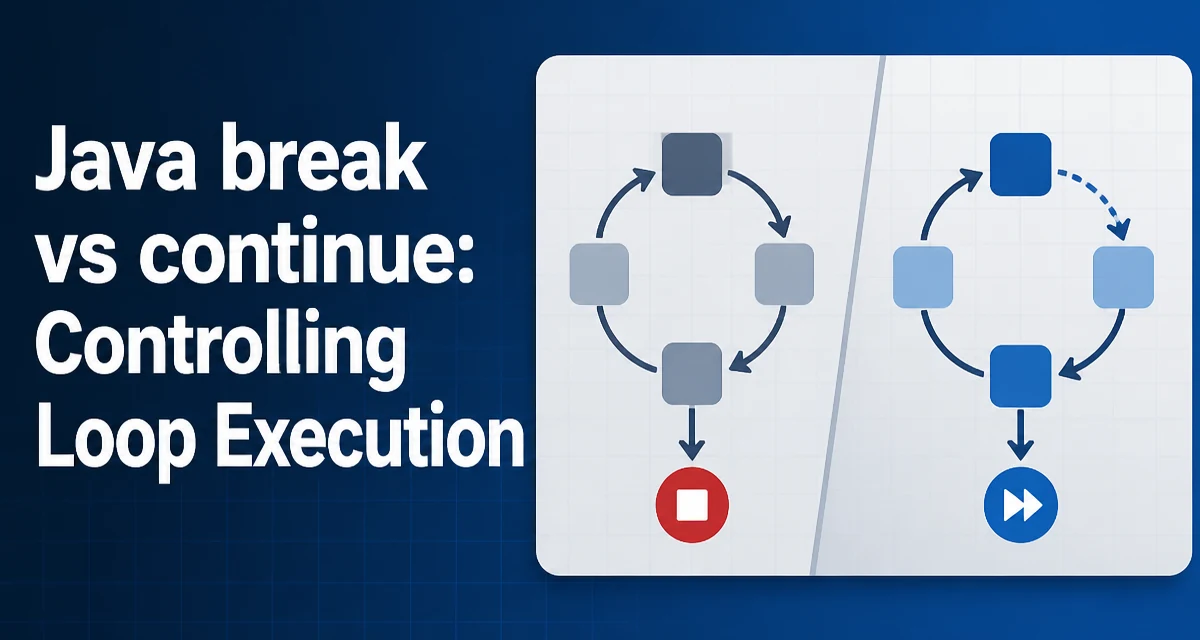
java break vs continue requires a clear understanding of the core syntax, runtime behavior, and practical implementation patterns demonstrated in the examples below.
In Java, break and continue are two loop control statements that alter the flow of a loop, but they do so in different ways. The break statement terminates the loop entirely, while continue skips the current iteration and moves to the next condition check. Understanding this distinction is essential for writing loops that behave predictably, especially when handling nested loops or complex conditions.
The Core Difference Between break and continue
The most direct way to think about java break vs continue is that break ends the loop, and continue ends the current iteration. When a break statement is executed inside a loop, the loop's control flow immediately jumps to the first statement after the loop. The loop condition is not re-evaluated, and no further iterations run. In contrast, continue stops the current iteration and jumps to the loop's increment or condition update step, then re-evaluates the condition to decide whether to start the next iteration.
Consider a simple for loop that iterates from 0 to 9. If you place a break when the index equals 5, the loop stops completely, and the index will never reach 6. If you use continue instead, the loop skips the rest of the body for that iteration, but the index increments and the loop continues with 6, 7, and so on.
Using break to Exit a Loop Early
The break statement is useful when you have found what you are looking for or when a condition makes further iteration unnecessary. For example, searching an array for a specific value can stop as soon as the value is found, avoiding unnecessary comparisons.
int[] numbers = {3, 7, 1, 9, 4};
int target = 9;
int index = -1;

for (int i = 0; i < numbers.length; i++) {
    if (numbers[i] == target) {
        index = i;
        break;
    }
}
// index is 3, loop stopped without checking the last element
Here, break prevents the loop from scanning the remaining elements after the target is found. This is a common pattern in search algorithms and improves efficiency when the target appears early in the collection.
Using continue to Skip an Iteration
The continue statement is used when you want to skip the current iteration based on a condition, but still allow the loop to continue with the next element. A typical use case is filtering out invalid or unwanted values while processing a collection.
int[] values = {10, -2, 5, -8, 3};
int sumPositive = 0;

for (int value : values) {
    if (value < 0) {
        continue;
    }
    sumPositive += value;
}
// sumPositive is 18 (10 + 5 + 3)
In this example, continue skips the addition for negative numbers, but the loop still processes the remaining elements. Without continue, you would need to wrap the addition in an if block, which is also valid but can become less readable when the loop body has multiple statements.
Labeled break and continue for Nested Loops
When you have nested loops, a plain break or continue only affects the innermost loop. Java provides labeled versions of both statements to control outer loops. A label is an identifier placed before a loop, and the break or continue statement refers to it by name.
outerLoop:
for (int i = 0; i < 3; i++) {
    for (int j = 0; j < 3; j++) {
        if (i == 1 && j == 1) {
            break outerLoop;
        }
        System.out.println(i + "-" + j);
    }
}
// Prints 0-0, 0-1, 0-2, 1-0, then stops entirely
Similarly, continue outerLoop would skip the rest of the inner loop and move to the next iteration of the outer loop. Labeled control flow is powerful but can make code harder to read if overused. In many cases, extracting the nested logic into a separate method with a return is cleaner and more maintainable.
break and continue in switch Statements
The break statement is also used in switch statements to prevent fall-through. In a switch, break exits the entire switch block, not just the current case. This is distinct from its use in loops, but the same keyword is involved. continue is not used in switch statements because switch is not a loop; it does not iterate. Attempting to use continue inside a switch that is not inside a loop will cause a compile-time error.
If a switch is inside a loop, a continue inside a case will apply to the enclosing loop, not the switch. This can be confusing, so it is best to avoid mixing continue with switch unless you are certain about the control flow.
Performance and Maintainability Considerations
From a performance perspective, break can reduce the number of iterations executed, which may improve runtime in search scenarios. continue does not reduce the total number of iterations; it only skips work within an iteration. The actual performance impact depends on the cost of the skipped work and the likelihood of the condition. No general benchmark applies because the loop body and data distribution determine the real effect.
Maintainability is often more important than micro-optimizations. Using break and continue can make loop logic more concise, but it also introduces extra control flow that readers must trace. A loop with many continue statements can become harder to follow than one that uses if conditions to guard the main body. When a loop body is complex, consider whether a helper method or a stream pipeline with filter and findFirst would express the intent more clearly.
Choosing Between break and continue
The decision between break and continue depends on whether you need to stop the entire loop or just skip one iteration. Use break when the loop has achieved its purpose and continuing would be wasteful or incorrect. Use continue when you need to process most elements but exclude certain ones based on a condition.
For nested loops, prefer labeled statements only when the logic genuinely requires modifying an outer loop. If you find yourself using labels frequently, restructure the code into smaller methods. A return from a helper method often provides clearer control flow than a labeled break.
A practical rule is to keep loop bodies short and focused. If a loop contains more than one break or continue, examine whether the loop is doing too much. Splitting the loop into separate passes or using stream operations can improve readability without sacrificing correctness.