Java BufferedReader: Efficient Text Reading
java bufferedreader: Learn how to use Java BufferedReader for efficient text input, covering creation, line reading, performance benefits, and resource management.
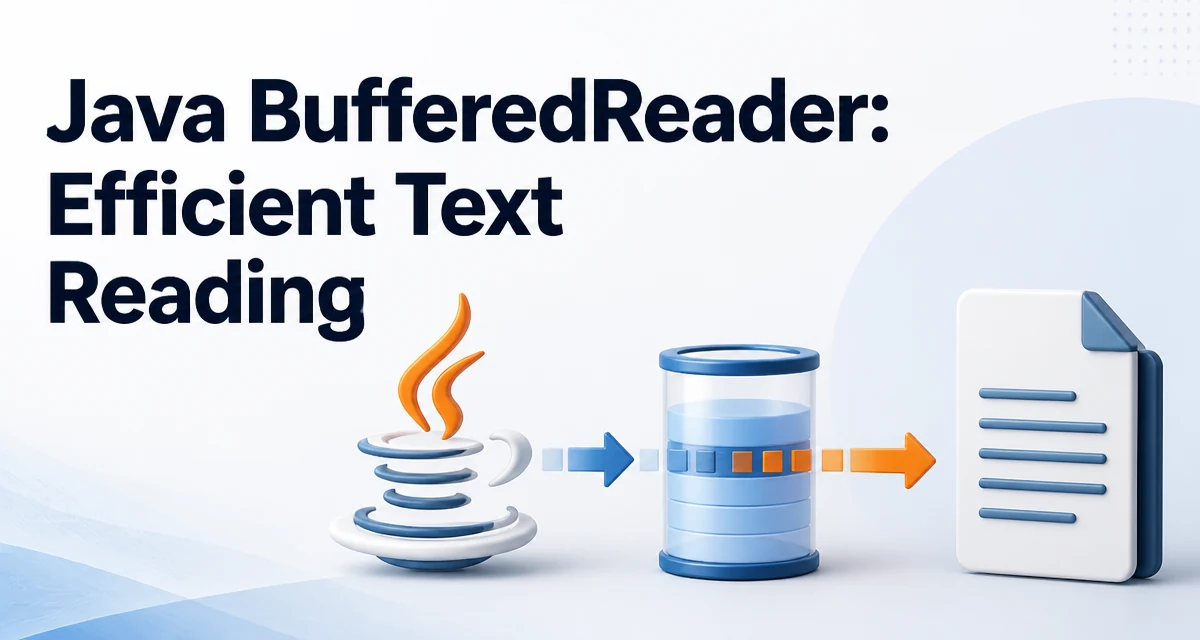
When reading text input in Java, java bufferedreader is a common choice for efficient character stream reading. It wraps a Reader and adds an internal buffer, reducing the number of underlying I/O operations. This is especially valuable when reading from a file, network socket, or any source where each read call has significant overhead.
What BufferedReader Does
BufferedReader extends the Reader class and provides a buffered layer over any character-based input stream. Instead of reading one character at a time from the source, it reads a large chunk into memory and serves subsequent reads from that buffer. This minimizes expensive system calls and improves throughput for text processing.
A key feature is the readLine() method, which reads a line of text terminated by a newline (\n), carriage return (\r), or both (\r\n). The method returns the line content without the terminator, or null when the end of the stream is reached. This makes it ideal for reading configuration files, logs, or any line-oriented data.
Creating a BufferedReader
You typically create a BufferedReader by wrapping another Reader, such as FileReader or InputStreamReader. The constructor accepts the underlying reader and optionally a buffer size. If no size is given, a default of 8192 characters is used.
BufferedReader reader = new BufferedReader(new FileReader("data.txt"));
For input from the console or a network stream, you might wrap an InputStreamReader:
BufferedReader reader = new BufferedReader(new InputStreamReader(System.in));
The buffer size can be tuned for very large files or high-throughput scenarios, but the default is sufficient for most applications. Choosing a larger buffer (e.g., 16384 or 65536) can reduce I/O calls further, but the gains diminish beyond a certain point.
Reading Lines from a File
The most common usage is reading a file line by line. The readLine() method returns null at end-of-file, so a typical loop looks like this:
try (BufferedReader reader = new BufferedReader(new FileReader("data.txt"))) {
    String line;
    while ((line = reader.readLine()) != null) {
        System.out.println(line);
    }
} catch (IOException e) {
    e.printStackTrace();
}
The try-with-resources block automatically closes the reader, releasing the underlying file descriptor. This is the recommended way to handle resources that implement AutoCloseable.
If you need to process lines as a stream, Java 8 introduced the lines() method, which returns a Stream<String>:
try (BufferedReader reader = new BufferedReader(new FileReader("data.txt"))) {
    reader.lines()
          .filter(line -> !line.startsWith("#"))
          .forEach(System.out::println);
} catch (IOException e) {
    e.printStackTrace();
}
This approach is more functional and can be combined with map, filter, and reduce operations. However, note that the stream must be closed, and the underlying reader remains open until the stream is closed or the try block exits.
Reading Characters and Other Methods
Beyond readLine(), BufferedReader provides methods for reading single characters or arrays of characters. The read() method returns the next character as an int, or -1 at end-of-stream. The read(char[] cbuf, int off, int len) method reads a block of characters into an array.
BufferedReader reader = new BufferedReader(new StringReader("Hello"));
int ch;
while ((ch = reader.read()) != -1) {
    System.out.print((char) ch);
}
These methods are useful when you need fine-grained control over character consumption, such as parsing a custom format. The mark() and reset() methods allow you to mark a position and return to it later, which is handy for lookahead parsing. The skip(long n) method skips a number of characters.
Performance Considerations
The primary performance benefit of BufferedReader is reducing the number of I/O operations. Each read from an unbuffered Reader can trigger a system call, which is expensive. By reading a large block at once, BufferedReader amortizes that cost over many characters.
For example, reading a file character-by-character with a plain FileReader performs a read per character, while BufferedReader reads a chunk (default 8192 characters) and serves from memory. This difference is most noticeable with large files or slow I/O sources like network connections.
It is important to note that BufferedReader does not change the semantics of the underlying reader; it only adds buffering. If you need to read binary data, use BufferedInputStream instead, as BufferedReader is character-oriented.
Another performance consideration is the buffer size. A larger buffer can reduce the number of I/O calls, but it consumes more memory. For most text files, the default is adequate. If you are reading from a high-latency source, increasing the buffer size to 64 KB or 128 KB may help, but you should measure the impact rather than assume a linear improvement.
Error Handling and Resource Management
All I/O methods in BufferedReader throw IOException, which is a checked exception. You must handle it either by declaring it in the method signature or by catching it. The try-with-resources block is the safest pattern because it ensures the reader is closed even if an exception occurs.
public void readFile(String path) throws IOException {
    try (BufferedReader reader = new BufferedReader(new FileReader(path))) {
        // read operations
    }
}
If you use a plain try-finally block, you must explicitly close the reader in the finally clause. Failing to close a BufferedReader can leak file descriptors, which may cause resource exhaustion in long-running applications.
Another subtle issue is that closing a BufferedReader closes the underlying reader. If you wrap a Reader that you need to keep open (e.g., System.in), be careful not to close it prematurely. In such cases, consider not using try-with-resources or wrapping with a non-closing decorator.
Common Mistakes and How to Avoid Them
One frequent mistake is using BufferedReader without a try-with-resources block, leading to resource leaks. Always close the reader, either implicitly or explicitly.
Another mistake is assuming readLine() returns an empty string at end-of-file. It returns null, so checking for an empty string will cause an infinite loop. The correct condition is line != null.
Some developers confuse BufferedReader with Scanner. While both can read text, Scanner provides tokenizing and parsing capabilities, while BufferedReader is lower-level and more efficient for simple line reading. If you need to parse primitive types or use regular expressions, Scanner is more convenient, but for bulk text processing, BufferedReader is often faster.
Finally, be aware that BufferedReader is not thread-safe. If multiple threads share a single instance, you must synchronize access or use separate instances. In most cases, you should not share a BufferedReader across threads; instead, create one per thread or use a thread-safe alternative like java.io.Reader with external synchronization.