Using Java BufferedWriter for Efficient Text File Writing
java bufferedwriter: Learn how to use Java BufferedWriter to write text files efficiently, handle exceptions, and choose the right writer for your I/O needs.
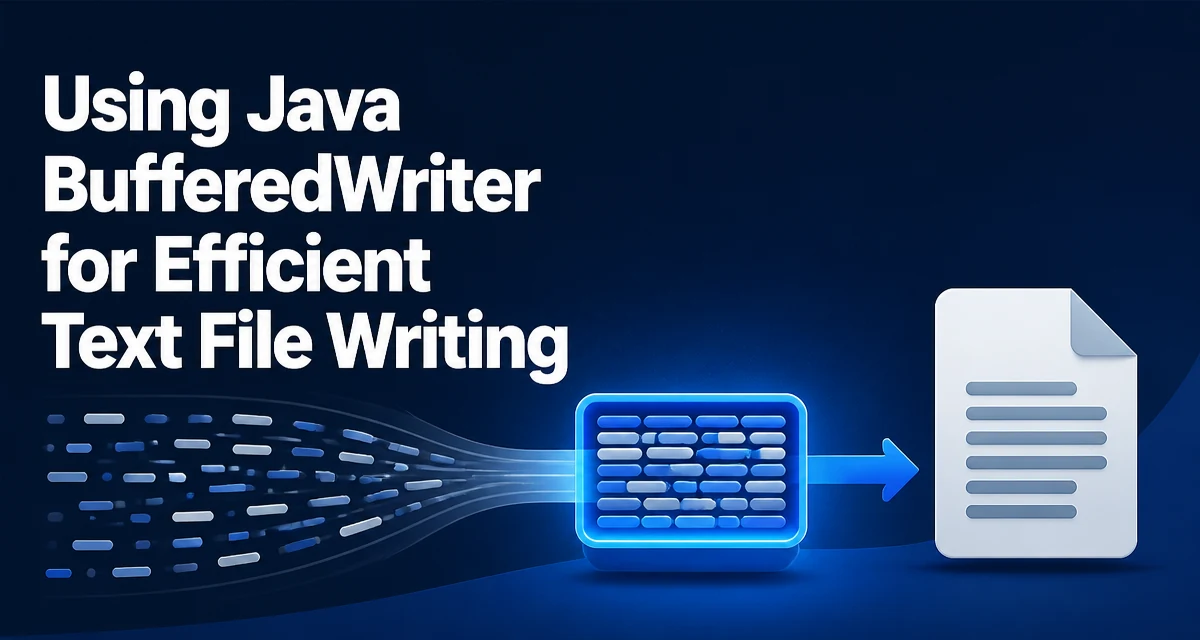
When writing text to a file in Java, the java bufferedwriter class is the standard choice for reducing the number of underlying I/O operations. Instead of writing each character directly to the file system, BufferedWriter collects data in an internal buffer and writes it in larger chunks. This matters because each file write can involve a system call, and batching those writes reduces overhead and improves throughput.
What BufferedWriter Does
BufferedWriter wraps another Writer and adds buffering. The constructor takes a Writer instance and an optional buffer size. The default buffer size is 8192 characters, which is sufficient for most use cases. When you call write(), the data is placed into the buffer. When the buffer is full, or when you explicitly call flush(), the buffered content is written to the underlying writer.
This behavior is transparent to the caller. You can use BufferedWriter exactly like any other Writer, but the performance characteristics change because fewer system-level write operations occur.
Creating a BufferedWriter
To create a BufferedWriter, you typically wrap a FileWriter or an OutputStreamWriter. The most common pattern is:
BufferedWriter writer = new BufferedWriter(new FileWriter("output.txt"));
You can also specify a custom buffer size if your workload benefits from a larger or smaller buffer:
BufferedWriter writer = new BufferedWriter(new FileWriter("output.txt"), 16384);
In Java 7 and later, you can use the Files.newBufferedWriter method, which returns a BufferedWriter directly and lets you specify the character set:
BufferedWriter writer = Files.newBufferedWriter(Paths.get("output.txt"), StandardCharsets.UTF_8);
The Files approach is often cleaner because it avoids the need to construct a FileWriter explicitly and allows you to set the encoding from the start.
Writing Text with write() and newLine()
The write method has several overloads. The most common are write(String) and write(char[], int, int). For line-oriented output, newLine() writes the platform-specific line separator, which is \n on Linux and macOS and \r\n on Windows. Using newLine() is preferable to hardcoding \n because it makes the output consistent with the runtime environment.
BufferedWriter writer = Files.newBufferedWriter(Paths.get("log.txt"));
writer.write("First line");
writer.newLine();
writer.write("Second line");
writer.newLine();
writer.close();
If you need to write a large amount of text, you can pass a String directly. The write method copies the characters into the buffer, so the original string is not retained after the call returns.
Flushing and Closing BufferedWriter
Because BufferedWriter buffers data, you must call flush() if you want the data to be written to the underlying stream before the buffer is full. This is important when you are writing to a socket or a pipe where the reader expects data promptly. For file writing, flush() is less critical because the file is not read until you close it, but it can still be useful if you want to inspect the file while the writer is still open.
Closing a BufferedWriter automatically flushes any buffered data and then closes the underlying writer. The recommended way to close is the try-with-resources statement, which ensures the writer is closed even if an exception occurs:
try (BufferedWriter writer = Files.newBufferedWriter(Paths.get("data.txt"))) {
    writer.write("content");
} catch (IOException e) {
    e.printStackTrace();
}
If you do not use try-with-resources, you must close the writer in a finally block. Failing to close a BufferedWriter can lead to data loss because the buffer is never flushed.
BufferedWriter vs FileWriter
FileWriter is a convenience class that writes characters directly to a file. It does not buffer, so each write call results in an immediate write to the file system. For small amounts of text, the difference is negligible. For large files or many write operations, the lack of buffering can cause significant performance degradation.
BufferedWriter adds a layer of buffering on top of any Writer, including FileWriter. You can think of BufferedWriter as a performance wrapper. The choice is not either/or; you can use BufferedWriter with FileWriter to get buffering and file output together.
A more meaningful comparison is between BufferedWriter and PrintWriter. PrintWriter also buffers and provides convenience methods like println and printf. However, PrintWriter swallows exceptions by default, which can hide I/O errors. For most file-writing tasks, BufferedWriter is the safer choice because it throws IOException explicitly, forcing you to handle errors.
Handling I/O Exceptions and Resource Management
I/O operations can fail for many reasons: the file may not exist, the disk may be full, or the process may lack permissions. BufferedWriter methods throw IOException when something goes wrong. You must handle this exception either by catching it or by declaring it in the method signature.
Using try-with-resources is the most reliable pattern because it guarantees that the writer is closed even if an exception occurs during writing. The close() method itself can throw an IOException, but try-with-resources handles that by suppressing any exception thrown from the body and then throwing the close exception if no body exception occurred.
If you are writing a method that returns a status or needs to report errors, you should catch IOException and translate it into a domain-specific exception. Avoid swallowing the exception with an empty catch block because that can leave the file in an unknown state.
Performance Considerations
The primary benefit of BufferedWriter is reduced system call overhead. Each write call to an unbuffered writer may invoke the operating system to write data to disk. With buffering, many small writes are combined into one larger write, which is more efficient for both the JVM and the OS.
The default buffer size of 8192 characters is a reasonable starting point. If you are writing very large lines or many records, a larger buffer can reduce the number of flushes. However, a buffer that is too large wastes memory. For most applications, the default is fine.
Buffering does not change the correctness of your program; it only affects performance. If you need to ensure that data is visible to another process immediately, you must call flush() explicitly. For example, if you are writing to a log file that is tailed by a monitoring tool, you may want to flush after each log entry.
One subtle point: BufferedWriter is not thread-safe. If multiple threads need to write to the same file, you must synchronize access or use a different mechanism. The simplest approach is to wrap the writer in a synchronized block or use a single-threaded writer and pass messages to it.
Choosing the Right Writer for Your Use Case
For simple text file output, BufferedWriter is the right choice. It provides buffering, explicit exception handling, and a straightforward API. If you need to write formatted output, PrintWriter offers convenience methods, but be aware of its exception-swallowing behavior. If you are writing binary data, use BufferedOutputStream instead.
When you need to specify a character encoding, use Files.newBufferedWriter with a Charset parameter. This avoids platform-dependent default encodings and ensures your output is readable across environments.
For very large files, consider using a BufferedWriter with a custom buffer size and writing in chunks rather than building a huge string in memory. The write method accepts a char[] or a substring, so you can stream data from another source without loading everything at once.
A final consideration is the interaction with flush() and close(). Always close the writer when you are done. If you forget to close, the buffer may not be flushed, and you will lose data. Using try-with-resources eliminates this risk entirely.