Java Collections Copy: Shallow vs Deep Copy Explained
java collections copy: Learn how to copy Java collections correctly: shallow vs deep copies, copy constructors, Collections.copy(), copyOf methods, and stream-based ap...
Why Copying a Collection Is Not Assignment
A java collections copy is not the same as assigning a reference. When you write List<String> second = first;, you have not copied anything. Both variables reference the same list object, and any modification through either reference is visible through the other. A real copy creates a new collection object that holds its own elements, so changes to the copy do not affect the original.
The term "copy" in Java collections is ambiguous because it can mean two different things:
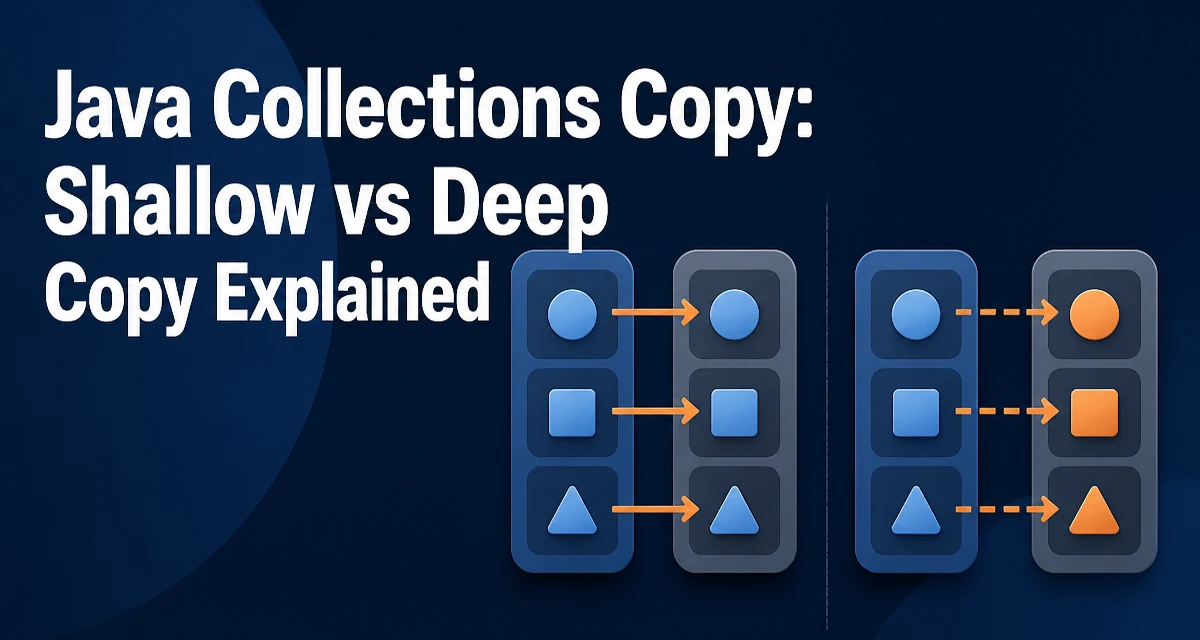
- Shallow copy: a new collection object whose elements are the same object references as the original. The collection structure is independent, but the elements are shared.
- Deep copy: a new collection object whose elements are also new objects, recursively copied.
Most standard library copy operations produce shallow copies. Whether that is sufficient depends entirely on whether the elements themselves are mutable.
Copy Constructors: The Default Choice
The simplest and most reliable way to copy most collection types is the copy constructor:
List<String> original = new ArrayList<>(List.of("alpha", "beta", "gamma"));
List<String> copy = new ArrayList<>(original);
The new list is independent of the original. Adding or removing elements from copy does not affect original. This works for ArrayList, LinkedList, HashSet, LinkedHashSet, TreeSet, HashMap, LinkedHashMap, and TreeMap, among others.
The copy constructor preserves iteration order for ordered collections. For TreeSet and TreeMap, the natural ordering or the comparator is preserved because the constructor reads elements from the source collection.
One limitation: the copy constructor performs a shallow copy. If the elements are mutable objects, both collections share the same element instances.
Collections.copy(): A Misleading Name
The Collections.copy(dest, src) method is often misunderstood. It does not create a new collection. It copies elements from the source list into an existing destination list, overwriting elements at the same indices.
List<String> source = List.of("a", "b", "c");
List<String> destination = new ArrayList<>(List.of("x", "y", "z"));
Collections.copy(destination, source);
// destination now contains "a", "b", "c"
Two constraints apply. The destination list must have at least as many elements as the source, otherwise IndexOutOfBoundsException is thrown. And both arguments must be List instances; Collections.copy does not work with sets or maps.
Because the destination must already exist and be large enough, this method is rarely the right tool for copying a collection. It is more useful when you want to overwrite a portion of an existing list.
Immutable Copies with copyOf Methods
Java 10 introduced List.copyOf, Set.copyOf, and Map.copyOf. These methods create immutable copies of the source collection.
List<String> original = new ArrayList<>(List.of("one", "two"));
List<String> copy = List.copyOf(original);
The returned collection does not allow modification. Any attempt to add, remove, or replace an element throws UnsupportedOperationException. This is useful when you want to defend against accidental mutation or when you want to publish a snapshot that cannot change.
A critical constraint: copyOf rejects null elements. If the source collection contains null, a NullPointerException is thrown at copy time. This differs from copy constructors, which happily copy null elements.
The copyOf methods also do not guarantee the same iteration order as the source for all collection types. For List, the order is preserved. For Set and Map, the iteration order depends on the implementation chosen by the runtime.
Stream-Based Copying
The Stream API provides another way to copy collections, with more control over the process.
List<String> original = new ArrayList<>(List.of("a", "b", "c"));
List<String> copy = original.stream().collect(Collectors.toList());
This produces a mutable ArrayList containing the same element references. The stream approach becomes valuable when you want to filter, map, or transform elements during the copy:
List<String> filtered = original.stream()
    .filter(s -> s.startsWith("a"))
    .collect(Collectors.toList());
For a plain copy with no transformation, the copy constructor is simpler and more direct. The stream approach adds overhead and is only justified when you need to transform the data while copying.
Deep Copying: When Shallow Is Not Enough
A shallow copy is sufficient when the elements are immutable, such as String, Integer, or other value objects. When the elements are mutable, a shallow copy means both collections share the same objects. Modifying an element through one collection is visible through the other.
class Person {
    String name;
    Person(String name) { this.name = name; }
}

List<Person> original = new ArrayList<>();
original.add(new Person("Alice"));

List<Person> copy = new ArrayList<>(original);
copy.get(0).name = "Bob";

// original.get(0).name is now also "Bob"
There is no built-in deep copy mechanism in the Java Collections Framework. You must implement it yourself, typically by copying each element individually:
List<Person> deepCopy = original.stream()
    .map(p -> new Person(p.name))
    .collect(Collectors.toList());
For more complex object graphs, serialization-based copying or a dedicated cloning library is often used. The right approach depends on the object structure and whether you control the element classes.
Performance and Memory Considerations
Copying a collection always involves allocating a new backing array or hash table and copying the element references. For an ArrayList with n elements, the copy constructor runs in O(n) time and allocates a new array of the same size.
The copyOf methods are similar in cost but produce an unmodifiable result, which can reduce defensive copies later. If you pass a collection to a method that stores it, an immutable copy eliminates the need for the method to defensively copy it again.
Deep copies are significantly more expensive because each element must be copied, and for nested structures the cost compounds. Serialization-based deep copies are particularly slow and should be avoided in hot paths.
Memory usage also differs. A shallow copy shares element objects, so memory grows only by the collection structure itself. A deep copy duplicates every element, so memory grows with the total size of the object graph.
| Copy approach | Result mutability | Null elements | Order preserved |
|---|---|---|---|
| Copy constructor | Mutable | Allowed | Yes |
| Collections.copy | Overwrites existing list | Allowed | Index-based |
| copyOf methods | Immutable | Rejected | Yes (List) |
| Stream + collect | Mutable | Allowed | Yes |
When choosing a copy strategy, consider whether the elements are immutable, whether the copy will be modified, and how deeply nested the element graph is. These three factors determine whether a shallow copy, an immutable copy, or a deep copy is appropriate.
Common Mistakes When Copying Collections
The most frequent error is assuming that a copy constructor produces independent elements. It produces an independent collection, not independent elements.
Another common mistake is using Collections.copy with an empty destination list. Because the destination must be at least as large as the source, this throws IndexOutOfBoundsException. The method name suggests it creates a copy, but it actually overwrites an existing list.
A third mistake is mixing mutable and immutable copies. If you copy a collection with List.copyOf and then attempt to modify the result, the code compiles but fails at runtime with UnsupportedOperationException.
Finally, copying a collection while iterating over it can lead to ConcurrentModificationException if the source is modified during the copy. Copying from a snapshot or using a thread-safe collection avoids this.