How to Use Java Collections Reverse
java collections reverse: Reverse a Java List with Collections.reverse, handle arrays and sublists, avoid UnsupportedOperationException, and choose between in-place an...
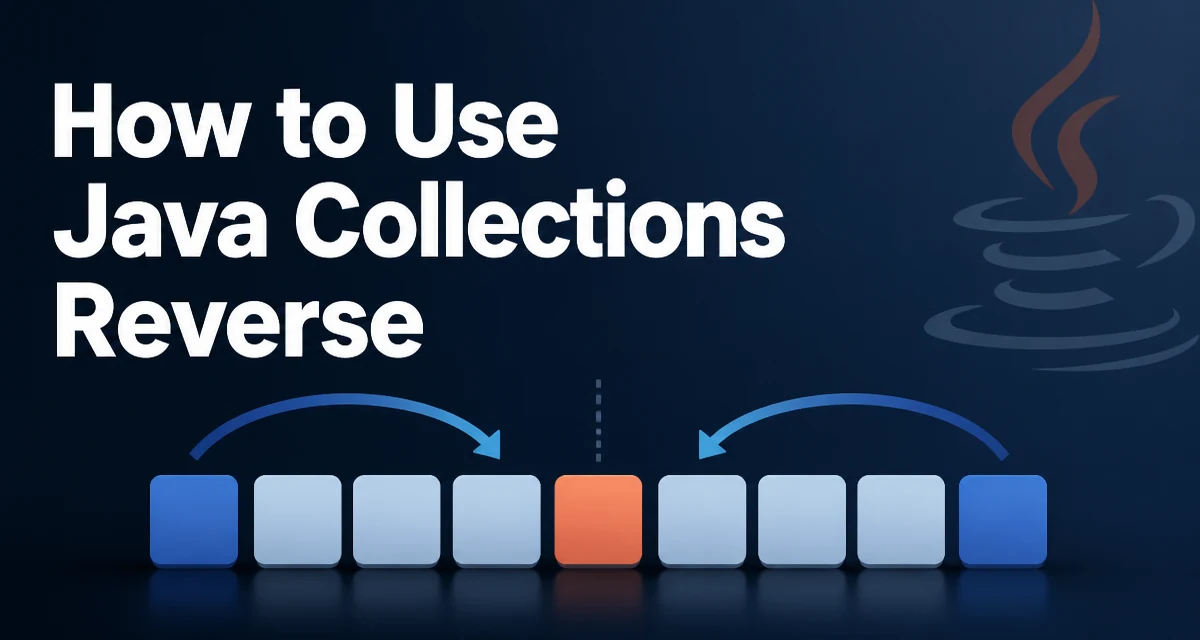
The phrase java collections reverse usually refers to the static method Collections.reverse(List<?> list) in the java.util.Collections class. It reverses the order of elements in the list it receives and returns void, which means it modifies the list in place rather than producing a new one.
List<String> names = new ArrayList<>(List.of("ada", "grace", "linus"));
Collections.reverse(names);
System.out.println(names); // [linus, grace, ada]
The method accepts any List implementation, including ArrayList, LinkedList, and Vector. It does not accept a generic Collection, so you cannot pass a Set or a Queue directly. If you need to reverse a collection that is not a list, you must first convert it to a list, for example by copying it into a new ArrayList.
How Collections.reverse Works Internally
Collections.reverse uses a ListIterator positioned at both ends of the list and swaps elements pairwise until the iterators meet in the middle. The implementation relies on the list's get, set, and size operations, which means the runtime cost depends on the underlying list implementation.
For an ArrayList, each set call is O(1), so the whole reversal runs in O(n) time with O(1) extra space. For a LinkedList, the get operation is O(n), so a naive pairwise swap would be O(n²). The standard Collections.reverse implementation avoids this by using ListIterator instances, which traverse the list in both directions without repeated index-based lookups. That keeps the operation O(n) even for linked lists.
The swap pattern is roughly equivalent to this:
ListIterator<String> fromStart = list.listIterator();
ListIterator<String> fromEnd = list.listIterator(list.size());
while (fromStart.nextIndex() < fromEnd.previousIndex()) {
    String left = fromStart.next();
    String right = fromEnd.previous();
    fromStart.set(right);
    fromEnd.set(left);
}
This is why Collections.reverse works efficiently across different List implementations instead of relying on index arithmetic that would penalize linked structures.
Reversing an Array
Collections.reverse does not accept arrays. To reverse an array, wrap it with Arrays.asList and then pass the resulting list to Collections.reverse. Because the list returned by Arrays.asList is backed by the original array, the reversal writes back into the array directly.
String[] names = {"ada", "grace", "linus"};
Collections.reverse(Arrays.asList(names));
System.out.println(Arrays.toString(names)); // [linus, grace, ada]
The list produced by Arrays.asList supports set, so Collections.reverse works without throwing. If the array contains primitive values, you must box them first, because Arrays.asList on a primitive array produces a List<int[]> with a single element rather than a list of the individual values. For primitive arrays, write a manual loop that swaps elements from both ends.
int[] values = {1, 2, 3, 4};
for (int left = 0, right = values.length - 1; left < right; left++, right--) {
    int tmp = values[left];
    values[left] = values[right];
    values[right] = tmp;
}
Creating a Reversed Copy
Because Collections.reverse mutates its argument, it is not suitable when the original list must remain unchanged. In that case, copy the list first and reverse the copy.
List<String> original = new ArrayList<>(List.of("ada", "grace", "linus"));
List<String> reversed = new ArrayList<>(original);
Collections.reverse(reversed);
The copy constructor preserves iteration order, so reversed contains the same elements in reverse order while original stays untouched. This approach is straightforward and avoids the subtle bugs that come from accidentally mutating shared state, which matters when the list is a field on an object or is passed to other methods.
An alternative is to build the reversed list with a stream:
List<String> reversed = IntStream.range(0, original.size())
        .mapToObj(i -> original.get(original.size() - 1 - i))
        .collect(Collectors.toList());
This reads from the end of the original list and collects into a new list. It works for any List with O(1) random access, but for a LinkedList the repeated get calls make it O(n²). The copy-and-reverse approach is generally safer because Collections.reverse handles the traversal efficiently regardless of the list type.
Reversing a Sublist
Collections.reverse operates on the entire list, but you can restrict the reversal to a range by passing a subList view. The view is backed by the original list, so changes made through it are reflected in the parent list.
List<String> names = new ArrayList<>(List.of("a", "b", "c", "d", "e"));
Collections.reverse(names.subList(1, 4));
System.out.println(names); // [a, d, c, b, e]
The subList view supports set, so Collections.reverse works on it as long as the parent list is mutable. The range is half-open: subList(1, 4) covers indices 1, 2, and 3. Reversing a sublist is useful when only a portion of the data needs reordering, such as rotating a segment of a queue or reordering a slice of a paginated result.
Performance and Memory Behavior
The dominant cost of reversing a list is O(n) time, where n is the number of elements. The difference between approaches shows up in memory and in whether the original data is preserved.
In-place reversal uses O(1) extra space beyond the list itself and mutates the input. This is the right choice when the caller owns the list, does not need the original order afterward, and wants to avoid allocating a second list. It is also the only option when the list is large and duplicating it would put pressure on the heap.
Reversal via a copy uses O(n) extra space and leaves the input untouched. Choose this when the original order is still needed, when the list is shared across threads or methods, or when the reversal is part of a transformation pipeline that should not have side effects on its input.
The Collections.reverse implementation itself does not allocate additional element storage; it only swaps references within the list. For a copy-based reversal, the allocation is the new list plus whatever capacity the copy constructor chooses.
Edge Cases and Failure Modes
Collections.reverse throws UnsupportedOperationException if the list does not support the set operation. This happens with immutable lists such as List.of(...) and List.copyOf(...), and with unmodifiable views returned by Collections.unmodifiableList(...).
List<String> immutable = List.of("ada", "grace", "linus");
Collections.reverse(immutable); // throws UnsupportedOperationException
The exception is thrown at the first set call during the swap loop, not when the method is invoked. If the list is empty or has a single element, the loop body never executes, so the method returns normally even for immutable lists. That behavior can be surprising when testing edge cases.
Null elements are handled without special treatment. Collections.reverse swaps references and never dereferences the elements, so a list containing null values reverses correctly. The same applies to duplicate elements; reversal preserves all occurrences and only changes their order.
A custom List implementation that does not implement set will also fail. If you control the implementation, either implement set or provide a reversed view instead of mutating the list.
Choosing the Right Approach
Use Collections.reverse directly when you have a mutable List and you want to reverse it in place. This covers most everyday cases: reversing a List that was built locally, reversing a list returned by a method you own, or reversing an array through Arrays.asList.
Create a reversed copy when the original list must survive, when the list is exposed to other parts of the program, or when the reversal is one step in a chain of transformations that should not mutate shared inputs. The copy constructor plus Collections.reverse is the clearest way to express that intent.
For primitive arrays, write the manual two-pointer swap loop. For custom collection types that are not lists, convert to a list first. And when a list is immutable, do not attempt in-place reversal; build a new list and reverse it instead.
The key distinction to remember is that Collections.reverse is an in-place operation with a void return type. Any code that expects a returned reversed list, or that passes a list it does not own, should use the copy-based variant.