Java CompletableFuture: Building Async Pipelines
java completablefuture: Learn how to use Java CompletableFuture to build asynchronous pipelines, combine tasks, handle errors, and manage concurrency effectively.
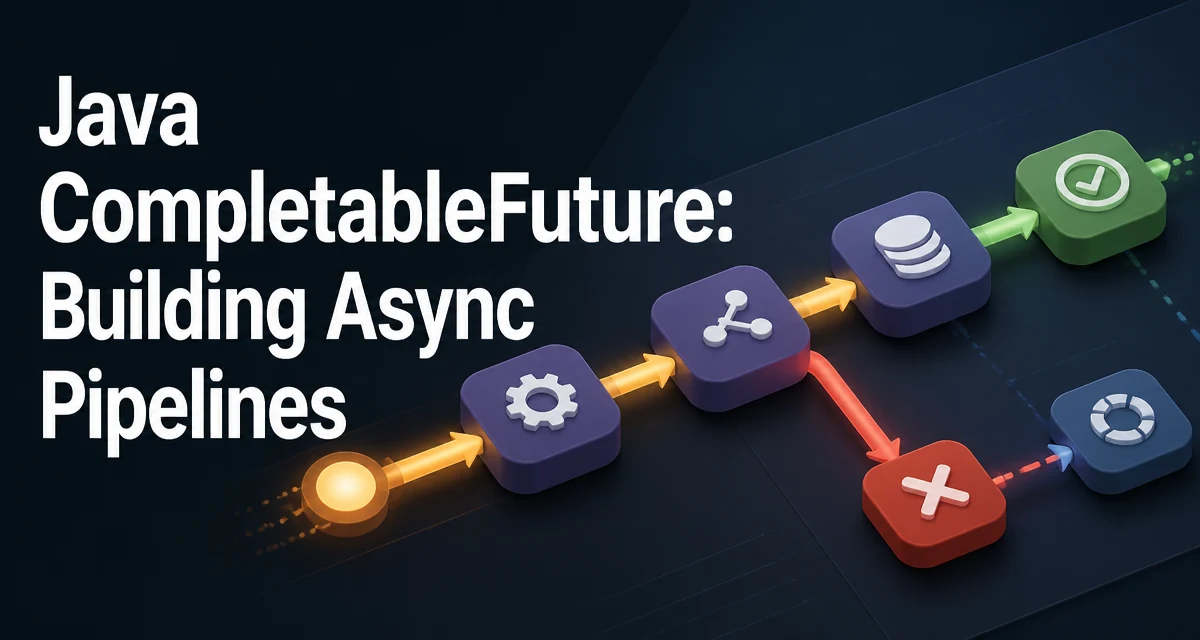
java completablefuture requires a clear understanding of the core syntax, runtime behavior, and practical implementation patterns demonstrated in the examples below.
When a task depends on the result of another asynchronous operation, chaining callbacks quickly becomes hard to read. Java's CompletableFuture provides a composable API for building such pipelines without nested callbacks. It extends the older Future interface with methods that let you transform, combine, and recover from results in a declarative style.
When to Use CompletableFuture
CompletableFuture is useful when you have multiple asynchronous operations that need to be coordinated. Typical scenarios include calling remote services, reading from a database, or performing CPU-bound work off the main thread. The key advantage over plain Future is that you can attach dependent actions without blocking the calling thread. For example, you can fetch a user profile and then fetch their recent orders once the profile is available, all without blocking the main thread.
CompletableFuture is not a replacement for reactive streams or event-driven architectures. It is best suited for one-off asynchronous tasks that produce a single result. If you need to process a stream of events or handle backpressure, consider a library like Project Reactor or RxJava.
Creating a CompletableFuture
The simplest way to create a completed future is with completedFuture. This is useful when you have a value immediately and want to pass it through a pipeline.
CompletableFuture<String> greeting = CompletableFuture.completedFuture("Hello");
For asynchronous execution, use supplyAsync to run a task that returns a value, or runAsync for a task that returns nothing. Both methods use the common ForkJoinPool by default.
CompletableFuture<String> fetchUser = CompletableFuture.supplyAsync(() -> {
    // Simulate a network call
    return "user-123";
});
You can also create a future manually and complete it later. This is useful when you are integrating with a callback-based API.
CompletableFuture<String> future = new CompletableFuture<>();
// Later, from another thread
future.complete("result");
If the task fails, call completeExceptionally with the exception. The future will then propagate that exception to dependent stages.
Chaining Dependent Tasks
The core of CompletableFuture is the ability to chain dependent operations. thenApply transforms the result synchronously, while thenCompose flattens a future-returning function to avoid nested futures.
CompletableFuture<String> userId = CompletableFuture.supplyAsync(() -> "user-123");
CompletableFuture<Integer> orderCount = userId.thenApply(id -> id.length());
Here thenApply runs after userId completes and produces an Integer. If the function itself returns a CompletableFuture, use thenCompose instead.
CompletableFuture<Order> order = userId.thenCompose(id -> fetchOrder(id));
Without thenCompose, you would end up with a CompletableFuture<CompletableFuture<Order>>, which is awkward to work with. thenCompose flattens that structure.
Combining Independent Futures
When two tasks are independent, you can combine their results with thenCombine. The combined stage runs after both inputs complete.
CompletableFuture<Double> price = CompletableFuture.supplyAsync(() -> 19.99);
CompletableFuture<Integer> quantity = CompletableFuture.supplyAsync(() -> 3);
CompletableFuture<Double> total = price.thenCombine(quantity, (p, q) -> p * q);
If you need to wait for multiple futures to complete but do not need to combine their results, use allOf. It returns a CompletableFuture<Void> that completes when all inputs complete.
CompletableFuture<Void> all = CompletableFuture.allOf(future1, future2);
To wait for any one of several futures, use anyOf. This is useful for race conditions where the first successful result is enough.
Error Handling in Asynchronous Pipelines
Errors in a CompletableFuture propagate down the chain. You can recover with exceptionally, which returns a fallback value, or handle, which receives both the result and the exception.
CompletableFuture<String> safe = fetchUser()
    .exceptionally(ex -> "default-user");
handle is more flexible because it always runs, regardless of success or failure.
CompletableFuture<String> result = fetchUser().handle((user, ex) -> {
    if (ex != null) {
        return "fallback";
    }
    return user;
});
When an exception occurs, the original exception is wrapped in a CompletionException. Use getCause() to retrieve the actual exception if needed.
Choosing an Executor for CompletableFuture
The default executor is the common ForkJoinPool, which is shared across all CompletableFuture calls. For CPU-bound tasks, this is often fine. However, for I/O-bound tasks or when you need to control thread pool size, pass an explicit Executor to supplyAsync or runAsync.
ExecutorService executor = Executors.newFixedThreadPool(10);
CompletableFuture<String> result = CompletableFuture.supplyAsync(() -> callService(), executor);
Using a dedicated executor prevents your tasks from starving other parts of the application that rely on the common pool. It also lets you set a bounded queue and rejection policy. Remember to shut down the executor when it is no longer needed.
Common Pitfalls and How to Avoid Them
One common mistake is blocking on a CompletableFuture with get() or join() inside a callback. This defeats the purpose of asynchronous execution and can cause deadlocks if the blocking thread is part of the same pool.
Another pitfall is ignoring the CompletionException wrapper. When you inspect exceptions, always unwrap the cause to understand what actually failed.
Finally, be careful with thenApply versus thenCompose. Using thenApply with a function that returns a CompletableFuture will nest futures, which is rarely what you want. Prefer thenCompose when the function itself is asynchronous.
By understanding these patterns, you can build readable and maintainable asynchronous pipelines in Java without falling into the callback hell that plagued earlier approaches.