Java == vs equals: Reference vs Value Comparison
java == vs equals: Learn when to use == vs equals() in Java, covering reference vs value comparison, string interning, Integer caching, and the equals-hashCode contract.
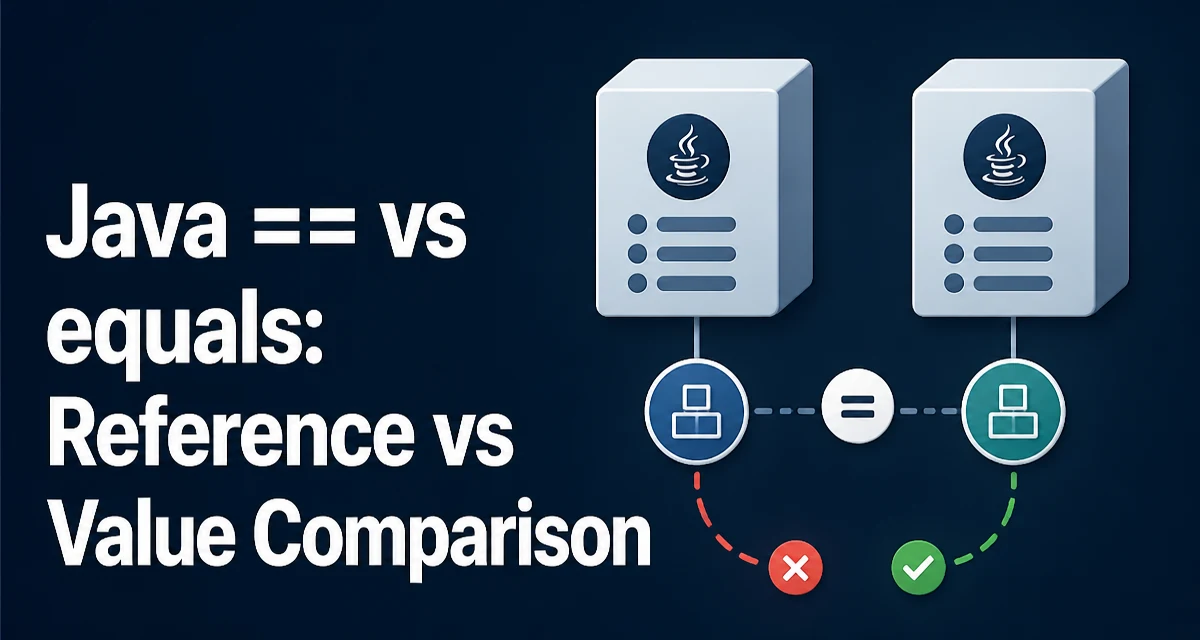
Understanding java == vs equals starts with recognizing that they answer different questions. The == operator checks whether two references point to the same object in memory, while equals() checks whether two objects are logically equivalent according to the class's definition. For primitives, == compares actual values, which is why int a = 5; int b = 5; a == b evaluates to true. The confusion arises with objects, where == behaves differently than many developers initially expect.
What the == Operator Actually Compares
For primitive types (int, double, boolean, and others), == compares the actual values:
int a = 10;
int b = 10;
boolean sameValue = (a == b); // true
For reference types, == compares object identity — whether two variables reference the exact same object instance in memory:
String first = new String("hello");
String second = new String("hello");
boolean sameReference = (first == second); // false
Even though first and second contain the same characters, they are two distinct objects. The == operator returns false because the references point to different memory locations.
What equals() Compares
The equals() method is defined on Object and can be overridden by any class to define logical equality. For String, equals() compares the character sequence:
String first = new String("hello");
String second = new String("hello");
boolean sameContent = first.equals(second); // true
The default implementation of Object.equals() uses == — it compares references. A class that does not override equals() inherits this reference-based behavior. That means equals() only provides value comparison when the class explicitly defines what "equal" means.
Why String Literals Behave Differently
String literals are interned by the JVM. When you write:
String a = "hello";
String b = "hello";
boolean sameReference = (a == b); // true
Both variables reference the same interned String instance, so == returns true. This works because the JVM maintains a string constant pool. But this behavior is fragile: any string created at runtime through new String(), concatenation, or methods like substring() may produce a different instance:
String a = "hello";
String b = new String("hello");
boolean sameReference = (a == b); // false
boolean sameContent = a.equals(b); // true
Relying on string interning for equality checks is a common source of bugs. The interning behavior is an implementation detail of the JVM, not a guarantee about string equality.
Integer Caching and ==
A similar trap exists with wrapper types. The JVM caches Integer instances from -128 to 127:
Integer a = 100;
Integer b = 100;
boolean sameReference = (a == b); // true

Integer c = 200;
Integer d = 200;
boolean differentReference = (c == d); // false
The first comparison returns true because both autoboxed values fall within the cache range and reference the same cached instance. The second returns false because 200 exceeds the cache range, producing two distinct Integer objects. Using equals() avoids this entirely:
Integer c = 200;
Integer d = 200;
boolean sameValue = c.equals(d); // true
Overriding equals() Correctly
When you create a domain class that needs value equality, you must override equals(). The contract requires five properties:
- Reflexive:
x.equals(x)istrue - Symmetric:
x.equals(y)istrueif and only ify.equals(x)istrue - Transitive: if
x.equals(y)andy.equals(z), thenx.equals(z) - Consistent: repeated calls return the same result for unchanged objects
- Non-null:
x.equals(null)isfalse
A typical implementation looks like:
public class User {
    private final String email;
    private final String name;

    public User(String email, String name) {
        this.email = email;
        this.name = name;
    }

    @Override
    public boolean equals(Object obj) {
        if (this == obj) {
            return true;
        }
        if (obj == null || getClass() != obj.getClass()) {
            return false;
        }
        User other = (User) obj;
        return email.equals(other.email) && name.equals(other.name);
    }

    @Override
    public int hashCode() {
        return Objects.hash(email, name);
    }
}
The hashCode() override is mandatory. Two objects that are equal must produce the same hash code, or collections like HashMap and HashSet will behave incorrectly — an object placed in a bucket by one hash code may not be found when a different hash code is computed.
Common Pitfalls in Real Code
One frequent mistake is comparing String values from different sources with ==. A value read from a database, a file, or user input is not guaranteed to be interned:
String fromInput = request.getParameter("status");
if (fromInput == "ACTIVE") { // unreliable
    // ...
}
if ("ACTIVE".equals(fromInput)) { // correct
    // ...
}
Another pitfall is comparing enum values with equals(). Enums are singletons, so == is safe and recommended:
Status status = getStatus();
if (status == Status.ACTIVE) { // safe and idiomatic
    // ...
}
The JVM guarantees that each enum constant exists as a single instance, so reference equality is equivalent to value equality for enums.
Performance and Maintainability Considerations
The == operator is a direct reference comparison — it performs no method call and no field inspection. It is the fastest possible equality check in Java. equals() involves a virtual method call and whatever logic the class implements. For most applications, this difference is negligible, but in tight loops comparing millions of objects, == can measurably reduce overhead.
The more important cost is correctness. A subtle == where equals() was intended can produce intermittent bugs that only appear when data crosses the interning or caching boundaries. These bugs are hard to reproduce because they depend on runtime conditions like string interning state or autoboxing cache range.
For maintainability, prefer equals() for all value comparisons unless you have a specific reason to compare identity. Identity comparison is appropriate when you need to know whether two variables reference the same instance — for example, when checking whether an object is the same cached instance or when comparing enum constants.
Choosing Between == and equals()
The decision rule is straightforward:
| Comparison target | Use | Reason |
|---|---|---|
| Primitive values | == | Compares actual values |
| Enum constants | == | JVM guarantees single instances |
| Object identity | == | Checks same reference |
| String content | equals() | Compares character sequence |
| Wrapper types | equals() | Avoids caching range issues |
| Domain objects | equals() | Uses overridden value semantics |
When you write a new class and need value equality, override equals() and hashCode() together. When you compare existing objects, ask whether you care about identity or content. If the answer is content, use equals().
The Objects.equals() utility provides a null-safe alternative:
boolean result = Objects.equals(first, second);
This returns true when both arguments are null, and delegates to first.equals(second) otherwise. It is useful in equals() implementations and when comparing fields that may be null.