java equals vs ==: Reference vs Value Equality
java equals vs ==: Understand the difference between == and equals() in Java, how to override equals correctly, and when to use each comparison for reliable code.
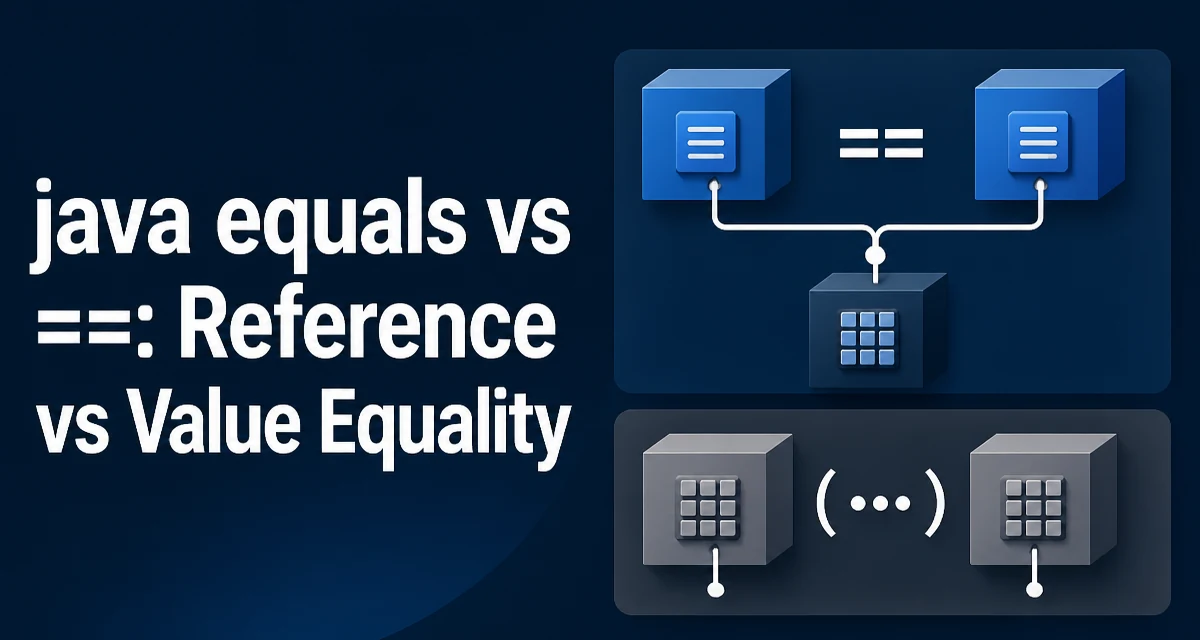
In Java, the difference between == and equals() is a common source of subtle bugs. The == operator compares references for objects, while equals() is intended to compare value content. This article explains java equals vs ==, when each is appropriate, and how to implement equals() correctly.
What the == Operator Actually Compares
For primitive types like int, char, or boolean, == compares the actual values. For object types, == compares the object references, not the content. Two distinct objects with identical fields are considered unequal by == because they point to different memory locations.
String a = new String("hello");
String b = new String("hello");
System.out.println(a == b); // false
Even though a and b contain the same characters, they are separate objects. The == operator returns false because the references differ. This behavior is exactly what == is designed for: checking whether two variables refer to the same instance.
What equals() Does by Default
The equals() method is defined in Object and, unless overridden, behaves exactly like ==. The default implementation checks reference equality, so obj1.equals(obj2) is equivalent to obj1 == obj2 for any class that does not override equals().
class Point {
    int x, y;
    Point(int x, int y) { this.x = x; this.y = y; }
}

Point p1 = new Point(1, 2);
Point p2 = new Point(1, 2);
System.out.println(p1.equals(p2)); // false, default Object.equals
To compare the logical content of objects, you must override equals() in your class. The Java standard library does this for many types, such as String, Integer, and BigDecimal. For your own classes, you need to define what "equal" means.
Overriding equals() for Value Semantics
When you override equals(), you replace reference comparison with a field-by-field comparison. The method must follow a strict contract defined in the Java documentation:
- Reflexive:
x.equals(x)must betrue. - Symmetric: if
x.equals(y)istrue, theny.equals(x)must betrue. - Transitive: if
x.equals(y)andy.equals(z)aretrue, thenx.equals(z)must betrue. - Consistent: repeated calls return the same result, assuming no fields change.
- Non-null:
x.equals(null)must returnfalse.
Here is a typical implementation:
public class Point {
    private final int x;
    private final int y;

    public Point(int x, int y) {
        this.x = x;
        this.y = y;
    }

    @Override
    public boolean equals(Object o) {
        if (this == o) return true;
        if (o == null || getClass() != o.getClass()) return false;
        Point point = (Point) o;
        return x == point.x && y == point.y;
    }

    @Override
    public int hashCode() {
        return 31 * x + y;
    }
}
The first check this == o is a performance shortcut for the common case where the same instance is compared. The getClass() check ensures that subclasses are not considered equal to the parent class, which is safer than using instanceof in most cases. The final comparison checks each relevant field.
The Critical Relationship Between equals() and hashCode()
If you override equals(), you must also override hashCode(). The contract states that equal objects must have equal hash codes. This is essential for collections that rely on hashing, such as HashMap, HashSet, and Hashtable.
Set<Point> set = new HashSet<>();
set.add(new Point(1, 2));
System.out.println(set.contains(new Point(1, 2))); // true only if hashCode is consistent
If you fail to override hashCode(), two equal Point instances may produce different hash codes, causing HashSet to place them in different buckets. The contains check then fails even though the objects are equal. A common implementation uses a prime number multiplier, as shown above, to distribute hash values.
Common Mistakes with == and equals()
String Comparison
The classic mistake is comparing strings with ==. Because of string interning, == sometimes returns true for literals, but not for strings created at runtime.
String s1 = "hello";
String s2 = "hello";
String s3 = new String("hello");
System.out.println(s1 == s2); // true, both refer to interned literal
System.out.println(s1 == s3); // false, s3 is a new object
System.out.println(s1.equals(s3)); // true, content matches
Always use equals() for string content comparison, unless you intentionally want to check reference identity.
Null Handling
Calling equals() on a null reference throws a NullPointerException. To avoid this, invoke equals() on a known non-null object or use Objects.equals() from java.util.
String a = null;
if (a.equals("x")) { // NPE
}
if ("x".equals(a)) { // safe, returns false
}
if (Objects.equals(a, "x")) { // safe, returns false
}
The Objects.equals() method handles nulls gracefully and is useful in library code.
Performance and Runtime Considerations
== is always faster than equals() because it is a single reference comparison with no method call overhead. For most applications, the difference is negligible, but in hot loops or high-frequency comparisons, it can matter. However, the real cost of equals() depends on the number of fields compared and the complexity of the objects.
When you override equals(), keep the implementation efficient. Check reference equality first, then class type, then the most likely differing fields. Avoid expensive operations like reflection or I/O inside equals(). Also, ensure that hashCode() is cheap because it is called frequently in hash-based collections.
For immutable objects, you can cache the hash code to avoid recomputing it. This is a common optimization for value objects.
When to Use == Instead of equals()
There are legitimate reasons to use == for objects:
- Enum comparison: Enums are singletons, so
==andequals()are equivalent. Many developers prefer==for its clarity and null safety. - Identity checks: If you need to verify that two references point to the exact same object,
==is correct. This is common in caching, identity maps, or when implementingequals()itself. - Performance-critical code: When you know that objects are interned or canonicalized,
==avoids method call overhead.
enum Color { RED, GREEN, BLUE }

Color c1 = Color.RED;
Color c2 = Color.RED;
System.out.println(c1 == c2); // true, enum constants are singletons
For most domain objects, however, equals() is the right choice because it reflects the logical equality that business logic depends on.
Equality in Collections and Streams
Collections like List, Set, and Map rely on equals() and hashCode() for operations such as contains(), remove(), and distinct(). If your objects do not implement these methods correctly, these operations will not behave as expected.
List<Point> points = Arrays.asList(new Point(1, 2), new Point(3, 4));
System.out.println(points.contains(new Point(1, 2))); // true if equals() is overridden
In Java streams, the distinct() operation uses equals() to filter duplicates. Without a proper override, distinct objects with the same content will not be collapsed.
Stream.of(new Point(1, 2), new Point(1, 2))
      .distinct()
      .count(); // 2 without equals(), 1 with equals()
This behavior extends to any library that uses equality, so a correct equals() is fundamental to consistent collection handling.
Maintaining Equality in Subclasses
The equals() contract becomes tricky when inheritance is involved. If a subclass adds fields, it must override equals() and hashCode() to include them. Using getClass() in the parent prevents a parent object from being equal to a subclass object, but it also breaks symmetry if the subclass calls super.equals() and the parent uses instanceof.
A common approach is to use getClass() in both classes to enforce strict type equality. This is safe but prevents comparing objects of different types that might logically be equal. An alternative is to use instanceof and allow subclasses to extend equality, but then the subclass must ensure symmetry by checking the other object's type. This is complex and error-prone.
For most applications, the simplest rule is: if a class is not designed for inheritance, make it final or use getClass() in equals(). If you need polymorphic equality, design the contract carefully and document it.
The choice between == and equals() is not just a syntax detail; it affects correctness, performance, and maintainability. Understanding the distinction and implementing equals() correctly ensures that your objects behave predictably in collections, streams, and everyday comparisons.