Java Exception vs Error: Key Differences and Handling
java exception vs error: Understand the difference between Java exceptions and errors, how they relate to Throwable, and when to handle each in production code.
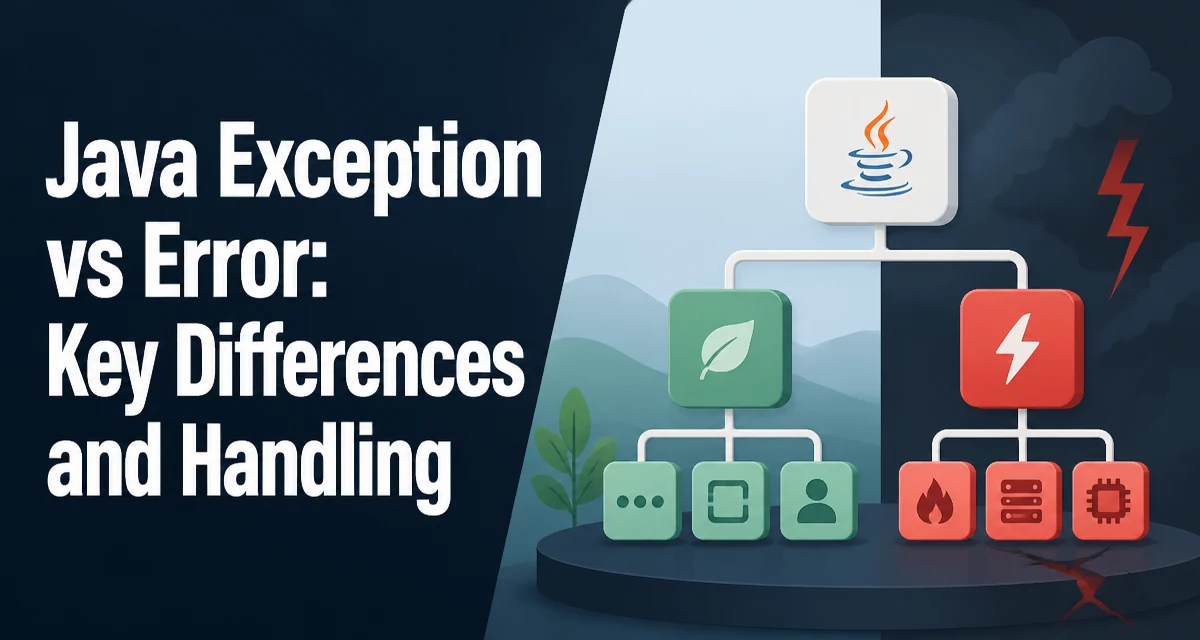
In Java, the terms exception and error both refer to subclasses of Throwable, but they represent fundamentally different failure conditions. The distinction between java exception vs error affects how you write catch blocks, how you design APIs, and how you monitor production systems. This article explains the hierarchy, the semantics of each branch, and the practical rules for handling them.
The Throwable Hierarchy and Where Exception and Error Fit
Every throwable object in Java is an instance of Throwable or one of its subclasses. The Throwable class has two direct subclasses: Exception and Error. This hierarchy is the foundation for all error-handling mechanisms in the language.
Exception is intended for conditions that a well-written application might want to catch and recover from. These include invalid input, missing resources, network timeouts, and other situations that can be anticipated and handled without stopping the entire program.
Error, on the other hand, signals serious problems that are usually outside the scope of normal application handling. Examples include OutOfMemoryError, StackOverflowError, and LinkageError. These indicate that the JVM or the runtime environment is in a state where recovery is either impossible or unsafe. The Java documentation explicitly states that Error subclasses are not meant to be caught by typical applications.
What Errors Represent in the JVM
Errors represent failures that originate from the JVM itself or its underlying resources. When the JVM runs out of memory, throws a StackOverflowError, or encounters a class-format problem, it creates an Error instance. These conditions are often fatal because the JVM cannot guarantee that the application state is consistent enough to continue execution.
For example, an OutOfMemoryError might occur when the heap is exhausted. Even if you catch it, the JVM may not have enough memory to allocate objects needed for cleanup or logging. Attempting to handle such an error can make the situation worse by consuming additional resources.
Catching Error is generally discouraged. The standard advice is to let Error propagate up the call stack and allow the JVM to terminate the thread or process. In some rare cases, specific errors like LinkageError might be caught for compatibility reasons, but this is an advanced pattern that requires deep understanding of the underlying failure.
What Exceptions Represent in Application Code
Exceptions represent conditions that can be anticipated and handled within the application's normal flow. They are part of the API contract. For instance, a method that reads a file might throw IOException if the file is missing. A method that parses a number might throw NumberFormatException if the input is invalid.
Exceptions are further divided into checked and unchecked. Checked exceptions (subclasses of Exception but not RuntimeException) must be declared in a method's throws clause or caught in a try-catch block. The compiler enforces this. Unchecked exceptions (subclasses of RuntimeException) do not have this requirement. They can be left unhandled, and the compiler will not complain.
This distinction is important when comparing exceptions to errors. Both RuntimeException and Error are unchecked, meaning the compiler does not force you to catch them. However, their intended use is completely different. RuntimeException often indicates a programming bug, such as an ArrayIndexOutOfBoundsException or a NullPointerException, while Error indicates a JVM-level failure.
Checked vs Unchecked Exceptions and Their Relationship to Errors
To understand the full picture, consider the complete hierarchy:
ThrowableExceptionRuntimeException(unchecked)- Other checked exceptions like
IOException,SQLException
Error(unchecked)
The compiler treats Error and RuntimeException the same way: neither is required to be caught. But the semantics differ. A RuntimeException is often a sign of a bug that should be fixed in code. An Error is a sign of a resource or environment problem that is not fixable by the application itself.
Here is a simple example showing a method that throws a checked exception and another that throws an unchecked exception:
public void readConfig(String path) throws IOException {
    // This method must declare or handle IOException
    FileInputStream in = new FileInputStream(path);
    // ...
}

public int parseCount(String input) {
    // NumberFormatException is unchecked, no declaration needed
    return Integer.parseInt(input);
}
The first method forces the caller to handle IOException. The second method does not force anything, but a caller that passes invalid input will get a NumberFormatException at runtime. Neither of these is an Error. Errors are not part of the API contract; they are unexpected failures from the runtime.
How the JVM Handles Errors vs Exceptions
Both errors and exceptions propagate up the call stack until they are caught or reach the top-level handler. When an exception is caught, the JVM resumes execution at the catch block. For an error, the JVM may not be in a state to resume safely. For example, a StackOverflowError often occurs because the call stack is exhausted. Even if you catch it, the stack depth is still near its limit, and any further method call may trigger the same error again.
Consider this code:
try {
    // some operation
} catch (Exception e) {
    // handle application-level failure
}
This catch block will not catch Error subclasses. To catch an error, you would need a separate catch (Error e) block, which is almost always a bad idea. The JVM does not differentiate between exceptions and errors during propagation; both unwind the stack. However, the runtime behavior after catching them can differ significantly. Catching an exception allows the program to continue with a known state. Catching an error often leaves the program in an unknown or corrupted state, making further execution unreliable.
Practical Guidance: When to Catch, When to Let It Propagate
The decision to catch a throwable should be based on whether you can meaningfully recover. For exceptions, recovery is often possible. For example, if a file is temporarily unavailable, you might retry or use a fallback. If a network call fails, you might return a cached response. These are legitimate uses of catch.
For errors, recovery is rarely possible. An OutOfMemoryError means the heap is full; catching it does not free memory. A StackOverflowError means the stack is exhausted; catching it does not unwind the recursion. In most cases, the best action is to let the error propagate and let the JVM terminate the thread or process. The operating system or a supervisor process can then restart the application.
There are exceptions to this rule, but they are rare and require careful thought. For instance, a library might catch a LinkageError to provide a more descriptive error message when a dependency is missing. However, this is an advanced pattern and should not be used casually. The general rule is: catch exceptions when you have a recovery strategy; do not catch errors unless you have a very specific reason and understand the consequences.
Operational Impact: Logging, Monitoring, and Recovery
In production, the distinction between exceptions and errors has a direct impact on observability and incident response. Exceptions are often part of normal operation; they can be logged, counted, and used to trigger retries or alerts. Errors, on the other hand, usually indicate a systemic problem that requires immediate attention, such as a memory leak, a missing class, or a corrupted JVM.
When logging, it is important to record the full stack trace for both exceptions and errors. However, the handling strategy differs. For exceptions, you might have a retry mechanism or a fallback path. For errors, you likely want to alert the operations team and possibly trigger an automatic restart. Monitoring systems should distinguish between the two so that a spike in OutOfMemoryError is treated as a critical incident, while a spike in IOException might be a transient network issue.
Also consider the impact of catching errors on your application's health. If you catch an OutOfMemoryError and continue, the JVM might be in a fragile state. Subsequent operations may fail unpredictably. This can make debugging harder and mask the root cause. Letting the error terminate the process gives you a clean restart and a clear signal that something fundamental is wrong.
In summary, the practical difference between exceptions and errors lies in their intended handling. Exceptions are recoverable conditions that you can plan for; errors are fatal conditions that you should let propagate. By respecting this distinction, you write more robust code and maintain clearer operational visibility.