Java Executors: Thread Pools and Task Lifecycles
java executors: How the Java Executor framework manages thread pools, task submission, shutdown, and error handling, plus guidance on choosing the right executor.
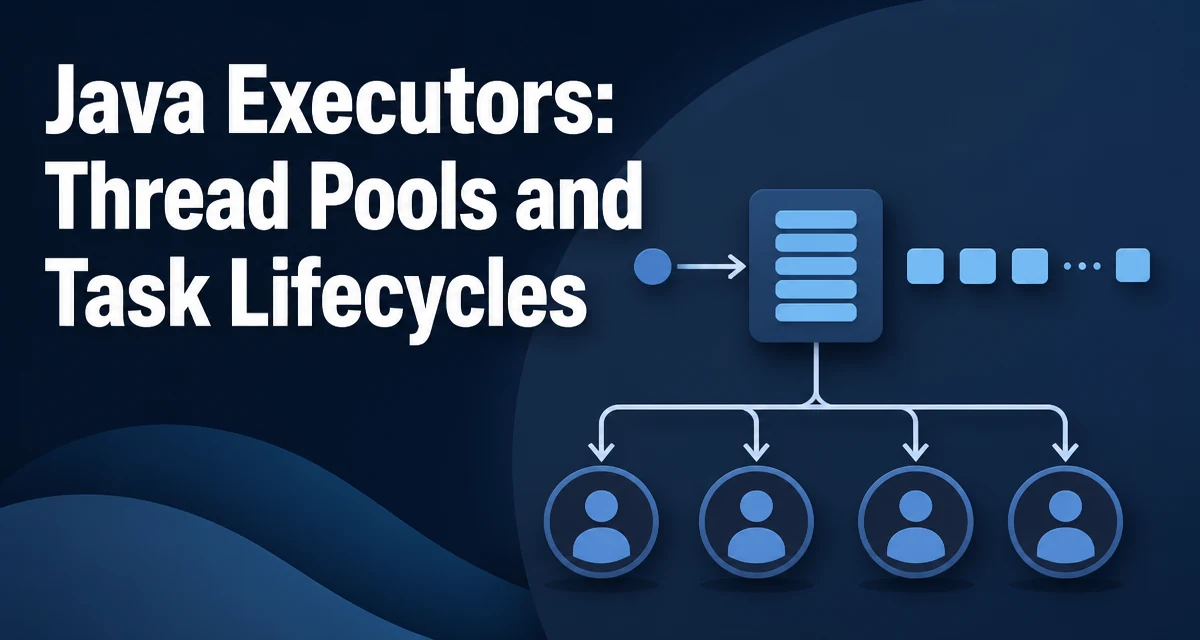
Why the Executor Framework Replaces Manual Thread Management
When you start a thread per task, you take responsibility for thread creation, reuse, and termination. Under load, that approach creates two problems: unbounded thread creation can exhaust memory, and there is no natural place to coordinate shutdown. The java executors framework solves both by letting you submit tasks to an executor that manages a pool of worker threads on your behalf.
The central abstraction is the Executor interface, which declares a single method:
public interface Executor {
    void execute(Runnable command);
}
That minimal contract hides the policy for how a task runs: on a pooled thread, on a fresh thread, or even on the calling thread. The implementation decides.
The Core Interfaces: Executor and ExecutorService
ExecutorService extends Executor and adds the operations that make the framework practical in real applications: submitting tasks that return results, shutting down the pool, and waiting for completion.
ExecutorService executor = Executors.newFixedThreadPool(4);
Future<Integer> result = executor.submit(() -> computeTotal());
executor.shutdown();
The two submission methods differ in an important way. execute(Runnable) returns nothing and is used for fire-and-forget work. submit(Callable<T>) returns a Future<T> that carries the result or the exception thrown during execution. submit(Runnable) also returns a Future whose get() returns null on success.
Creating Executors with the Executors Factory Class
The Executors class provides factory methods for common configurations. Each one configures a ThreadPoolExecutor or ScheduledThreadPoolExecutor internally.
| Factory method | Pool behavior | Best fit |
|---|---|---|
newFixedThreadPool(n) | Fixed number of threads, unbounded queue | Steady workload with known parallelism |
newCachedThreadPool() | Threads created on demand, idle threads removed after 60 seconds | Bursty workloads with short-lived tasks |
newSingleThreadExecutor() | One worker thread, tasks run sequentially | Serializing access to a shared resource |
newScheduledThreadPool(n) | Schedules tasks with delays or fixed rates | Periodic or delayed execution |
A fixed pool is the most predictable choice: it never creates more than the configured number of threads, and excess tasks wait in an unbounded queue. A cached pool is the opposite: it creates a new thread when none is idle, so it suits workloads where tasks are short and the concurrency level varies.
How ThreadPoolExecutor Actually Behaves
Understanding the factory methods requires knowing how ThreadPoolExecutor decides to create threads. The behavior depends on three values: core pool size, maximum pool size, and the work queue.
When a task is submitted:
- If fewer than
corePoolSizethreads are running, a new thread is created. - Otherwise, the task is placed in the work queue.
- If the queue is full and fewer than
maximumPoolSizethreads are running, a new thread is created. - If the queue is full and the maximum is reached, the rejection handler runs.
This ordering matters. A fixed pool with an unbounded queue never reaches step 3, so maximumPoolSize is effectively irrelevant for it. The queue absorbs the excess. A cached pool uses a SynchronousQueue that holds no tasks at all, so every submitted task immediately triggers thread creation up to the maximum.
The practical consequence: choosing a queue type changes what the pool size parameters mean. If you want a bounded pool that rejects work when saturated, you must pair it with a bounded queue.
Submitting Tasks and Reading Results
Callable<T> is the version of Runnable that returns a value:
Callable<Long> calculation = () -> {
    long total = 0;
    for (Order order : orders) {
        total += order.getTotal();
    }
    return total;
};

Future<Long> future = executor.submit(calculation);
long total = future.get();
Future.get() blocks until the task completes. If the task threw an exception, get() throws an ExecutionException whose cause is the original exception. That wrapping is easy to miss: catching ExecutionException and inspecting getCause() is the way to reach the actual failure.
invokeAll(Collection<Callable<T>>) submits a batch of tasks and returns a list of futures, all completed when the call returns. invokeAny(Collection<Callable<T>>) returns the result of the first task that completes successfully, canceling the rest.
Shutting Down an Executor Cleanly
An executor's threads are not daemon threads by default, so an application that does not shut down its executor will not terminate. The shutdown API has three parts:
executor.shutdown();
if (!executor.awaitTermination(30, TimeUnit.SECONDS)) {
    executor.shutdownNow();
}
shutdown() stops accepting new tasks and lets already-queued tasks finish. shutdownNow() interrupts running tasks and returns the list of tasks that were waiting in the queue. awaitTermination(timeout, unit) blocks until all tasks complete or the timeout elapses.
The pattern above is the standard graceful shutdown: give the pool a bounded time to drain, then force interruption. Without awaitTermination, you have no way to know whether the pool actually finished.
Handling Failures in Executor Tasks
Exceptions in Runnable tasks are not propagated to the caller, because execute() returns immediately. They are delivered to the thread's UncaughtExceptionHandler. The default handler prints the stack trace to System.err, which is often not what you want in production.
Callable tasks are different: the exception is stored in the Future and surfaced when you call get(). That makes Callable the better choice when the caller needs to react to failure.
A common mistake is submitting a Runnable that swallows exceptions:
executor.execute(() -> {
    try {
        riskyOperation();
    } catch (Exception e) {
        log.error("Task failed", e);
    }
});
That is acceptable when the task is genuinely fire-and-forget, but it hides failures from the code that submitted the work. If the outcome matters, use submit and check the Future.
Choosing the Right Executor for the Job
The factory methods cover common cases, but they do not cover everything. When you need a bounded queue, custom thread naming, or a specific rejection policy, construct a ThreadPoolExecutor directly:
ThreadPoolExecutor executor = new ThreadPoolExecutor(
    4,
    8,
    60, TimeUnit.SECONDS,
    new ArrayBlockingQueue<>(100),
    new NamedThreadFactory("order-worker"),
    new ThreadPoolExecutor.CallerRunsPolicy()
);
Use a fixed pool when the workload is steady and the concurrency level is known. Use a cached pool when tasks are short and arrive in bursts. Use a single-thread executor when ordering matters and you need to serialize access to a resource. Use a bounded queue with a direct ThreadPoolExecutor when you must protect the system from unbounded queue growth.
Thread pool sizing is workload-dependent. CPU-bound tasks benefit from a pool roughly the size of the available cores. I/O-bound tasks, which spend most of their time blocked, can use more threads because they are not competing for the CPU. The right number depends on the actual mix of work, so measure under realistic load rather than relying on a formula.
Production Considerations: Rejection Policies and Thread Factories
When a ThreadPoolExecutor is saturated, the rejection handler decides what happens. The default AbortPolicy throws RejectedExecutionException, which is often the correct behavior: it makes saturation visible. CallerRunsPolicy runs the rejected task on the submitting thread, which provides natural backpressure: the caller slows down because it is doing the work itself. DiscardPolicy and DiscardOldestPolicy silently drop tasks and are rarely appropriate.
A custom ThreadFactory is worth the small amount of code. Default threads are named pool-N-thread-M, which makes thread dumps hard to read. Naming threads by their purpose, and optionally marking them daemon, makes production debugging substantially easier:
ThreadFactory factory = r -> {
    Thread t = new Thread(r, "order-worker");
    t.setDaemon(true);
    return t;
};
The daemon flag matters for application shutdown. A non-daemon worker thread keeps the JVM alive even after main returns. If your executor is used for background work that should not block process exit, daemon threads are the safer choice; if the executor's work must complete before the process exits, you need an explicit shutdown sequence instead.