Java ExecutorService: Managing Thread Pools in Practice
java executorservice: Learn how to use Java ExecutorService to manage thread pools, submit tasks, handle results, and shut down cleanly in production code.
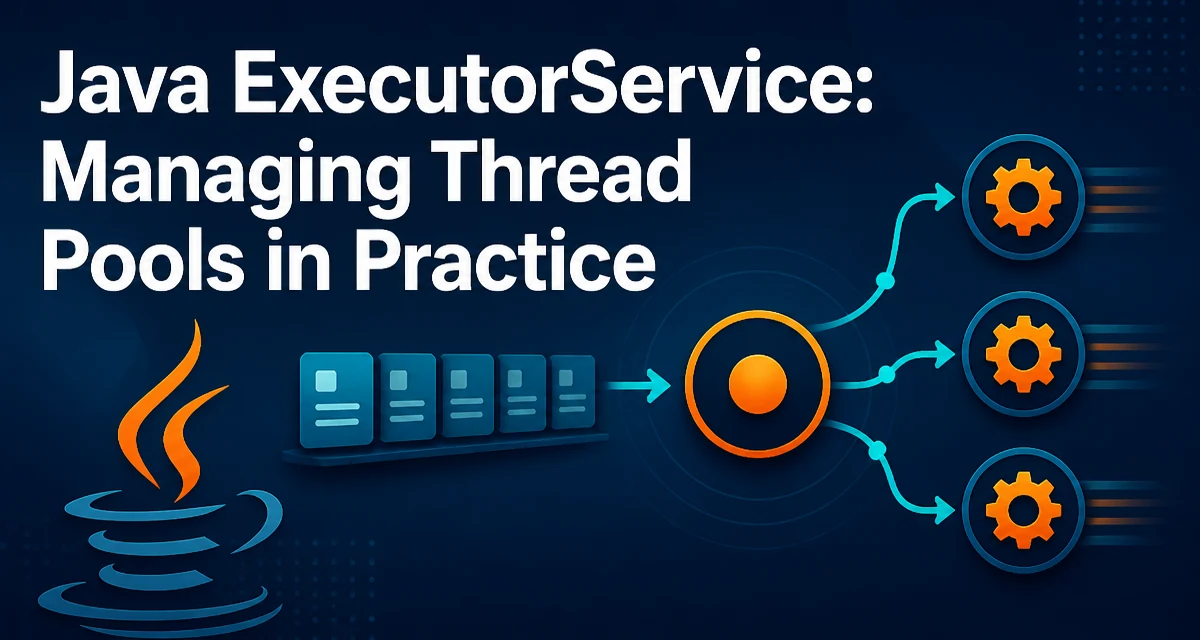
Java's ExecutorService is the standard abstraction for managing a pool of threads and submitting asynchronous tasks. It decouples task submission from the mechanics of thread creation, scheduling, and lifecycle management. Instead of spawning a new Thread for every operation, you hand work to an ExecutorService, which reuses a bounded set of worker threads and handles the queueing internally.
This article focuses on the practical decisions you make when using java executorservice: how to create the right kind of pool, submit tasks, collect results, and shut down cleanly. It also covers the failure modes that show up in production when the lifecycle is handled incorrectly.
Creating an ExecutorService
The Executors factory class provides several predefined pool types. The most common is a fixed thread pool:
ExecutorService executor = Executors.newFixedThreadPool(4);
This creates a pool with four worker threads. If all threads are busy, new tasks wait in an unbounded queue. A fixed pool is predictable: it never creates more threads than specified, and it keeps the same threads alive for the lifetime of the pool.
Another common variant is the cached thread pool:
ExecutorService executor = Executors.newCachedThreadPool();
A cached pool creates new threads as needed and reuses idle ones. Threads that remain idle for 60 seconds are terminated. This works well for short-lived or sporadic tasks, but it can create an unbounded number of threads under heavy load, which can exhaust system resources.
For a single worker, you can use newSingleThreadExecutor(), which guarantees that tasks execute sequentially. This is useful when you need to serialize access to a resource without writing explicit locking.
In all cases, the returned object is an ExecutorService, but the underlying implementation differs. The factory methods hide the concrete classes, so you should code against the interface.
Submitting Tasks and Getting Results
ExecutorService offers two primary methods for submitting tasks: execute(Runnable) and submit(Callable) or submit(Runnable). The execute method returns void and is meant for fire-and-forget tasks. The submit methods return a Future that you can use to retrieve a result or check for exceptions.
Future<Integer> future = executor.submit(() -> {
    return 42;
});

int result = future.get(); // blocks until the task completes
Future.get() throws checked exceptions: InterruptedException if the calling thread is interrupted, and ExecutionException if the task itself threw an exception. The original exception is wrapped in ExecutionException, so you need to unwrap it to see the root cause.
try {
    int result = future.get();
} catch (InterruptedException e) {
    Thread.currentThread().interrupt(); // restore interrupt status
} catch (ExecutionException e) {
    Throwable cause = e.getCause();
    // handle the actual failure
}
If you submit a Runnable, the Future returns null upon completion. You can still use the Future to wait for completion or to cancel the task.
Shutting Down an ExecutorService
An ExecutorService holds non-daemon threads by default. If you do not shut it down, the JVM will not exit. The shutdown process has two stages: shutdown() and awaitTermination().
executor.shutdown(); // stop accepting new tasks, let queued tasks finish
try {
    if (!executor.awaitTermination(30, TimeUnit.SECONDS)) {
        executor.shutdownNow(); // force shutdown of running tasks
    }
} catch (InterruptedException e) {
    executor.shutdownNow();
    Thread.currentThread().interrupt();
}
shutdown() allows already submitted tasks to complete, but rejects new submissions. shutdownNow() attempts to stop running tasks by interrupting them and returns the list of tasks that never started. The awaitTermination method blocks until all tasks finish or the timeout expires.
A common mistake is to forget to shut down the pool, especially in long-running applications or tests. This can cause thread leaks and prevent the JVM from terminating. Always shut down the executor in a finally block or use try-with-resources if you are using Java 19's AutoCloseable implementation.
Choosing the Right Thread Pool Type
The choice between fixed, cached, and single-thread pools depends on the workload characteristics. A fixed pool is appropriate when the number of concurrent tasks is known and you want to bound resource usage. A cached pool is better for many short-lived tasks that arrive sporadically, but you must be prepared for the possibility of unbounded thread creation.
For I/O-bound tasks, the optimal pool size is often larger than for CPU-bound tasks, because threads spend most of their time waiting. A common heuristic is N * (1 + W/C) where N is the number of CPU cores, W is wait time, and C is compute time. But in practice, you should measure and tune.
If you need a custom pool, you can construct a ThreadPoolExecutor directly. This gives you control over the core pool size, maximum pool size, keep-alive time, and the queue type. For example, to use a bounded queue and a rejection policy:
ExecutorService executor = new ThreadPoolExecutor(
    2, // core threads
    8, // max threads
    60, TimeUnit.SECONDS, // keep-alive
    new ArrayBlockingQueue<>(100), // bounded queue
    new ThreadPoolExecutor.CallerRunsPolicy() // rejection policy
);
The CallerRunsPolicy runs the rejected task in the calling thread, which provides natural backpressure. Other policies include AbortPolicy (throws RejectedExecutionException) and DiscardPolicy (silently drops the task).
Handling Exceptions in ExecutorService Tasks
Exceptions thrown by a Runnable task are not automatically propagated to the caller. They are captured by the executor and printed to the standard error stream if you use execute(). With submit(), the exception is stored in the Future and only surfaces when you call get().
This subtle difference can lead to silent failures. If you submit a task and never call get(), you will never know that it failed. For critical tasks, always attach a Future and check its outcome, or wrap the task body in a try-catch and handle errors explicitly.
Another option is to override the afterExecute hook in a custom ThreadPoolExecutor to log exceptions. This gives you a central place to observe failures without modifying every task.
Production Considerations for Thread Pools
In production, the biggest risks are thread exhaustion, memory pressure from unbounded queues, and improper shutdown during application restarts.
An unbounded queue, as used by newFixedThreadPool, can grow without limit if tasks are produced faster than they are consumed. This can lead to OutOfMemoryError. Use a bounded queue and a rejection policy that matches your application's needs.
Thread pool sizing is not a one-time decision. Monitor the pool's active count, queue size, and task rejection rate. Tools like JConsole or Micrometer can expose these metrics if you configure the executor with a ThreadFactory that names threads, making them easier to identify in thread dumps.
Finally, consider the lifecycle of the executor relative to your application. For a web application, you might create an executor at startup and shut it down during graceful shutdown. For a batch job, you might use a single executor for the whole run and shut it down at the end. The key is to always have a deterministic shutdown path that interrupts running tasks and waits for them to finish.
When to Use ExecutorService vs Other Concurrency Abstractions
ExecutorService is not the only concurrency tool in Java. For a single asynchronous operation, CompletableFuture provides a more fluent API and allows chaining. For parallel streams, the common fork-join pool is used automatically. However, ExecutorService gives you explicit control over the pool size and lifecycle, which is essential when you need to isolate workloads or bound resource usage.
Use ExecutorService when you have a stream of independent tasks that can run concurrently and you need to manage the thread pool explicitly. If you only need to run one background task, a CompletableFuture with a custom executor may be simpler. For parallel processing of a collection, consider parallelStream() but be aware it uses a shared pool unless you provide a custom one.
The decision ultimately comes down to how much control you need over thread management. ExecutorService is the most direct and flexible option for building a custom thread pool in Java.