Java HashMap put: Behavior, Return Value, and Performance
java hashmap put: Understand how HashMap.put works: return value, null handling, collisions, resizing, and performance tradeoffs in Java.
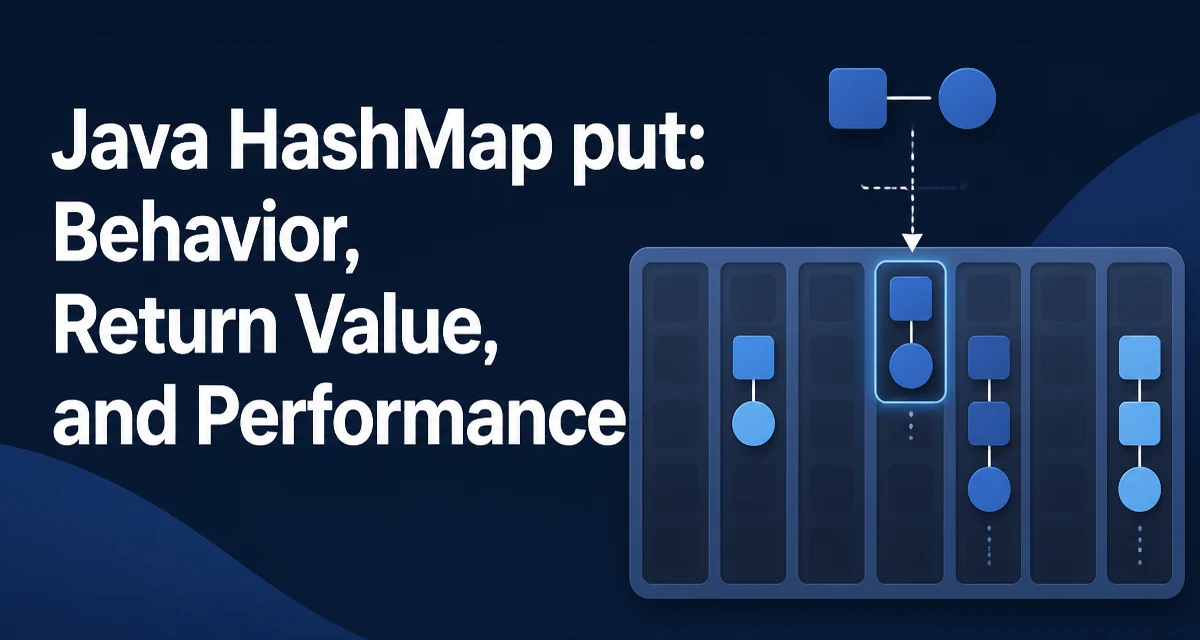
When you call java hashmap put on a HashMap, you are inserting a key-value pair into a hash-based map. The method returns the previous value associated with the key, or null if there was no mapping. That return value is easy to overlook, but it matters when you are tracking changes or implementing a cache with overwrite semantics.
Map<String, Integer> counts = new HashMap<>();
Integer previous = counts.put("apple", 3);
System.out.println(previous); // null

previous = counts.put("apple", 5);
System.out.println(previous); // 3
The first call returns null because the key was absent. The second returns 3 because that was the value before replacement. If the key is present and the new value is also null, the method still returns the old value, not the new null. This distinction is important when you use the return value to decide whether an entry existed.
What put Returns and Why It Matters
The contract for put is straightforward: it returns the value that was previously associated with the key, or null if there was none. However, null is also a valid value in a HashMap, so a null return does not always mean the key was absent. If you need to know whether the key existed before the call, use containsKey before put, or use putIfAbsent when you want to insert only if the key is missing.
Map<String, String> settings = new HashMap<>();
settings.put("theme", null);
String old = settings.put("theme", "dark");
System.out.println(old); // null, but the key existed
In this example, old is null even though the key was present. This behavior is consistent with the Map interface, but it often surprises developers who assume null means "not there."
How put Handles Null Keys and Null Values
HashMap allows one null key and any number of null values. The null key is stored in a special bucket, and put handles it without invoking the hash function. When you call put(null, value), the map stores the entry in a dedicated location, and later get(null) retrieves it. This is not the case in Hashtable or ConcurrentHashMap, which do not permit null keys.
Map<String, String> map = new HashMap<>();
map.put(null, "value");
System.out.println(map.get(null)); // "value"
Null values are treated like any other value. They can be stored, replaced, and removed normally. The only complication is the ambiguity of the return value, as described above.
Collision Handling and the Hash Function
When you insert a key, HashMap computes a hash based on the key's hashCode() method. The hash is then used to determine the bucket index. If two keys produce the same bucket index, a collision occurs. In modern Java (since 8), a bucket that holds many entries is converted from a linked list to a balanced tree once a threshold is crossed. This keeps lookup and insertion at O(log n) for pathological cases instead of O(n).
For the put operation, the map must compare keys using equals() to determine whether an existing key matches. If you use a mutable object as a key and change its fields after insertion, the hash may change, and the map will not be able to locate the entry later. This is a common source of bugs with HashMap.
class MutableKey {
    int id;
    MutableKey(int id) { this.id = id; }
    @Override public int hashCode() { return id; }
    @Override public boolean equals(Object o) { ... }
}

Map<MutableKey, String> map = new HashMap<>();
MutableKey key = new MutableKey(1);
map.put(key, "one");
key.id = 2; // hash changes, entry is lost
Avoid mutable keys. If you must use them, never modify the fields that participate in hashCode() or equals() after insertion.
Resizing and Load Factor
HashMap starts with a default initial capacity of 16 and a load factor of 0.75. When the number of entries exceeds capacity * loadFactor, the map resizes to roughly double its size and rehashes all existing entries. This is a costly operation, so if you know the approximate number of entries in advance, construct the map with a suitable initial capacity to avoid repeated resizing.
Map<String, Integer> map = new HashMap<>(1000); // initial capacity
Choosing an initial capacity that is too small causes frequent resizing during bulk insertion. Choosing one that is too large wastes memory. The load factor is a tradeoff between space and time: a lower load factor reduces collisions but uses more memory, while a higher one saves memory but increases collision probability.
Performance Considerations and When to Use HashMap
put and get have an average time complexity of O(1), but this depends on the quality of the hash function and the distribution of keys. A poor hashCode() that returns the same value for many keys will degrade performance to O(n) in the worst case. For typical string or integer keys, the default hash is well distributed.
If you need ordered iteration, use LinkedHashMap or TreeMap instead. HashMap does not guarantee any order. If you need thread safety, HashMap is not safe for concurrent access. Use ConcurrentHashMap or synchronize externally.
Concurrency and Thread Safety
HashMap is not thread-safe. If multiple threads modify the map concurrently without external synchronization, the internal structure can be corrupted, leading to infinite loops or lost entries. In Java 8 and later, the worst-case infinite loop during resize was addressed, but the map still does not provide atomicity or visibility guarantees.
For concurrent use, ConcurrentHashMap is the standard choice. It allows concurrent reads and writes with better scalability than synchronizing the entire map. Note that ConcurrentHashMap does not allow null keys or null values, so code that relies on HashMap's null support may need adjustment.
Map<String, Integer> concurrent = new ConcurrentHashMap<>();
concurrent.put("key", 1); // fine
// concurrent.put(null, 1); // throws NullPointerException
Common Mistakes with put and How to Avoid Them
One frequent mistake is ignoring the return value when it is needed. Another is using put to update a value when you want to add only if absent; putIfAbsent is clearer and atomic. Also, be careful with compute and merge if you need to update based on the current value, as they handle null values differently.
map.merge("count", 1, Integer::sum); // increments or sets to 1
merge is especially useful for counting or accumulating values. It avoids the read-modify-write race condition in single-threaded code and works well with ConcurrentHashMap for atomic updates.
When to Use a Different Map Implementation
HashMap is the default choice for most key-value storage needs, but it is not always the best fit. If you need to preserve insertion order, use LinkedHashMap. If you need keys sorted by natural order or a custom comparator, use TreeMap. If you need thread safety, use ConcurrentHashMap. If you need a map that does not allow null keys or values, Hashtable or ConcurrentHashMap are alternatives, though Hashtable is considered legacy.
The decision comes down to the specific requirements of your application. For a general-purpose map with fast lookup and no ordering guarantees, HashMap is the right starting point. Understanding how put behaves under the hood—return values, null handling, collisions, resizing, and thread safety—helps you use it correctly and avoid subtle bugs.