Java Integer Range: Limits and Overflow
java integer range: Understand the exact range of Java int, how overflow behaves, and how to handle large integer values safely in real code.
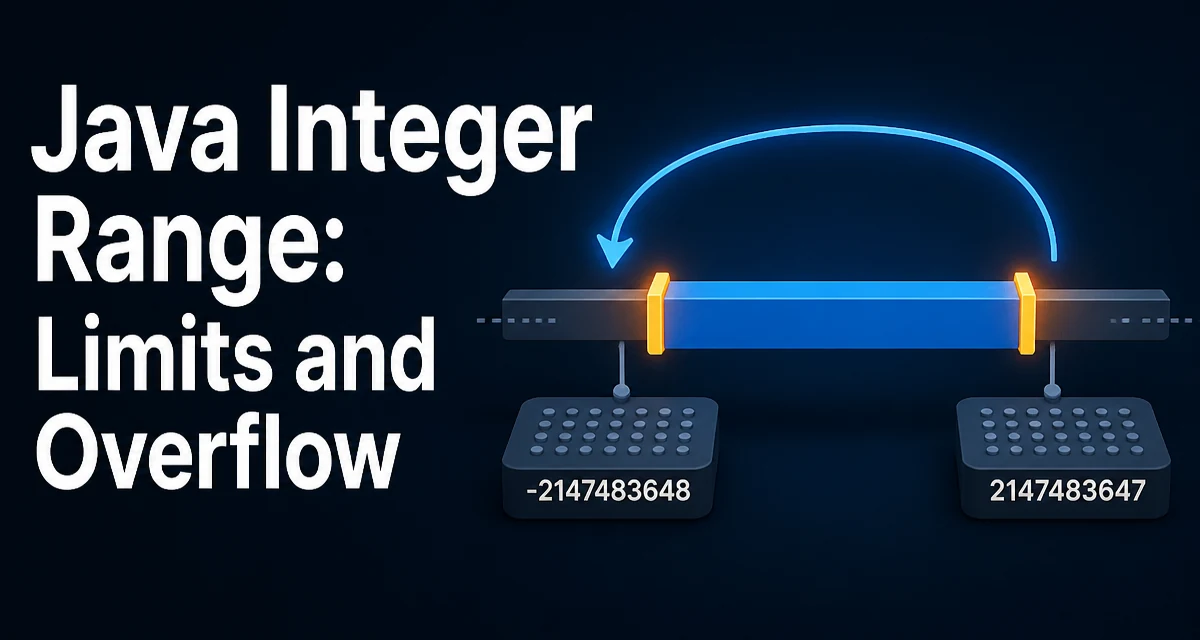
java integer range requires a clear understanding of the core syntax, runtime behavior, and practical implementation patterns demonstrated in the examples below.
The Java int type has a fixed range from -2,147,483,648 to 2,147,483,647. That range comes from the 32-bit two's complement representation used by the JVM. When a calculation produces a value outside this range, the result silently wraps around, which is a common source of subtle bugs. Knowing the exact boundaries and how overflow behaves is essential for writing reliable arithmetic code in Java.
The Exact Range of Java int
The int type is a 32-bit signed integer. Its minimum value is Integer.MIN_VALUE, which equals -2,147,483,648, and its maximum value is Integer.MAX_VALUE, which equals 2,147,483,647. These constants are defined in the Integer class and are the safest way to reference the boundaries in your code.
int min = Integer.MIN_VALUE; // -2147483648
int max = Integer.MAX_VALUE; // 2147483647
The range is symmetric except for one detail: the negative side has one more value than the positive side. That asymmetry exists because two's complement represents zero as all bits zero, leaving an extra negative value.
Why the Range Is Fixed
The range is not arbitrary; it is a direct consequence of using 32 bits. With 32 bits, there are 2^32 possible bit patterns. Half of those patterns represent non-negative numbers (0 to 2^31 - 1) and the other half represent negative numbers (-2^31 to -1). The JVM specification mandates this representation for all int operations, so the range is identical across every Java platform and version.
This fixed range affects how you design APIs and data structures. If you need to store values larger than Integer.MAX_VALUE, you must choose a different type before the value is assigned to an int variable, not after.
Integer Overflow and Underflow Behavior
When an arithmetic operation produces a result outside the int range, Java does not throw an exception. Instead, it performs two's complement wrapping. For example, adding 1 to Integer.MAX_VALUE produces Integer.MIN_VALUE.
int max = Integer.MAX_VALUE;
int overflowed = max + 1; // -2147483648
Similarly, subtracting 1 from Integer.MIN_VALUE wraps to Integer.MAX_VALUE.
int min = Integer.MIN_VALUE;
int underflowed = min - 1; // 2147483647
This behavior is defined by the Java Language Specification. It is not a bug in the JVM; it is the intended result for int arithmetic. The problem is that most developers do not expect silent wrapping, so it often leads to logic errors that are hard to trace.
Detecting and Preventing Overflow
Java 8 introduced Math.addExact, Math.subtractExact, and Math.multiplyExact. These methods throw an ArithmeticException when the result overflows, making it easier to detect the problem at runtime.
int a = Integer.MAX_VALUE;
try {
    int result = Math.addExact(a, 1);
} catch (ArithmeticException e) {
    // Handle the overflow explicitly
}
For code that runs on Java 7 or earlier, you need to check the boundaries manually. For addition, you can verify that the result will fit before performing the operation.
if (b > 0 && a > Integer.MAX_VALUE - b) {
    // overflow
}
Manual checks are error-prone, so prefer the Exact methods when you control the Java version. For performance-critical paths, you might avoid the exception overhead by using the manual checks, but only after profiling shows that overflow is a real concern.
Using long and BigInteger When int Is Not Enough
The simplest way to avoid int overflow is to use long for intermediate calculations. A long has 64 bits, giving a range from -9,223,372,036,854,775,808 to 9,223,372,036,854,775,807. That is large enough for most practical arithmetic.
int a = 2_000_000_000;
int b = 2_000_000_000;
long sum = (long) a + b; // 4000000000
Casting one operand to long forces the addition to be performed in 64-bit space, avoiding the overflow that would occur with int operands.
When you need arbitrarily large integers, use java.math.BigInteger. It can represent any integer that fits in memory, but it is significantly slower than primitive arithmetic. Use it only when the value range is genuinely unbounded, such as in cryptographic or scientific calculations.
Performance and Memory Considerations
int arithmetic is the fastest primitive arithmetic in Java because it maps directly to the CPU's native 32-bit operations. Using long doubles the memory footprint per value and may slightly reduce performance on some architectures, though modern CPUs handle 64-bit operations efficiently.
BigInteger allocates a new object for every operation, so it is orders of magnitude slower and creates garbage. In tight loops, avoid BigInteger unless the correctness requirement forces it.
When you need to store many integer values, consider the memory impact. An int[] uses 4 bytes per element, while a long[] uses 8 bytes. If your data fits within the int range, sticking with int reduces memory usage and improves cache locality.
Common Mistakes with Integer Limits
A frequent mistake is using Integer.MAX_VALUE as a sentinel for "infinity" or "uninitialized" without considering that legitimate values might equal it. Another is assuming that Math.abs(Integer.MIN_VALUE) returns a positive value; it actually returns Integer.MIN_VALUE because the positive counterpart does not exist.
int min = Integer.MIN_VALUE;
int abs = Math.abs(min); // still -2147483648
This asymmetry can break algorithms that rely on absolute values, such as sorting or distance calculations. Always check for Integer.MIN_VALUE before calling Math.abs if you expect a positive result.
Another common issue is parsing user input into int without checking the range. Integer.parseInt throws NumberFormatException for values outside the range, but only if you catch it. In high-throughput applications, catching exceptions is expensive, so validate the input length or use a long intermediate before converting.
Working with Unsigned Values
Java 8 added Integer.toUnsignedString and Integer.parseUnsignedInt to treat int as an unsigned 32-bit value. This allows you to represent values from 0 to 4,294,967,295 using the same 32 bits. The arithmetic operations still use two's complement, but the conversion methods let you interpret the bits as unsigned.
int unsigned = Integer.parseUnsignedInt("4294967295");
String s = Integer.toUnsignedString(unsigned); // "4294967295"
This is useful when working with binary protocols or hashes that naturally produce unsigned 32-bit values. However, you must be consistent: mixing signed and unsigned interpretations in the same codebase leads to confusion. Reserve unsigned operations for narrow, well-documented boundaries.
Choosing the Right Integer Type
The decision between int, long, and BigInteger depends on the value range and performance requirements. Use int when the values are guaranteed to fit within the 32-bit range and performance matters. Use long when values may exceed int range but still fit in 64 bits. Use BigInteger only when the range is truly unbounded or when you need exact arithmetic on arbitrarily large numbers.
For APIs that accept integer inputs, consider whether the caller might pass values outside the int range. If so, design the method to take a long or BigInteger from the start. Changing a parameter type later is a breaking change, so it is worth thinking about the range during the initial design.
A practical approach is to use long for all intermediate calculations in code that deals with potentially large values, then cast back to int only after you have verified the result fits. This keeps the arithmetic safe without forcing BigInteger overhead on the common path.