Java Multidimensional Array: Arrays of Arrays
java multidimensional array: Learn how to declare, initialize, and work with multidimensional arrays in Java, including jagged arrays and performance considerations.
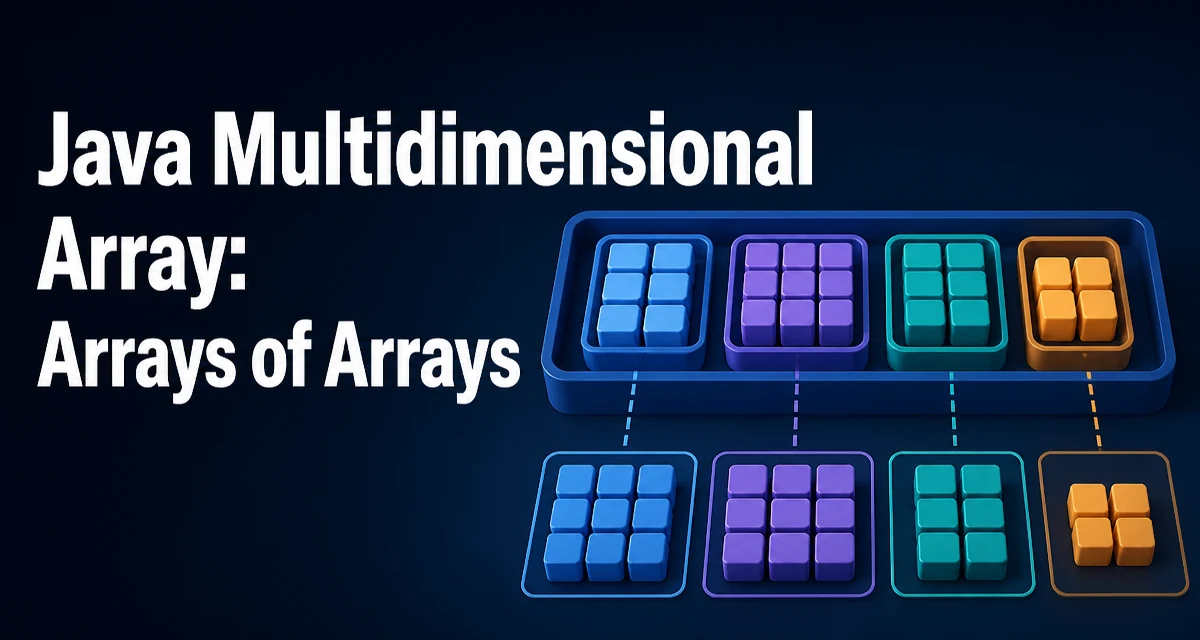
java multidimensional array requires a clear understanding of the core syntax, runtime behavior, and practical implementation patterns demonstrated in the examples below.
In Java, a multidimensional array is not a distinct type; it is an array of arrays. This design affects how you declare, initialize, and traverse these structures. Understanding this underlying representation is essential for writing correct and efficient code.
How Java Represents Multidimensional Arrays
When you write int[][], Java interprets it as an array of references to int[] objects. The outer array holds references, and each inner array is a separate object on the heap. This is different from languages like C, where a 2D array is a contiguous block of memory. The Java approach allows each inner array to have a different length, giving rise to jagged arrays, but it also introduces extra indirection and object overhead.
Declaring and Initializing a 2D Array
You can declare a 2D array and allocate all dimensions at once:
int[][] matrix = new int[3][4];
This creates an outer array of length 3, and each element is initialized to an int[] of length 4, filled with default values (0 for int). Alternatively, you can use an array initializer to specify values directly:
int[][] matrix = {
    {1, 2, 3},
    {4, 5, 6},
    {7, 8, 9}
};
Note that the inner arrays are still separate objects. The initializer syntax is syntactic sugar for creating each inner array explicitly.
Accessing Elements and Iterating
Access an element using two indices: matrix[row][col]. To iterate over all elements, use nested loops:
for (int i = 0; i < matrix.length; i++) {
    for (int j = 0; j < matrix[i].length; j++) {
        System.out.print(matrix[i][j] + " ");
    }
    System.out.println();
}
The outer loop iterates over rows, and the inner loop iterates over columns. Because each row is an array, matrix[i].length gives the number of columns in that row. This is essential when working with jagged arrays where row lengths vary.
Jagged Arrays: Varying Inner Lengths
A jagged array is a multidimensional array where inner arrays have different lengths. To create one, allocate the outer array first, then initialize each inner array individually:
int[][] jagged = new int[3][];
jagged[0] = new int[2];
jagged[1] = new int[4];
jagged[2] = new int[1];
This is useful when the data naturally has a triangular or irregular shape, such as storing rows of varying lengths in a text-processing application. When iterating, always use matrix[i].length rather than assuming a fixed column count.
Copying and Comparing Multidimensional Arrays
Copying a multidimensional array requires care. The clone() method on an array performs a shallow copy: it copies the outer array but leaves the inner array references pointing to the same objects. For example:
int[][] original = {{1, 2}, {3, 4}};
int[][] shallow = original.clone();
shallow[0][0] = 99; // modifies original[0][0] too
To create a deep copy, you must copy each inner array explicitly:
int[][] deep = new int[original.length][];
for (int i = 0; i < original.length; i++) {
    deep[i] = original[i].clone();
}
Similarly, Arrays.equals() on multidimensional arrays performs a shallow comparison; it checks whether the inner array references are equal, not their contents. Use Arrays.deepEquals() for deep content comparison.
Performance and Memory Considerations
Because each inner array is a separate object, a Java multidimensional array has higher memory overhead than a single contiguous block. Every inner array has its own object header and length field. Accessing an element requires two dereferences: first to the inner array reference, then to the element. This indirection can hurt cache locality, especially when iterating row by row, because each row may be allocated in a different location on the heap.
For large, fixed-size matrices, consider using a flat 1D array and computing indices manually:
int[] flat = new int[rows * cols];
int value = flat[row * cols + col];
This reduces allocation overhead and improves cache behavior, but it sacrifices the readability of two-dimensional indexing. The choice depends on your performance requirements and the size of the data.
Common Pitfalls with Multidimensional Arrays
One frequent mistake is assuming all inner arrays are initialized. In a jagged array, an inner array can be null if you allocate the outer array but never initialize a row. Accessing jagged[1][0] when jagged[1] is null throws a NullPointerException. Always ensure each inner array is allocated before use.
Another pitfall is relying on array.length for the number of columns in a non-jagged array. For a rectangular array created with new int[3][4], every row has length 4, but if you later assign a different array to a row, the row length can change. Always use matrix[i].length in loops to stay safe.
Finally, be aware that Arrays.toString() on a multidimensional array prints the object references, not the contents. Use Arrays.deepToString() to get a readable representation of the full structure.