java new string: Literal vs new String()
java new string: Understand the difference between string literals and new String() in Java, including memory behavior, interning, and when to use each approach.
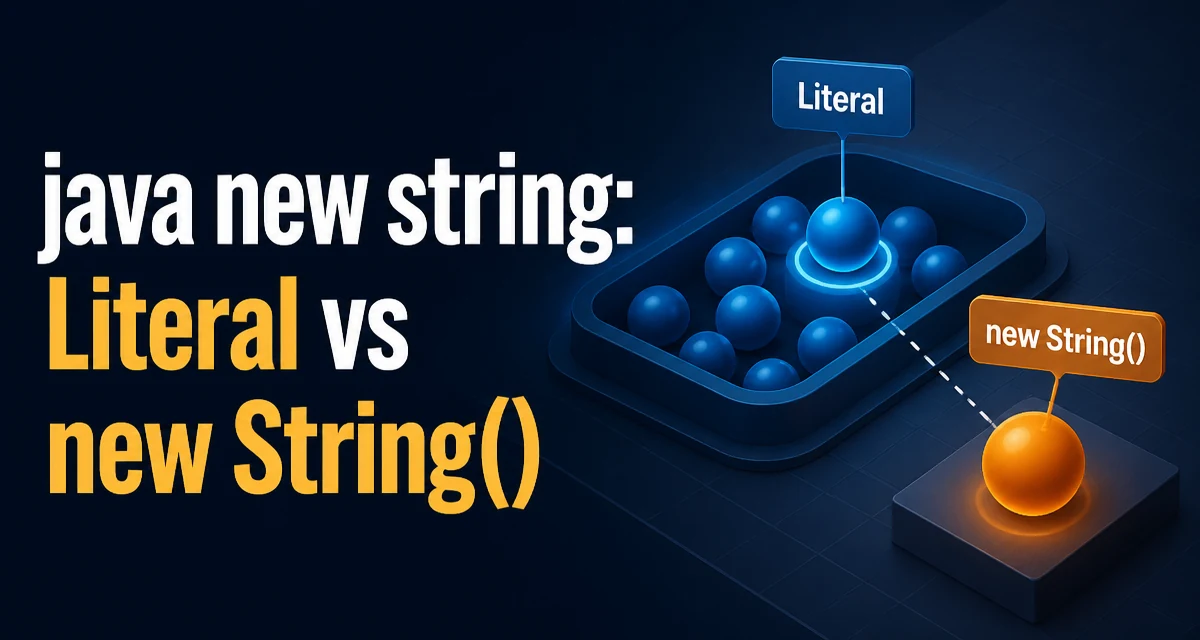
java new string requires a clear understanding of the core syntax, runtime behavior, and practical implementation patterns demonstrated in the examples below.
Java's new String() constructor is often misunderstood. Many developers assume it is the standard way to create a string, but in practice it is rarely necessary and can introduce avoidable memory overhead. The key question is not how to create a string, but when to use new String() versus a literal or another factory method.
The Difference Between a Literal and new String()
A string literal is a sequence of characters enclosed in double quotes, such as "hello". When the Java compiler encounters a literal, it places the string in the string constant pool, a special area of the heap. The JVM ensures that identical literals are reused, so two assignments of the same literal point to the same object.
String a = "hello";
String b = "hello";
System.out.println(a == b); // true
The new String("hello") constructor, on the other hand, always creates a new String object at runtime, even if the argument is a literal. This new object is not automatically added to the pool, and it occupies separate memory.
String c = new String("hello");
String d = new String("hello");
System.out.println(c == d); // false
System.out.println(c.equals(d)); // true
Here, c and d are distinct objects with identical content. The == operator compares references, not values, so it returns false. The equals method compares the underlying character sequence, so it returns true. This distinction is the root of many subtle bugs when developers rely on reference equality.
How String Interning Affects Literals
The JVM maintains a string constant pool that contains interned strings. When you use a literal, the JVM checks the pool first. If an equal string already exists, the literal resolves to that existing object. This process is called interning. The String.intern() method explicitly adds a string to the pool, but calling it on a new String() object can cause it to share the pool entry.
String e = new String("hello").intern();
String f = "hello";
System.out.println(e == f); // true
Interning has a cost: the pool is a hash structure, and adding entries requires computation. Overusing intern() can degrade performance and increase memory pressure if the pool grows large. In most applications, relying on literal interning is sufficient, and explicit calls to intern() are rarely needed.
Memory and Allocation Costs of new String()
Every call to new String() allocates a new object on the heap, even if the content is identical to an existing string. In a loop that creates thousands of strings, this can lead to excessive garbage collection and higher memory consumption.
for (int i = 0; i < 1000; i++) {
    String s = new String("data"); // 1000 distinct objects
}
Using a literal inside the loop would reuse the same interned object, avoiding allocation entirely. The difference is especially pronounced in long-running applications where object churn affects throughput and latency.
The String class is immutable, so once created, its value cannot change. This immutability enables safe sharing of interned literals across threads. A new String() object offers no additional safety; it simply wastes memory when the same value already exists in the pool.
When new String() Is Justified
There are a few scenarios where new String() is appropriate. One is when you need to create a String from a character array and want to avoid retaining the array reference. The String(char[]) constructor copies the array elements, so the original array can be modified or garbage collected without affecting the string.
char[] chars = {'j', 'a', 'v', 'a'};
String s = new String(chars);
chars[0] = 'x'; // s remains "java"
Another case is decoding bytes with a specific charset. The String(byte[], Charset) constructor is the standard way to convert raw bytes into a string, and it is not redundant because the input is not a string literal.
byte[] bytes = ...;
String decoded = new String(bytes, StandardCharsets.UTF_8);
In older Java versions (before Java 7), substring() shared the underlying character array with the original string, which could cause memory leaks. Developers used new String(substring) to trim the backing array. Since Java 7, substring() copies the characters, so this workaround is no longer necessary.
Common Misconceptions and Pitfalls
A frequent mistake is using new String() to "reset" a string or to create a mutable copy. Strings are immutable, so no constructor changes that. Another misconception is that new String() is required for equality checks. The equals() method works correctly on literals and constructed strings alike.
String g = "hello";
String h = new String("hello");
System.out.println(g.equals(h)); // true
Some developers also believe that new String() is faster than literals because it bypasses pool lookup. In reality, the pool lookup is a simple hash lookup, and the allocation of a new object is far more expensive. The JVM may even optimize away redundant new String() calls in some cases, but relying on that is risky.
A related pitfall is using == to compare strings that were constructed at runtime. Even if two strings have the same content, reference equality will fail unless both are interned. Always use equals() for value comparison.
Performance Considerations in Hot Paths
In performance-sensitive code, minimizing object allocation is crucial. Creating new String() objects inside loops, request handlers, or data-processing pipelines increases GC pressure. The JVM's escape analysis can sometimes eliminate allocations, but it is not guaranteed for all code paths.
Consider a method that builds a string from parts:
String result = "";
for (String part : parts) {
    result += part; // creates many intermediate strings
}
This concatenation compiles to StringBuilder operations, but each iteration still creates a new String object. Using StringBuilder directly avoids the intermediate objects and is the recommended approach for dynamic concatenation.
StringBuilder sb = new StringBuilder();
for (String part : parts) {
    sb.append(part);
}
String result = sb.toString();
Similarly, using new String() in a hot path is almost always a mistake. If you need a copy of a string, consider whether the copy is truly necessary. The immutability of strings means that sharing references is safe and often preferable.
Alternatives: StringBuilder and String.valueOf()
For most string-creation needs, Java provides better tools than new String(). String.valueOf() converts primitives and objects to strings without creating unnecessary copies. For example, String.valueOf(42) returns the string "42" and does not allocate a new object if the value is already interned.
int number = 42;
String s = String.valueOf(number); // "42"
When building strings from multiple parts, StringBuilder is the standard choice. It maintains a mutable buffer and avoids the overhead of creating intermediate strings. The toString() method at the end produces a single immutable String object.
StringBuilder sb = new StringBuilder();
sb.append("User: ");
sb.append(userId);
sb.append(", role: ");
sb.append(role);
String logLine = sb.toString();
In Java 8 and later, String.join() offers a concise way to join a collection of strings with a delimiter. It internally uses StringJoiner, which is similar to StringBuilder but specialized for delimited lists.
List<String> names = Arrays.asList("Alice", "Bob", "Carol");
String joined = String.join(", ", names); // "Alice, Bob, Carol"
These alternatives give you control over allocation and avoid the semantic confusion of new String(). The constructor remains useful only for specific conversions, such as from byte arrays or character arrays, where no literal or factory method fits.