The java object class and Its Core Methods
Explore the java object class: its inherited methods, equals and hashCode contract, toString usage, clone pitfalls, and runtime implications for Java developers.
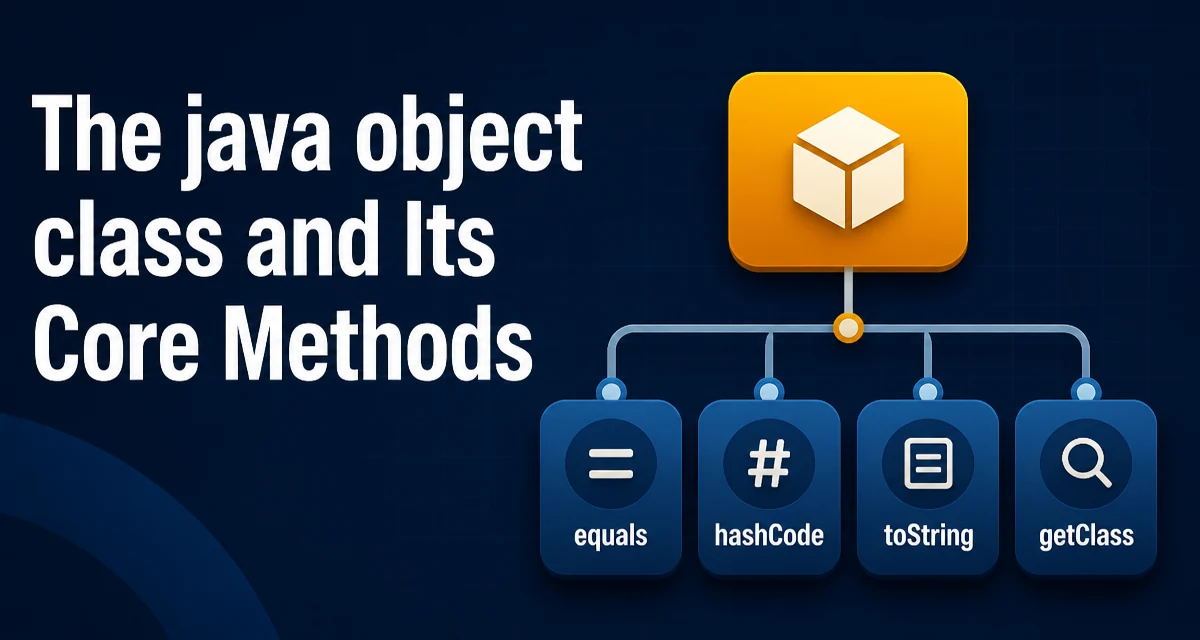
Every Java class, whether you write it or it comes from a library, inherits from java.lang.Object. That inheritance is invisible in your source code, but it determines the default behavior of methods like equals, hashCode, toString, and getClass. Understanding what the java object class actually provides helps you avoid subtle bugs when objects are used in collections, logging, or concurrency.
The Object Class Is the Root of Every Java Type
The Java compiler treats Object as the ultimate superclass. If you do not explicitly extend another class, your class implicitly extends Object. This design gives every Java object a common set of behaviors, but those behaviors are often not what you want for your own types. For example, the default equals method compares object references, not field values. The default toString returns a string that includes the class name and a hash-based representation of the object's memory address. Neither is useful for most domain objects.
What You Actually Inherit from Object
The Object class declares a set of methods that every object carries. The most frequently used are equals, hashCode, toString, getClass, clone, finalize, and the thread-related methods wait, notify, and notifyAll. Many of these are designed to be overridden, while others are meant to be used as-is. The default implementations exist to make all objects behave consistently, but they rarely match the semantic equality or display requirements of your own classes.
Overriding equals to Define Value Equality
The default equals implementation uses reference equality: two objects are equal only if they are the same instance. For value objects, such as a Money class or a Person record, you usually want equality based on the object's fields. Overriding equals requires you to follow a strict contract. The method must be reflexive, symmetric, transitive, and consistent. It must also return false when compared with null or an object of a different type.
public class Money {
    private final String currency;
    private final BigDecimal amount;

    public Money(String currency, BigDecimal amount) {
        this.currency = currency;
        this.amount = amount;
    }

    @Override
    public boolean equals(Object o) {
        if (this == o) return true;
        if (o == null || getClass() != o.getClass()) return false;
        Money money = (Money) o;
        return currency.equals(money.currency) && amount.compareTo(money.amount) == 0;
    }
}
Notice that the method checks the exact class with getClass() rather than using instanceof. Using instanceof can break symmetry when a subclass is involved. The compareTo call for BigDecimal is also intentional because equals for BigDecimal treats 1.0 and 1.00 as different, while compareTo treats them as equal. This example shows that overriding equals is not just a mechanical field comparison; you must consider the semantics of the types you use.
hashCode Must Stay Consistent with equals
The hashCode method works together with equals. The contract states that if two objects are equal according to equals, they must have the same hashCode. The reverse is not required, but having different hash codes for equal objects breaks hash-based collections like HashMap and HashSet. When you override equals, you must override hashCode as well.
@Override
public int hashCode() {
    return Objects.hash(currency, amount);
}
The Objects.hash utility builds a hash from the fields you pass. It is concise and avoids manual bit operations. However, it creates an array internally, so for performance-critical code you might compute the hash manually. The important point is that the hash must be stable: it should not depend on mutable fields that change after the object is placed in a collection. If you store an object in a HashSet and then mutate a field used by hashCode, the object will be lost in the set. This is a common source of subtle bugs.
toString for Readable Debug Output
The default toString produces output like com.example.Money@1a2b3c4. That is rarely helpful when you are reading logs or debugging. Overriding toString gives you a clear representation of the object's state. It is one of the simplest and most valuable overrides you can write.
@Override
public String toString() {
    return "Money{" +
            "currency='" + currency + '\'' +
            ", amount=" + amount +
            '}';
}
A good toString includes the class name and the fields that matter. It should not include sensitive data like passwords or tokens. Also, be careful about calling toString on fields that might be null; a null-safe approach using Objects.toString or String.valueOf avoids NullPointerException.
clone and the Cloneable Interface: Why It Is Awkward
The clone method is protected in Object and only works if the class implements the Cloneable interface. Cloneable is a marker interface with no methods. If you call clone on a class that does not implement Cloneable, it throws CloneNotSupportedException. Even when you implement it, Object.clone performs a shallow copy: it copies the object's fields, but reference fields still point to the same underlying objects. For a class with mutable references, you must override clone and deep-copy those fields manually. This is error-prone and often leads to broken copies. Many developers prefer copy constructors or static factory methods instead.
public class Employee implements Cloneable {
    private String name;
    private List<String> skills;

    @Override
    public Employee clone() {
        try {
            Employee copy = (Employee) super.clone();
            copy.skills = new ArrayList<>(this.skills);
            return copy;
        } catch (CloneNotSupportedException e) {
            throw new AssertionError("Cloneable not implemented", e);
        }
    }
}
The code above shows the typical pattern: call super.clone(), then manually copy the mutable collection. The catch block should never happen because the class implements Cloneable, but the checked exception forces you to handle it. This verbosity is one reason why clone is not a common choice in modern Java. Records and immutable data classes often make cloning unnecessary.
finalize Is Deprecated: Use Cleaner or try-with-resources
The finalize method was designed to let an object clean up resources before garbage collection. It is deprecated since Java 9 and has serious problems. The garbage collector does not guarantee that finalize will run promptly, or at all. It can also resurrect objects and cause memory leaks. Instead of relying on finalize, use try-with-resources for objects that implement AutoCloseable, or use the Cleaner class for more complex cleanup. The key is that resource cleanup should be deterministic and under your control, not left to the garbage collector.
wait, notify, and notifyAll: Low-Level Thread Coordination
The Object class also provides wait, notify, and notifyAll for thread synchronization. These methods are low-level and require careful handling of monitors and conditions. They are easy to misuse, leading to missed signals or deadlocks. In modern Java, you should prefer higher-level concurrency utilities from java.util.concurrent, such as Lock, Condition, Semaphore, or BlockingQueue. These abstractions are easier to reason about and less error-prone. The Object methods still exist for backward compatibility, but they are not a good default choice for new code.
getClass and Reflection: Runtime Type Information
The getClass method returns the runtime class of the object. It is often used in equals implementations to ensure type compatibility, as shown earlier. It is also the entry point for reflection, allowing you to inspect methods, fields, and annotations at runtime. Reflection is powerful but expensive. Every reflective call involves checks and often bypasses compiler optimizations. Use it sparingly, especially in performance-sensitive paths. Also, be aware that getClass returns the actual class, not the compile-time type, which is useful when you need to distinguish subclasses.
Performance and Maintainability Implications
The methods inherited from Object have direct performance and maintainability consequences. The default equals and hashCode are cheap but useless for value semantics. Overriding them with field comparisons adds cost, but that cost is necessary for correct behavior in collections. The hashCode implementation matters: a poor hash function that returns the same value for many objects degrades HashMap lookup to linear time. Similarly, toString that concatenates strings in a loop can create many intermediate objects. Use StringBuilder or a formatted string when building complex output.
Maintainability also suffers when equals and hashCode are not updated when new fields are added. If you add a field that should participate in equality but forget to update hashCode, you break the contract. This is a common source of bugs that are hard to trace. A practical approach is to use records for immutable data carriers, because records automatically generate equals, hashCode, and toString based on all components. For mutable classes, you must be disciplined about updating these methods together.
Another runtime consideration is that Object methods are virtual calls. When you call toString on a variable typed as Object, the JVM dispatches to the actual class's override. This is normal polymorphism, but it means that every object carries a reference to its class, and the method lookup has a small cost. In most applications this cost is negligible, but in tight loops that call toString or equals millions of times, the overhead can become measurable. In such cases, consider caching the hash code or avoiding repeated string construction.
Finally, be cautious with clone and finalize in production code. They are legacy features that often cause more problems than they solve. Prefer explicit copy methods, immutable objects, and deterministic resource management. Understanding what the java object class gives you by default helps you decide when to override and when to avoid those defaults entirely.