Java OutputStream vs Writer: Choosing the Right I/O API
java outputstream vs writer: Understand the difference between Java OutputStream and Writer, when to use each, and how character encoding affects text output.
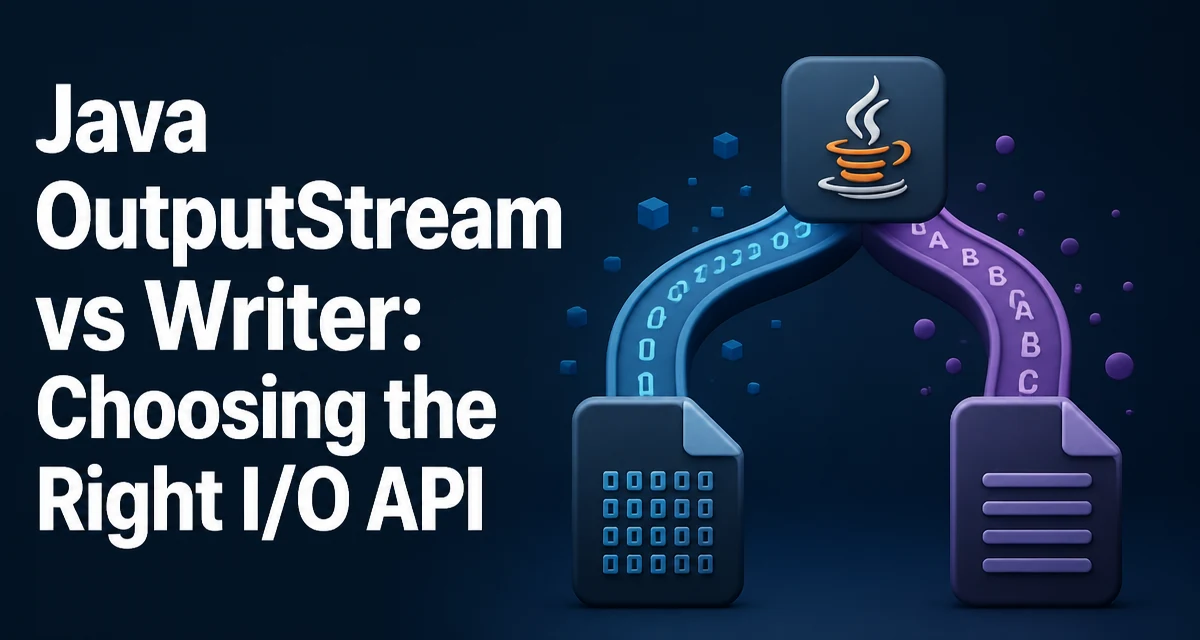
When you need to write data in Java, the choice between OutputStream and Writer often comes down to whether you are handling raw bytes or text characters. The java outputstream vs writer decision affects encoding, memory usage, and how the data behaves when it reaches its destination. OutputStream writes bytes directly, while Writer writes characters and relies on an encoding to convert them to bytes. This distinction is not just a formality; it determines whether your data is interpreted as binary or as human-readable text.
The Core Difference: Bytes vs Characters
An OutputStream is an abstract class for writing byte streams. Every method in it works with byte values or arrays of bytes. When you write a string to an OutputStream, you must first convert it to bytes using a specific character encoding, typically with String.getBytes(Charset). The stream itself has no concept of characters, encoding, or line separators.
A Writer, on the other hand, is an abstract class for writing character streams. It works with char, String, and char[] values. The Writer implementation handles the conversion from characters to bytes internally, using a Charset that you can specify or that defaults to the platform encoding. This makes Writer the natural choice for text output because it respects character boundaries and can apply encoding consistently.
The practical consequence is that OutputStream is appropriate for binary data such as images, serialized objects, or compressed files, while Writer is appropriate for text files, JSON, XML, CSV, and any other content that a human or another program will read as characters.
When to Use OutputStream
Use OutputStream when the data you are writing is fundamentally binary. This includes:
- Image files (JPEG, PNG, etc.)
- Audio and video files
- Serialized Java objects (via
ObjectOutputStream) - Compressed data (via
GZIPOutputStream) - Any file where the exact byte sequence matters and no character encoding applies
For example, writing a byte array to a file with FileOutputStream is straightforward:
byte[] data = new byte[] { 0x48, 0x65, 0x6C, 0x6C, 0x6F };
try (FileOutputStream fos = new FileOutputStream("hello.bin")) {
    fos.write(data);
}
This code writes the exact bytes 0x48 through 0x6F. No encoding conversion occurs. If you tried to use a Writer for this data, you would need to convert the bytes to characters first, which would likely corrupt the binary content.
Another common use is wrapping an OutputStream with a buffered stream for efficiency:
try (BufferedOutputStream bos = new BufferedOutputStream(new FileOutputStream("large.bin"))) {
    bos.write(data);
}
The buffered stream reduces the number of system calls by accumulating writes in an internal buffer.
When to Use Writer
Use Writer when you are producing text that should be readable as characters. This includes plain text files, log files, HTML, JSON, XML, and configuration files. Writers handle the conversion from characters to bytes using a specified charset, which avoids the common mistake of calling getBytes() without an explicit encoding.
A simple example with FileWriter:
try (FileWriter fw = new FileWriter("note.txt")) {
    fw.write("Hello, world!\n");
}
FileWriter uses the platform's default charset unless you specify one. In modern Java, you can pass a Charset to the constructor:
try (FileWriter fw = new FileWriter("note.txt", StandardCharsets.UTF_8)) {
    fw.write("Hello, world!\n");
}
For more control, wrap a Writer with a BufferedWriter to improve performance and add the newLine() method, which uses the platform's line separator:
try (BufferedWriter bw = new BufferedWriter(new FileWriter("log.txt", StandardCharsets.UTF_8))) {
    bw.write("Error: invalid input");
    bw.newLine();
}
Writers are also the right choice when you need to write text incrementally, such as building a response in a web server or generating a report line by line.
Character Encoding: The Hidden Factor
The most important difference between OutputStream and Writer is how they handle character encoding. When you write text with an OutputStream, you must manually convert the string to bytes. If you forget to specify a charset, the default platform encoding is used, which can cause portability issues. For example:
String text = "café";
try (FileOutputStream fos = new FileOutputStream("cafe.txt")) {
    fos.write(text.getBytes()); // uses platform default charset
}
This code may produce different bytes on different systems if the default charset differs. To make it deterministic, you should specify a charset explicitly:
fos.write(text.getBytes(StandardCharsets.UTF_8));
A Writer does this conversion internally. When you create a Writer, you can specify the charset, and it will apply it consistently to every character you write. This is especially important for internationalized text, where a single character may be represented by multiple bytes.
Consider using OutputStreamWriter to bridge the two APIs. It wraps an OutputStream and converts characters to bytes using a specified charset:
try (OutputStreamWriter osw = new OutputStreamWriter(new FileOutputStream("cafe.txt"), StandardCharsets.UTF_8)) {
    osw.write("café");
}
This gives you the flexibility of an OutputStream (e.g., for further wrapping with a GZIPOutputStream) while still handling character encoding correctly.
Writing to a File: OutputStream and Writer in Practice
To illustrate the practical difference, consider writing a simple text file. With an OutputStream, you must handle the encoding yourself:
String content = "Line 1\nLine 2\n";
try (FileOutputStream fos = new FileOutputStream("output.txt")) {
    fos.write(content.getBytes(StandardCharsets.UTF_8));
}
With a Writer, the encoding is built in:
try (FileWriter fw = new FileWriter("output.txt", StandardCharsets.UTF_8)) {
    fw.write("Line 1\nLine 2\n");
}
Both produce a file with the same bytes, but the Writer version is less error-prone because you cannot forget the charset. If you need to write binary data and text together, you can use a DataOutputStream for binary primitives and an OutputStreamWriter for text, but mixing them requires careful ordering and flushing.
A common pattern is to use PrintWriter for formatted text output. PrintWriter can wrap a Writer or an OutputStream and provides convenient methods like printf, println, and print:
try (PrintWriter pw = new PrintWriter(new FileWriter("report.txt", StandardCharsets.UTF_8))) {
    pw.printf("Total: %d items%n", count);
}
Note that PrintWriter swallows exceptions by default, so you should check checkError() if you need to detect write failures.
Performance and Resource Considerations
Performance differences between OutputStream and Writer are usually minor compared to the cost of disk I/O or network I/O. The main overhead in Writer comes from character encoding conversion, which is a CPU operation. For large text files, this conversion is unavoidable if you need correct text representation. Using a buffered stream or writer reduces the number of underlying I/O operations and is recommended for both APIs.
When writing many small pieces of text, a BufferedWriter can significantly reduce system calls. Similarly, a BufferedOutputStream helps for binary data. The default buffer sizes are typically 8 KB, which is adequate for most use cases.
Memory usage is another consideration. Writers may allocate temporary buffers for encoding conversion, but this is usually negligible. The bigger risk is forgetting to close resources, which can leak file descriptors. Both OutputStream and Writer implement AutoCloseable, so using try-with-resources is the safest pattern.
One subtle performance point: if you write a string to an OutputStream using getBytes(), you create a new byte array each time. For repeated writes, this can cause allocation pressure. A Writer reuses internal buffers and avoids this extra allocation, making it slightly more efficient for text-heavy workloads.
Common Pitfalls and How to Avoid Them
A frequent mistake is mixing OutputStream and Writer without understanding the encoding layer. For example, writing a string to an OutputStreamWriter and then directly writing bytes to the underlying stream can corrupt the output because the writer may buffer characters that have not yet been encoded and flushed. Always flush the writer before writing to the underlying stream, or better, avoid mixing them.
Another pitfall is relying on the default charset. The default charset varies by platform and can change with the JVM's locale settings. Always specify a charset when creating a Writer or when calling getBytes() on a string. StandardCharsets.UTF_8 is a safe choice for most applications.
Using FileWriter without a charset is a common source of bugs. Since Java 11, the constructors that accept a file name without a charset are deprecated, and you should use the overload that takes a Charset. If you are on an older Java version, consider wrapping a FileOutputStream with an OutputStreamWriter to control the encoding.
Finally, do not assume that Writer is always text and OutputStream is always binary. You can write text bytes to an OutputStream, and you can write characters to a Writer that ultimately produces binary data (e.g., when wrapped in a GZIPOutputStream). The distinction is about the data type you are working with at the API level, not the final file format.
Choosing the Right API for Your Data
The decision between OutputStream and Writer should be based on the nature of the data you are writing. If you are handling raw bytes, images, or serialized objects, use OutputStream. If you are handling text that should be readable as characters, use Writer. When you need both, use an OutputStreamWriter to bridge the two worlds with explicit encoding control.
For text output, prefer Writer because it eliminates the risk of forgetting to specify an encoding. For binary output, OutputStream is the only sensible choice. In mixed scenarios, such as writing a header in binary format followed by text content, you can use a DataOutputStream for the binary part and an OutputStreamWriter for the text part, but be careful to flush between the two.
A practical rule is: if you are writing a String or char[], use Writer. If you are writing a byte[] or ByteBuffer, use OutputStream. This rule covers the vast majority of cases and prevents encoding mistakes. When in doubt, think about how the data will be consumed. If the consumer expects characters, use Writer; if it expects bytes, use OutputStream.