Java Pattern Compile: Reusing Regex Patterns
java pattern compile: Learn how Pattern.compile() works in Java, why reusing compiled patterns matters, and how to avoid common regex performance pitfalls.
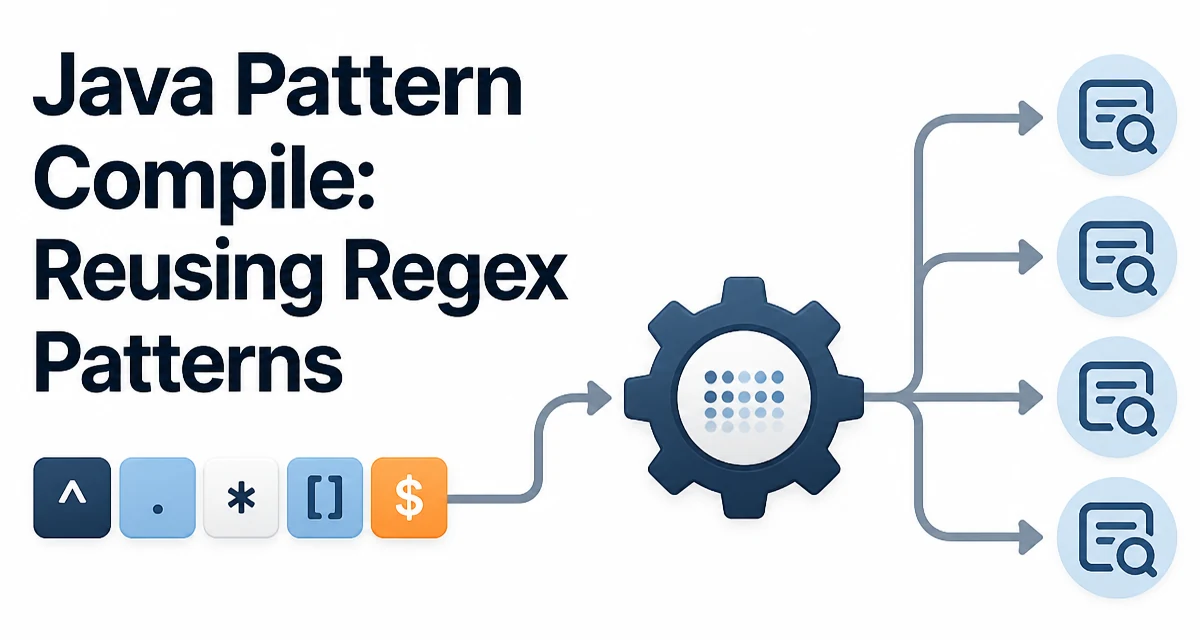
When you call Pattern.compile("\\d+") in Java, you are not just storing a string. The java pattern compile step parses the regular expression into an internal state machine representation, and that parsed form is what every subsequent matching operation reuses.
What Pattern.compile() Actually Returns
Pattern.compile() is a static factory method that takes a regular expression string and returns an immutable Pattern instance. The returned object is thread-safe and can be shared across multiple threads without synchronization. The Pattern object itself does not hold any match state; all per-match state lives in the Matcher instances you create from it.
Pattern pattern = Pattern.compile("\\d+");
Matcher matcher = pattern.matcher("order 42 arrived");
while (matcher.find()) {
    System.out.println(matcher.group());
}
The Pattern object parses the expression once, and every matcher() call produces a new Matcher that reuses that parsed representation. This separation is the reason Pattern instances are cheap to reuse and Matcher instances are cheap to create.
The Pattern and Matcher Relationship
A Matcher is stateful. It tracks the current position in the input, the region being searched, and the results of the last match attempt. Because of that state, a single Matcher cannot be shared between threads, and reusing one across independent matching operations requires care.
Pattern pattern = Pattern.compile("\\d+");
Matcher matcher = pattern.matcher("order 42 arrived");
matcher.find();
System.out.println(matcher.group());

matcher.reset("invoice 99 pending");
matcher.find();
System.out.println(matcher.group());
The reset() method repositions the matcher against a new input sequence. This is useful when you process many strings with the same pattern and want to avoid allocating a new Matcher for each one. The allocation cost of a Matcher is small, but in a tight loop processing thousands of strings, reusing the instance can reduce garbage collection pressure.
Compile-Time Flags
Pattern.compile() has an overload that accepts a flags integer. The flags change how the expression is interpreted:
Pattern caseInsensitive = Pattern.compile("status", Pattern.CASE_INSENSITIVE);
Pattern multiline = Pattern.compile("^\\w+", Pattern.MULTILINE);
Pattern dotAll = Pattern.compile(".*", Pattern.DOTALL);
| Flag | Effect |
|---|---|
CASE_INSENSITIVE | Matching ignores case for ASCII characters by default |
MULTILINE | ^ and $ match at line boundaries in addition to input boundaries |
DOTALL | . matches line terminators as well as ordinary characters |
COMMENTS | Whitespace and # comments are ignored in the pattern |
UNICODE_CASE | Case-insensitive matching extends to Unicode characters |
LITERAL | The pattern is treated as a literal string, not a regex |
These flags can also be embedded inline in the pattern string itself. For example, "(?i)status" is equivalent to compiling "status" with CASE_INSENSITIVE. The inline form is useful when the pattern is stored in configuration or a database and the flags must travel with the expression.
Why Reusing a Compiled Pattern Matters
The most common performance mistake with Java regex is calling Pattern.compile() inside a loop or inside a method that runs frequently. Each call parses the expression, builds the internal representation, and allocates a new object. For a simple expression the cost is small, but for complex expressions with many groups, alternations, or character classes, parsing can be noticeably more expensive than the matching itself.
// Avoid: recompiles on every call
public boolean isValidEmail(String input) {
    return Pattern.compile("^[\\w.+-]+@[\\w-]+\\.[\\w.]+$").matcher(input).matches();
}

// Prefer: compile once, reuse many times
private static final Pattern EMAIL_PATTERN =
    Pattern.compile("^[\\w.+-]+@[\\w-]+\\.[\\w.]+$");

public boolean isValidEmail(String input) {
    return EMAIL_PATTERN.matcher(input).matches();
}
The static field approach ensures the expression is parsed exactly once per class load. The Matcher created inside the method is still allocated per call, but that allocation is far cheaper than recompiling the pattern.
This matters most in code paths that run frequently: request validation, log parsing, input sanitization, and batch processing. In a one-off script that runs a handful of matches, the difference is irrelevant. The decision should be based on how often the code path executes.
Common Pitfalls with Compiled Patterns
Pattern.matches vs Matcher.matches
A frequent source of confusion is the difference between Pattern.matches() and Matcher.matches(). Pattern.matches(regex, input) is a convenience method that compiles the pattern, creates a matcher, and calls matches() — all in one call. It is equivalent to the anti-pattern above and should not be used in hot paths.
Thread Safety
Pattern instances are immutable and thread-safe. You can safely share a single compiled pattern across multiple threads. Matcher instances are not thread-safe and must not be shared. If you need per-thread matchers, create them locally or use a ThreadLocal<Matcher> when allocation pressure is a concern.
Backtracking and Catastrophic Behavior
Compiling a pattern does not protect you from catastrophic backtracking. A poorly written expression such as "(a+)+" can cause exponential matching time on certain inputs regardless of whether the pattern is compiled once or a thousand times. Compilation only removes the parsing overhead; it does not change the matching algorithm.
When Inline Compilation Is Acceptable
There are legitimate cases where calling Pattern.compile() inline is fine. If the pattern is constructed dynamically from user input, configuration, or a database value, you have no choice but to compile it at runtime. In that case, consider caching the compiled result in a Map<String, Pattern> keyed by the expression string, especially if the same dynamic expression is likely to appear repeatedly.
private static final Map<String, Pattern> CACHE = new ConcurrentHashMap<>();

public static Pattern cachedPattern(String regex) {
    return CACHE.computeIfAbsent(regex, Pattern::compile);
}
This gives you the benefit of reuse without assuming the set of expressions is known at compile time. The cache grows unboundedly, so for long-running applications you may want to bound it with a size limit or an eviction policy.
Matching Behavior and Group Extraction
Once a pattern is compiled, the Matcher provides several ways to extract data. The group() method returns the entire match, while group(int) returns a specific capturing group. Named groups are also supported since Java 7:
Pattern pattern = Pattern.compile("(?<year>\\d{4})-(?<month>\\d{2})");
Matcher matcher = pattern.matcher("2025-03");
if (matcher.matches()) {
    System.out.println(matcher.group("year"));
    System.out.println(matcher.group("month"));
}
Named groups improve readability when a pattern has many groups, because the extraction code no longer depends on positional indexes that are easy to get wrong when the pattern changes.
Compatibility Considerations
The Pattern API has been stable since Java 1.4, and named groups were added in Java 7. If you target older Android versions or legacy Java runtimes, named groups may not be available. The flags UNICODE_CHARACTER_CLASS and UNICODE_CASE behave differently across Java versions, so pattern behavior can change when the application moves to a newer JDK. Compiling and reuse does not change these compatibility characteristics, but it does centralize the pattern definition in one place, which makes version-related behavior changes easier to track.