Java Retention Annotation: How to Control Annotation Lifecycle
Understand how the java retention annotation controls whether annotations are available at compile time, class load time, or runtime, and how to choose the right policy.
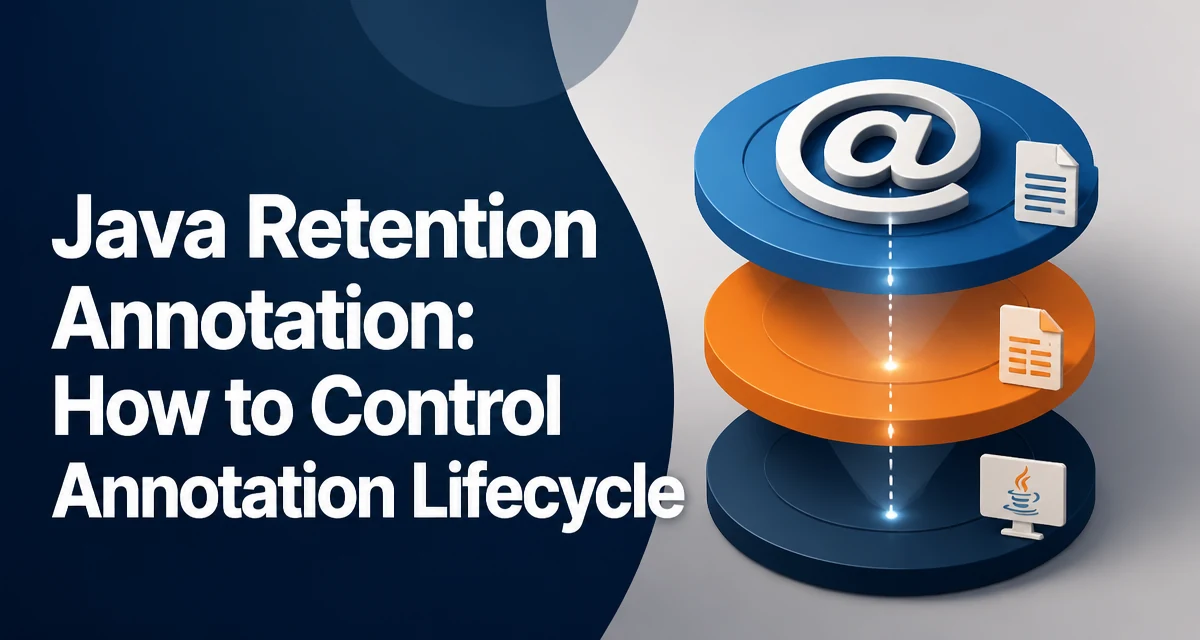
The java retention annotation is a meta-annotation that controls how long an annotation remains available in the compiled bytecode and whether it can be read through reflection. It is one of the most misunderstood parts of Java's annotation system, and choosing the wrong policy can break tooling or runtime behavior. This article explains the three retention policies, how to declare them, and how to select the right one for your use case.
What Retention Policy Controls in Java Annotations
When you define a custom annotation, you can specify its retention policy using the @Retention meta-annotation. This policy determines the lifecycle of the annotation: whether it is discarded during compilation, stored in the class file but not loaded into the JVM, or made visible to the JVM at runtime. The policy directly affects which tools and libraries can see the annotation and when.
The three policies are defined in java.lang.annotation.RetentionPolicy:
SOURCE: The annotation is only available in the source code and is not included in the compiled.classfile.CLASS: The annotation is recorded in the.classfile but is not retained by the JVM at runtime.RUNTIME: The annotation is recorded in the.classfile and is available to the JVM at runtime, making it accessible via reflection.
Most annotations used in frameworks like Spring or JUnit use RUNTIME because the framework needs to inspect them via reflection. However, many compile-time tools, such as annotation processors, only need SOURCE or CLASS.
Declaring an Annotation with @Retention
To set the retention policy, annotate your annotation definition with @Retention and pass the desired RetentionPolicy value. Here is an example:
import java.lang.annotation.Retention;
import java.lang.annotation.RetentionPolicy;

@Retention(RetentionPolicy.RUNTIME)
public @interface MyAnnotation {
    String value();
}
If you omit @Retention, the default policy is CLASS. This is a common source of confusion because many developers assume annotations are available at runtime by default. The CLASS policy means the annotation will be present in the bytecode but the JVM will not load it, so reflection calls like getAnnotation() will return null for that annotation.
You can also combine @Retention with @Target to restrict where the annotation can be applied:
@Retention(RetentionPolicy.SOURCE)
@Target(ElementType.METHOD)
public @interface DebugOnly {
}
```n
This annotation is only useful during development and will not appear in the compiled class file.

## Accessing Annotations at Runtime with Reflection

When you set `RetentionPolicy.RUNTIME`, you can read the annotation using Java's reflection API. The most common methods are `getAnnotation()`, `getAnnotations()`, and `getDeclaredAnnotations()` on classes, methods, fields, and other elements.

Consider this example where a custom annotation is used to mark a method for logging:

```java
import java.lang.annotation.*;

@Retention(RetentionPolicy.RUNTIME)
@Target(ElementType.METHOD)
public @interface LogExecution {
    boolean enabled() default true;
}
Now, a class that uses the annotation:
public class Service {
    @LogExecution(enabled = true)
    public void process() {
        // business logic
    }
}
To inspect the annotation at runtime, you can write:
import java.lang.reflect.Method;

Method method = Service.class.getMethod("process");
if (method.isAnnotationPresent(LogExecution.class)) {
    LogExecution log = method.getAnnotation(LogExecution.class);
    System.out.println("Logging enabled: " + log.enabled());
}
This works only because the retention policy is RUNTIME. If the policy were CLASS or SOURCE, isAnnotationPresent() would return false even though the annotation appears in the source code.
Choosing the Right Retention Policy
The choice of retention policy depends on who needs to read the annotation and when. Use the following criteria:
- Use
SOURCEwhen the annotation is only needed by the compiler or a source-level tool, such as@Overrideor@SuppressWarnings. These annotations are not needed after compilation, and keeping them out of the bytecode reduces class file size and avoids clutter. - Use
CLASSwhen the annotation must be visible in the bytecode for tools that read class files without loading them, such as certain bytecode analyzers or annotation processors that run during the build. However, be aware that the JVM does not load these annotations, so reflection will not see them. - Use
RUNTIMEwhen the annotation must be read by the application or a framework at runtime, typically via reflection. This is required for annotations that influence behavior, such as dependency injection, serialization, or validation.
There is a performance consideration: RUNTIME annotations are loaded into the JVM and can be inspected via reflection, which adds a small overhead when you query them. However, the cost is usually negligible unless you perform reflection on a very hot path. If you need to avoid reflection entirely, consider using a compile-time annotation processor to generate code instead.
Common Pitfalls with Retention Policies
One frequent mistake is assuming that all annotations are available at runtime. For example, the @Override annotation has SOURCE retention, so attempting to read it via reflection will fail. Another pitfall is forgetting to specify @Retention and getting the default CLASS behavior, which can cause unexpected null results when using reflection.
Another issue arises with annotation processors that run during compilation. If you set RUNTIME retention, the annotation will be available both at compile time and runtime, but this may be unnecessary. If you only need the annotation for code generation, SOURCE or CLASS is sufficient and keeps the annotation out of the runtime image.
Finally, be careful when combining retention policies with inheritance. Annotations on a superclass are not automatically inherited by subclasses unless you annotate your annotation with @Inherited. Even with @Inherited, the annotation must have RUNTIME retention for the inheritance to be visible via reflection.
Retention and Annotation Processing
Annotation processors, which run during compilation, can read annotations with SOURCE or CLASS retention. For example, a processor that generates builder classes might use a SOURCE-retained annotation to avoid polluting the runtime classpath. The processor reads the annotation from the source model, not from the compiled class, so it does not need the annotation to be present in the bytecode.
If you are building a library that relies on annotation processing, choose SOURCE or CLASS to reduce the runtime footprint. However, if your library also needs to inspect the annotation at runtime, you must use RUNTIME. This is why many libraries offer both a compile-time and a runtime mode, often by using two separate annotations.
Runtime Reflection Performance and Retention
When you use RUNTIME retention, reflection can be used to inspect annotations. This has a small performance cost because the JVM must load and store the annotation metadata. The cost is typically a few microseconds per lookup, which is acceptable for most applications. However, if you are scanning many classes or methods in a loop, the cumulative cost can become noticeable.
A common optimization is to cache the results of reflection lookups. For example, if you have a framework that reads annotations on every request, you can cache the annotation data in a Map keyed by the method or class. This avoids repeated reflection calls and reduces the runtime overhead.
Another consideration is that RUNTIME annotations increase the memory footprint of the class metadata. If you have a large number of annotations, this can add up. For most applications, the impact is negligible, but for highly constrained environments, you may want to use CLASS or SOURCE where possible.
Handling Annotations That Are Not Present
When using reflection to read annotations, you should always handle the case where the annotation is missing. This is especially important if you are working with code that may not have the annotation. Use isAnnotationPresent() to check before calling getAnnotation(), or use getDeclaredAnnotations() to retrieve all annotations and iterate over them.
If you expect an annotation to be present but it is not, the most likely cause is a retention policy mismatch. For example, if you set CLASS retention and then try to read it via reflection, the annotation will not be found. Debugging this usually involves checking the @Retention declaration and verifying that the class file actually contains the annotation by using javap -v.
The javap tool can show you whether an annotation is present in the bytecode and what its retention policy is. This is a useful diagnostic when you are unsure why reflection returns null for a seemingly present annotation.