Java Runnable: Usage, Threads, and Executors
java runnable: Learn how to use the Java Runnable interface with threads and executors, handle exceptions, and choose between Runnable and Callable.
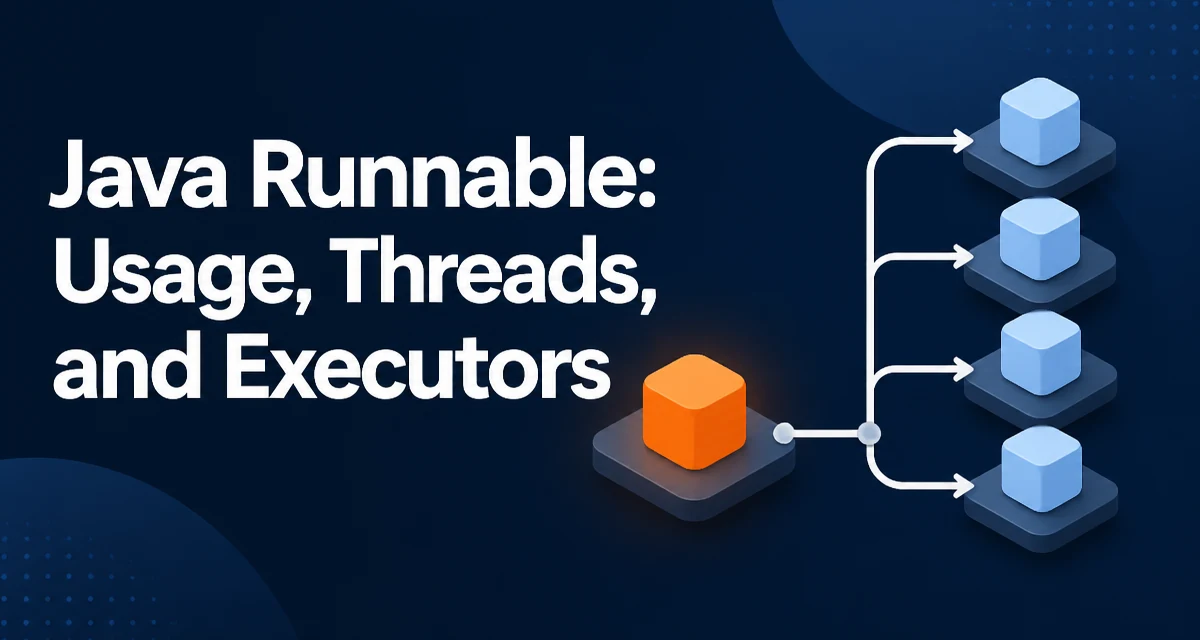
The java runnable interface is the smallest unit of concurrent work in Java. It declares one abstract method, run(), that takes no arguments and returns no value. Runnable is a functional interface, which means it can be implemented with a lambda expression, a method reference, or an anonymous class. Its main purpose is to describe a task that can execute on a different thread, but Runnable itself does not create a thread; you must hand the task to a Thread or an ExecutorService for it to run concurrently.
The Runnable Contract and Its Constraints
The interface is defined as:
@FunctionalInterface
public interface Runnable {
    void run();
}
The @FunctionalInterface annotation tells the compiler that the interface has exactly one abstract method, so it can be used as the target of a lambda expression. The run() method has two constraints that shape how you write task code:
- It returns
void, so a Runnable cannot report a result back to the caller. - It cannot throw checked exceptions, because
run()is not declared with athrowsclause.
These constraints mean that any checked exception inside run() must be caught and handled within the method body. If you need to return a value or propagate a checked exception, Callable<V> is the appropriate alternative.
Creating a Runnable with a Lambda
Because Runnable is a functional interface, the most concise way to create one is a lambda expression:
Runnable task = () -> System.out.println("Running on " + Thread.currentThread().getName());
The lambda body becomes the implementation of run(). A lambda can capture variables from the enclosing scope, but only if they are effectively final — that is, not reassigned after initialization:
int taskId = 42;
Runnable task = () -> System.out.println("Task " + taskId + " started");
If you try to reassign taskId later, the code will not compile, because the lambda captures the variable by value and Java requires that value to remain stable.
Passing a Runnable to a Thread
The most direct way to execute a Runnable is to pass it to a Thread:
Runnable task = () -> System.out.println("Hello from a thread");
Thread worker = new Thread(task);
worker.start();
Calling start() schedules the thread and invokes the task's run() method on the new thread. A common mistake is calling worker.run() directly; that executes the task on the current thread and provides no concurrency at all. The distinction matters because start() creates a new call stack and a separate execution context, while run() is just an ordinary method call.
Submitting a Runnable to an ExecutorService
For production code, creating a new Thread per task is rarely the right choice. Thread creation has overhead, and an unbounded number of threads can exhaust system resources. An ExecutorService manages a pool of worker threads and reuses them across tasks:
ExecutorService executor = Executors.newFixedThreadPool(4);
Runnable task = () -> System.out.println("Processing on " + Thread.currentThread().getName());
executor.execute(task);
executor.shutdown();
execute(Runnable) submits the task and returns immediately. If you need to track completion or obtain a result, submit(Callable<T>) returns a Future<T> that you can block on. For a Runnable, submit(Runnable) returns a Future<?> whose get() returns null when the task finishes, which is useful when you only need to wait for completion.
The thread pool size should reflect the nature of the work. CPU-bound tasks should use a pool close to the number of available processors. Tasks that block on I/O can use a larger pool, because most threads will be waiting rather than consuming CPU.
Handling Exceptions Inside a Runnable
Because run() cannot throw checked exceptions, your task code must handle them internally:
Runnable task = () -> {
    try {
        Thread.sleep(1000);
    } catch (InterruptedException e) {
        Thread.currentThread().interrupt();
        System.err.println("Task interrupted");
    }
};
Restoring the interrupt flag with Thread.currentThread().interrupt() matters: it lets other code that checks the interrupt status see that the thread was interrupted, preserving the signal for higher layers.
Unchecked exceptions, such as RuntimeException, can still escape run(). When that happens, the thread terminates and the exception is passed to the thread's UncaughtExceptionHandler. By default, the handler prints the stack trace to System.err. You can install a custom handler to log failures centrally:
Thread worker = new Thread(task);
worker.setUncaughtExceptionHandler((t, e) ->
    System.err.println("Thread " + t.getName() + " failed: " + e.getMessage()));
worker.start();
For tasks submitted to an ExecutorService, an uncaught exception behaves differently: the worker thread catches the exception and stores it in the Future returned by submit(). If you use execute() instead, the exception is passed to the thread's uncaught exception handler. This difference is worth remembering when you decide between execute() and submit().
Runnable vs. Callable
Callable<V> is the functional alternative to Runnable when a task needs to return a value or throw a checked exception.
| Aspect | Runnable | Callable<V> |
|---|---|---|
| Method | void run() | V call() |
| Return value | none | V |
| Checked exceptions | not allowed | allowed |
| Use with executor | execute() or submit() | submit() only |
Use Runnable when the task is fire-and-forget: logging, sending a notification, updating a cache, or performing a side effect where the outcome is not needed by the caller. Use Callable when the caller must know the result, such as a computation whose output feeds into another stage of processing.
Thread Safety When Runnables Share State
A Runnable is just a description of work; it does nothing to protect shared state. If multiple Runnable instances read and write the same field, you are responsible for synchronization. Consider a counter incremented by several tasks:
AtomicInteger counter = new AtomicInteger();
Runnable increment = counter::incrementAndGet;
Using an AtomicInteger avoids the lost-update problem that occurs when two threads read and write a plain int without synchronization. If the shared state is more complex, use synchronized blocks or a lock to guard access. The key point is that Runnable provides no memory visibility guarantees on its own; the guarantees come from the synchronization primitives you apply to the shared data.
Choosing the Right Task Granularity
The size of a Runnable's task has a direct effect on throughput. If each task is tiny, the overhead of scheduling and context switching can dominate the actual work. If each task blocks for a long time on I/O, a small thread pool will leave many tasks queued and increase latency.
A practical approach is to measure the average task duration and the ratio of blocking to CPU work, then size the pool accordingly. For short-lived tasks, batching work into larger units often improves throughput. For long-running tasks, consider splitting them into smaller stages or using a bounded queue so that the executor rejects or queues excess work rather than growing without limit.
The java runnable interface is deliberately minimal, and that minimalism is its strength. It separates the definition of a task from the mechanism that executes it, which lets you move from a single thread to a thread pool without changing the task code. The tradeoff is that you must manage exceptions, shared state, and task sizing yourself — Runnable provides the contract, not the safety net.