Java Stream anyMatch vs allMatch: Key Differences
java stream anymatch vs allmatch: Understand how Java Stream anyMatch and allMatch differ in short-circuiting, empty stream behavior, and practical validation use cases.
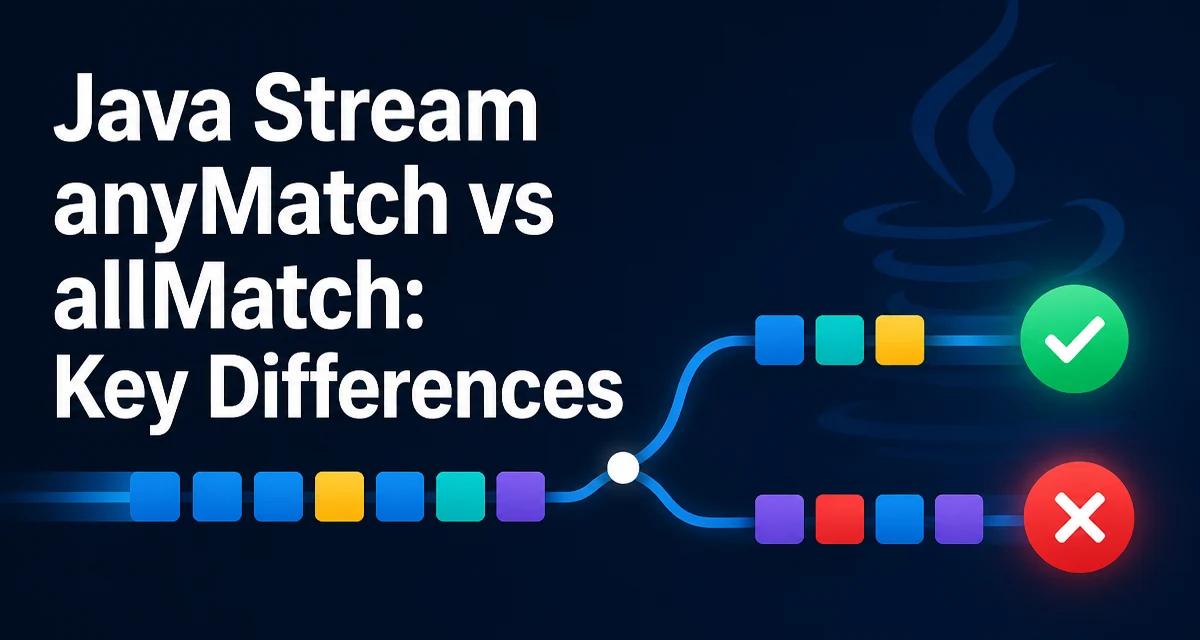
java stream anymatch vs allmatch requires a clear understanding of the core syntax, runtime behavior, and practical implementation patterns demonstrated in the examples below.
Choosing between anyMatch and allMatch in the Java Stream API is not just a matter of flipping a logical operator. These two terminal operations answer different questions: anyMatch asks whether at least one element satisfies a predicate, while allMatch asks whether every element does. That difference affects short-circuiting, how empty streams are handled, and how readable your validation logic is. This article looks at the practical differences behind the common java stream anymatch vs allmatch question.
The Difference Between anyMatch and allMatch
anyMatch returns true as soon as it finds an element that matches the given predicate. allMatch returns true only if every element in the stream matches the predicate, and returns false as soon as it finds one that does not.
List<String> names = List.of("Anna", "Bob", "Charlie");

boolean hasShortName = names.stream()
        .anyMatch(name -> name.length() <= 3);

boolean allHaveAtLeastThreeChars = names.stream()
        .allMatch(name -> name.length() >= 3);
In this example, hasShortName is true because "Bob" has three characters. allHaveAtLeastThreeChars is also true because every name has at least three characters. The two operations are not logical opposites. allMatch is equivalent to checking that no element fails the predicate, not that anyMatch is false.
Short-Circuit Behavior and Evaluation Order
Both operations are short-circuiting terminal operations. anyMatch stops processing elements as soon as the predicate returns true. allMatch stops as soon as the predicate returns false. This behavior can avoid evaluating the entire stream when the result is already determined.
Stream.of(1, 2, 3, 4)
      .peek(System.out::println)
      .anyMatch(n -> n > 2);
With a sequential stream, this prints 1, 2, and 3, then stops. The element 4 is never consumed. The same idea applies to allMatch:
Stream.of(1, 2, 3, 4)
      .peek(System.out::println)
      .allMatch(n -> n < 3);
This prints 1, 2, and 3, then stops because 3 fails the predicate. Short-circuiting is useful, but it also means any side effects in the predicate are not guaranteed to run for every element. The Stream API contract expects predicates to be stateless and non-interfering, so relying on side effects is fragile.
Empty Stream Results and Vacuous Truth
Empty streams produce results that often surprise developers. anyMatch on an empty stream always returns false, because there is no element that could match. allMatch on an empty stream always returns true, because there are no elements that violate the predicate. This is known as vacuous truth.
Stream.empty().anyMatch(x -> true);  // false
Stream.empty().allMatch(x -> false); // true
The second line looks odd but is correct: no element fails the predicate, so every element satisfies it. This matters when validating collections that may be empty. If you use allMatch to check that all items are valid, an empty collection passes the check. If you need to reject empty collections, add an explicit count or findAny check before the validation.
Practical Validation Examples
In real code, these operations typically appear in validation or authorization logic. Suppose you have a list of users and need to confirm that every user has an email address.
boolean allHaveEmail = users.stream()
        .allMatch(user -> user.getEmail() != null);
If users is empty, this returns true, which may or may not be what you want. If you also need to ensure the list is not empty, check that separately.
To check whether at least one user has administrator privileges:
boolean hasAdmin = users.stream()
        .anyMatch(User::isAdmin);
Here anyMatch short-circuits as soon as an admin is found, which can save work on large collections. The method reference User::isAdmin keeps the predicate readable and testable.
Performance Considerations in Sequential and Parallel Streams
Short-circuiting can reduce the amount of work performed, but the benefit depends on the data and the predicate. In a sequential stream, anyMatch and allMatch stop as soon as the result is determined. If the matching element appears early, the rest of the stream is not processed. If it appears late, almost the entire stream may be evaluated.
Parallel streams change the picture. When a stream is processed in parallel, the source is split into chunks and processed by multiple threads. A short-circuiting terminal operation still stops once the result is known, but some threads may have already processed elements that would not have been touched in a sequential run. This means parallel execution can do extra work compared with sequential execution for the same predicate.
The cost of the predicate is also relevant. If the predicate is cheap, the overhead of parallel processing often outweighs any benefit. If the predicate is expensive, short-circuiting can still help, but the exact improvement depends on where the decisive element appears. Avoid assuming that anyMatch or allMatch will always evaluate only the minimum number of elements, especially with parallel streams.
Choosing Between anyMatch, allMatch, and noneMatch
The Stream API also provides noneMatch, which returns true when no element matches the predicate. The three operations form a complete set for predicate checks.
| Operation | Returns true when | Returns false when | Empty stream result |
|---|---|---|---|
anyMatch(p) | At least one element matches p | No element matches p | false |
allMatch(p) | Every element matches p | At least one element fails p | true |
noneMatch(p) | No element matches p | At least one element matches p | true |
Use anyMatch when you need to know that a condition holds for at least one element. Use allMatch when every element must satisfy the condition. Use noneMatch when you need to verify that no element satisfies a condition, such as checking that no user has a banned role.
A common mistake is to write !anyMatch(p) when you mean noneMatch(p). The two are equivalent for non-empty streams, but !anyMatch(p) can be harder to read and does not communicate intent as clearly. Similarly, allMatch(p) is not the same as !anyMatch(p); allMatch requires every element to match, while !anyMatch only requires that no element matches.
Common Mistakes and Maintainability Concerns
One recurring issue is forgetting that allMatch returns true for an empty stream. If you use it to validate that a list contains only acceptable items, an empty list passes. If the business rule requires at least one item, combine the check with a size or findAny check.
Another issue is using side effects inside the predicate to count or log elements. Because of short-circuiting, the predicate may not run for every element, and the order of evaluation is not guaranteed in parallel streams. Keep predicates pure and extract them into named methods when the logic is complex.
public boolean isValidUser(User user) {
    return user.getEmail() != null && user.isActive();
}

boolean allUsersValid = users.stream()
        .allMatch(this::isValidUser);
Extracting the predicate makes the stream pipeline easier to read and test independently. It also avoids duplicating validation rules across multiple call sites. When you later change the definition of a valid user, you update one method instead of every stream expression that contains the same inline lambda.
The choice between anyMatch and allMatch should be driven by the exact condition you need to verify. If the code reads like a question about at least one element, use anyMatch. If it reads like a requirement that every element pass, use allMatch. The short-circuit behavior and empty stream semantics follow from that choice, and keeping the predicate pure keeps the stream pipeline predictable.